The library pairs 532 images with reusable prompt structure
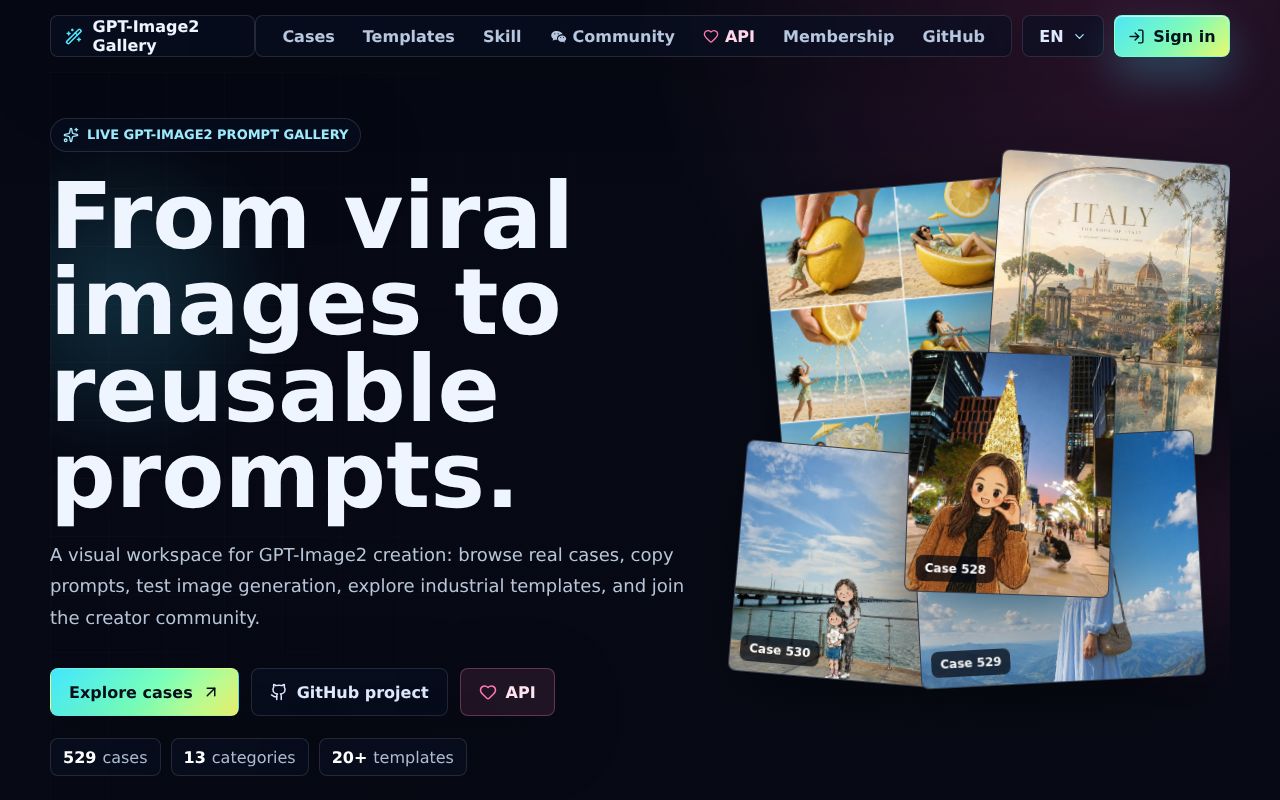
awesome-gpt-image-2 is easiest to understand as a visual reference shelf. Its 532 cases cover interfaces, infographics, posters, products, branding, architecture, photography, illustration, characters, scenes, historical Chinese themes, and document layouts. Each gallery entry connects an example image with prompt material and, where available, a source. A separate template guide breaks prompts into subjects, lighting, materials, layout, typography, and other fields that can be changed independently.
That organization is more useful than a flat text dump when you know the desired look but lack the vocabulary to describe it. The public website adds large previews, filters, prompt copying, and links back to the GitHub case. English is the primary README, with Chinese and Japanese versions linked at the top. Some underlying documents remain Chinese, including the rights disclaimer, so an English-only team should translate the policy material before approving reuse.
The agent skill selects references without generating an image
The included style-library skill can be installed for Claude Code, Codex, Cursor, and other compatible agents. Its generated reference comes from the same data/style-library.json used by the site, reducing drift between what an agent recommends and what the gallery displays. Installation can go through the skills command, a Claude Code plugin marketplace, or the published npm CLI. The installer writes into common local agent directories and requires a session restart.
The skill is a chooser and prompt authoring aid. It does not contain GPT Image 2 weights or turn a local agent into an image service. A request such as creating an infographic prompt uses the catalog to select a style and structure. Actual image generation still depends on an image provider. That division is sensible for prompt work, but buyers should avoid confusing a detailed prompt template with a tested guarantee that the model will reproduce the reference.
What happened when we ran it
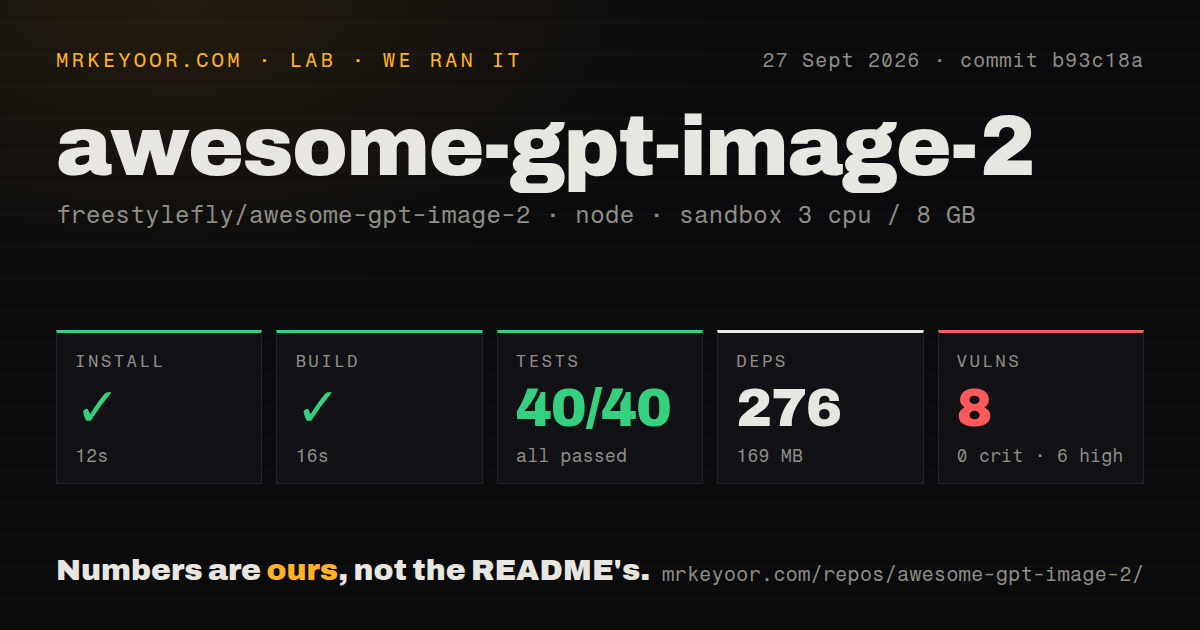
Our sandbox installed 276 npm packages in 55 seconds and consumed 169 MB on disk. The build completed successfully in 14 seconds. Node's test runner then reported 28 passed and 0 failed after 9 seconds. We tested commit 3a9c63b in a fresh unprivileged Node 22 Debian container with 3 CPUs, 8 GB of memory, and no secrets.
The repository checkout was already 163.1 MB across 650 files and about 10,718 source lines, largely because a visual gallery carries image assets. Its one CI workflow and passing build give contributors a working baseline. There was no Dockerfile or top-level tests directory, although the package test command found and completed the API library tests. Those results cover repository mechanics, not generated-image quality or provider availability.
Npm audit reported 4 known vulnerabilities, all high severity, with 0 critical, 0 moderate, and 0 low findings. The measurement does not identify exploitability in a particular deployment, so we will not claim which route is exposed. A self-hoster should inspect the audit tree, update or replace the affected packages where possible, and repeat the 28-test suite before placing authentication, service-role keys, credits, or payments on the application.
Full hosting adds auth, payments, analytics, and an API proxy
Browsing Markdown and copying prompts is nearly zero setup. Reproducing the live product is a different job. The README requires Supabase Auth and Postgres, a Vercel function proxy, an image API key, application URLs, and database migrations. Google sign-in needs redirect configuration. Generation consumes account credits, so the project also includes service-role operations and account usage records.
Commercial features widen the boundary again. Stripe needs secret and webhook keys plus subscribed billing events. Alipay has its own migration and setup document. GA4 reporting needs a property, OAuth client, refresh token, and analytics credentials. The paid community remains behind a configuration switch until its protected code, onboarding, payment, and refund checks are complete. Most teams evaluating the prompt library should omit this stack and use the static gallery or skill.
Public examples require separate rights and quality checks
The repository is MIT licensed, but its disclaimer draws a narrower line around gallery content. It says the project organizes publicly accessible community prompts and images, cites YouMind and OpenNana as major sources, claims no ownership over third-party work, and does not guarantee commercial-use rights. Users must follow the original platform or repository terms and obtain permission where needed. The maintainers offer removal after a rights holder reports a specific entry.
Attribution is still being repaired. Open pull request 22 fixes a malformed source link for case 270 that left the generated sourceUrl empty. Open issue 3 says the green clothing and finger pose described by case 326's prompt are absent from the sample image. One report does not invalidate 532 cases, but it proves the gallery needs spot checks before a prompt enters a client workflow or an automated evaluation set.
August activity is strong while no release line exists
GitHub showed 19,150 stars, 13 combined open issues and pull requests, and a last push on August 25, 2026. Issue and pull request updates continued on August 26, including new project suggestions and the source-link correction. The latest-release endpoint returned no release, so there is no stable GitHub tag to pin for the website. Consumers should pin a commit or the separately published skill package rather than infer a version from repository popularity.
The static library earns a place in an image-prompt workflow because 532 visual examples are faster to evaluate than 532 abstract descriptions. Our 28 passing tests make the code worth trying, while the 4 high-severity audit findings argue against deploying the whole hosted application unchanged. Use the references to draft and compare prompts, record the exact source and rights for chosen assets, then validate the generated result with your own model and settings.