Six stages turn a transcript into candidate clips
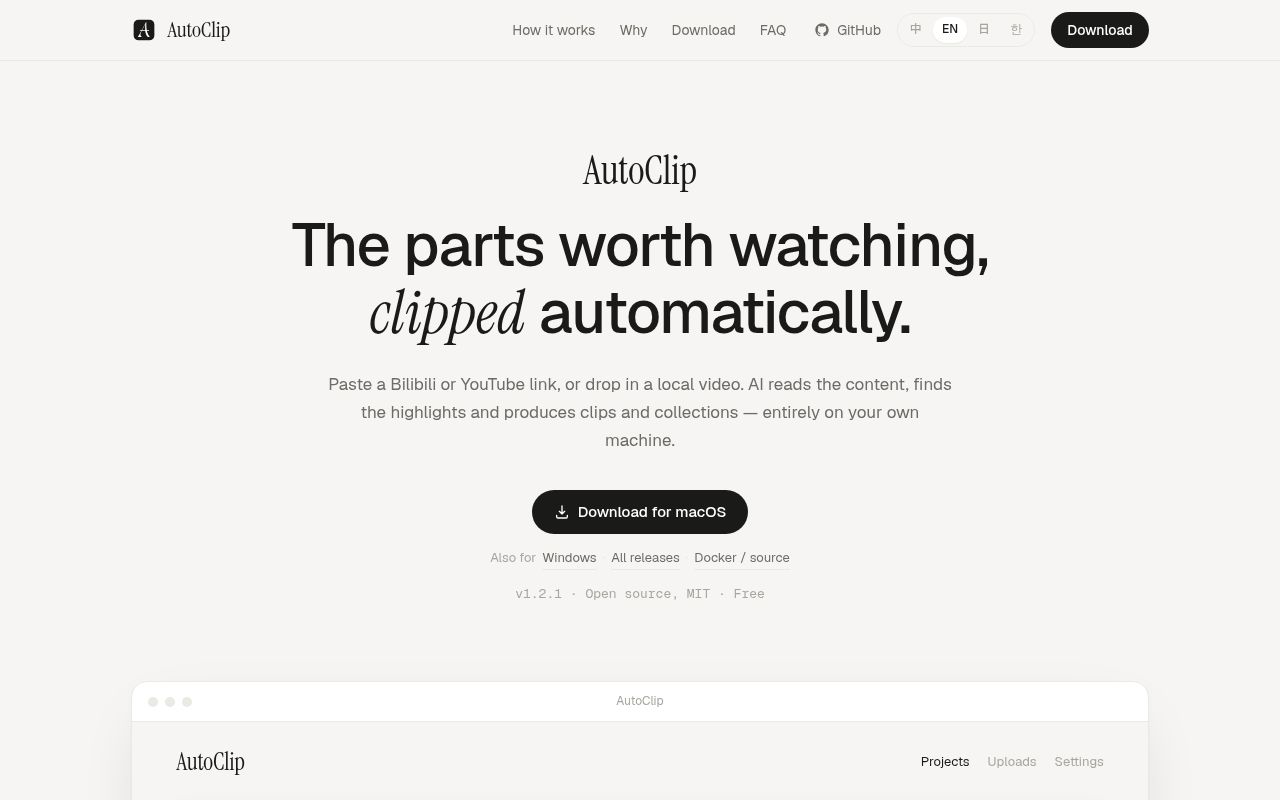
AutoClip's pipeline has 6 named stages: outline extraction, timeline analysis, scoring, title generation, topic clustering, and video rendering. It accepts a YouTube or Bilibili link, or a local file with optional SRT subtitles. Missing subtitles can come from Whisper. The LLM works from text and timing, while FFmpeg performs the media cuts. That keeps video rendering deterministic after the model has made editorial choices.
The outputs still need a human editor. A high score does not prove a clean opening or permission to republish. Current main adds timing aligned to subtitle boundaries and fallback selection when every score falls below the threshold. It also adds export presets for 9:16 Douyin, Xiaohongshu, and Shorts videos with burned subtitles and title cards. The v1.2.1 installers do not include these unreleased changes.
Version 1.2.1 has two desktop targets with signing warnings
The v1.2.1 release documents 2 desktop targets: Apple Silicon macOS and Windows x64. Both bundle a portable Python runtime plus FFmpeg, avoiding the multi-service source setup. The Mac image is ad-hoc signed but not notarized, so the first launch requires right-clicking Open. The Windows installer is unsigned and triggers SmartScreen. There is no Intel Mac or Linux installer in the project's current-status note.
Docker is a different product shape. Its Compose file defines 5 services: Redis, the API and web app, a Celery worker, Celery Beat, and optional Flower monitoring. The README asks for at least 4 GB of memory and 10 GB of storage. A full run also needs an LLM, subtitles or Whisper, working FFmpeg codecs, and space for raw plus generated video.
What happened when we ran it
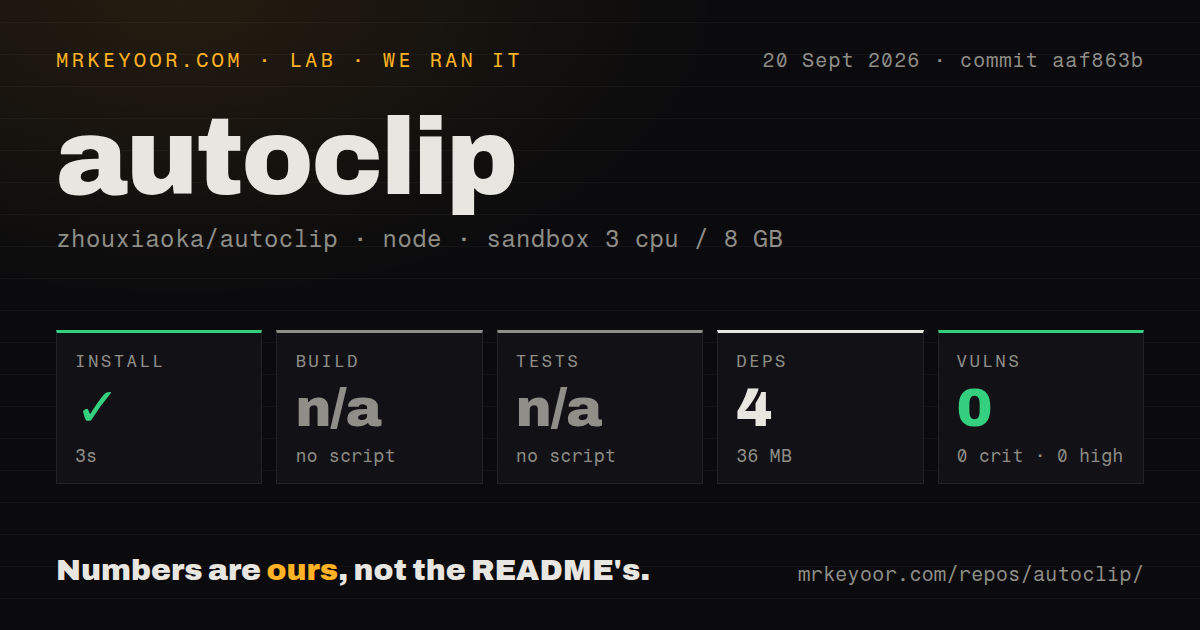
Our sandbox installed commit aaf863b in 3 seconds, adding 4 packages and using 36 MB on disk. Npm audit found 0 known vulnerabilities. The root package declares only the Tauri CLI, and it exposes no build or test script, so both steps were skipped. That is a clean result for one thin package, not a successful AutoClip installation or a completed video-processing job.
The checkout itself is substantial: 546 files, about 71,462 source lines, and 7.3 MB before dependencies. It contains 5 CI workflows, Docker configurations, backend Python tests, a nested React package, and Rust desktop code. Our Node 22 harness did not execute those parts. No model, video, subtitle, Redis, or FFmpeg workload was supplied, so we measured neither clip quality nor processing speed.
Eight MCP tools are on main, not in the latest release
Current main documents 8 MCP tools for clipping, background jobs, status, project lookup, project listing, provider listing, environment checks, and export. A stdio server can connect to Cursor, Claude Desktop, or Claude Code. The companion skill covers long-job queuing and lower-threshold retries after zero clips. That makes AutoClip usable as a media worker inside an agent workflow.
Timing matters here. The v1.2.1 release was published on September 6, 2026, before the later commit that added the CLI, MCP server, local-model presets, and vertical export work. The changelog labels all of it unreleased. Installers should be judged on v1.2.1 behavior, while developers cloning commit aaf863b can inspect the newer interfaces. Mixing those states would turn real source code into a false promise about the downloadable application.
A 7,787-star project still has core paths under repair
GitHub showed 7,787 stars, 1,515 forks, and 20 combined open issues and pull requests when fetched. The repository was pushed on September 8, 2026, two days after v1.2.1. Open pull request 97 says the direct project creation and update endpoints return 500 because two optional response fields lack defaults, even though the upload path avoids the fault.
Open issue 100 reports that choosing Gemini in the Docker web settings crashes the page and prevents clip generation. The maintainer's pinned v1.2.1 status also names zero clips and unreasonable lengths as unresolved quality problems. The same note says v1.2.1 repaired a Docker route that had failed end to end since September 2025. This is active recovery work, not the calm maintenance profile expected from an unattended production editor.
Local media stays local, while analytics and model calls leave the device
The English privacy page says media, subtitles, transcripts, and API keys stay on the device. It also says PostHog sends device details, feature events, failure stages, and a random identifier to United States servers by default. Users can turn analytics off in Settings. A cloud LLM follows that provider's policy; the newer Ollama and LM Studio source path avoids that transfer.
The privacy page calls itself a draft and flags cross-border transfers for legal review. SECURITY.md lists support for 1.0.x while the release is v1.2.1, links to your-username/autoclip, and contains placeholder CVE entries. Those documentation defects do not prove a vulnerability. Use GitHub's real advisory channel and inspect deployment controls yourself instead of relying on the stated response promises.
Four packages installed cleanly, but the video pipeline remains unmeasured
The 4-package npm install and zero audit findings make the root desktop tooling cheap to inspect. They say little about the Python, Rust, frontend, model, and media stack. A sensible trial uses a duplicate video, a supplied SRT, a local model if privacy matters, and manual comparison of every exported start and end point with the source.
AutoClip connects desktop editing, a CLI, MCP, and local models around one data directory. The current release is harder to recommend: unsigned binaries, recently repaired Docker plumbing, and open zero-clip reports add too many qualifications. Try it if automatic selection can save rough-cut time even when you discard mistakes. Choose a manual editor when the cut must be right on the first pass.