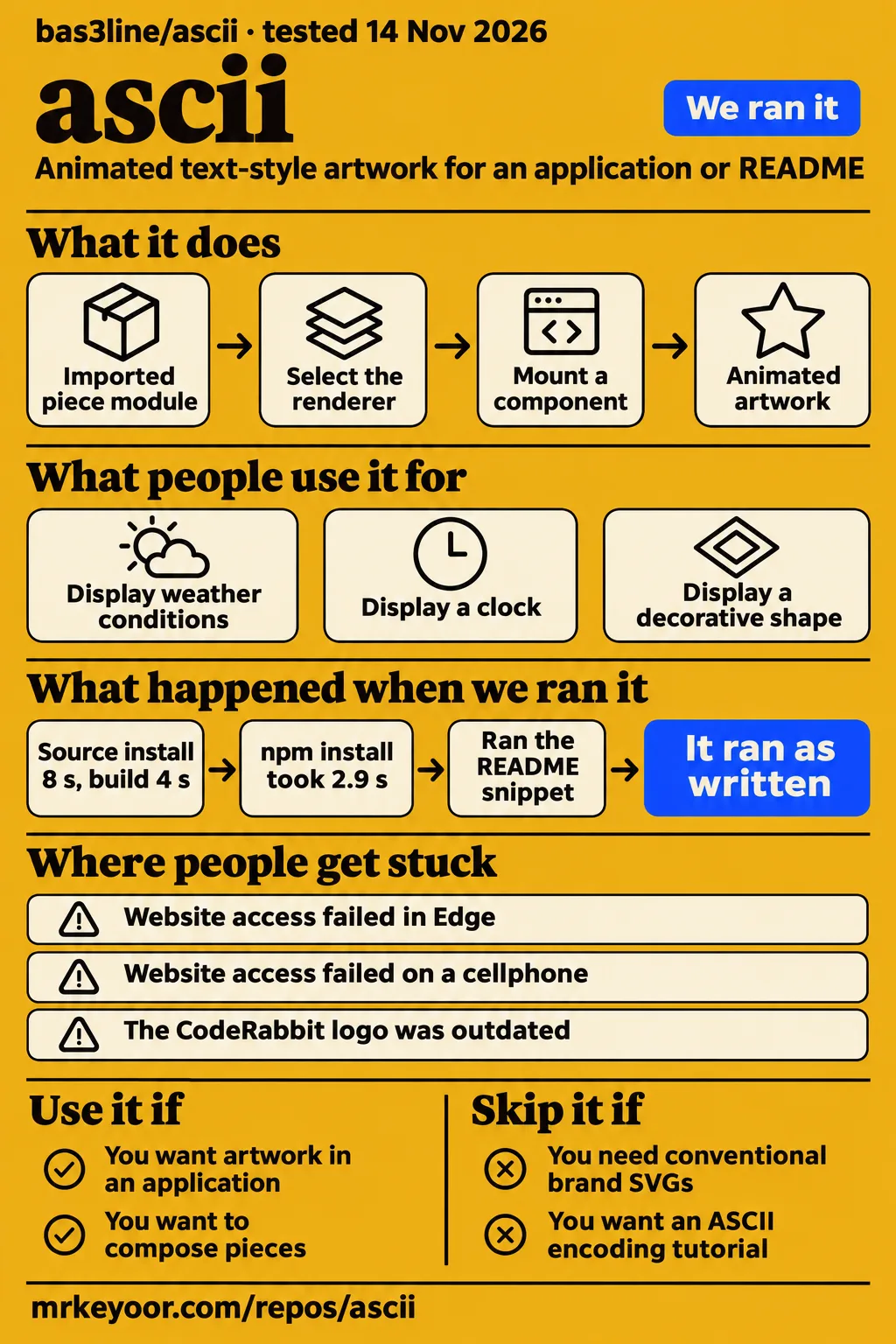
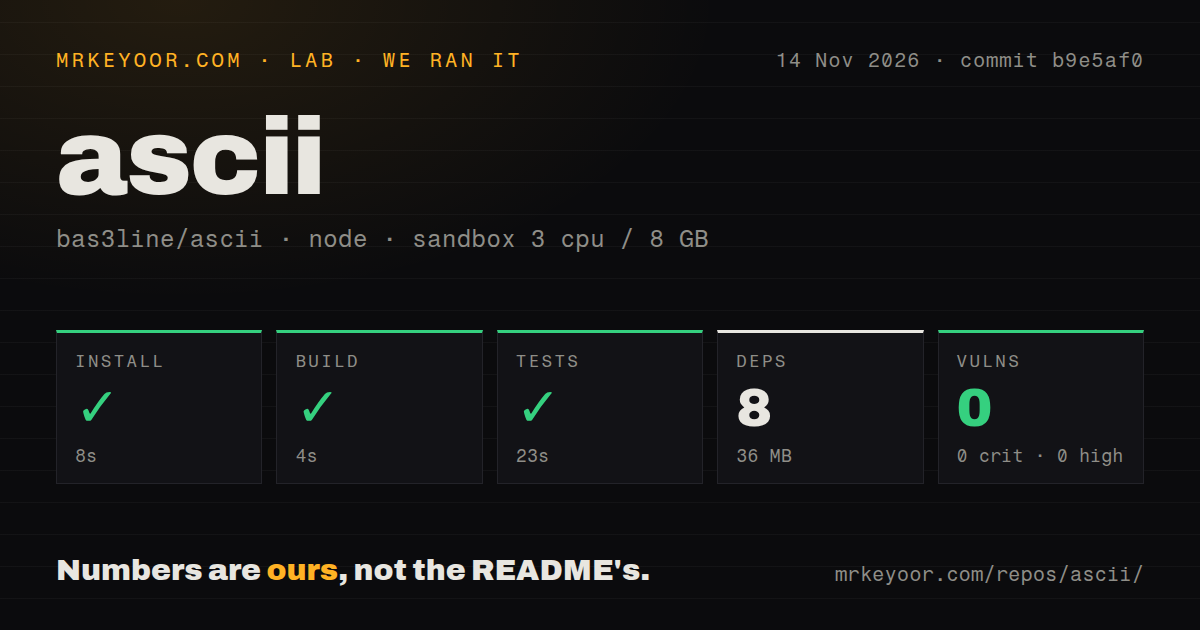
This ascii review concerns bas3line/ascii, the TypeScript artwork project behind ascii.rest. Our run installed source dependencies in 8 seconds, built in 4 seconds and completed tests in 23 seconds. For a frontend developer, the useful decision is which rendering and delivery path fits the intended page: an imported component, a fetched piece, a hosted HTML embed or an SVG file.
The supplied evidence gives that decision two concrete reference points. GitHub user barretts shared a weather application made with the project's components, while our separate composition-snippet recipe exited successfully without printing anything. One is a contributor's application report; the other is an observed command outcome. The sections below explain those results alongside the README's integration choices and the maintainer's responses to access and artwork reports. Project README · Weather application report.
What you can do with ascii
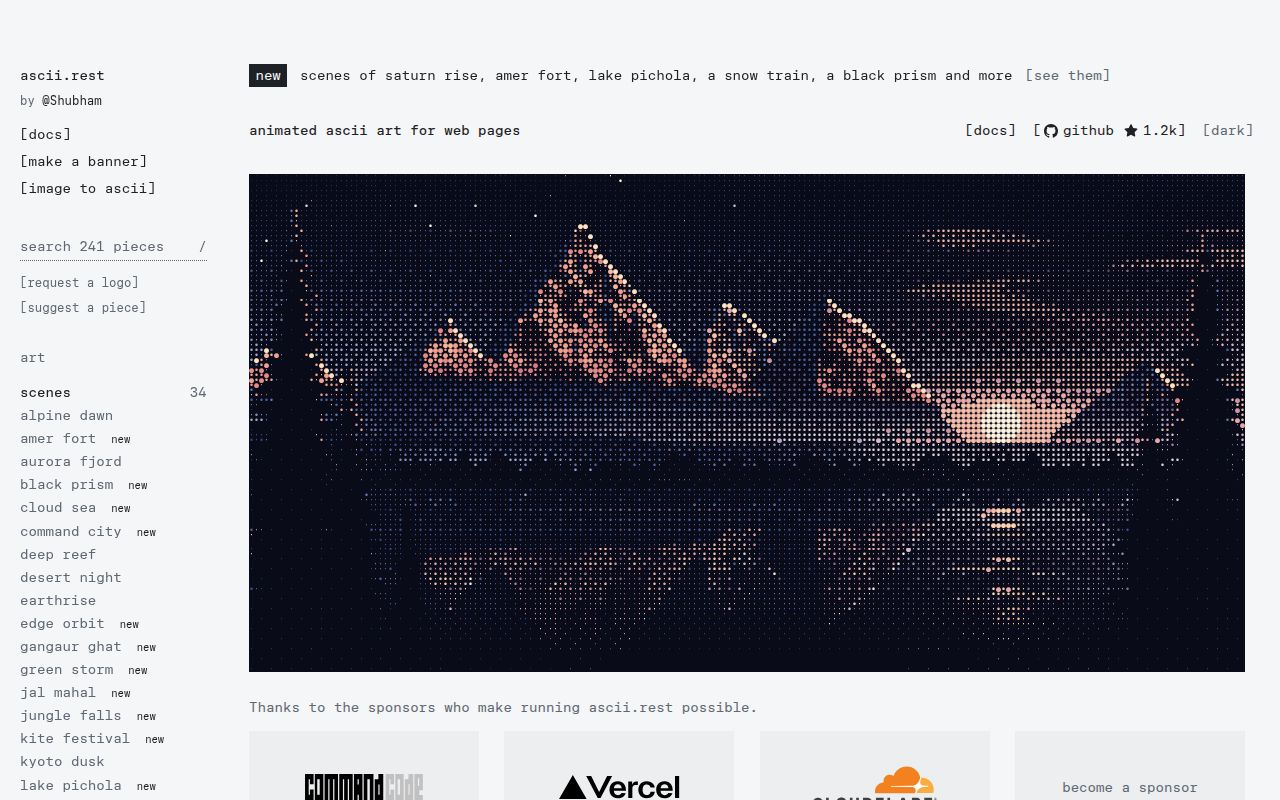
The README documents pieces for React, Next.js, Astro and plain HTML, with SVG and terminal output for pieces made using the kit. That makes the project relevant when text-style artwork belongs in more than one place, such as an application and its README. Start by choosing where the artwork will appear, then select the interface for that destination. The supplied collection includes scenes, logos, interface elements and charts. Documented artwork and integration paths.
React accepts an imported piece module or a piece name. The documentation says the module is bundled, while the name is fetched when the component mounts. Plain HTML uses a module script and the ascii-art custom element. Astro has its own component, whose first frame the README says is rendered on the server before playback starts after page load. These routes place the same collection inside different application structures; choosing one is part of setup rather than a cosmetic detail.
Text pieces draw into a preformatted text element. Coloured scenes and logos draw onto a canvas, or into a preformatted element in one ink when mono is selected. Decide whether the design calls for colour, text output or a saved image before adapting an example. The README also supplies a kit for composing pieces, including a sea palette, spinning torus, masked plasma and clock. Its composition example defines artwork; displaying that artwork uses a rendering path. Rendering and composition documentation.
What people use ascii for
GitHub user barretts reported a compact weather application using the project's components, with US ZIP-code lookup and animated conditions. The report describes current weather, the next eight hours and halftone scenes inside one ASCII-style screen. Its default ZIP code is 78750, Austin. That country-specific input belongs to the contributor's application, rather than to the library's general rendering interfaces. Weather creation report #63.
The report links to ascii-weather and offers the small art pieces for a pull request. The maintainer replied, "Hi, This looks great!" This example gives an evaluator a concrete design question: what information should the artwork communicate? Weather conditions give the scene a role within the interface. A decorative shape, a clock and a conditions display can all use pieces, but each needs different surrounding labels and application logic. Contributor report and maintainer response.
What happened when we ran it
Our source run at commit b9e5af0 on 2026-11-14 completed installation in 8 seconds, build in 4 seconds and tests in 23 seconds. These are the recorded repository-command outcomes. The separate hands-on recipe used npm package ascii.rest 0.4.0 and selected the README's six-line TypeScript block under Make your own. Keeping the records separate preserves the difference between building the checkout and executing that package example.
| Source-harness check | Our recorded result |
|---|---|
| npm installation | Succeeded in 8 seconds |
| Recorded dependencies | 8 dependencies; 36 MB on disk |
| Build | Succeeded in 4 seconds |
| Tests | Succeeded in 23 seconds |
| npm audit | 0 known vulnerabilities: 0 critical, 0 high, 0 moderate, 0 low |
| Repository scan | 573 files; approximately 93,742 source lines; 6.7 MB checkout |
| Project signals | 2 CI workflow files; no Dockerfile; no tests directory detected |
The source sandbox configuration specified 3 CPUs, 8 GB RAM and image label lab-node:22. The separate hands-on run used commit b9e5af079c99 in a fresh unprivileged container configured with 2 CPUs and 4 GB RAM, no published ports and no secrets. Both records identify their environments, but they describe different runs. The source scan's missing tests directory and the successful test command are separate observations; a directory-name scan is not a test inventory.
| Hands-on step | Recorded outcome | Meaning for setup |
|---|---|---|
| Clone | quickstart-lib recipe completed in 2 seconds | The recipe obtained the checkout |
| Package installation | ascii.rest 0.4.0 installed in 2.9 seconds | This is the package version used by the snippet recipe |
| Installed size | 4.6 MB in node_modules after installation | This footprint belongs to the separate package recipe |
| Dependency count | 0 packages besides ascii.rest installed | This inventory differs from the source harness's 8 dependencies |
| Composition snippet | Six-line Make your own block ran unedited with tsx; exit 0; no output; 1.2 seconds | The selected code exports pieces |
| Teardown | ok | The recipe recorded successful teardown |
The package installation, footprint and dependency inventory come from installation step, installed-size step and dependency-count step. The clone record, snippet record and teardown record supply the remaining outcomes. The snippet's quiet exit follows its structure: it creates and exports pieces, with no instruction to mount a component or write a file. The practical next step is to connect a selected piece to the documented renderer for its destination.
Where people get stuck: website access and logo requests
Issue #43 reports failed website access in Edge and later on a cellphone; the maintainer responded by moving the website to Vercel and asking for another attempt. Other participants reported successful access, and the maintainer suggested an ISP issue before announcing the hosting change. That sequence provides an incident report and a recorded response. For a new access report, include the browser, device, network and observed error so the maintainer has a comparable description. Website access issue #43.
| Report or request | Action in the supplied thread | Practical next step |
|---|---|---|
| Website inaccessible, #43 | Maintainer moved the site to Vercel and requested a retry | Record the result of a fresh visit with browser, device and network details |
| Outdated CodeRabbit mark, #29 | Maintainer explicitly said the logo was fixed | Inspect the current piece against the intended mark |
| Svelte request, #31 | Maintainer supplied the Svelte piece URL | Open the linked piece |
| Collabute request, #25 | Maintainer supplied the Collabute piece URL | Open the linked piece |
The CodeRabbit thread contains an explicit fix confirmation, while the Svelte and Collabute replies supply destinations for the requested pieces. Those are concrete actions a reader can follow. For a new artwork request, issue #36 supplies a useful brief: V1 @ Michigan asked for its primary insignia and the gold colour shown in its branding document. Identify the official source, desired variant and colour requirements in the request. CodeRabbit fix #29 · Svelte request #31 · Collabute request #25 · V1 @ Michigan brief.
Imported pieces and hosted embeds have different dependencies
The React documentation says imported pieces are bundled and named pieces are fetched when mounted. An imported module suits a developer who wants that piece included in the application bundle. A name lets the component request a piece at mount time. The plain HTML route instead loads the module script from ascii.rest. Choose the route alongside the application's asset-delivery plan, because the source of the artwork is part of the integration. React delivery options.
GitHub README artwork uses another path: the README supplies animated SVG URLs, including light and dark variants, because a README runs no script. The code API can also turn a piece into an SVG string to save or serve. A hosted URL gives the document a remote image reference; saving generated output gives the project a file to manage. Decide who will own that file and how it will be updated before choosing between those documented options. README SVGs · SVG generation API.
Motion controls and glyphs need design attention
The README says pieces hold their first frame for readers who prefer reduced motion. It also exposes motion: true to force playback, with an instruction to put that choice behind a reader-selected control. Preserve that documented default when adapting an example. In a form or information display, decide what the moving artwork contributes and keep the surrounding text useful when the artwork stays on its first frame. Motion options.
The README describes box-drawing and block glyphs and a fallback font for systems whose monospace face lacks them. The HTML tag and Astro component handle that fallback; React users are instructed to add it to their own font stack. The API also exposes a label for screen readers. Treat the renderer, font and label as one integration task: choose the visual output, supply an appropriate description and apply the documented glyph fallback for the selected framework. Font and browser requirements.
Security and brand permissions are separate checks
The custom element accepts a module URL through src, while the artwork acknowledgements identify logos as their owners' trademarks. Choose executable module sources deliberately and check the relevant brand guidance separately. The project's MIT code licence answers a different question from permission to use a company's mark. These decisions apply whether the artwork arrives through an application import, a hosted embed or a generated SVG. Custom-element API and trademark acknowledgements.
Our npm audit reported 0 known vulnerabilities in the recorded source run. The README separately says its image converter accepts SVG, PNG, JPG, WebP and GIF files, works in the browser and uploads nothing. That is upstream's description of the converter's data path. For an integration decision, distinguish the package dependency result from the code source used by an embed and the image-conversion route used to create artwork. Image converter documentation.
ascii vs Simple Icons and FIGlet
Simple Icons documents downloadable brand SVGs, while FIGlet documents generating ASCII art from text. Choose between these projects by the required output. bas3line/ascii supplies animated pieces and composition interfaces; Simple Icons supplies conventional brand assets; FIGlet focuses on text lettering through its FIGfont implementation. These documented jobs give a clearer shortlist than the shared appearance of text or logos. Simple Icons README · FIGlet README.
| Choice | Documented job | Choose it when |
|---|---|---|
| bas3line/ascii | Animated pieces, composition kit and multiple rendering paths | Text-style artwork belongs in the application or README |
| Simple Icons | Downloadable SVG icons for popular brands | A conventional brand SVG is the required asset |
| FIGlet for JavaScript | FIGfont implementation that creates ASCII art from text in browsers and Node | Large text lettering is the required output |
For a brand identifier beside a product name, start by deciding whether the visual should be a conventional mark or an animated reinterpretation. For a heading made from large text characters, compare FIGlet's lettering interface with the banner route documented by ascii.rest. For a weather scene or composed animation, the ascii.rest piece model is the relevant candidate. This comparison follows the supplied documentation and gives each alternative a specific selection reason.
What the other reviews get wrong
The supplied encoding references discuss the ASCII standard, rather than reviewing bas3line/ascii. ASCII is a character encoding standard; the project is a TypeScript artwork library whose documented glyphs include box-drawing and block characters. Two reference errors deserve a brief correction: Encyclopedia.com includes an entry ending the character range at 128, while the supplied reference gives 0 to 127; Adobe calls ASCII a coding language. Neither description explains this project's rendering interfaces. ASCII definition and range · Encyclopedia.com entry · Adobe wording.
Questions people ask
The supplied project issues show a CodeRabbit fix, Svelte and Collabute piece links, a weather-app contribution offer and a website hosting change. Those records answer practical questions about finding artwork, reporting problems and sharing a creation. They also help distinguish a maintainer's explicit fix statement from a request's closed status. The answers below stay with those project decisions, rather than turning the review into an encoding tutorial. CodeRabbit thread · Weather creation thread.
Why is the bas3line/ascii website not loading, and did moving it to Vercel resolve the problem?
Issue #43 records the access failure and the move to Vercel; the supplied thread contains no reporter confirmation of recovery. The reporter named Edge, later tried a cellphone and asked about Cloudflare CI logs. The maintainer's final recorded reply asks for a retry after the move. For a current problem, include fresh error details rather than adopting the earlier ISP suggestion as its cause. Website access thread.
Can the project add a requested logo, such as Svelte, Collabute, Finch, Charming, OpenAPI or Convex?
The Svelte and Collabute requests received maintainer replies linking to their pieces. The supplied pack also records closed requests for Finch, Charming, OpenAPI and Convex. When choosing artwork for an application, open the piece you intend to use and compare its appearance with the requested brand variant. The useful result is an output that matches the design requirement, so include that inspection in the selection process. Svelte reply · Collabute reply.
Can a requested logo preserve its original insignia and brand color?
Issue #36 requests V1 @ Michigan's primary insignia in the gold shown in its branding document. That submission shows how to describe the desired conversion: identify the exact mark and provide the colour reference. Use a similarly specific brief when requesting artwork for your own organisation. It gives the maintainer a target and gives the requester something concrete to compare with the resulting piece. Insignia and colour request.
Can contributors submit artwork or share applications built with the project's components?
barretts shared the weather application in issue #63 and offered a pull request containing its small art pieces. The maintainer responded positively. The README also welcomes new pieces, fixes and ideas, and directs contributors to CONTRIBUTING.md for the piece contract, checks and pull-request process. Follow that documented process when moving from a shared application example to a proposed addition to the collection. Creation and contribution offer · Contribution instructions.
Has the outdated CodeRabbit logo been updated?
The maintainer explicitly confirmed the CodeRabbit fix in issue #29. The reporter described the old logo versus the new one, and the response states that it is fixed. For another outdated mark, follow the same practical pattern: identify which variant is wrong and provide the current official artwork. That makes the requested change clearer than a report that names only the company. CodeRabbit update confirmation.
What we have not tested yet
The hands-on snippet produced no rendered interface, screenshot or saved image. Browser-mounted output, visual correctness, animation frame rate, battery use, many simultaneous pieces, screen-reader output and reduced-motion behaviour remain outside the recorded work. The source run supplies successful command outcomes without a test count or coverage breakdown. Its image label records configuration, not an actual runtime or operating-system version, and its 0-advisory audit is not a security assessment of the module loader, hosted service or converter.
The closed Finch, Charming, OpenAPI, Convex and V1 @ Michigan extracts supply no completion evidence. barretts explicitly called the weather application not production ready; it is a contributor report rather than our production deployment. The access thread supplies no Cloudflare CI log contents. These gaps matter when choosing a required logo or depending on hosted assets, so the next evaluation should use the specific piece, renderer and deployment route intended for the application. Weather qualification · Access discussion.
The supplied metadata does not establish a latest release. No comparative performance, long-term support capacity or deployment volume was measured. The recorded last push is 2026-11-08; that is repository activity evidence rather than a measure of production use. The supplied Reddit and X material concerns other ASCII tools and artwork. The score cards remain unassessed because the records do not provide a consistent assessment of integration setup, documentation accuracy, support capacity or production maturity. Render the intended piece in its target page next, then inspect labels, motion preferences and font fallback on the devices the page serves.