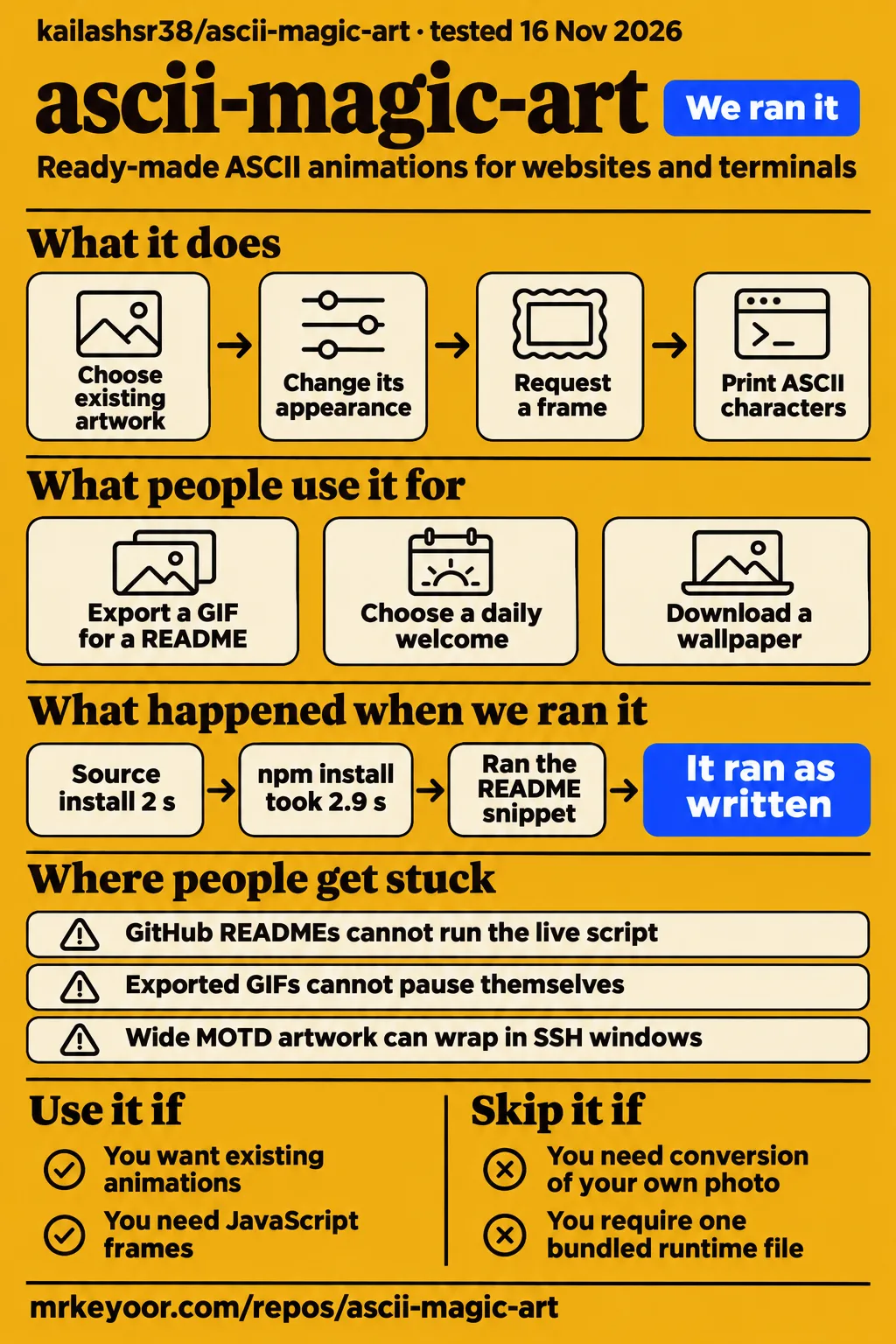
Our sandbox installed ascii-magic-art in 2 seconds. A separate hands-on run printed an ASCII frame using npm version 1.1.0. Use it when existing artwork fits a website, README or terminal, or when your program needs text frames. For conversion of your own photo or logo, the project's documentation directs readers to the separate ASCII Magic editor. Library documentation
What you can do with ascii-magic-art
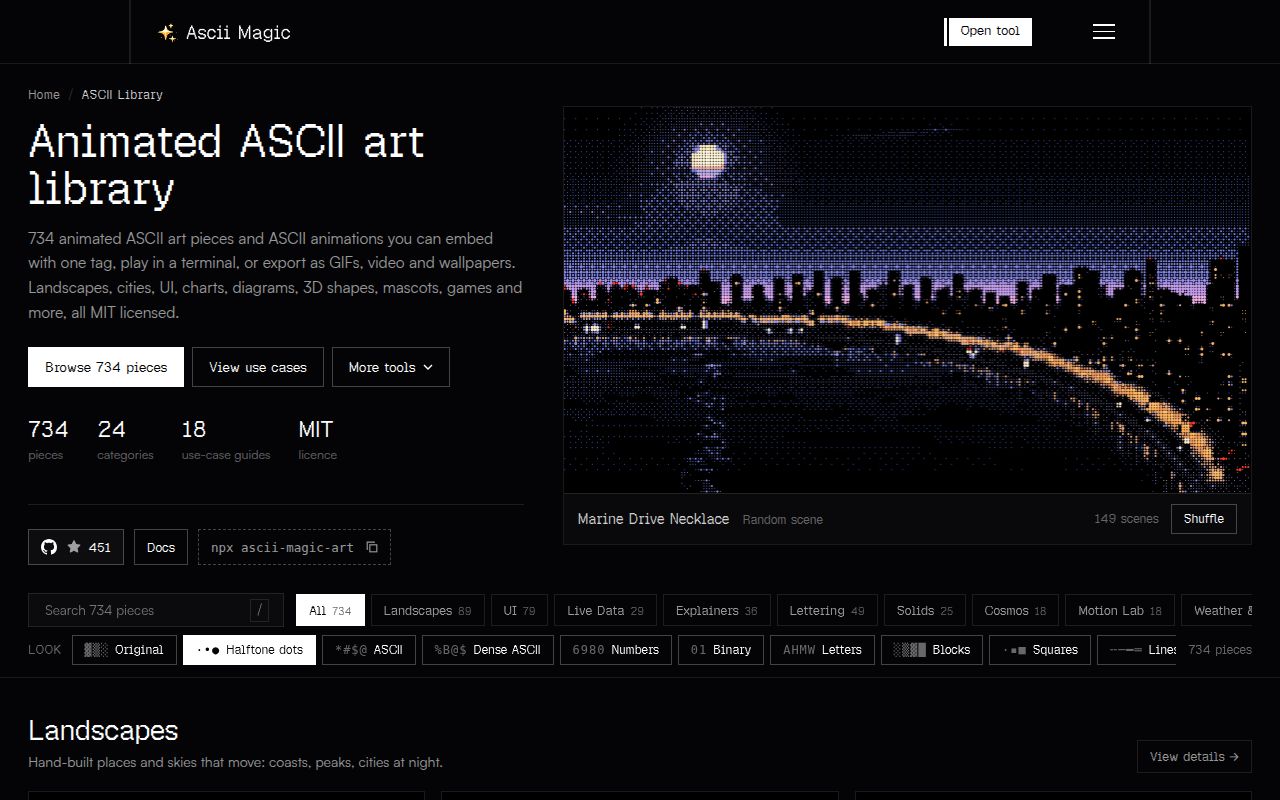
ascii-magic-art supplies ready-made animations through JavaScript modules, a terminal player and a web component. The official library header lists 734 pieces, including scenes, interfaces, diagrams, loaders and rotating shapes. You choose an existing piece and change its appearance rather than supplying an image for conversion. The practical starting point is therefore the artwork catalog: find a suitable piece, then choose how your destination will display it. Library overview
Each piece exports metadata and a creation function that returns draw(t). Give that function a time in seconds and it returns a frame, either a string or an object containing text and color. That interface lets another JavaScript program consume the artwork directly. The terminal browser's coding-agent prompt is another documented route: it copies integration instructions after you select a piece and look. Module and prompt documentation
The README also documents making an original piece with the Grid drawing toolkit. Its example clears a grid, writes text containing the elapsed time and returns a frame. The accompanying validator checks frame size, character set, animation and a drawing budget under 12 ms per frame. Creating a piece therefore means writing drawing code; changing the supplied character look is a separate operation. Project README
What people use ascii-magic-art for
The official use-case collection provides 18 guides for READMEs, websites, terminals and downloadable assets. It describes builders, code to copy and files to download. These project-authored guides give concrete destinations for the library: a live component on a website, an image in a README, or text in a terminal. Choosing the destination first helps determine which output to prepare. Official use-case collection
| Who describes the use | What they show or offer | Practical outcome |
|---|---|---|
| The official library documentation | Browse animations in a terminal and copy a prompt for a coding agent | Select the artwork before handing off integration. Terminal browser documentation |
| The project's README guide | Export a GIF, an SVG name banner or a text block | Put artwork into a README that cannot execute the live script. README format guide |
| The project's documentation-page guide | Place a Sequence Diagram inside a figure with a caption | Pair a moving illustration with an explanation of a login request. Diagram example |
| The project's terminal guide | Use a daily welcome or a cached still frame | Choose when a shell welcome plays or prints. Terminal welcome guide |
| The project's use-case collection | Builders for wallpapers, thumbnails, headers, slides and email | Download an asset instead of maintaining a live embed. Builder formats |
The documentation-page example places Sequence Diagram in a figure captioned "How a login request moves between services." That gives the illustration a specific subject rather than leaving it as an unexplained animation. The library documentation also asks authors to keep a real heading or text beside the component and treats the art as decoration. Use the surrounding text to explain the process the reader needs to understand. Figure example and component guidance
What happened when we ran it
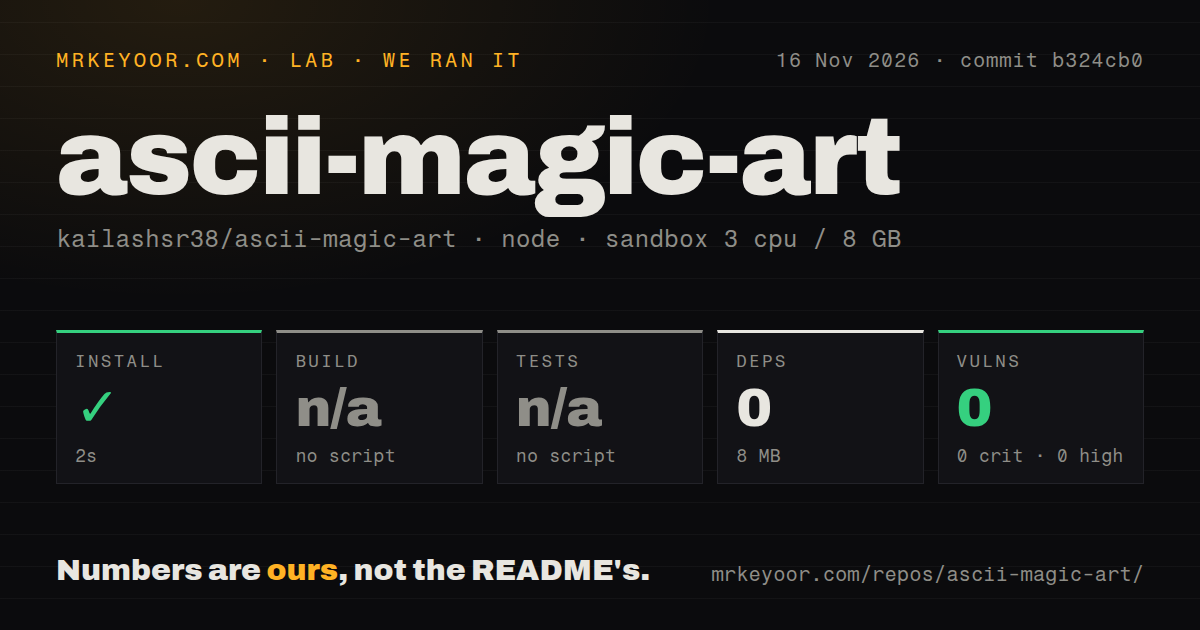
Our run installed ascii-magic-art in 2 seconds, recording 0 dependencies and an 8 MB disk footprint. The repository sandbox used commit b324cb0 on November 16, 2026, with 3 CPUs, 8 GB RAM and image label lab-node:22. The repository scan recorded 751 files, about 81,275 source lines and a 4.4 MB checkout. The following results belong to that repository sandbox rather than the separate npm example run.
| Repository check | Recorded result | What it tells you |
|---|---|---|
| npm installation | Succeeded in 2 seconds, 0 dependencies recorded, 8 MB on disk | The recorded installation completed. |
| Build | No build script or target, skipped | The harness recorded a skipped build. |
| Tests | No tests script or target, skipped | The harness recorded skipped tests. |
| npm audit | 0 known vulnerabilities: 0 critical, high, moderate or low | The audit returned zero advisories in its scope. |
| Repository signals | 0 CI workflow files, no Dockerfile, no tests directory | The scan found none of these files or directories. |
The separate hands-on run used the quickstart-lib recipe at checkout b324cb0c60b3 in a fresh unprivileged container. It had 2 CPUs, 4 GB RAM, no published ports and no secrets. The package installation resolved ascii-magic-art@latest to version 1.1.0. The checkout identifier and installed package version identify different parts of this run.
| Hands-on question | Answer | Verdict | Why |
|---|---|---|---|
| Did the recipe clone complete? | The clone step took 1 second. | Completed | The record names the quickstart-lib clone step. |
| Which package installed? | npm installed ascii-magic-art 1.1.0 in 2.9 seconds. | Completed | The recorded command requested latest and resolved that version. |
| How much installed space did it use? | node_modules occupied 5.7 MB. | Recorded | This figure belongs to the hands-on installation. |
| Were additional packages installed? | 0 packages besides ascii-magic-art. | Recorded | The dependency-count step recorded zero additional packages. |
| Did the README frame example print output? | It exited 0 and printed ASCII characters in 0.1 seconds. | Completed | The five-line JavaScript block ran unedited. |
| Did teardown complete? | Teardown was recorded as ok. | Completed | The final record reports successful teardown. |
The snippet imported the spinning torus, created its drawing function, requested a frame and printed its text. The snippet exited 0 and produced rows of ASCII characters. The supplied run record identifies the selected block as the README's "Use a piece in your own code" example and says it ran unedited. The successful output supports using the frame interface as the next integration starting point.
Where people get stuck: the destination changes the setup
Self-hosting the web component requires adjacent runtime, pieces and lib folders. The official instructions say to copy those folders into static files rather than bundle runtime/ascii.js, because the component loads each selected piece from the neighboring pieces folder. That file layout is part of the documented integration. Keep it intact when choosing the script URL and arranging assets for deployment. Self-hosting instructions
| Friction described in the docs | Documented way through it | Why it matters |
|---|---|---|
| A framework renders on the server | Load the script once in the browser | Next.js script placement, React JSX types and Vue custom-element configuration have separate examples. Framework instructions |
| A restyled piece retains its lettering | Use the all attribute or --all flag | Default restyling changes shading while preserving text and line work. Restyling instructions |
| The destination blocks scripts | Export a suitable image or use a text block | The README guide explains GIF, SVG banner and text choices. README formats |
| Every shell tab starts another animation | Choose the daily welcome or cached-frame option | The terminal guide describes both startup patterns. Shell startup guidance |
| A server welcome wraps in a narrow window | Choose narrow artwork and keep the MOTD below 80 columns | The guide specifically addresses small SSH windows. MOTD sizing |
The terminal guide gives the daily welcome and cached frame different jobs. The daily option plays on the first tab of the day; the cached option prints with cat and avoids starting Node. Its terminal guard checks whether output is a real terminal, keeping the welcome out of background shell activity. For a server message, the same guide recommends saving a still frame as text. Terminal startup options
Browser motion controls and exported formats
The live component documents a still frame for visitors who prefer reduced motion. It draws on a canvas, animates while visible and supplies an image role with a label containing the piece name. Those behaviors belong to the live embed. The docs also require meaningful surrounding text, so a piece name such as "Sleeping Cat" should sit beside any explanation the page needs. Live-component behavior
The export guidance distinguishes GIFs from the live component: GIF exports cannot pause themselves, and the README guide says GitHub does not pause them for reduced-motion preferences. Choose a PNG or text version where motion matters, and give images descriptive alt text. This makes the output format part of the integration decision, alongside where the asset will appear and whether that destination runs scripts. Export guidance and README motion guidance
Licensing and hosting need separate decisions
Ocean Sunset and Starry Ridge retain the Unsplash License of their source photos. The detailed library documentation names those two exceptions to the package's MIT licensing and points to NOTICE. For client work, select the artwork with that distinction in view rather than relying on the use-case page's blanket MIT statement. The README also names the same two photo-based scenes as exceptions. Detailed licensing statement and repository README
The hosted component loads its script from ascii-magic.com; the self-hosting route serves the package files from your own site. Both routes are documented for the animation library. The editor has a different processing description: normal rendering happens in the browser, while a generative render calls a server. Keep the hosting choice tied to the product you are using rather than applying editor marketing language to the npm package. Library hosting and editor processing
ascii-magic-art vs ASCII Magic editor, ASCIInator and ASCIIcraft
Choose ascii-magic-art for existing animations and the separate editor for conversion of your own images or videos. The supplied ASCIInator and ASCIIcraft comparisons discuss editors, so they help with input and export choices. Their recommendations come from Kailash's comparison articles. Keep that attribution when using them to decide between still-image text output, typography and broader visual rendering. Library documentation
| Option | Choose it for | Evidence behind the choice |
|---|---|---|
| ascii-magic-art | Existing animations, terminal playback and JavaScript frames | The docs describe the component, CLI and draw(t) interface. Library docs |
| ASCII Magic editor | Converting your own photo or video into a visual asset | The detailed docs describe a browser render engine and image output. Editor docs |
| ASCIInator | Still-image conversion with text or SVG output | Kailash's comparison recommends these exports for still ASCII art. ASCIInator comparison |
| ASCIIcraft | ASCII typography, font choices and SVG output | Kailash's comparison recommends its ASCII toolkit and export options. ASCIIcraft comparison |
| A custom library piece | An original animation drawn in code | The README supplies a Grid example and a validation command. Creation instructions |
A similarly named Python repository, jpsank/ascii-magic, describes filling an image shape with specified text. The supplied Python video discusses an ASCII magic package installed through pip. Those records concern Python image workflows, while this review concerns kailashsr38/ascii-magic-art and its npm package. Use the repository owner and package ecosystem to distinguish them when following installation instructions or comparing output. Python repository and Python walkthrough
What the other reviews get wrong
HotRepo describes 634 pieces, while the official library header reports 734 and its FAQ retains the older figure. The supplied pages therefore disagree about the catalog count. HotRepo's bundling advice also differs from the official self-hosting instructions, which prescribe copying the runtime and adjacent folders. Follow those specific installation instructions when arranging the web component's files. HotRepo review, library header and FAQ and hosting instructions
The use-case page's claim that every piece is MIT licensed needs the two photo-based exceptions from the detailed docs. Editor export claims also conflict: the image-to-ASCII landing page promises copyable text, and the ASCIInator comparison says both editors export plain text. The detailed editor docs instead say its output is an image of characters and exclude plain-text and SVG export. Use-case licensing, converter landing page, comparison and editor docs
The editor's broad free-and-local language also has specific qualifications in its documentation. The detailed docs list 15 free render modes and distinguish generative server calls from normal browser rendering; the homepage reserves the full effect library and 4K export for Pro. Dither counts conflict too: the supplied homepage lists 11 algorithms and 16 palettes, while the build-derived docs list 15 of each. Editor homepage, detailed editor docs and separate MCP workflow
Mid or Real labels ascii-magic-art "OVERHYPED" in its comparison with Codex-X and explicitly calls its verdict an opinion. Its table supplies attention counts and scores. The official use-case collection instead describes concrete destinations and output formats, which are more directly useful for this selection: decide whether you need a live component, a downloaded image or characters returned to your own program. Mid or Real comparison and official use-case guides
FAQ
The library supplies existing animations; the separate ASCII Magic editor takes your own images and videos as input. That distinction answers the first supplied FAQ question and determines which documentation to follow. The remaining questions cover embedding, terminal playback, commercial use and export formats. Their answers below describe the project's documented routes. Library explanation and library documentation
How is the ASCII library different from the ASCII Magic editor?
The library supplies finished pieces to embed, play or export, while the editor converts your own image or video. Choose the library by browsing for artwork that fits the page or terminal. Choose the editor when the source must be a particular logo, photo or clip. Its detailed documentation describes image output rather than copyable character output. Library FAQ and editor output
How do I embed an ASCII animation on my website?
Load the module script once in the browser, then add an ascii-art element naming the piece. The docs provide client-loading examples for frameworks, including Next.js, React and Vue. For self-hosting, copy runtime, pieces and lib into static files and point the script at the copied runtime. Keep ordinary explanatory text beside the artwork. Embedding instructions
Can animated ASCII art play in a GitHub README?
Yes, the guide uses an exported GIF for a library animation in a README. It also describes an SVG name banner and plain text for destinations that do not load images. Commit the chosen image into the repository and reference that file from the README. Choose the format according to the artwork and where readers will encounter it. README format guide
Can ASCII animations play in a terminal?
Yes, the docs require Node 18 or later and show npx ascii-magic-art moonlit-sea for playback. Any key stops the piece. The --frame option prints a still and exits, while --seconds=3 limits playback to three seconds. The terminal guide uses daily playback and cached text as alternative shell-welcome patterns. Terminal documentation and welcome patterns
Can I use the ASCII animations in commercial projects?
Yes, the detailed docs allow commercial use and identify the two photo-based licensing exceptions. Most artwork follows MIT; Ocean Sunset and Starry Ridge retain the Unsplash License of their source photos. The same docs direct readers to NOTICE for details and say to keep the MIT license text when copying source files into another repository. Commercial-use guidance
Will animated ASCII art slow down my website?
The docs describe on-demand piece loading and animation only while the component is visible. Those are the runtime mechanisms offered to control its work. The README separately describes a validator requiring a frame to draw in under 12 ms. That drawing budget concerns the piece-validation command; a page also has its own loading, layout and surrounding content. Runtime documentation and validator description
Are the ASCII animations accessible?
The live component documents reduced-motion handling, an image role and a label containing the piece name. The author also instructs users to keep real headings or text beside the artwork. For exported images, the guidance recommends a PNG where motion matters. Select the output format along with its surrounding explanation and descriptive image text. Component guidance and export guidance
Can I download an ASCII GIF, video or wallpaper of a piece?
Yes, the library documentation lists GIF, MP4 or WebM video and PNG wallpaper exports from piece pages. It describes a default video size of 1920×1080 with 4K optional, plus desktop, phone and social-image sizes. The export uses the selected piece settings, so choose the artwork and its appearance before preparing the file for its destination. Export documentation
Can I change how an animated ASCII piece looks?
Yes, use a built-in look or supply your own characters. The docs describe looks including dots, ASCII, numbers, binary, letters and blocks, with additional controls for color, contrast and dot settings. Default restyling redraws shading while preserving text and line work. Use all in the component or --all in the terminal to redraw those elements too. Looks documentation
Can I request a piece that is not in the library?
Yes, the library FAQ directs requests to the contact page and suggests searching with another word or adapting an existing piece. Developers can also create a module with the supplied drawing toolkit. The repository documents a Grid-based example and a validator, while the library docs invite pull requests with the validator passing. Request guidance and creation instructions
Do the use-case guides require coding?
Most builders produce downloadable files without coding, according to the official use-case FAQ. It names wallpapers, thumbnails, headers, slides and email as examples. Website, README and terminal guides provide code to paste with the selected settings. Start with the guide for the destination so that its builder produces the relevant file or integration instructions. Guide requirements
Can I turn my own logo or photo into animated ASCII?
Use the separate ASCII Magic editor for your own logo, photo or video. The library's use-case FAQ explicitly distinguishes conversion from its ready-made animations. A developer seeking an original programmed animation can instead write a library piece with the drawing toolkit. Choose between those routes according to whether the starting material is an image or drawing code. Input distinction and drawing toolkit
What we have not tested yet
The hands-on task printed one frame using npm version 1.1.0; it did not complete a website integration or visually inspect terminal playback. Browser frame rates, CPU use, mobile behavior, simultaneous components, export quality, keyboard behavior and screen-reader output remain outside the recorded task. The supplied reviews add no reproducible browser benchmark or independent deployment report. The README's frame-validation budget is a project requirement, not our measured browser performance.
The sandbox's lab-node:22 label records its configured image rather than an actual runtime or operating-system version. The npm audit result is an advisory check rather than a source-code security review. Network traffic, editor privacy, generative processing, MCP behavior and paid features were outside these runs. The supplied evidence also contains no CDN-to-npm synchronization policy or completed deployment of the documented self-hosted files in a framework application.
The supplied repository metadata, observed on November 16, 2026, records 451 stars, a last push on October 26, one open issue-or-pull-request item and a null latest-release value. That null can reflect a failed lookup; it does not prove there is no release. These records leave support responsiveness, sustained adoption and production reliability unresolved. The supplied X search extract contains unrelated results and supplies no matching author launch post. Repository metadata
This review covers the supplied text, source extracts and recorded measurements. Rendered layout, automatic related links, recommendation modules and template content were outside that review. A useful next check is one selected piece on the intended page with real surrounding content, reduced motion enabled and assets served through the chosen hosting route. That would extend the successful frame task to the destination the reader plans to use.