A teammate can explore the HTML without installing Archify
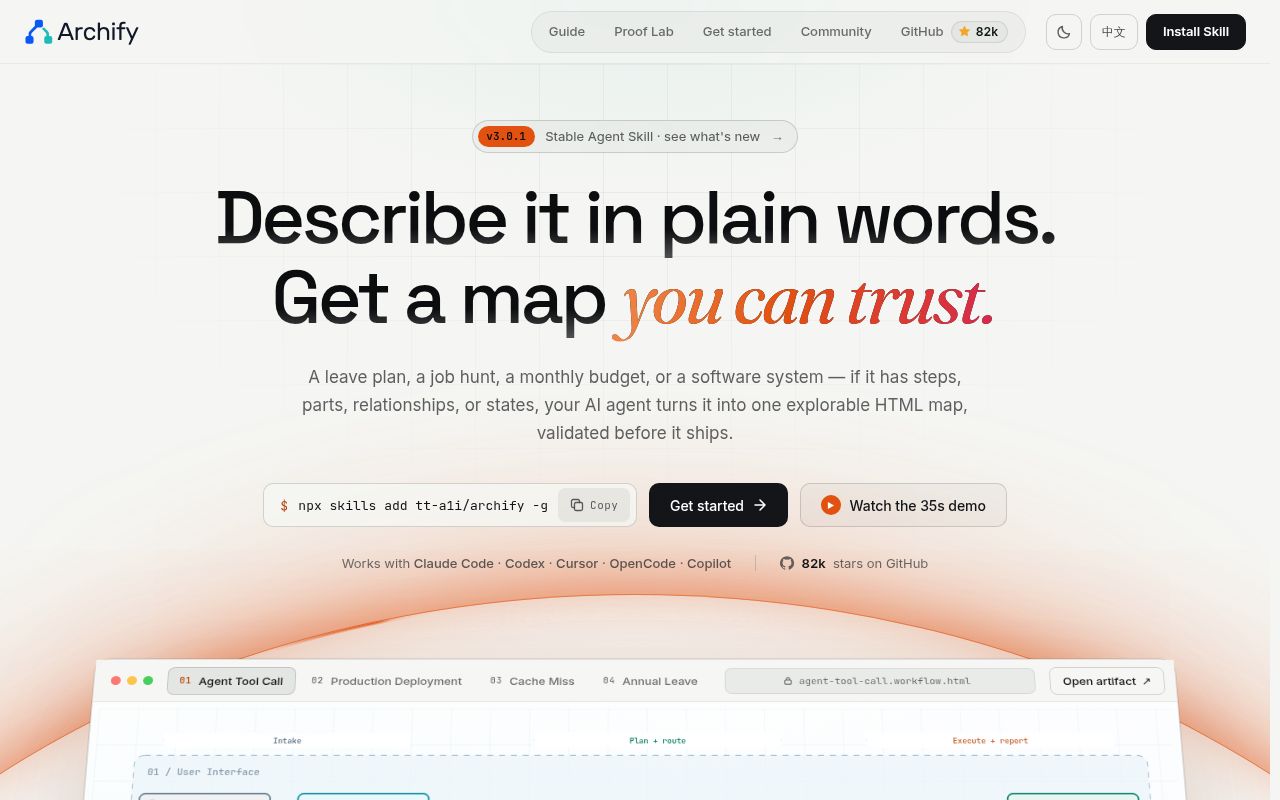
Send someone Archify's generated HTML and they can open it in a browser, inspect a component, and follow an authored request path. The README's cache-miss example captures the appeal: Browser calls API, API checks Redis, and a miss reaches PostgreSQL. During a walkthrough, a reader can follow that branch without asking you to redraw the slide. External links still need a network connection.
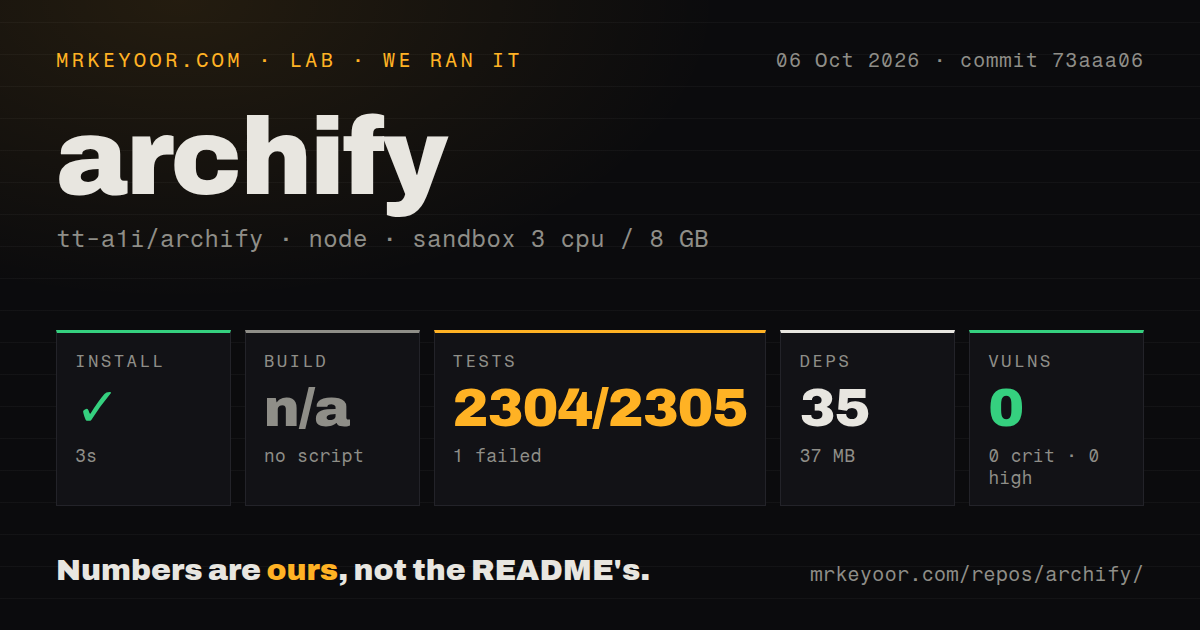
The skill works inside an existing agent, including Claude Code and Cursor. An agent creates structured JSON, and Archify renders the interactive file. Our npm install added 35 packages occupying 37 MB, a modest footprint for trying the tooling. The ongoing work is checking the agent's interpretation and keeping the JSON, which gives you something editable when the system changes. A convincing arrow can still describe the wrong relationship.
What happened when we ran it
Our sandbox installed Archify at commit 73aaa06 in 3 seconds, adding 35 npm packages and using 37 MB on disk. We ran it on October 6, 2026, in a fresh unprivileged Debian container with 3 CPUs, 8 GB of RAM, the lab-node:22 image, and no secrets. There was no build script or target, so our harness skipped that step.
The checkout contained 756 files, roughly 123,971 lines of source, and occupied 63.7 MB before installation. The project lived under archify/. Our scan found 5 CI workflow files and a tests directory, with no Dockerfile. Npm audit reported 0 known vulnerabilities across all reported severity levels. That result records the audit snapshot for this run, rather than establishing the safety of every generated HTML file.
The node:test suite failed with exit 1 after 618 seconds. Its summary reported 2,304 passed and 1 failed out of 2,305 tests. The supplied tail shows successful workflow checks for upward label placement, explicit offsets, and unchanged horizontal placement. It doesn't name the failing case or show its assertion. Those final successful lines cannot explain the failure, and the available evidence doesn't justify blaming a missing system package.
Source links verify locations, while you still judge the architecture
Archify can attach Git-verified files and line ranges pinned to a public commit to an Architecture node. Its authoring cookbook says verification checks the origin, commit, blobs, and requested lines. With roughly 123,971 source lines in our measured checkout alone, choosing which behavior to explain matters more than drawing every file. Request one concrete journey, such as authentication followed by a cache miss.
Evidence is optional: ordinary diagrams can start from your description and carry no source links. Even with evidence attached, you must decide whether the cited code supports the component boundary and arrow. Upstream and downstream exploration follows authored relationships. The deployment-ownership profile checks declared owners and crossings without inspecting live infrastructure. That distinction makes Archify useful for explanation, while leaving operational discovery and incident impact analysis with other tools.
Delivery checks preserve the last accepted artifact
The skill's delivery contract uses finalize to validate, deliver, check provenance, and exercise the actual HTML in a browser. Our 2,304 passing tests give some confidence in the measured revision, but the failed complete suite makes these per-artifact checks especially relevant. Delivery renders a candidate and replaces the target only after the required checks pass. A failed attempt shouldn't overwrite your accepted handoff.
Diagnostics identify the subject and supported repairs, which is more useful than asking an agent to keep rearranging everything. The optional desktop preview watches one JSON file on a loopback address and keeps the last verified diagram through invalid saves. Browser checks still differ from visual judgment: the skill says a passing finalize receipt creates no screenshots and doesn't claim perceptual review. Open the result before sending it to someone who needs to understand it.
Mermaid import and visual editing remain outside the scope
The README's scope statement excludes automatic Mermaid parsing, general auto-layout, hosted sharing, and WYSIWYG editing. A successful 3-second install won't supply those missing capabilities. Pasted Mermaid goes through an agent that reads its meaning and writes fresh Archify JSON. That can suit a redesign, but it isn't a mechanical conversion path for a documentation pipeline that must preserve every authored relationship.
Choose Mermaid for diagrams authored in text alongside Markdown, or Excalidraw when you want to drag shapes on a whiteboard. LikeC4 is worth considering when maintaining a software architecture model across views is the central task. Archify earns its place when the deliverable is an explorable HTML explanation and you're comfortable making edits through the agent or JSON.
October activity shows maintenance, with migration trouble still reported
The last push was October 10, 2026. GitHub listed 81,661 stars and 252 open issues and PRs on October 11. Recent activity included workflow routing and viewer keyboard-focus fixes. Stable v3.0.1, published September 28, added update reminders to delivery receipts without automatic installation. The release date and fresh issue activity together show a maintained project, even though our measured suite wasn't green.
Open issue #821 reports a group-label clearance problem blocking workflow migration on a development checkout. It is separate from the unidentified failure in our 2,305-test run. If you already have workflow JSON, trial migration before committing to it. For a new diagram, keep the first request narrow and inspect the exact file you'll share. Follow the cache-miss path yourself, then check that its PostgreSQL arrow points to code that actually makes the call.