Angular CLI owns the supported Angular workflow
Angular CLI creates a workspace, scaffolds application code, runs the development server, builds production output, and applies framework migrations. That scope is narrower than a general monorepo manager and broader than a bundler. The useful part is coordination: Angular versions, workspace configuration, schematics, builders, testing, SSR, and upgrade tooling move together. A team avoids designing those seams itself, though it also accepts Angular's choices about them.
The repository contains 2,092 files and roughly 202,321 source lines in a 9.7 MB checkout. It is a pnpm workspace with the Angular build system, CLI, SSR package, DevKit libraries, Webpack integration, PWA schematics, and project generators. That package list explains why changing the CLI is different from installing @angular/cli as an application developer. Most users consume the released packages; contributors inherit the monorepo and Bazel graph.
Three commands start an app, but source work is much heavier
The documented application path is short: install @angular/cli globally, run ng new, enter the workspace, and start ng serve. Angular's main documentation then covers workspace files, configuration, schematics, CLI commands, and the update guide. For a team that has already chosen Angular, this is the default route and usually the least surprising one.
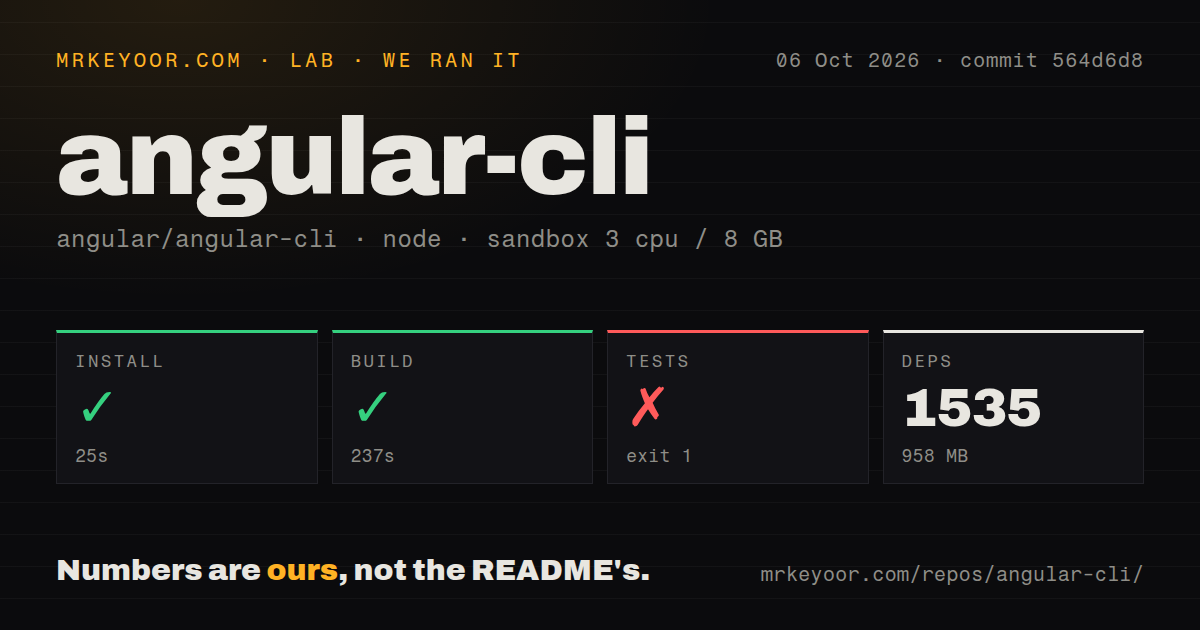
Our source install tells a different story. Pnpm added 1,539 packages in 32 seconds and occupied 909 MB. The repository has a tests directory and 5 CI workflow files, but no Dockerfile. Disk use was already substantial before Bazel completed its own external fetches. Contributors and build-infrastructure owners should cache both package-manager artifacts and Bazel inputs instead of treating this as an ordinary TypeScript package.
What happened when we ran it
We cloned commit 07f9122 into an unprivileged Debian container with 3 CPUs, 8 GB of RAM, Node 22, and no secrets. Installation succeeded in 32 seconds. The build ran for 125 seconds and exited with code 99. Its log shows Bazel trying to download rules_shell v0.4.1, rules_python v1.7.0, and protobuf v29.0 archives from GitHub.
The build log reports a Java IOException for the rules_shell download, while other downloads ended with socket exceptions closed by interrupt. Bazel then could not load the rules_shell package, and the pnpm command failed. We do not infer whether the interruption came from a network policy, timeout, or another source. The direct finding is that the full build did not obtain its external rule archives in our sandbox.
Tests ran for 73 seconds and exited with code 2. Their final error concerned the aspect_rules_ts v3.10.0 archive from GitHub, so Bazel could not load the TypeScript option needed by the test command. The suite did not report passed or failed test cases in the supplied summary. Both failures happened after the 1,539-package pnpm install, which means a successful JavaScript dependency step is not proof that this repository is ready to build offline.
Bazel downloads are part of the contributor contract
Bazel gives Angular CLI a repeatable graph across many packages, generated artifacts, and cross-repository dependencies. In return, first runs may need archives beyond the pnpm lockfile. A company that blocks direct GitHub downloads should identify every repository rule, provide approved mirrors, and warm caches in the same environment used for CI. Our 198 seconds of failed build and test time is a practical warning for that setup.
Application developers have less exposure to this machinery because published npm packages contain the output they need. The separation is healthy, but it affects bug fixing. Reproducing a CLI issue against source may require Node, pnpm, Bazel, Java, network access for pinned archives, and enough disk for caches. A one-line ng failure can therefore lead to a much larger contributor environment.
v22.1.6 fixes builds and SSR on an active branch
GitHub listed v22.1.6 on August 26, 2026, the same day as the repository's latest push. The release changes unit-test build handling, batches prerender routes, shares in-memory server bundles, and aborts a web request signal when its Node request ends. GitHub also showed 27,023 stars and 270 open issues and pull requests. That combined count includes proposed code, dependency automation, and user reports.
Current issue activity names concrete edges: deploy URL handling for file-loader imports, service-worker entries that reference server-only files, zoneless unit tests with a transitive Zone.js dependency, persistent cache sizing, and inline source maps under the esbuild and Vite development path. These are reasons to test your workspace during upgrades, not evidence that maintenance has stopped. Same-day releases and pull requests show the opposite.
Angular commitment makes the CLI choice straightforward
Angular CLI is opinionated in useful ways. Schematics create Angular-shaped code, builders understand Angular compilation, and migrations carry workspaces between supported releases. The update guide gives teams a common upgrade sequence instead of leaving every application to invent one. MIT licensing permits internal changes, but maintaining a fork of framework tooling is rarely cheaper than contributing a focused fix upstream.
Choose Angular CLI when Angular is already the platform decision. If your real need is a framework-neutral bundler, Vite or Parcel removes much of this surface. If one repository mixes several frameworks and needs task orchestration across them, Nx is the closer comparison. Our failed source checks do not weaken the published CLI's role; they show that contributing to its 202,321-line build system needs dependable access to more than npm packages.