Four transport choices feed one virtual microphone
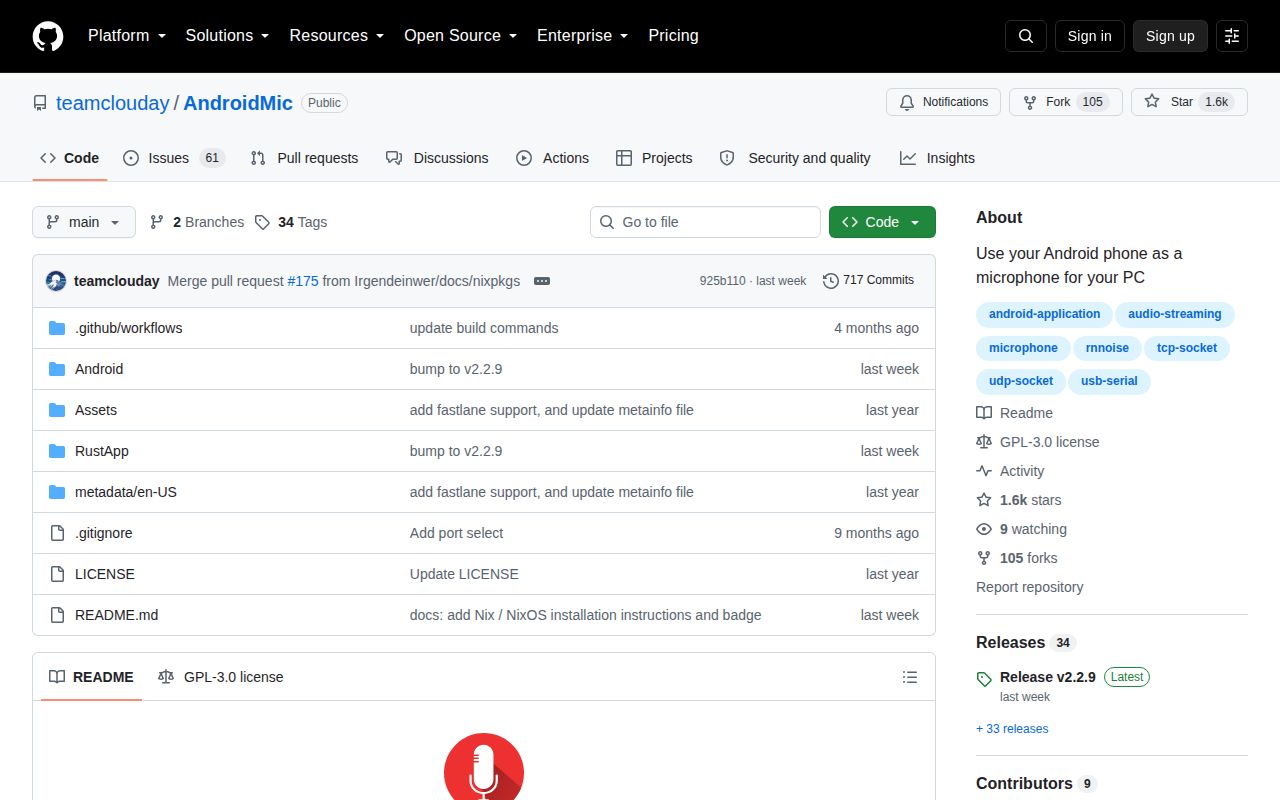
AndroidMic sends phone audio over 4 documented options: TCP, UDP, USB ADB, and USB serial. The Android app records the microphone, while the Rust desktop app receives and plays the stream. Users can choose sample rate, channel count, and bit depth, view an audio waveform, and enable noise processing. The result can feed Discord, Zoom, OBS, Audacity, or another program that accepts a microphone input.
The architecture is split across 2 applications. Kotlin and Jetpack Compose drive the Android side; the current desktop replacement is Rust and lives in RustApp/. The original Windows-only WPF code remains on a backup branch. Released desktop packages cover Windows, Linux, and macOS, while the Android package is on GitHub and F-Droid. Nix and NixOS users can run the package from nixpkgs.
Every desktop needs a separate virtual audio cable
The README calls a virtual audio device required, even with release 2.2.9. AndroidMic plays received sound into that device's output side, and calling or recording software selects its paired input side. Windows users can choose VAC or VB-CABLE. Linux users create a PipeWire or PulseAudio route, and macOS users need BlackHole or an equivalent driver. The extra layer is the largest difference between AndroidMic and a normal USB microphone.
Transport choice adds more setup. TCP and UDP need the phone and PC on the same network, plus the PC address and port. USB ADB needs Android platform tools and USB debugging. USB serial can require replacing the phone driver with WinUSB on Windows, closing ADB, and connecting twice when accessory mode starts. Linux serial access may need a udev rule. None of this is hidden in the main guide, but it is easy to underestimate.
What happened when we ran it
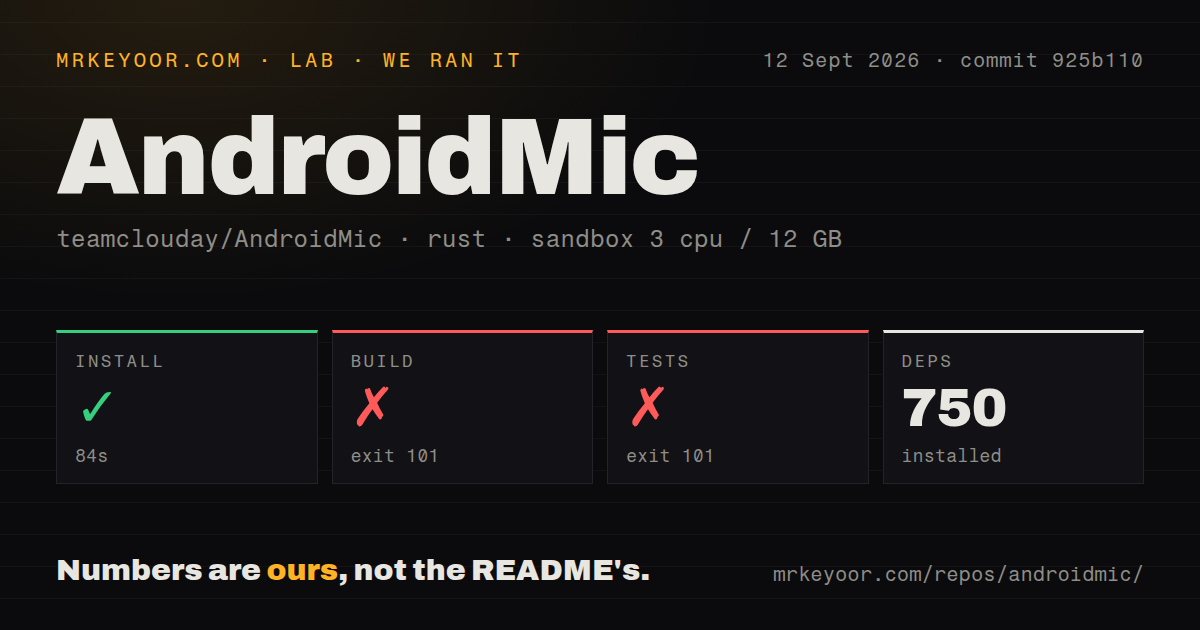
Our sandbox installed the Rust project at commit 925b110 in 84 seconds and pulled 750 packages. The repository held 154 files, about 11,099 source lines, and occupied 2.2 MB after checkout. The build ran for 338 seconds, then exited with code 101. Its log said pkg-config could not find libpipewire-0.3.pc, and PKG_CONFIG_PATH was unset.
The test command failed with exit 101 after 47 seconds at the same native dependency check. Cargo reported that libspa-sys required libpipewire-0.3; no test summary appeared in the supplied tail. The project had 2 CI workflows, no Dockerfile, and no tests directory. These results show that Rust alone is insufficient for the Linux source build. They do not show a defect in audio transport or in release binaries.
Linux CI names six dependency groups that the Rust README omits
The GitHub workflow installs 6 Linux development groups before building: ALSA, JACK, PipeWire, PulseAudio, XKB, and Protobuf. By contrast, RustApp/README.md tells Debian users only to install libasound2-dev. That gap explains why a fresh Debian environment can follow the short source note and still fail. A source builder should use the workflow as the practical dependency list, including libpipewire-0.3-dev, then run the project from RustApp/.
Most users should start with release 2.2.9 instead. The release provides Android APK, Windows installers, a Linux AppImage, and Intel plus Arm macOS disk images. Nixpkgs and F-Droid are documented alternatives. On macOS, the README may require clearing quarantine attributes with xattr. Release packages reduce compiler work, but they do not configure the required virtual audio device.
One AppImage report measured 1 to 2 seconds of delay
Open issue 173 reports 1 to 2 seconds of PipeWire latency with the official 2.2.8 AppImage over USB ADB on an Arch-based system. The reporter said a local release build from the same source had negligible delay, and another user confirmed similar behavior. Release 2.2.9 names an attempt to fix AppImage delay, but the open issue contains no retest of that release. Treat the package route as something to verify on your own audio stack.
Processing can add a separate problem. Issue 154 reports severe lag when noise reduction, gain control, or another filter was enabled on Fedora 44, with stable streaming only when filters were off. Issue 151 describes a Windows 11 ADB reconnect that left a port-in-use error until reboot. These are individual reports, not general failure rates, yet both concern the exact situations where a microphone replacement must feel boring and predictable.
Version 2.2.9 is active beside 61 issues and pull requests
GitHub showed 1,623 stars and 61 combined issues and pull requests on September 12, 2026. The last release, 2.2.9, arrived September 4, and the repository was pushed again on September 6. Recent work touched PipeWire packaging, Android dependencies, notification muting, and Nix documentation. The open queue is large for this project, while the dated push and release activity show ongoing maintenance rather than abandonment.
Several open reports are setup questions or platform-specific failures, which fits an app that crosses Android permissions, desktop drivers, network routes, ADB, USB modes, and 3 host operating systems. The README's troubleshooting section covers missing virtual microphones, driver selection, Defender warnings, USB permissions, and mismatched audio formats. Good documentation lowers the support cost, although it cannot make every audio stack behave alike.
AndroidMic works best as a tested spare, not silent infrastructure
Version 2.2.9 is easy to try from a binary and gives more transport choice than a fixed USB microphone. It is a sensible spare for calls, streaming, or casual recording when a phone is already available. The mandatory virtual cable, driver work, open headless request, and platform-specific latency reports make it a poor fit for unattended service use. Test the full path, phone to desktop receiver to virtual input to final application, before an event where failure matters.