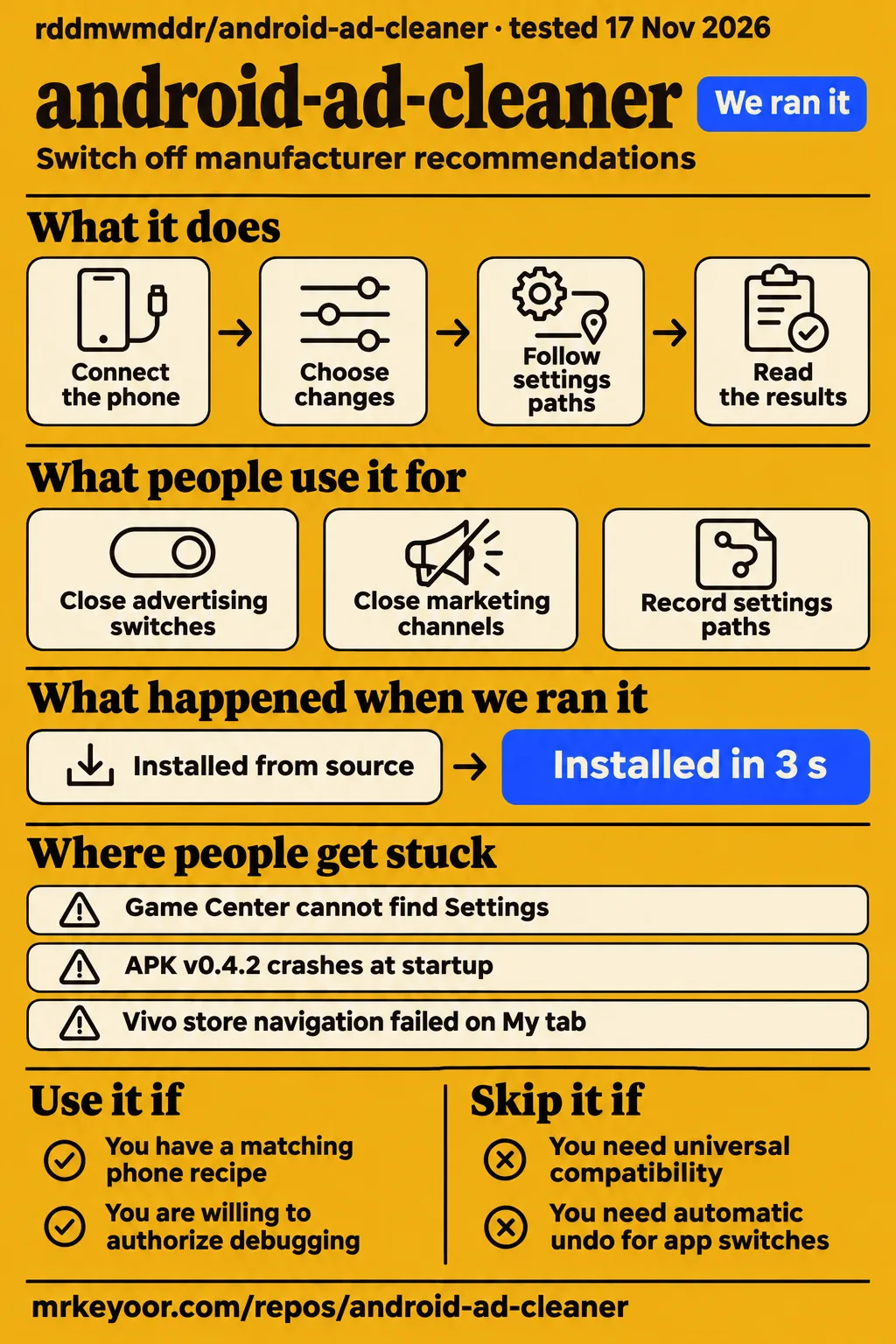
Use android-ad-cleaner when your exact phone and software have a matching recipe and you want help switching off manufacturer recommendations. The program follows settings paths that would otherwise require finding each control manually. Contributor reports describe actual switch closures on named phones, failed entrances and retries. The decision starts with that model-specific evidence and whether you are comfortable authorizing debugging and keeping restoration instructions for the changes you select.
What people use android-ad-cleaner for
Contributors report using android-ad-cleaner on vivo V2309A, OnePlus 15T, OPPO Find X8s and Xiaomi 15 Pro phones. A recipe records which app to open, which settings entrance to use and which switches to change or preserve. The README stores recipes by model and software version because those paths differ. A report naming its handset, software and execution route therefore gives an owner more useful information than a broad brand-level compatibility label.
| Who used it | Phone and route | What the report shows |
|---|---|---|
| GitHub contributor cyjx007 | vivo V2309A, main source | Reported 26 switches closed in 213 seconds from an enabled starting state; a later run closed 27 in 244 seconds and exposed an iManager navigation problem. vivo hardware report #530 |
| GitHub contributor reova | OnePlus 15T, then v0.4.1 CLI source | Initially reported 41 advertising and recommendation switches changed and 20 marketing channels closed; seven sections later accumulated passing hardware records. OnePlus hardware report #138 |
| GitHub user xicong | OPPO Find X8s, desktop v0.2.8 | The supplied synthesis reports 134 read-back checks and a corrected Game Center switch; a Theme Store update dialog interrupted completion. OPPO retest #286 |
| GitHub user visail | Xiaomi 15 Pro, v0.4.2 CLI source | Browser and theme navigation passed; browser targets were already off, producing zero adjustments. Xiaomi retest #912 |
The vivo report distinguishes changing a setting from finding it already changed. cyjx007 enabled the named targets before running the normal recipe, then read their states back. The following run made zero adjustments and took 165 seconds. The later 244-second run reached the previously blocked store recommendation switches, while iManager reported zero targets. The contributor subsequently traced that entrance problem to tapping title text instead of the clickable row and reported a working row-tap correction in PR #589.
What happened when we ran it
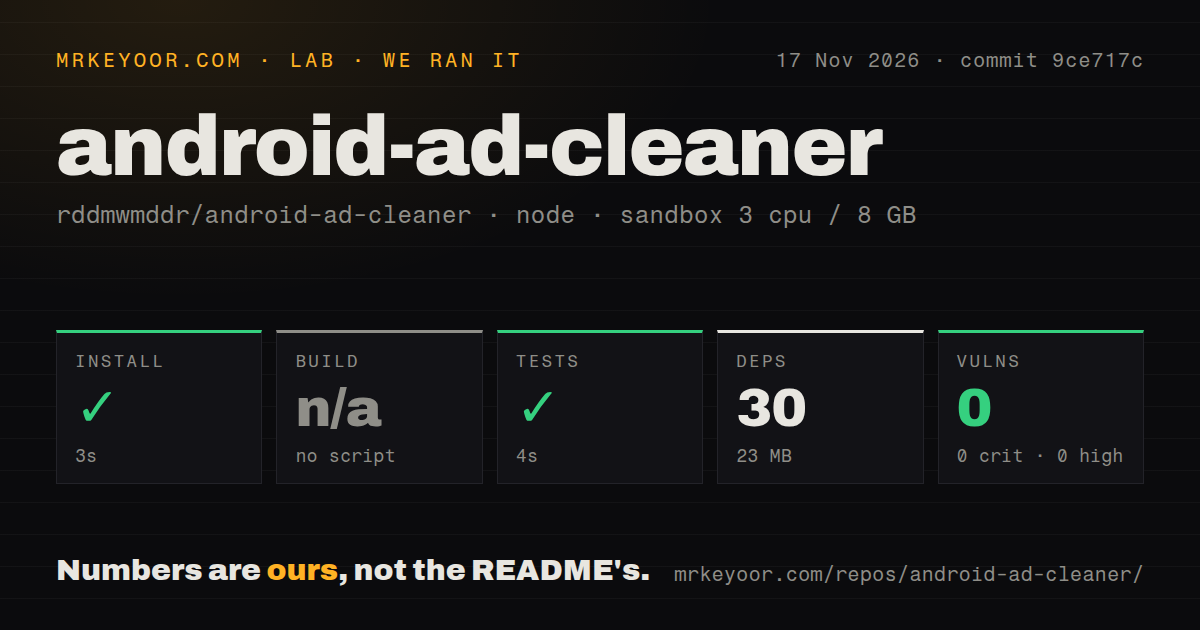
Our run at commit 9ce717c on November 17, 2026 recorded a 3-second npm install and a successful 4-second test step. The separate hands-on safety step failed with the message none of compose.yaml, compose.yml, docker-compose.yaml, docker-compose.yml exists. Its rule required a Compose file before proceeding. The hands-on safety record records where that route stopped; the teardown record reports ok.
| Recorded check | Our result | Verdict | Why |
|---|---|---|---|
| npm install | Succeeded in 3 seconds; 30 dependencies, 23 MB | Passed | The recorded installation command succeeded |
| Build | Skipped | No build result | No build script or target existed |
| Tests | Succeeded in 4 seconds | Passed | The recorded test command succeeded |
| npm audit | 0 known vulnerabilities: 0 critical, high, moderate and low | Zero advisories reported | The audit covered the recorded npm dependency set |
| Hands-on deployment safety | Failed: no accepted Compose filename existed | Stopped | This route required a Compose file |
| Teardown | ok | Completed | The teardown record reports cleanup completion |
The sandbox configuration was 3 CPUs and 8 GB RAM, with image label lab-node:22. The checkout contained 718 files, approximately 88,935 source lines and 19.5 MB. Its inventory included 10 CI workflow files, a tests directory and no Dockerfile. The README separately describes Python automation, packaged desktop clients and an Android app. Choose the client instructions for the intended route rather than treating the npm commands as the phone-setup procedure.
Where people get stuck: connection states and moving menus
An empty ADB list, an unauthorized device and an offline device are different connection states; menu-navigation failures need separate investigation. In Redmi connection issue #734, the reporter enabled debugging, restarted both devices and retried authorization. The supplied research synthesis says later output disproved the proposed missing-GUID explanation and included an offline device. Retaining the actual output helped separate enumeration and authorization questions from the original missing-prompt symptom.
| Symptom | Evidence to distinguish it | Response supported by the reports |
|---|---|---|
| Empty ADB list | No device row | Preserve enumeration output; #734 disproved its proposed missing-GUID cause |
unauthorized |
A device row exists without authorization | Address the phone authorization step |
offline |
A device row exists in an offline state | Preserve logs and follow the connection investigation |
| Game Center cannot find Settings | #286 describes an icon entrance | v0.2.8 added icon navigation; the synthesis reports the target changed |
| APK v0.4.2 crashes at startup | #1054 identifies the missing harmony_bridge module | Use the fixed Android package identified in the release discussion |
The OnePlus thread #138 records a different failure: protecting a short settings title also protected a longer promotional title containing it. Reova first used an exact-title workaround. For the v0.4.1 retest, the owner consented to temporarily enabling that target, and the released recipe switched it off. The store read-back showed 30 promotional items off, with zero non-target changes. Inspecting target names matters when a section runs but leaves a named setting unchanged.
The vivo thread #530 shows how accessibility labels affect navigation. Its My tab included update-badge and position suffixes, defeating exact text matching. A settings search could also hit explanatory text containing the same word. The correction used bottom-tab matching and a more precise settings-icon predicate. These entrances failed for different reasons, even though a user might describe both symptoms as being unable to reach Settings.
More reliable navigation can take longer
Visail reported a 187-second Xiaomi 15 Pro browser retest after an earlier 59-second run through the My-tab route. The corrected v0.4.2 source reached browser settings directly, then spent time scrolling to Privacy and security. The contributor called the delay an experience issue rather than a failed section. The Xiaomi timing record also records a 16-second theme retest, with both theme targets already off and zero adjustments.
Execution time belongs beside the outcome and starting state. In this report, a completed browser section took several minutes, while zero adjustments meant that previous work had already closed the targets. The original browser failure stopped after 17 seconds without changing a switch. Later observations separated the settings-entry timing problem from scrolling inside the settings page. That sequence explains more than treating the shortest run as the best result or counting every completed section as a new closure.
Setup starts with the client and phone authorization
The README offers Mac and Windows clients without requiring Python or an AI agent, plus an Android 11+ app requiring Wi-Fi. Its download table advertises v0.4.4, dated November 13, 2026. Start with the official repository download table, choose the package for your computer or phone, and follow that route's instructions. The documented desktop flow is connect, detect, choose changes, execute and read the results.
For the phone app, use the official Android authorization guide for the illustrated setup sequence. At the desktop client's detection stage, inspect the model, software version and recipe before selecting operations. The README also lists manual checklists for people who want to choose every setting themselves. Those checklists give an owner a documented route when the device notes describe only partial automated coverage.
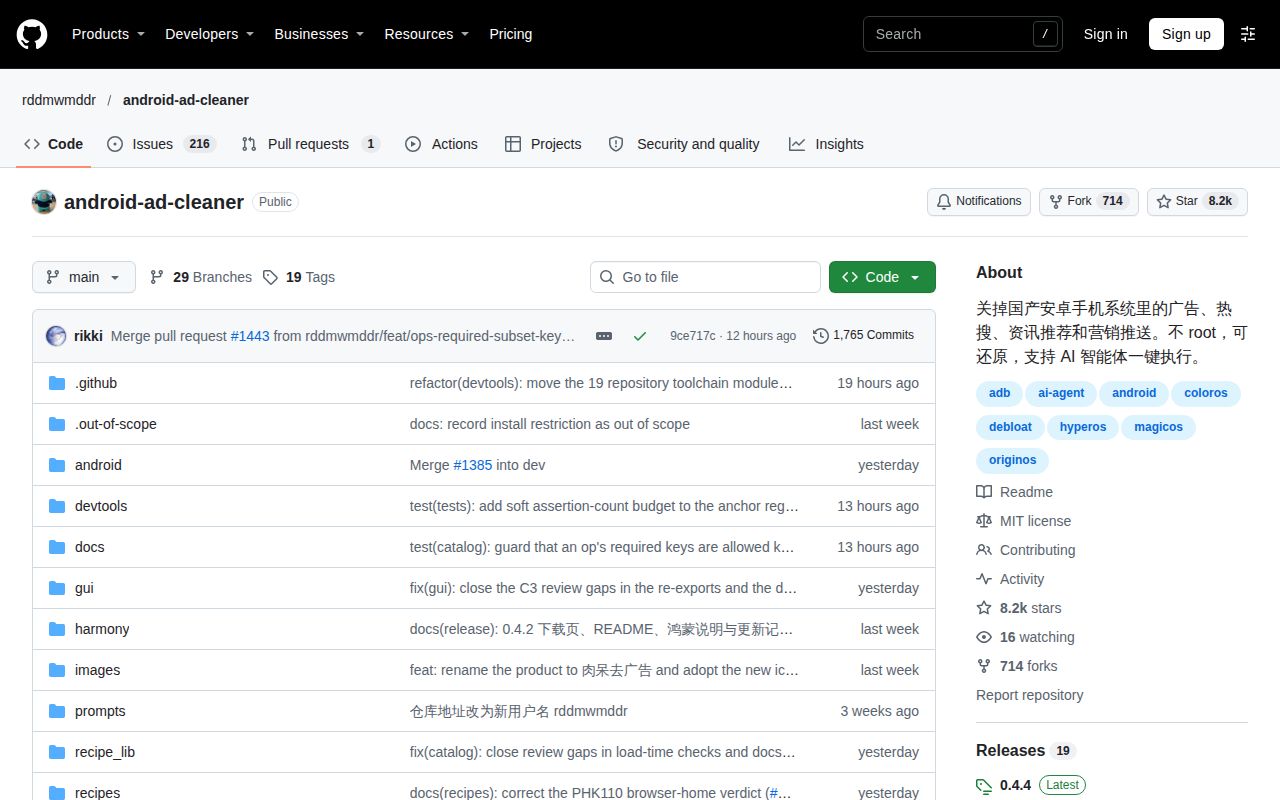
The supplied download-confusion discussion #294 arose when a user encountered another similarly named repository. The maintainer identified rddmwmddr/android-ad-cleaner as the official upstream and directed users to its releases or website. Start from that repository and its official releases so the package has a clear origin. A matching project name in a search result does not identify which repository maintains the installer.
Security and restoration require choosing each change
The README requires owner consent for advertising-package suspension and describes manual restoration for in-app switches. Its documented operations use existing Android and manufacturer-app settings, with optional pm suspend for advertising components. The project says it avoids uninstalling or disabling system apps, modifying the system partition and accepting app agreements for the owner. Marketing notifications are selected by channel, while service categories remain unselected by default in the client interface.
Restoration has two jobs. Suspended packages and notification channels have restore commands; switches inside apps need reopening through their checklist paths. Save the pre-change snapshot and the paths for settings the owner cares about. Before helping a relative, explain those manual steps and agree which changes to select. The README operation and restoration text makes that distinction explicit, giving a more useful account of undoing changes than a blanket reversibility label.
The documented finish stage reminds the owner to close developer mode. The README also provides a final command that closes it and disconnects the debugging connection. Read each selected operation's result before that final step. Notification channel names deserve the same attention as advertising switches: the README distinguishes promotional channels from order, delivery and update notifications. Selecting a channel and switching off an entire app's notifications are different operations in that documented workflow.
Chinese documentation makes exact labels useful
The supplied README and device discussions are in Chinese, and their exact menu labels explain several navigation failures. Preserve the original label alongside its translation when reporting a problem. In the vivo discussion, the My tab's accessibility name included badge and position text. In the Xiaomi discussion, broad matching could reach My likes in the content area instead of the bottom navigation tab. Calling both situations a Settings failure would hide the distinction.
The README's compatibility symbols have specific meanings. A check mark denotes a hardware run; a warning can mean partial sections or a retest still required. A dash can cover several situations, including no dedicated recipe or an operation that was never run. Read the accompanying device notes alongside the symbol. The OnePlus 15T entry, for example, points to section-level evidence and a particular source route that the detailed issue explains further.
android-ad-cleaner vs manual checklists, AdAway and UAD-ng
Manual checklists follow individual settings paths, AdAway uses hosts-file and local-VPN blocking, and UAD-ng targets system-app removal. Choose according to the work you intend to do: changing manufacturer recommendations, blocking network requests or removing packages. The maintainer's OnePlus advice recommends same-brand manual checklists for in-app switches when a dedicated recipe is missing. Borrowed recipes follow the entrances they can locate and skip missing ones.
| Choice | Pick it for | Decision to make first |
|---|---|---|
| android-ad-cleaner | Automated settings navigation | Which exact model, software and recipe will you use? |
| Manual brand checklist | Choosing individual settings or following missing paths | Which settings should the owner change or preserve? |
| AdAway | Hosts-file or local-VPN blocking | Does that blocking mechanism match the task? |
| Universal Android Debloater Next Generation | Removing unnecessary system apps | Is package removal the intended operation? |
AdAway describes itself as an Android ad blocker using the hosts file and a local VPN. Its official README supplies that mechanism. UAD-ng describes its purpose as removing unnecessary and obscure system apps. Its official README supplies that purpose. These descriptions support choosing an approach according to the intended operation. For android-ad-cleaner, the relevant operation is changing manufacturer settings that expose switches the owner wants closed.
What the other reviews get wrong
AI Founder and Stillworks describe native HarmonyOS as unsupported, while the supplied README documents a Mac and Windows connection route from v0.4.2. Their categorical connection description is therefore stale against that README. The AI Founder extract, Stillworks extract and official README show the difference. The version attached to a connection capability matters when comparing a listing with current project documentation.
AI Founder's description of the tool as fully reversible also needs the README's restoration detail: packages and notification channels have commands, while app switches require manual reopening. Coverage centered on AI agents also leaves out the documented desktop and phone clients. A prospective user needs to choose among those routes and understand the work involved in undoing selected changes. The client route and restoration method are practical distinctions when deciding whether to use the tool on someone else's phone.
FAQ
An AI agent is optional: the README offers desktop clients without Python or AI tools, an Android 11+ app and manual checklists. That answers the supplied question about whether AI tooling is required. The remaining questions come from the research synthesis and issue discussions. Their answers distinguish the project's documented operations from named contributor reports, so a setup choice can be traced to the relevant README passage or device investigation.
Does android-ad-cleaner need root, bootloader unlocking or flashing?
No. The README explicitly rules out root, bootloader unlocking and flashing, and describes changing settings already supplied by Android and manufacturer apps. Optional advertising-package suspension requires the owner's consent. Choose the operations you want after the client detects the phone, and keep the restoration paths for its in-app switches. The official README is the source for those operating rules.
Can I use android-ad-cleaner without an AI agent or coding knowledge?
Yes. The README lists desktop clients that need neither Python nor AI tools, alongside the Android app and manual checklists. The desktop route uses connection, detection, selection, execution and results screens. Choose that route for the documented graphical workflow, or follow the phone-app guide for its setup. The README usage routes identify the available choices and the equipment each route requires.
What can I do when there is no dedicated recipe for my phone?
Use the same-brand manual checklist for in-app advertising switches, as the maintainer recommended in #138. That thread separates general operations from dedicated model navigation and explains that borrowed recipes skip entrances they cannot locate. Contributors can record paths for a dedicated recipe. Include the model and software version so another owner can identify the interface those instructions describe. The OnePlus adaptation discussion records this advice.
Why does the phone never show the Allow USB debugging prompt?
Issue #734 reports a missing prompt alongside an empty ADB list, even after authorization resets and restarts. Its investigation later disproved an initial missing-GUID diagnosis. Record whether ADB shows no device, unauthorized or offline when asking for help. Those states distinguish stages of the connection process and give maintainers something more specific to investigate than the absent prompt alone. See the Redmi connection investigation.
Can antivirus software or another program's ADB interfere with the connection?
The #294 discussion raises Huorong security software as a possible connection factor. The reporter asked whether a setting in that software might explain the problem; the thread also requested the affected phone and diagnostic output. Follow that evidence-led approach when reporting a similar symptom: name the software, identify the phone and include the actual ADB state. The security-software discussion supplies the question rather than a demonstrated fix.
Will disabling marketing notifications preserve order, delivery and weather alerts?
The README says marketing notifications are selected by channel and service categories remain unselected by default. Reova's OnePlus report also records unchanged other channels and app-wide notification switches around that run. Inspect the proposed channel names on the phone and keep the snapshot with the owner. Selection can then follow the channel's stated purpose. The OnePlus channel report describes the recorded before-and-after comparison.
Why does the Android v0.4.2 app crash with a missing harmony_bridge module?
Issue #1054 identifies an omitted packaging file: startup imported harmony_bridge, but the APK's file list omitted harmony_bridge.py. The supplied synthesis identifies v0.4.3 as the first fixed Android package and reports an upgrade from v0.3.2 reaching the main interface on an OPPO Find X10 Pro Max. Use the fixed release rather than reinstalling the unchanged v0.4.2 APK. The APK packaging investigation explains the failure.
Can android-ad-cleaner prevent older relatives from accidentally installing apps through ads?
The README documents manufacturer recommendation settings and quick-app controls; #294 asks for a function preventing installation on older relatives' phones. Start by identifying the actual handset and the settings available on it. Agree with its owner which documented operations to select, and use manual checklist paths for missing entrances. The older-OnePlus discussion connects this request with phones that had only partial coverage through reference recipes.
How do I install and use android-ad-cleaner step by step?
Download the official client, follow its debugging authorization instructions, detect the phone, choose changes, execute and read the results. The README separately lists an Android 11+ app requiring Wi-Fi. Choose the instructions for the package you downloaded, and keep its version with the phone model and software build. The official repository links the desktop instructions and illustrated phone authorization guide for their respective routes.
Is android-ad-cleaner free and open source?
The repository publishes its source under the MIT license and links desktop and Android downloads. Its README also documents manual checklists and source-based use, giving readers several ways to perform the settings work. Start from the upstream repository to choose among those routes and identify the release being installed. The official README and license declaration supply the licensing and download information used in this review.
How do I remove pop-up ads and malware from an Android phone?
Google's supplied guidance starts with removing problematic apps and also addresses unwanted website notifications. Android-ad-cleaner's README describes manufacturer advertising and recommendation settings. Identify the behavior before choosing instructions: unwanted downloaded software and a manufacturer's recommendation switch lead to different actions. The Google Android removal guidance describes removing recently downloaded apps one by one, restarting normally after each removal and checking whether the problem has stopped.
What we have not tested yet
Our sandbox exercised npm commands at 9ce717c and stopped at the separate Compose safety requirement before a phone-cleanup task. The generic hands-on run record says the repository deployed with its own Docker Compose configuration, which conflicts with the specific failed filename check. We count the recorded safety failure and teardown rather than a successful deployment. The pack supplies no task answers or screenshot records, and the harness supplies no passing-test count. Actual runtime and operating-system versions require raw toolchain logs.
Contributor results retain their execution boundaries. The vivo closure report used main source; the OnePlus v0.4.1 and Xiaomi v0.4.2 retests used CLI source rather than the corresponding installers or APKs. OnePlus accumulated seven passing sections across separate runs, while its original 204-second whole run retained exit code 1. Its first Game Center failure had no confirmed cause, and disabling the recommendation master switch hid carousel controls and produced an incomplete section. The Xiaomi timing observations followed an intervening software update and are not a controlled speed comparison.
The OPPO APK report establishes startup recovery rather than cleanup effectiveness. The supplied Xiaomi 15 theme-startup correction lacks a subsequent hardware retest of that remaining section. Native HarmonyOS hardware testing is outstanding in the README itself. The supplied phone-app guide has no readable extract here supporting capture privacy behavior, manual pairing through notifications or SIM and account prerequisites. The supplied #294 extract establishes suspicion about Huorong, but no successful connection outcome after exiting it.
The evidence contains no independent phone-cleanup run, post-reboot or post-OTA persistence measurement, controlled comparison with blockers or debloaters, universal service-notification result, or guarantee against accidental app installation. The npm audit covers its dependency set rather than phone permissions or packaged-client security. Rendered layout, link resolution and recommendation modules also fall outside this text correction. Before using the tool on a relative's phone, match its model and software to the recipe, save proposed changes and keep manual restoration paths where the owner can find them.