ALVR turns a standalone headset into a SteamVR display
ALVR sends PC-rendered VR video over the local network and returns headset tracking and controller input to SteamVR. The support table covers Apple Vision Pro, Quest 1 through 3S and Pro, several Pico models, Play For Dream devices, Vive Focus hardware, and PhoneVR. Android with Monado and Lynx R1 carry warnings, while Oculus Go is explicitly unsupported in the current fork.
The appeal is source access and hardware breadth. You can download a launcher for Windows or Linux, install a matching headset app, trust the device in the dashboard, and adjust streaming settings from the PC. This is still a multi-part system. SteamVR, the streamer, the headset client, graphics drivers, firewall rules, audio devices, and the router all participate in whether a session works.
The network and encoder requirements rule out casual hardware
The README asks for a high-end gaming PC with NVENC on NVIDIA GTX 1000-series or newer, AMF VCE on AMD, or VPL on supported Intel hardware. Laptops with both integrated and dedicated graphics should assign ALVR and SteamVR to the dedicated GPU. On the network side, the project recommends 802.11ac 5 GHz Wi-Fi for the headset and wired Ethernet for the PC, with both attached to the same router or a documented routed setup.
Those are operating requirements, not tuning suggestions you can ignore without consequence. ALVR must encode two responsive views, move them across the network, decode them on the headset, and keep pose data moving back. We did not measure visual quality, latency, dropped frames, or headset compatibility in the lab. Our container had no VR hardware or GPU, so this review does not turn the project's requirements into a performance claim.
What happened when we ran it
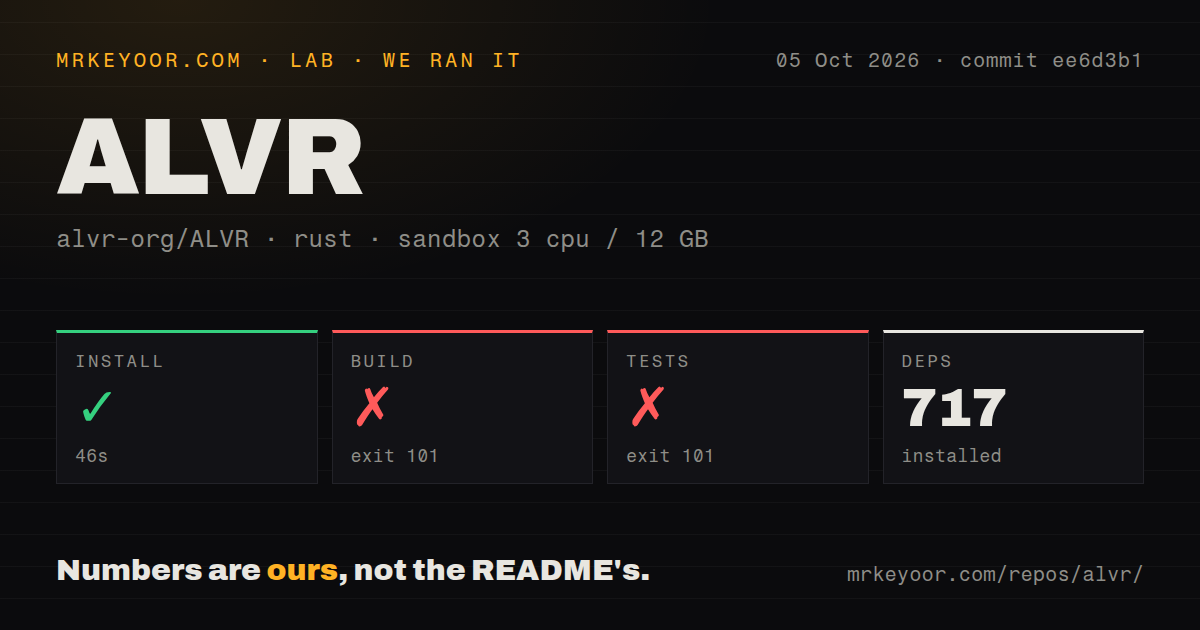
Our sandbox installed commit ee6d3b1 in 46 seconds and added 717 packages. The repository occupied 523.9 MB before that step, with 1,332 files and about 279,406 lines of source. The build then ran for 225 seconds and exited with code 101. The log says pkg-config could not locate libpipewire-0.3.pc, so the libspa-sys crate could not find its required system library.
The test command failed after 31 seconds with exit code 101 and the same PipeWire message. Its tail does not show any test cases running or failing. This was a prerequisite failure during compilation, not evidence that ALVR's VR behavior is wrong. The container used 3 CPUs, 12 GB of RAM, Rust, no secrets, and no elevated privileges. It did not include the desktop multimedia packages named in ALVR's Linux build guide.
Linux source builds begin with PipeWire and graphics libraries
The Debian and Ubuntu build instructions list build tools plus Clang, SSL, ALSA, JACK, GTK, Vulkan, libunwind, X11 helpers, speech dispatch, DRM, VA-API, PipeWire, and SPA development packages. PipeWire and SPA must meet the documented minimum. Our missing libpipewire-0.3 error matches that list exactly, which makes the failure actionable: a plain Rust image is not a complete ALVR build environment.
Building also requires repository submodules and an xtask preparation step before the release streamer command. The Android client has another toolchain: Android Studio or sdkmanager, platform tools, an NDK, environment variables, and accepted licenses. The repo has 6 CI workflow files but no Dockerfile that packages this setup into one reference environment. Contributors must reproduce the platform instructions themselves.
The launcher is the practical installation path
Players do not need to compile 717 packages. The beta launcher can install streamer versions and the headset APK, then guide the first setup. SteamVR must be installed, and the first launch may be blank while the driver registers; the guide tells users to close and start it again. Most setting changes require a SteamVR restart. On Windows, microphone forwarding can also require Virtual Audio Cable or equivalent software.
Linux asks for more platform knowledge even with binaries. The troubleshooting page documents Steam runtime launch options, Wayland workarounds, Vulkan driver conflicts, VA-API packages, hybrid-GPU environment variables, PipeWire audio, and minimum NVIDIA driver and CUDA versions. Open issues in 2026 also report Linux direct-mode trouble, Intel Arc encoder detection, and high render latency. These are reports from particular systems, but they show how much the surrounding stack matters.
Current code is active despite an older stable release
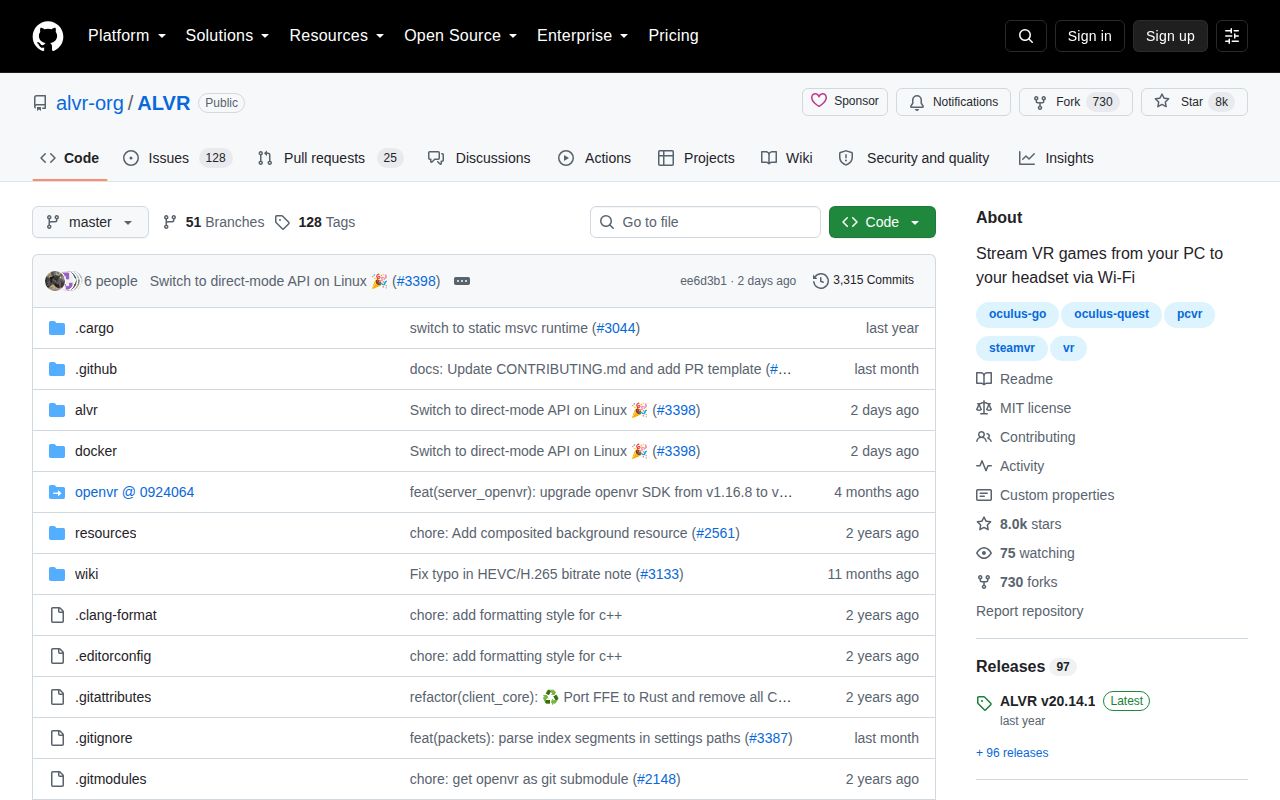
GitHub showed 7,973 stars and 153 open issues and pull requests on October 5, 2026. Search split that queue into 128 issues and 25 pull requests. The repository was pushed on October 4, one day before our review, and active pull requests covered formatting, dependencies, stutter, ARM64 Linux, and headset behavior. That is current development activity.
The latest GitHub release was v20.14.1 from July 14, 2025, containing a fix for the Virtual Audio Cable microphone option. The gap between that stable tag and the 2026 main branch means users should distinguish releases from nightly builds. The installation guide says nightly streamer and headset versions must match and warns that those daily builds can be unstable.
Choose ALVR when openness outweighs setup variance
WiVRn is the first alternative to inspect for a Linux-centered OpenXR stack. Steam Link is simpler for supported users who prefer Valve's path, while Virtual Desktop is a paid option with a commercial support model. PhoneVR targets a different compromise by turning a smartphone into the display. Hardware support, host OS, headset store availability, and tolerance for troubleshooting will decide more than a feature checklist.
ALVR earns a trial when you have a listed headset, a supported encoder, wired PC networking, and control over the host. Start with the launcher and a stable release. Source builders should provision the native dependencies before Cargo and expect the Android client to be a separate build job. Our failed 225-second build is the clearest warning: this is a full VR media stack, not a Rust binary that compiles in isolation.