One desktop app coordinates several coding-agent runtimes
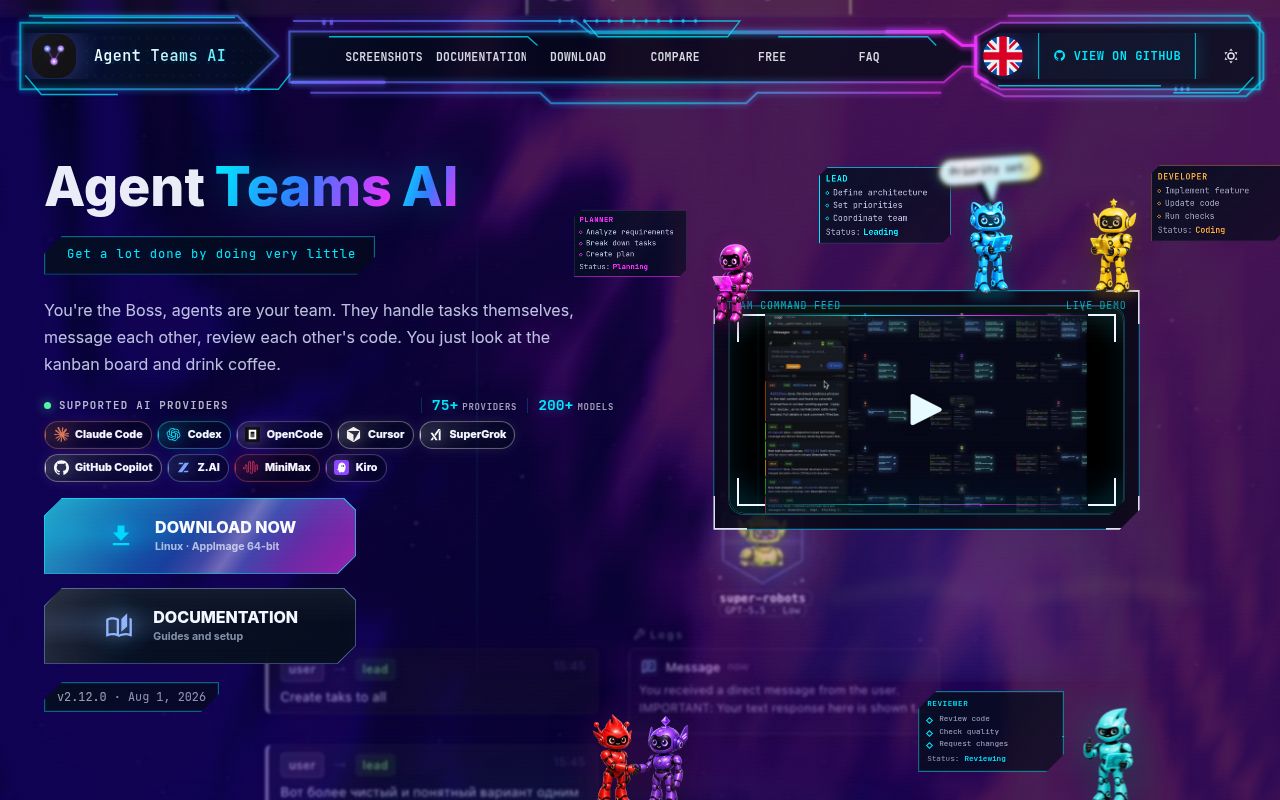
Agent Teams AI gives Claude Code, Codex, OpenCode, Cursor, SuperGrok, GitHub Copilot, Z.AI, MiniMax, Kiro, and self-hosted OpenAI-compatible models a shared workspace. Agents split work into board tasks and message one another. The app collects terminal output, tool activity, token use, cost estimates, and code changes that would otherwise sit in separate sessions.
The attraction is visibility, not a new coding model. A team can have distinct roles and provider choices, use the main checkout or isolated Git worktrees, link blocked tasks, and send work between teams. The README says the desktop application is the main product; its web version is still under active development.
Five Kanban columns and per-hunk review expose agent work
The comparison table specifies a 5-column board, while task pages show logs, messages, attachments, and detected changes. Operators can accept, reject, or comment on individual hunks. Quick actions and direct messages let a person change direction without opening the agent's terminal. That is more useful than a pretty org chart because it ties supervision to files and tasks an agent touched.
Autonomy still needs policies. Agent Teams AI can ask for approval on supported tool actions, assign monthly token or estimated-cost budgets, and alert at 80% and 100%. Branch choice is set per teammate, with extra merge rules placed in the provisioning prompt. The user still decides which runtimes may edit the project and which credentials each provider receives.
What happened when we ran it
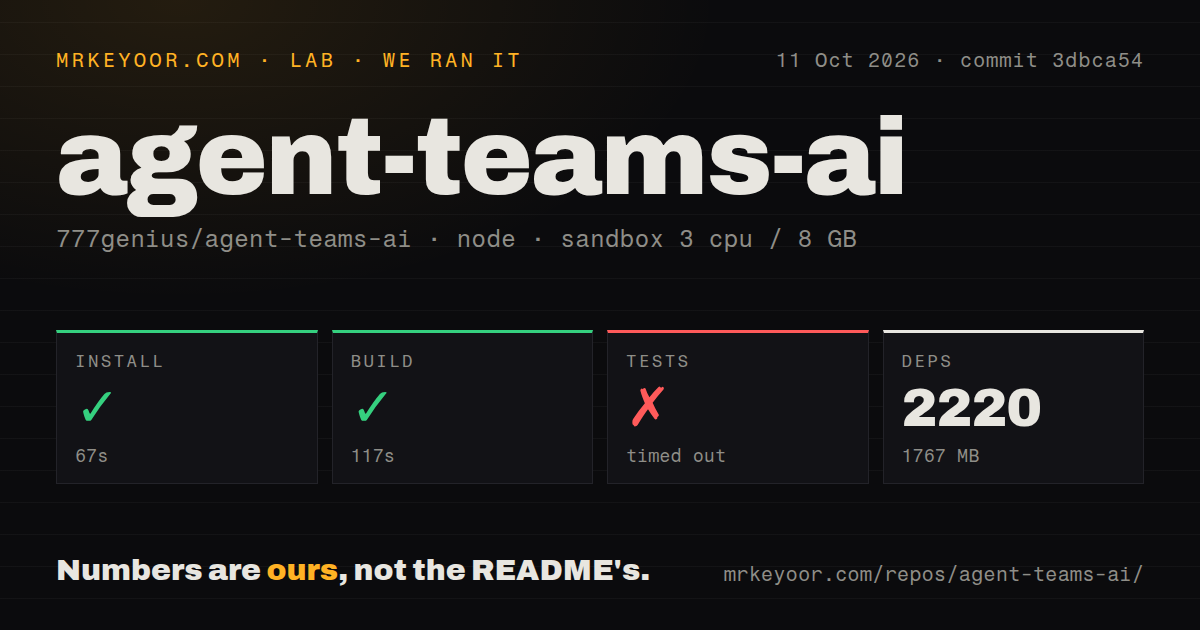
Our run used commit 26b0515 in an unprivileged Debian container with 3 CPUs, 8 GB of RAM, and Node 22. The pnpm install succeeded in 98 seconds, adding 2,166 packages and using 1,657 MB. The monorepo checkout contained 5,137 files, roughly 1,313,461 lines of source, and 103.9 MB before installation. This is a large application even before any external coding runtime starts.
The build succeeded in 101 seconds. The test command did not finish within 900 seconds. Its final lines still showed successful RuntimeDeliveryService and RuntimeDeliveryReconciler cases, plus ProviderRuntimeSettingsDialog.test.ts completing 35 tests in 2,172 ms. The log never reached a final suite summary, so we cannot state how many tests passed overall or call the suite green.
A 900-second test cap makes contributor validation expensive
A timed-out suite is different from a failed assertion. The supplied log shows useful work continuing at the cutoff, with delivery recovery, sender identity, and settings-dialog cases passing near the end. It does not show the command's eventual duration or result. Contributors should identify smaller maintained test targets for daily work and reserve the full command for a machine that can run past 15 minutes.
Our scan found 11 CI workflow files, a tests directory, workspace packages, and no Dockerfile. The README documents pnpm check for types, lint, tests, and build, plus narrower coverage and quality commands. Source work officially requires Node.js 24.16.0 LTS and pnpm 10 or newer. Our supplied Node 22 image still completed install and build.
Free onboarding becomes provider setup for serious work
The app offers a free model with no signup, key, or card. It can also detect installed Claude Code, Codex, and OpenCode runtimes, while the setup wizard connects other supported providers. Release v2.12.0 added guided configuration for OpenAI-compatible models on the same computer, a trusted network, or a remote HTTPS server. Remote endpoints may carry API keys, scoped to one project or shared across projects.
Local-first does not mean every prompt stays on the machine. The FAQ says Agent Teams AI does not upload project code to its own backend because there is no Agent Teams cloud store for it. External runtimes still communicate with their providers under those providers' terms. The app itself reads the selected project plus local session sources such as ~/.claude/, so project selection and provider policy both matter.
The local HTTP dashboard has no built-in authentication
The security section says IPC and standalone HTTP handlers validate IDs, paths, and payload shapes, with writes constrained to the selected project root. It also says the standalone dashboard is meant for local or trusted-network use and has no built-in authentication for public deployment. An authenticated reverse proxy is mandatory before internet exposure, not an optional hardening task.
Desktop packaging has smaller snags. Windows downloads may trigger SmartScreen, and the README tells users to open More info and run the installer anyway. Linux sessions over RDP can freeze or show a blank Electron window; setting AGENT_TEAMS_DISABLE_GPU=1 disables hardware acceleration for that run.
Issue 569 shows how bundled runtimes can lag providers
Open issue 569 reports that Agent Teams AI v2.12.0 bundled a runtime identifying as Claude Code 0.0.73, while the requested Claude model required 2.1.251 or newer. The user's separately installed Claude Code 2.1.260 worked on the same account. Issue 533 reports a different mismatch on main: the desktop bridge rejected an authenticated provider status returned by bundled runtime 0.0.74. Both reports concern versioned contracts, not vague provider trouble.
The latest release was v2.12.0 on 2026-08-01, while the last push was 2026-09-05. GitHub showed 2,067 stars and 32 combined issues and pull requests when fetched. Issue 589 opened and closed on September 5, so work continues despite the month-old release tag. One documentation wrinkle remains: the current installation table still links directly to v2.7.0 assets instead of the latest release.
The 20-to-100-agent target is still roadmap work
The roadmap marks cloud-based 24/7 teams, automatic account switching, long-task context handling, a universal plugin system, and control under 20 to 100 or more parallel agents as unfinished. The README labels several items in progress, but it gives no completion promise. Buy the current desktop behavior, not the phone-driven autonomous-company vision described below that checklist.
Gas Town suits terminal-first persistent crews. Paperclip centers company structure and scheduled work, while Claude Code keeps delegation inside one CLI. Agent Teams AI wins when visual task flow and per-hunk review are worth a 1,657 MB source install and a test suite that exceeded 900 seconds.