Should you add Agent of Empires to your workflow?
Choose Agent of Empires if persistent sessions alone leave you needing agent status, worktree management, browser access and diff review. Keep plain tmux if persistence and manual session switching cover your needs. The distinction is documented in the README at our tested commit, rather than established by an interactive comparison in our sandbox.
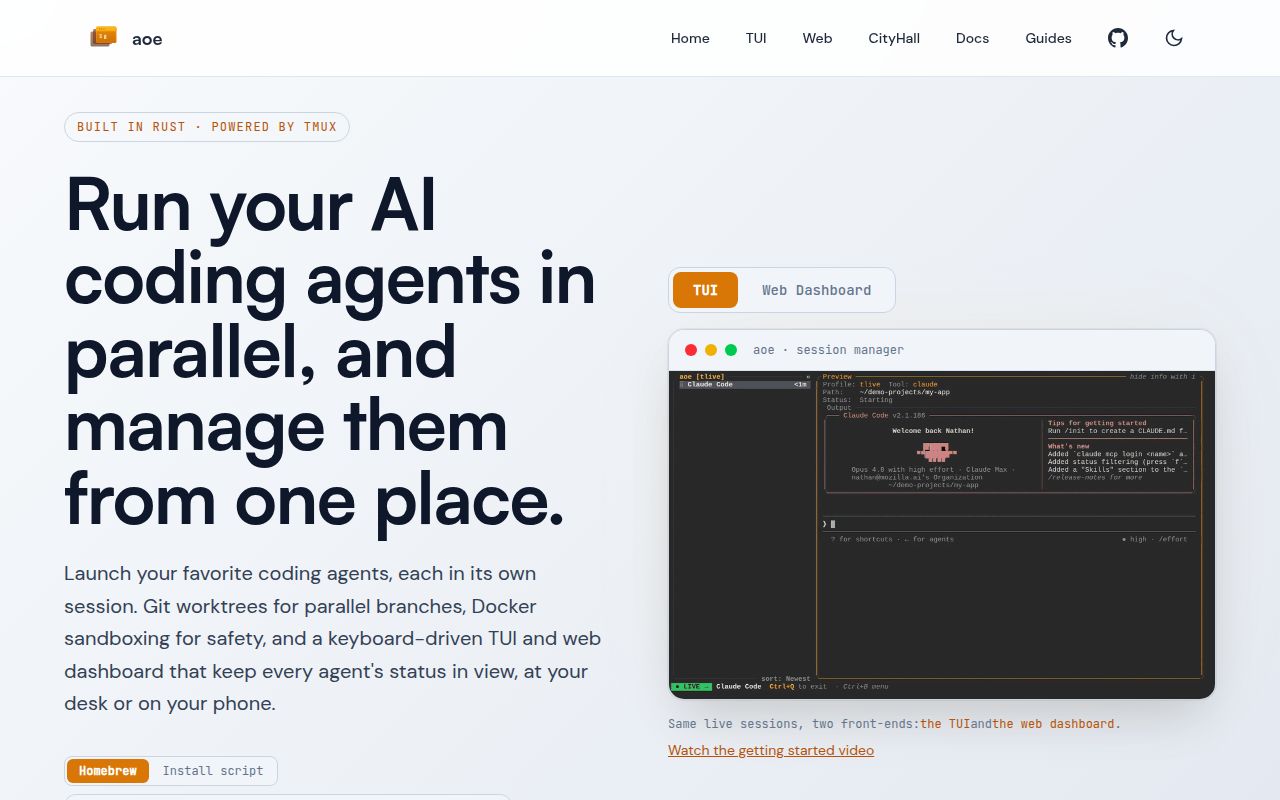
Agent of Empires runs each agent in its own tmux session. Its README says those sessions keep running when the TUI closes or SSH disconnects. AoE adds a management interface around them; you still need the coding tools you intend to launch.
What our sandbox established
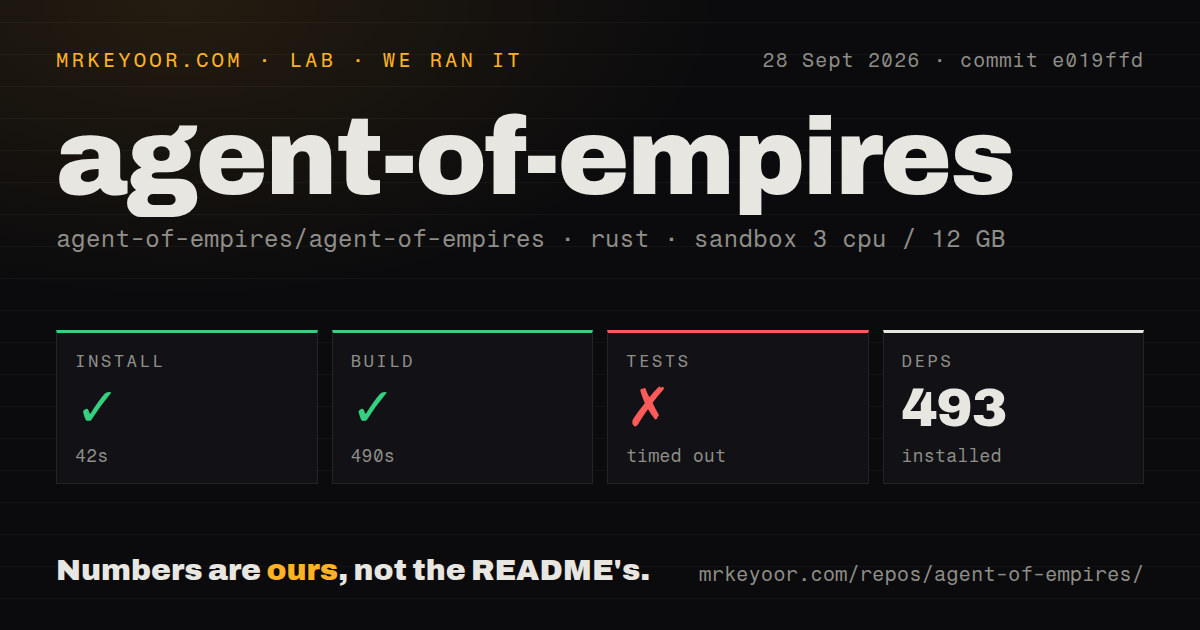
Our run on 2026-09-28 used commit e019ffd, whose full hash is e019ffd5f445bc44e2c211d79e7c9349303b8efa. Installation completed in 42 seconds, and the build completed in 490 seconds. Tests timed out after 900 seconds with exit code 124.
These are observations from our sandbox, configured with 3 CPUs, 12 GB of memory and image lab-rust:1. Our harness records each step's success flag, elapsed time, exit code, timeout flag and retained log tail. The build tail names agent-of-empires v1.17.2 and ends with a completed dev profile, explicitly described as unoptimized with debug information. Build success here means compilation completed; it does not establish that a deployed CLI or agent workload worked.
The retained test tail contains individual passing entries but no completed suite footer. The attached aggregate test-count field is null. We therefore cannot give a passing total, failure total or pass rate, or identify why the run exceeded its limit. The timeout is an unfinished run, not evidence that every remaining test failed. Recorded parser summaries, where available, would still require complete-log reconciliation before establishing exhaustive unique coverage.
We did not verify interactive agent sessions, credentials, browser access, mobile access, container boundaries or recovery. The record contains no audit result, so advisory totals and scan coverage are unknown. This correction uses the existing stored run; no new execution took place. The MrKeyoor testing-methodology page explains command outcomes and their limits, but its current text does not establish which methodology revision governed this September run.
Setup begins with tmux
The matching README requires tmux on Linux or macOS and documents Windows only through WSL2. It lists installation through a script, Homebrew, Nix or a source build. Docker is optional for sandboxing; the feature list also names Podman and Apple Containers.
Worktrees and containers address different decisions. Worktrees give concurrent tasks separate checkouts. Choosing container sandboxing adds a separate runtime boundary whose configuration still needs review. Our successful build validates neither isolation nor the behavior of a particular agent inside it.
Start with a disposable repository and one agent. Check attachment, status changes, diffs and reconnection before adding parallel sessions or remote access. This is a suggested evaluation sequence, not a workflow we completed in the recorded run.
Recovery reports need their dates and status
Issue 3516 describes conversation cross-assignment during recovery when several sessions share a working directory and capture relies on the newest matching transcript. The supplied issue page records closure as completed on 2026-09-04 through pull request 3678.
That makes the report useful historical context, rather than evidence that the issue remains open at our later tested commit. Closure also does not prove that our sandbox exercised the fix or that every recovery scenario works. If recovery matters to your workflow, verify that each resumed pane opens its intended conversation.
When another tool fits better
Plain tmux supports detaching sessions and reattaching them later. Choose it when you want that persistence and can organize agents yourself. It is also AoE's underlying dependency, so it can complement AoE as a direct attachment path.
cmux is a native macOS terminal with tabs, notifications and an embedded browser. Consider it when you want the terminal application itself to organize your workspaces. Its documentation distinguishes restored application state and agent resume commands from keeping arbitrary processes alive; it offers tmux integration for live detach and reattach. It can therefore complement a tmux workflow rather than replace its persistence layer.
How to read our scores
These are editorial assessments, not measurements or adoption rankings. For setup, documentation and maturity, 1 means the supplied evidence shows a blocking gap, 2 means substantial limits remain, 3 means a usable baseline with explicit qualifications, 4 requires broader verified coverage, and 5 requires thorough verification within the stated scope. Documentation scores reflect only material actually supplied. Community remains unassessed because the extracts do not establish response times, sustained maintenance or adoption.
Setup receives 3 because installation and compilation completed but runtime prerequisites and interactive operation remain unverified. Documentation receives 3 because the matching README explains prerequisites, persistence, platform limits and entry points, while the linked guides were not supplied in full. Maturity receives 2 because our test command did not finish and recovery was not exercised; this describes the limits of this assessment, not a finding that the software is generally unreliable.