Short answer: use it for editable rooms, skip it for precision CAD
Our sandbox built 3D Model Anything in 3 seconds, but the useful buying decision is whether you want to own a room as editable Three.js code. Use it if you have supported Apple capture hardware and want to work with a desktop coding agent on an interior scene. Skip it if your deliverable needs engineering solids or dependable dimensions straight from a phone scan.
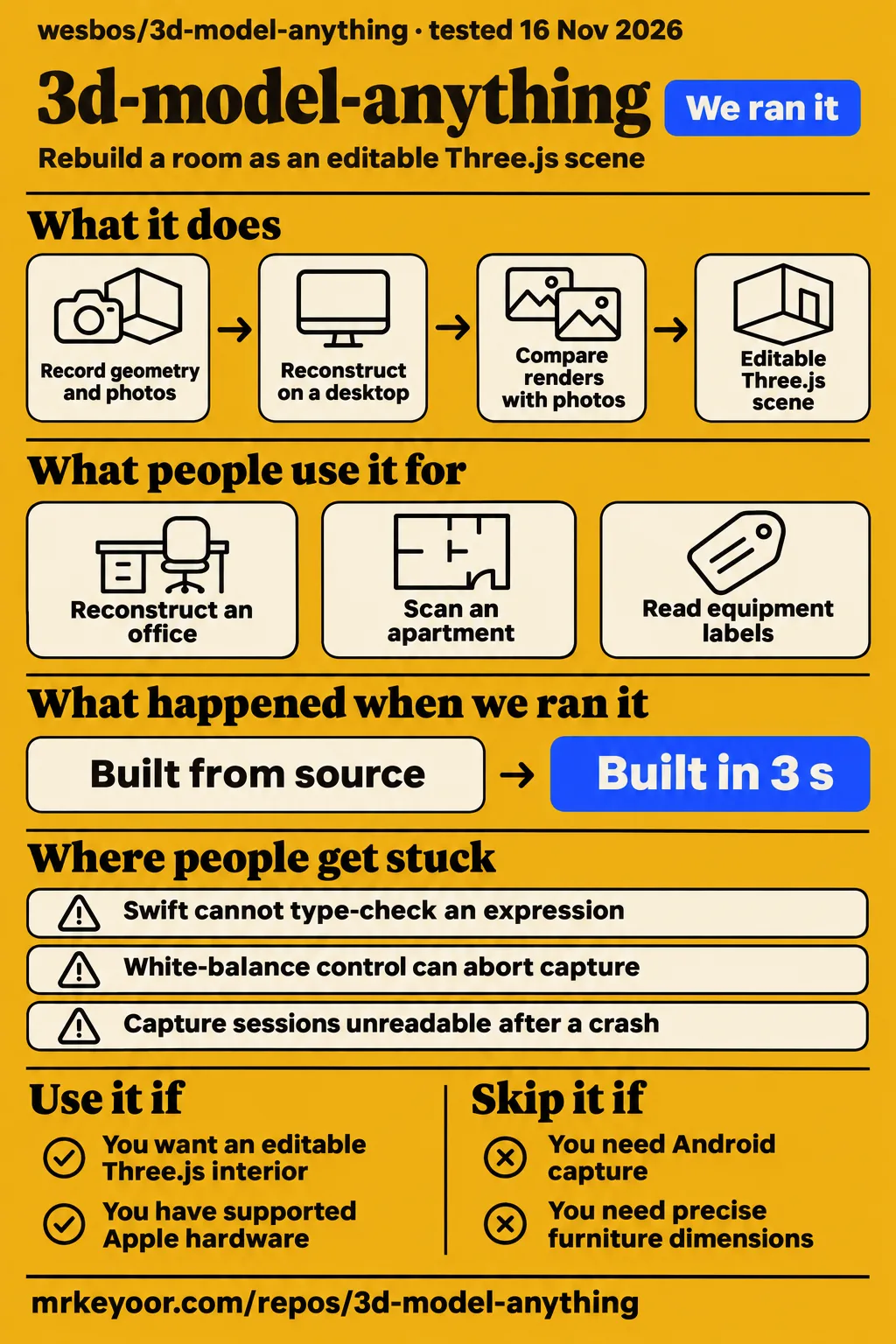
Wes Bos's project combines an iPhone capture app, an agent skill and a browser viewer. The official README describes an iterative process: record geometry and photographs, reconstruct the room, then compare renders against the photographs. The App Store app handles capture and previews. AI reconstruction happens separately on a desktop. That separation explains both the appeal and the effort: you get scene code you can change, while somebody still has to decide whether the reconstruction is good enough.
What people use 3d-model-anything for
Wes Bos published an editable reconstruction of his office, and the other recorded uses cover apartment scanning, capture experiments and a proposed Blender export. Those are different jobs. A successful scan says something about capture; a rendered office says something about the supplied scene. Neither result should silently stand in for the other.
| Who used it | What they did | What the result tells you |
|---|---|---|
| Wes Bos, the project author | Published his office as a Three.js scene; the technical reviewer records his acceptance method as mostly judging by eye. | A detailed editable interior is a demonstrated output. Office reconstruction account |
| The reviewer at ai.thesatyajit.com | Rendered the shipped office in headless Chromium with software WebGL and explicitly made no hosted model calls. | Someone independently inspected the existing scene rather than creating a fresh room. Technical inspection |
| App Store reviewer bccbtct | Reported satisfaction after trying to scan an apartment and preferred it to Polycam. | This is an individual preference, with no controlled accuracy comparison. Apartment review |
| The contributor to issue #20 | Scanned the same boiler closet with default capture and an experimental 4K branch, reporting readable small print in 4K. | Capture detail can improve, with a narrower vertical view and a lower frame rate. Capture comparison |
| JulienCr, author of draft PR #24 | Reported exporting the office to a 128 MB GLB and loading it in headless Chrome. | The proposed branch demonstrates an export route; the contribution is still open in the supplied record. Export proposal |
For a web developer, the office is the strongest reason to look closer. The output is a scene whose objects can be authored and revised in code. For somebody documenting a boiler room, the small-print experiment is more relevant: a visually convincing cabinet is little help if its equipment label cannot be read. Choose the example that resembles your job, rather than treating all five as proof of one finished pipeline.
What happened when we ran it
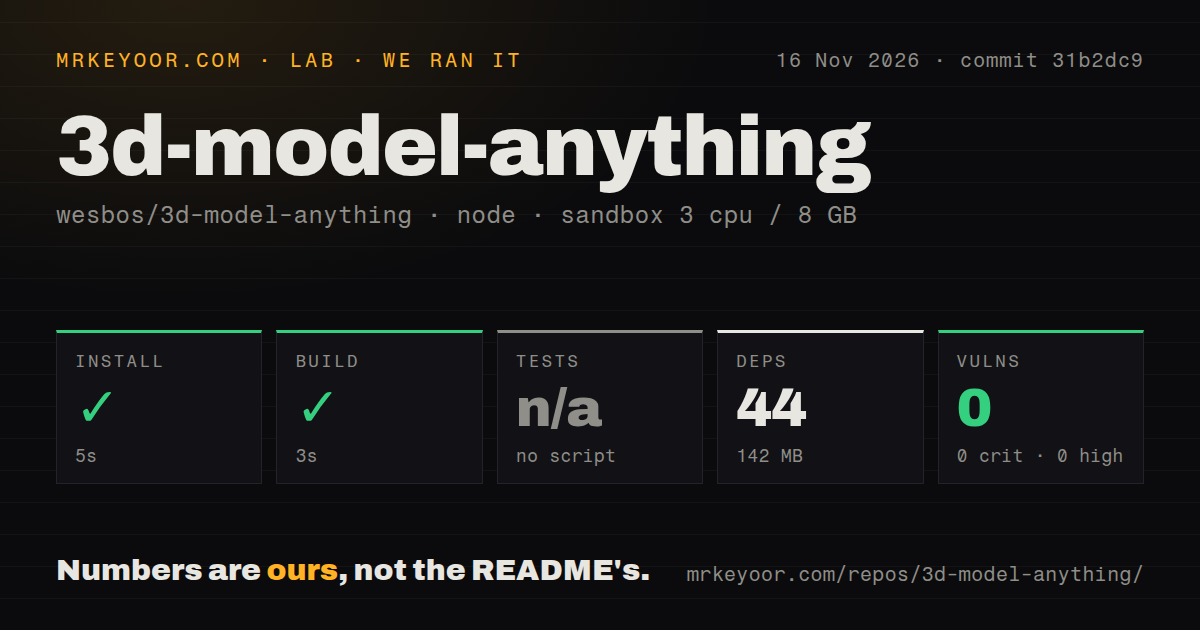
Our November 16, 2026 sandbox run installed the npm dependencies in 5 seconds and built commit 31b2dc9 in 3 seconds. The separate hands-on attempt stopped at its Compose safety check. The detailed failure record says none of compose.yaml, compose.yml, docker-compose.yaml or docker-compose.yml existed, and that the lab required a Compose file.
| Recorded repository check | Result |
|---|---|
| npm install | Succeeded in 5 seconds; 44 dependencies recorded; 142 MB on disk |
| Build | Succeeded in 3 seconds |
| Tests | No tests script or target; skipped |
| npm audit | 0 known vulnerabilities: 0 critical, 0 high, 0 moderate, 0 low |
| Checked-out repository | 374 files, approximately 35,350 source lines, 41.3 MB |
| Repository signals | 2 CI workflow files; no Dockerfile; no tests directory |
The configured sandbox had 3 CPUs, 8 GB of RAM and the image label lab-node:22. That label is configuration evidence, not a readout of the actual runtime or operating system. The README asks for Node.js 22.12 or a newer supported release. Our installation and build figures describe the Node portion of this repository, not a Swift app installation or the time needed to model a room.
The Compose failure needs a careful reading. Our harness rejected a repository that lacked the deployment file its own rule required. The README instead documents a local npm viewer workflow. Calling that rejection a broken scanner would confuse the lab's deployment requirement with the project's instructions. The teardown record says cleanup completed successfully.
There is also a conflicting run-summary record, which says the project was deployed with its own Compose configuration. The detailed safety failure is the actionable result, so we do not count the summary as proof of a running deployment. The concrete finding is modest but useful: the Node source cleared installation and compilation quickly, while our deployment route stopped before a real capture task.
Where people get stuck: naming a room, building Swift and keeping captures
A UX designer in issue #12 mistook the scan setup screen for a camera-permission failure because the required room-name field was easy to miss. Their report describes a black screen, a long explanation and a disabled start button. It is a good example of a small interface choice blocking somebody before the difficult reconstruction work even begins.
The first thing to check in that situation is the room name. The issue #12 author suggested moving the field above the instructions and adding a camera-ready cue. The linked redesign is a simulated mockup, not a working app. The supplied issue remains open. That evidence supports a useful diagnostic step, not a promise that entering a name fixes every black screen.
| Reported problem | What the record supports doing | Recorded resolution |
|---|---|---|
| No Mac for Xcode, issue #1 | Use the App Store distribution for capture rather than compiling the app yourself. | The listing supplies an installation route; the original request is still open. |
| Swift cannot type-check an expression, issue #10 | The reporter identifies Coverage.swift and CoverageEngine.swift. Keep those filenames with the error when seeking help. | Issue #10 has no supplied fix or maintainer response. |
| Room-name setup looks like a camera failure, issue #12 | Find the required name field before diagnosing camera permissions. | The author proposed interface changes; the issue is open. |
| White-balance control can abort capture, PR #25 | jmcte proposes removing an optional diagnostic conversion and guarding camera preconditions. | The contribution is open; its author explicitly stops short of claiming a proven root cause. |
| Sessions unreadable after a crash or failed depth write, PR #23 | The title identifies a proposed recovery improvement. | The supplied extract stops before the body, so it supports no implementation or recovery instructions. |
For equipment labels, issue #20 offers a more specific tradeoff than simply asking for better scans. Its contributor reports that the experimental 4K option preserved normal tracking and similar mesh roughness while improving small-print readability. It captured at 30 fps instead of 60 and reduced the vertical field of view. That is a photography improvement on a contributor branch, not evidence that the geometry becomes more accurate. Read the experiment before choosing it over the default capture path.
Exporting a mesh does not create editable CAD solids
Issue #3 requests STEP, IGES, STL and Parasolid export for Fusion 360, SolidWorks and Onshape, while draft PR #24 proposes glTF export for Blender. Those are separate requests. The CAD issue stays open in the supplied record; a proposed GLB exporter is not an answer to every format listed there.
JulienCr's export branch aims to preserve walls, doors and props as separately named objects. That is useful for somebody who wants to continue arranging a room in Blender. It does not turn reconstructed furniture into engineering solid bodies with the dimensions and construction history a CAD workflow may need. Decide whether you need a spatial reference or editable manufactured parts before investing in reconstruction. A scaled room mesh can serve the former purpose without satisfying the latter.
The proposal also exposes costs hidden by an attractive browser demo. JulienCr reports a 128 MB office GLB, degenerate triangles in the existing geometry, and rendering effects that do not transfer. In particular, viewer shadows, tone mapping and bloom are not exported. These are the contributor's findings about the proposed branch, not measurements from our sandbox. A file that loads successfully can still need asset cleanup and lighting work in the destination application. PR #24's report and limits are worth reading before treating export as a handoff button.
Privacy and licensing follow the assets you share
The App Store description says scans stay on the device unless you choose to share them, while the README gives the supplied office images and textures separate asset terms. Both details matter if you intend to publish a reconstructed home or use the office as starting material. The capture app's sharing choice and a coding agent's handling of exported photographs are separate decisions.
The README tells users to keep captures private and inspect assets before publishing. Its reusable source code and skill are MIT licensed; that permission does not cover every depicted product, artwork or office texture. The app listing also says no account is required. None of those statements makes a room export suitable for uploading to any model service without checking where the photographs will go.
The npm audit result belongs here in proportion: it describes known dependency advisories during our recorded run. It is not a security assessment of the iPhone app, the agent or your room data. For a first experiment, choose a room you are comfortable processing with your selected agent and inspect the exported material before sharing it. The project itself withholds the office's original scans and photograph collections from the public example.
3D Model Anything vs Polycam, RoomPlan and Matterport
Choose 3D Model Anything when editable scene code is the deliverable; compare the capture and property-documentation alternatives against the output you actually need. The supplied comparison records contain individual opinions and workflow descriptions, not a controlled head-to-head trial. There is no measured accuracy winner in this evidence.
| Alternative | Why it belongs in the comparison | When to evaluate it instead |
|---|---|---|
| Polycam | App Store reviewer bccbtct preferred 3D Model Anything for apartment scanning; that is one user's account. Their review | Evaluate Polycam when you want its scanning and floor-plan product rather than maintaining a room as agent-written code. Polycam's product page |
| Apple RoomPlan directly | The technical review describes the basic result as a floor plan with furniture boxes; posed photographs supply appearance evidence for the detailed reconstruction here. Workflow inspection | Use RoomPlan directly as an app developer when its room representation is your intended starting point. Apple's overview |
| Matterport | Frontier Now distinguishes this editable-scene project from a Matterport-class commercial pipeline. Comparison account | Evaluate Matterport when the job centers on property tours or digital twins. Its product page explicitly addresses property marketing and facilities management. Matterport's product page |
Apple says RoomPlan uses the camera and LiDAR Scanner to create a 3D floor plan. Polycam describes 3D models, floor plans and notes in one place. Matterport markets immersive 3D tours and digital twins. These descriptions help choose what to try; they provide no shared benchmark for setup effort, accuracy or operating cost. For this review, the meaningful distinction is how much of your intended deliverable still needs to be authored after capture.
What the other reviews get wrong
The App Store listing contradicts reviews that describe Xcode as the only installation route, and the README explicitly licenses reusable code and the skill under MIT. Distribution and licensing deserve primary-source checks because both errors can make a reader reject the project for the wrong reason.
AI Founder's review labels the license custom/source-available. GitHub's machine-readable license detection also reports NOASSERTION, but the README states the split plainly: reusable code and the skill are MIT; office assets have separate terms. The same review, Fervor AI and HotRepo carry installation accounts that conflict with the supplied App Store listing. Even the repository README warns against assuming an App Store download exists. The listing is the more direct evidence for the available capture app. License wording and distribution listing resolve those two points.
Frontier Now's confidence about furniture spacing is stronger than the app's own promise. The listing calls measurements approximate, and the author of issue #4 warns that recognizable objects can still have inaccurate proportions. Its suggestion of a quick scan replacing the modeling step also compresses the official iterative workflow too far. HotRepo's description of rendering and diffing needs similar care: the technical reviewer reports side-by-side comparisons with visual judgment, not an image-similarity score. Those distinctions affect whether you can use the output for a visual scene or rely on it for a dimensional decision.
Questions people ask
Yes: the supplied App Store listing offers 3D Model Anything for free, so installing the capture app does not require compiling it with Xcode. Desktop AI reconstruction is a separate workflow. The answers below distinguish the app's documented capture path from proposed extensions and contributor experiments. App Store description
Can I install 3D Model Anything on an iPhone without a Mac or Xcode?
Yes, the App Store distribution supplies the capture app, and its description says no Mac companion app is required. The author of issue #1 originally asked for a way around Xcode access. The listing answers that installation need without changing the desktop reconstruction workflow. App Store listing
Is 3D Model Anything available on the App Store?
Yes, Wes Bos's 3D Model Anything has a free listing in the US App Store source supplied here. That supports availability in this storefront, not a claim about every country's catalog. Use the seller name to distinguish it from unrelated products or general modeling tutorials. App listing
Can I capture rooms with Android or an iPhone without LiDAR?
No, the documented capture path requires a supported LiDAR-equipped iPhone Pro or iPad Pro. Devices without LiDAR can import, explore and share existing scans. Issue #15 asks for Android and non-LiDAR capture; the supplied record presents those paths as requests. Hardware requirements, issue #15
Why does capture require iOS and LiDAR?
The current app uses Apple's RoomPlan and ARKit capture workflow, with geometry and posed photographs feeding reconstruction. Apple's RoomPlan overview explicitly describes camera and LiDAR input. This explains the current hardware dependency; it does not mean every method of reconstructing a room must use LiDAR. Technical inspection, Apple RoomPlan
Can the reconstruction workflow accept a generic mesh and room photographs?
Generic mesh and photo input is requested in issue #15, including GLB/OBJ examples. The documented route uses the project's capture bundle and skill. Treat a generic import adapter as development work rather than assuming any existing scan export can be dropped into this workflow. Issue #15, documented workflow
Can I export a room to STEP, IGES, STL or Parasolid for Fusion 360, SolidWorks or Onshape?
The supplied CAD export request is open, and the separate draft contribution proposes glTF for Blender. Neither record supplies a completed route for all the engineering formats in the question. If one is mandatory for your job, settle that handoff before reconstructing the room. Issue #3, draft export contribution
Is a scaled reference mesh enough for CAD work, or do I need editable solid bodies?
A scaled mesh can be useful as a spatial reference; it does not by itself satisfy a requirement for editable engineering solids. Issue #3 raises that CAD handoff, while the proposed exporter targets a glTF scene. Specify whether you need room context or parts you can engineer before choosing the output format. CAD request, export proposal
How can I fix the Swift compiler type-checking build failure?
The supplied issue #10 contains no confirmed fix. It names Coverage.swift and CoverageEngine.swift and reports that the compiler cannot type-check an expression in reasonable time. The App Store route avoids compiling capture source for ordinary use, but it is not a source-code repair for contributors. Compiler report, app distribution
Why does Scan a room show a black screen and a disabled start button?
The issue #12 author reports that a required room-name field was easy to miss and that the disabled button looked like a camera problem. Check that field first. Their suggested interface changes and simulated mockup are proposals, and the report does not diagnose every possible camera failure. First-run report
Can the skill identify products and validate their dimensions against manufacturer specifications?
Issue #4 proposes a structured process for identifying products, recording specification sources and validating dimensions. Its author says the modeling guide already recommends looking up dimensions, but the repeatable evidence handoff is missing. Read that as a proposed extension, not a shipped automatic product-identification guarantee. Product-reconstruction proposal
Would an experimental 4K scanning option improve small-print detail?
The issue #20 contributor reports readable small print in a boiler-closet comparison using a working 4K branch. The tradeoff was a narrower vertical view and 30 fps capture rather than 60 fps. Their report supports trying that branch for photographic detail, without promising better room geometry. 4K experiment
Can the app add Chinese localization and language switching?
Chinese localization and language switching are requested in the open issue #5; the supplied App Store listing lists English. There is no implementation or maintainer response in that issue record. English readers have an app listing and README they can read, while Chinese users are asking for an additional interface language. Localization request, listed language
What we have not tested yet
We have not completed a fresh phone capture, agent reconstruction and dimensional comparison, so this review supplies no full-workflow elapsed time, model bill or accuracy score. The npm results belong to the recorded source checks. Our Compose attempt stopped at its safety rule, and the supplied independent technical review exercised the existing office rather than a new agent reconstruction.
We have not tested the App Store binary, Swift source compilation, physical-camera stability, crash recovery, the 4K branch or JulienCr's export branch. PR #25's author explicitly says synthetic checks do not prove stability with a physical camera. PR #23's extract ends before its implementation. Those gaps prevent treating either open contribution as a delivered reliability fix. Capture and export contributions
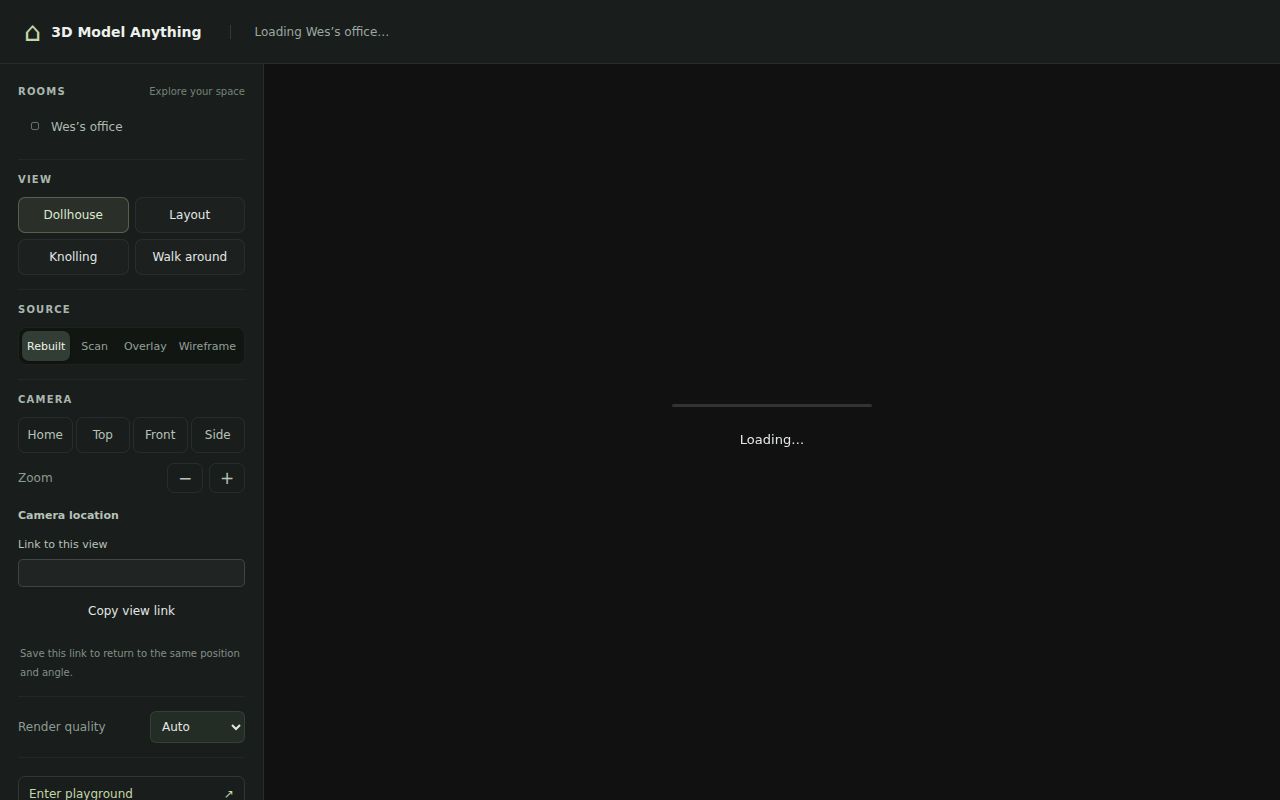
Our sandbox found no test script or target, which means the test step was skipped rather than passed. It does not prove the repository contains no test code: the independent technical reviewer discusses running checks through a different route. The public office also withholds original reference scans and photos, so its disabled Scan and Overlay modes cannot demonstrate the matched-photo comparison on that example. Office asset boundary
We have not measured large-house processing, mobile viewer performance, asset-transfer costs, model-service data handling or the alternatives on a shared capture. The supplied X results include unrelated character-generation and CAD posts; the video results include general modeling tutorials, while the author's linked video has no transcript. We do not count those as independent demonstrations of this project's workflow. The pack supplies no Reddit evidence. X search record, general tutorial result, author video record
Start with the supplied office to decide whether editable Three.js is the output you want. Before scanning a house, take one room all the way through to the application that will consume it, and check a real dimension there. That final handoff is the result worth spending agent time to obtain.