yaml review
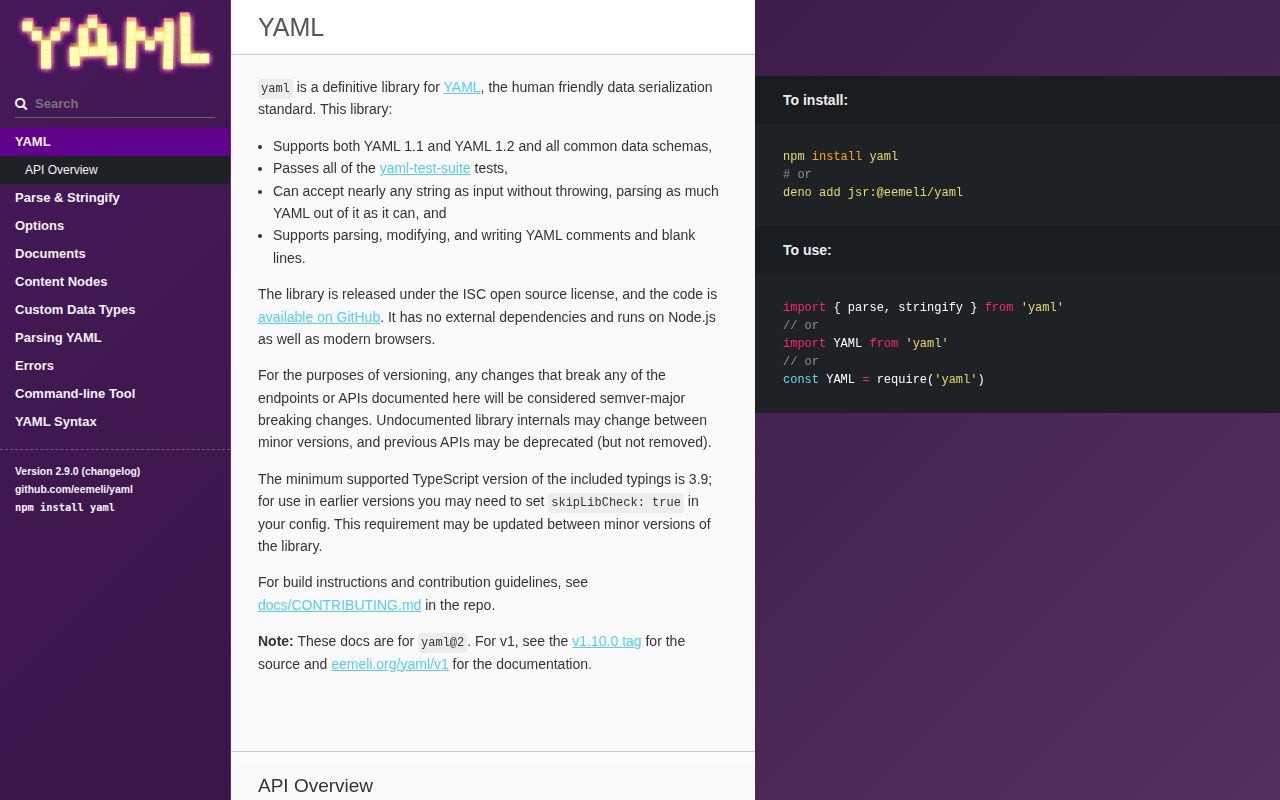
yaml is a JavaScript parser, writer, and syntax-tree toolkit for YAML 1.1 and 1.2. parse and stringify cover plain data; parseDocument keeps comments, anchors, blank lines, directives, warnings, and errors for round-trip editing; Lexer, Parser, and Composer expose lower layers for formatters and language tools. Version 2.9.0 changes an important promise: parseDocument and parseAllDocuments are no longer documented as never throwing. The release fixes large-array push usage and a recursive lexer path, while acknowledging that malicious nesting may still trigger errors such as call-stack exhaustion.
Choose yaml when YAML fidelity matters, especially for comment-preserving edits or syntax tooling. For a small trusted config you may prefer a narrower parser, and hostile input needs size limits plus exception handling after the 2.9.0 guarantee change.
We installed it
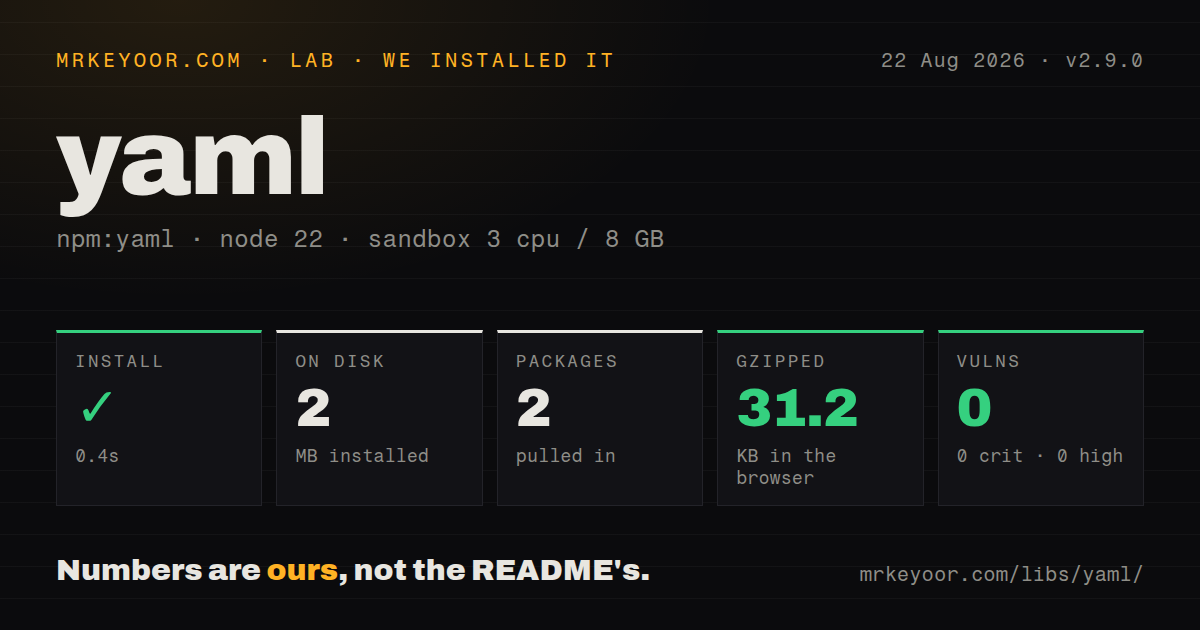
| Install | ✓ · 0.4s | 2 packages on disk · 2 MB |
| Import | ✓ | ESM import works · require() works · CommonJS package with exports map |
| Browser | 31.2 KB | gzipped (101.5 KB minified), bundled with esbuild |
| Types | — | no TypeScript types found |
| Known vulns | 0 | 0 critical · 0 high · 0 moderate · 0 low (npm audit) |
Answers from our run
Does yaml install cleanly?
Yes. In a fresh container with an empty cache, npm install yaml finished in 0.4s, leaving 2 packages and 2 MB on disk. npm audit reported no known vulnerabilities.
How much does yaml add to a browser bundle?
31.2 KB gzipped (101.5 KB minified) when the whole package is bundled for the browser with esbuild. Importing only part of it is usually smaller.
Does yaml work with both ESM and CommonJS?
Yes. Both import 'yaml' and require('yaml') worked in Node 22 in our run. The package is published as CommonJS with an exports map.
Does yaml include TypeScript types?
No type declarations were found in our install, so TypeScript users need their own declarations.
yaml or js-yaml: which should you use?
js-yaml: Use it for established load and dump calls when comment-preserving document edits are unnecessary. Choose yaml when YAML fidelity matters, especially for comment-preserving edits or syntax tooling.
When should you not use yaml?
You only accept JSON-compatible configuration and control every producer; JSON.parse has no YAML schema, anchor, tag, or implicit-scalar ambiguity
Use it if
- You must edit a YAML document and preserve comments, anchors, directives, and document structure when writing it back
- A tool needs warnings and source-aware nodes rather than only the JavaScript value returned by parse
- You support YAML 1.1 inputs or multi-document streams in addition to the default YAML 1.2 behavior
- You are building a YAML linter, formatter, or editor integration and need lexer, parser, composer, or visitor APIs
- You only accept JSON-compatible configuration and control every producer; JSON.parse has no YAML schema, anchor, tag, or implicit-scalar ambiguity
- A browser route pays for the complete parser but only reads a tiny fixed config; our full import measured 101.5 KB minified and 31.2 KB gzipped
- You expect parsing arbitrary hostile text to be non-throwing; the 2.9.0 release explicitly removed that guarantee and mentions possible call-stack exhaustion paths
- You need schema validation; yaml parses syntax and constructs values, but application shape, ranges, required keys, and policy still need a validator such as Ajv or Zod
- You need identical legacy scalar rules without configuration; YAML 1.2 is the default, so YAML 1.1 forms such as yes/no booleans and merge behavior require deliberate options
Setup reality
Our clean Node 22 install of yaml 2.9.0 succeeded in 0.4 seconds. It left two packages using 2 MB, and npm audit found no known vulnerabilities. yaml declares no direct or peer dependencies; its own unpacked package is 1,372 KB. It is CommonJS with an exports map. require() and ESM import both worked in our sandbox. Our type check found no TypeScript types. A full esbuild browser import measured 101.5 KB minified and 31.2 KB gzipped.
No credentials or config files are needed. The first decision is schema and version. YAML 1.2 is the normal default; choose YAML 1.1 only for documents that rely on its older scalar resolution. parse returns a JavaScript value and is convenient for trusted files. parseDocument returns a Document with errors and warnings plus node metadata. Check doc.errors before using doc.toJS(), because partial recovery can produce a document object even when the source is invalid.
Round-trip editing needs the Document API. setIn and addIn can modify paths while retaining surrounding comments and node structure; converting to plain JavaScript and calling stringify builds a new document and loses that source-level information. Aliases can expand one anchored value many times, so keep alias expansion limits in place for untrusted files. Custom tags execute construction logic and should come from application-owned code, never from data-selected modules.
In 2.9.0, parsing APIs may still throw on malicious or pathological input despite error collection. Put a byte limit before parsing, catch exceptions, and consider worker or request time limits at an untrusted boundary. The parser is synchronous, so a large document occupies the event loop until it finishes. For multi-document input, parseAllDocuments returns every document at once; process size and document count limits outside the library when the source is not trusted.
Patterns
Parse a YAML config value parse-config
import {parse} from 'yaml';

const config = parse(source);
parse uses YAML 1.2 behavior by default. Catch exceptions when the source is untrusted.
Write a JavaScript value as YAML stringify-data
import {stringify} from 'yaml';

const output = stringify({
  service: 'api',
  replicas: 3,
});
stringify creates a new document. It cannot preserve comments from an earlier parsed string.
Check a document before conversion inspect-parse-errors
import {parseDocument} from 'yaml';

const doc = parseDocument(source);
if (doc.errors.length > 0) {
  throw new AggregateError(doc.errors, 'invalid YAML');
}
const value = doc.toJS();
Version 2.9.0 no longer promises parseDocument will never throw, so wrap the call as well at hostile-input boundaries.
Edit a document without discarding comments preserve-comments
const doc = parseDocument(source);
doc.setIn(['database', 'poolSize'], 12);
const updated = String(doc);
Keep the Document object. Converting to plain JavaScript and stringifying again loses source comments and layout choices.
Read a path from a document read-nested-value
const doc = parseDocument(source);
const port = doc.getIn(['server', 'port']);
Document path methods operate on YAML nodes and values without converting the entire document first.
Append an item to a nested sequence add-sequence-item
const doc = parseDocument(source);
doc.addIn(['services'], {name: 'worker', replicas: 2});
addIn expects the target path to contain a collection suitable for the new item.
Read a multi-document stream parse-document-stream
import {parseAllDocuments} from 'yaml';

const documents = parseAllDocuments(source);
for (const doc of documents) {
  if (doc.errors.length) throw new AggregateError(doc.errors);
  consume(doc.toJS());
}
All documents are returned together. Apply source-size and document-count limits before parsing untrusted streams.
Opt into YAML 1.1 scalar rules use-yaml-1-1
import {parse} from 'yaml';

const legacy = parse('enabled: yes', {version: '1.1'});
Under the default YAML 1.2 schema, yes is normally a string rather than a boolean.
Visit and edit scalar nodes visit-scalars
import {parseDocument, visit} from 'yaml';

const doc = parseDocument(source);
visit(doc, {
  Scalar(_key, node) {
    if (node.value === 'staging') node.value = 'production';
  },
});
Visitors operate on YAML nodes, so edits can retain comments and collection structure.
Create an anchor and alias create-alias
import {Document} from 'yaml';

const doc = new Document({defaults: {retries: 3}});
const defaults = doc.get('defaults', true);
doc.set('worker', doc.createAlias(defaults, 'defaults'));
Aliases reference an anchored node. Confirm the produced structure and keep expansion limits for inputs you do not control.
Read low-level parser tokens parse-cst-tokens
import {Parser} from 'yaml';

for (const token of new Parser().parse(source)) {
  inspectToken(token);
}
The Parser layer is for syntax tooling. Application config readers should stay with parse or parseDocument.
Validate parsed data separately validate-application-shape
import {parse} from 'yaml';
import {z} from 'zod';

const schema = z.object({
  port: z.number().int().min(1).max(65535),
});
const config = schema.parse(parse(source));
Valid YAML can still violate the application's required keys, types, and ranges.
Alternatives
| Package | Registry | Pick it when |
|---|---|---|
| js-yaml | npm | Use it for established load and dump calls when comment-preserving document edits are unnecessary |
| yaml-ast-parser | npm | Use it only when maintaining older tooling already built around that package's AST shape |
| gray-matter | npm | Use it when the actual job is extracting and parsing front matter from Markdown files |
| smol-toml | npm | Use TOML when you control the config format and want fewer implicit scalar and tag rules |
More utils guides
lru-cache · type-fest · ajv · zod · p-limit · find-up · the whole shelf →
How this guide is made: grounded in the library's documentation, release notes, changelog, and issue history, on a fixed rubric — not a hands-on install of every release. The 50 most-downloaded entries are additionally install-verified in clean containers. Corrections: contact the desk.