@xhmikosr/bin-check review
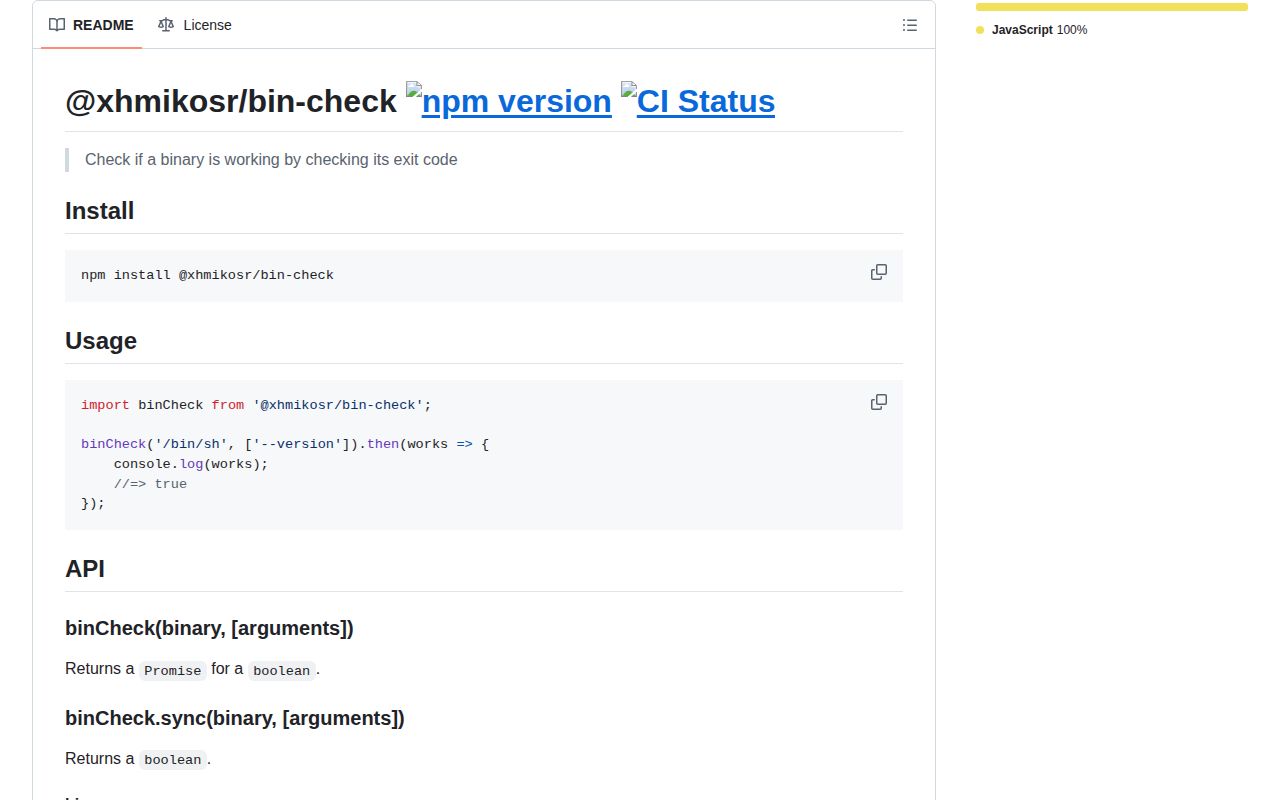
@xhmikosr/bin-check 8.2.2 answers whether one executable path can run with a chosen argument list and exit with code 0. It checks file executability through isexe, launches the process through execa with rejection disabled, and returns a boolean for the exit code. An inaccessible path throws instead of returning false. Both async and blocking sync methods exist, and omitted arguments default to --help. It does not search PATH, return stdout or stderr, inspect versions, impose a timeout, or accept spawn options.
@xhmikosr/bin-check 8.2.2 installed 23 packages in 3.1 seconds with 0 audit findings, and both module loaders worked in our Node 22 sandbox. Install it only for a boolean smoke test of a known path; call execa directly when output, timeouts, cancellation, or version validation matters.
We installed it
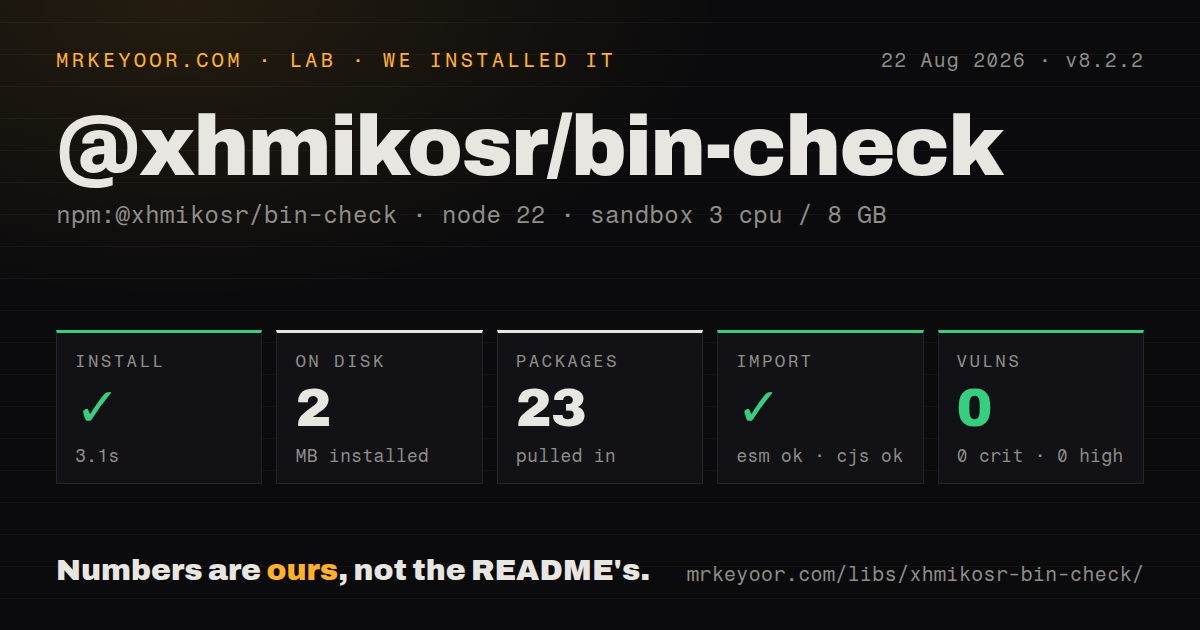
| Install | ✓ · 3.1s | 23 packages on disk · 2 MB |
| Import | ✓ | ESM import works · require() works · ESM package with exports map |
| Browser | n/a | could not be bundled for the browser (Node-only code, most likely) |
| Types | — | no TypeScript types found |
| Known vulns | 0 | 0 critical · 0 high · 0 moderate · 0 low (npm audit) |
Answers from our run
Does @xhmikosr/bin-check install cleanly?
Yes. In a fresh container with an empty cache, npm install @xhmikosr/bin-check finished in 3 seconds, leaving 23 packages and 2 MB on disk. npm audit reported no known vulnerabilities.
Can @xhmikosr/bin-check run in a browser?
Not directly: esbuild could not bundle it for the browser in our run, which normally means it depends on Node built-ins. Use it on the server, or find a browser-targeted alternative.
Does @xhmikosr/bin-check work with both ESM and CommonJS?
Yes. Both import '@xhmikosr/bin-check' and require('@xhmikosr/bin-check') worked in Node 22 in our run. The package is published as ESM with an exports map.
Does @xhmikosr/bin-check include TypeScript types?
No type declarations were found in our install, so TypeScript users need their own declarations.
@xhmikosr/bin-check or execa: which should you use?
execa: Use it when output, timeout, cancellation, cwd, environment, signals, or detailed exit information matters. @xhmikosr/bin-check 8.2.2 installed 23 packages in 3.1 seconds with 0 audit findings, and both module loaders worked in our Node 22 sandbox.
When should you not use @xhmikosr/bin-check?
You need to discover a command by name. Version 8.2.2 calls isexe on the supplied path before execa, so PATH lookup never happens.
Use it if
- An installer has downloaded a platform binary and needs one post-install smoke test against its full path.
- Startup diagnostics must separate a missing executable from a program that launched and returned a failing code.
- An ESM Node 20 tool wants the same boolean probe in asynchronous and short synchronous setup paths.
- The target documents a quick, side-effect-free --version or --help invocation that exits on its own.
- You need to discover a command by name. Version 8.2.2 calls isexe on the supplied path before execa, so PATH lookup never happens.
- stdout, stderr, signals, cwd, environment overrides, cancellation, or a timeout is needed. The wrapper exposes none of execa's process result.
- Node 18 must be supported. The package declares Node >=20.
- TypeScript declarations are required from every dependency. Our package check found none.
- execa is already a direct dependency. Two calls can reproduce this package while retaining the output and safety options that bin-check discards.
Setup reality
We installed @xhmikosr/bin-check 8.2.2 in a fresh Node 22 Bookworm sandbox in 3.1 seconds. It left 23 packages and 2 MB on disk, and npm audit found 0 known vulnerabilities. The package itself has 2 direct dependencies, 0 peer dependencies, 20 KB unpacked, an MIT license, and a Node >=20 engine. Our scanner found no TypeScript declarations. The package is ESM with an exports map; require() and ESM import both worked under Node 22.23.2.
Pass a full executable path. A name such as git is checked as a local path and is not resolved through PATH. Missing files and files without execute permission reject the async call or throw from sync() with a permissions-oriented message. A process that starts and exits nonzero resolves to false because execa runs with reject: false. Keep those two failure channels separate in diagnostics.
Omitting the argument array runs --help. That probe is unsafe for a binary that lacks the flag, opens a GUI, waits for stdin, performs work, or exits nonzero after printing help. Prefer a documented, fast --version command. The API discards stdout and stderr, so true confirms only exit code 0 and does not confirm a minimum version or expected build.
There is no timeout or AbortSignal option. A stuck child can leave the promise pending, and the sync method can block the whole Node process. Use async checks during installation and reserve sync() for short startup probes. Our esbuild browser build failed, which fits a package that executes local files through Node process APIs.
Patterns
Probe an executable asynchronously check-binary
import binCheck from '@xhmikosr/bin-check';

const works = await binCheck('/usr/bin/tool', ['--version']);
if (!works) throw new Error('tool returned a failing exit code');
Version 8.2.2 expects a path; a bare command name is not resolved through PATH.
Run the default help probe use-default-help
const works = await binCheck('/usr/bin/tool');Omitting arguments supplies 1 argument, --help; verify that the target exits 0 and does not wait for input.
Distinguish launch and exit failures separate-failure-types
try {
  const works = await binCheck(binaryPath, ['--version']);
  if (!works) console.error('binary exited nonzero');
} catch (error) {
  console.error('binary is missing or not executable', error);
}
An executability check failure throws, while a launched process with exit code 1 resolves to false.
Block during a short startup check check-synchronously
if (!binCheck.sync('/usr/bin/tool', ['--version'])) {
  throw new Error('tool failed its startup probe');
}
sync() blocks the Node event loop and has no timeout, so do not call it from a request handler.
Probe the current Node binary check-node-executable
import process from 'node:process';

const works = await binCheck(process.execPath, ['--version']);
process.execPath is already an absolute executable path, matching the package's input contract.
Choose a packaged binary path select-platform-binary
const filename = process.platform === 'win32' ? 'tool.exe' : 'tool';
const binaryPath = path.join(root, 'bin', process.platform, process.arch, filename);
const works = await binCheck(binaryPath, ['--version']);
Reject unsupported platform and architecture pairs before constructing a path that cannot exist.
Set Unix execute permission before checking fix-owned-permissions
if (process.platform !== 'win32') {
  await chmod(binaryPath, 0o755);
}
const works = await binCheck(binaryPath, ['--version']);
Change permissions only on a downloaded file your installer owns and has already verified; bin-check never repairs them.
Keep every probe result probe-all-platform-tools
const settled = await Promise.allSettled(
  binaries.map(({path, args}) => binCheck(path, args))
);
for (const [index, result] of settled.entries()) {
  console.log(binaries[index].path, result);
}
Promise.allSettled retains thrown path failures and false exit results across all 4 or 5 tools.
Resolve a command before probing resolve-path-first
import {which} from 'which';

const binaryPath = await which('ffmpeg');
const works = await binCheck(binaryPath, ['-version']);
PATH discovery is a separate step; bin-check 8.2.2 only verifies the resolved file and its exit code.
Verify after an atomic download check-downloaded-binary
await downloadToTemporaryFile(url, temporaryPath);
await verifyChecksum(temporaryPath, expectedSha256);
await rename(temporaryPath, binaryPath);
if (process.platform !== 'win32') await chmod(binaryPath, 0o755);
if (!await binCheck(binaryPath, ['--version'])) throw new Error('binary self-check failed');
A 0 exit code does not prove file authenticity, so checksum verification must happen before execution.
Cache one async startup result avoid-sync-server-check
const binaryReady = binCheck(binaryPath, ['--version']);

export async function handleJob(job) {
  if (!await binaryReady) throw new Error('worker binary unavailable');
  return runJob(job);
}
One async probe avoids calling sync() for every request and prevents repeated 23-package process setup work.
Validate actual version output use-execa-for-version
import {execa} from 'execa';

const {stdout} = await execa(binaryPath, ['--version'], {timeout: 5000});
if (!/^tool 4\./.test(stdout)) throw new Error(`unsupported version: ${stdout}`);
bin-check returns only a boolean; direct execa is required to enforce a 5-second timeout and a version 4 output contract.
Alternatives
| Package | Registry | Pick it when |
|---|---|---|
| execa | npm | Use it when output, timeout, cancellation, cwd, environment, signals, or detailed exit information matters. |
| which | npm | Use it to resolve a command name through PATH before deciding whether to execute it. |
| command-exists | npm | Use it when presence on PATH is enough and launching the command would be undesirable. |
| isexe | npm | Use it for a permission check that should not start the binary. |
More cli & tooling guides
commander · chalk · typescript · esbuild · yargs · click · the whole shelf →
How this guide is made: grounded in the library's documentation, release notes, changelog, and issue history, on a fixed rubric — not a hands-on install of every release. The 50 most-downloaded entries are additionally install-verified in clean containers. Corrections: contact the desk.