watchtower review
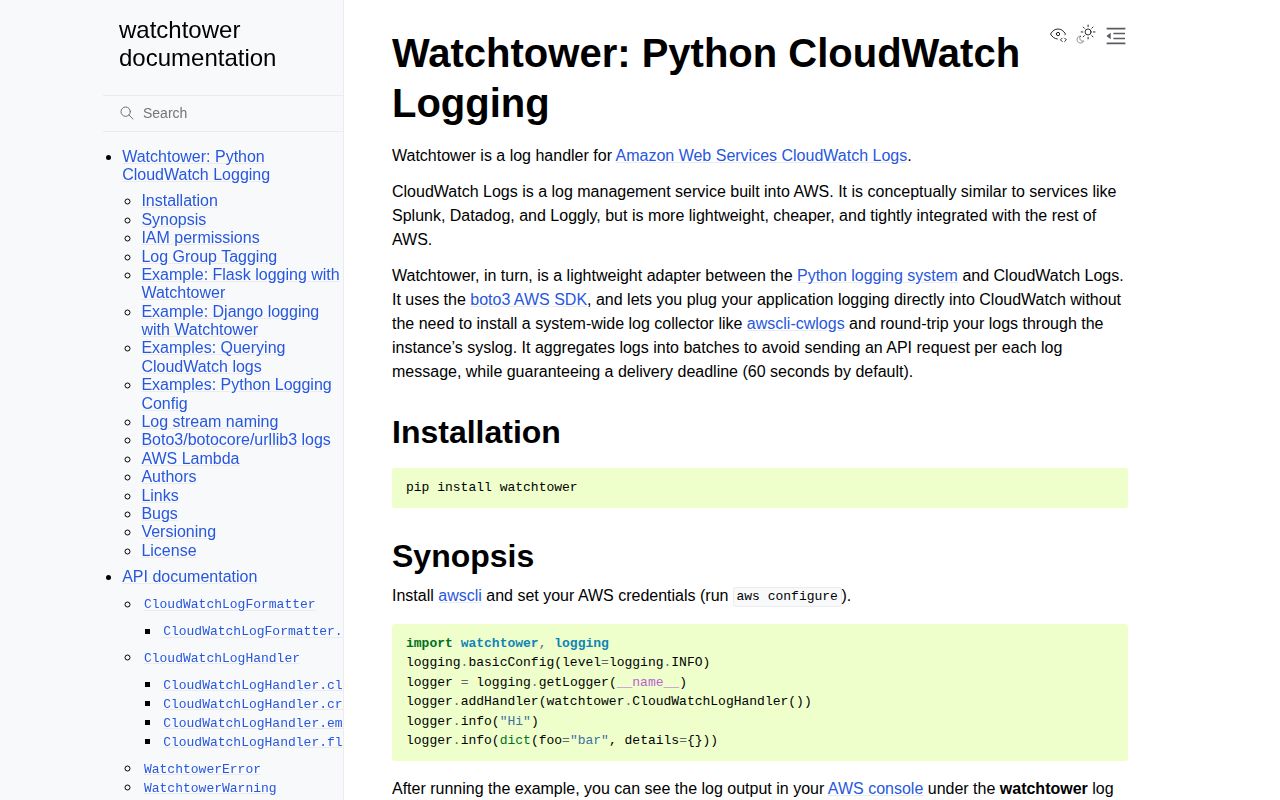
Watchtower 3.4.0 is a Python logging.Handler that sends records to Amazon CloudWatch Logs through boto3. It queues events and writes batches under a default 60-second delivery deadline, can create groups and streams, formats mapping messages as JSON, and supports stream-name templates plus group tags. The current release formats message placeholders when extra log-record attributes are included, removes a colon from generated program names, and documents that strftime stream templates need a format string. It is unrelated to the Docker image updater with the same name.
Watchtower 3.4.0 installed in 0.9 seconds and imported in 0.66 seconds on our box, but production use adds 8 packages, AWS credentials, network delivery, and a 60-second buffered window. Install it only when a long-running Python service lacks a stdout collector; Lambda and managed container platforms should usually let the platform ship logs.
We installed it
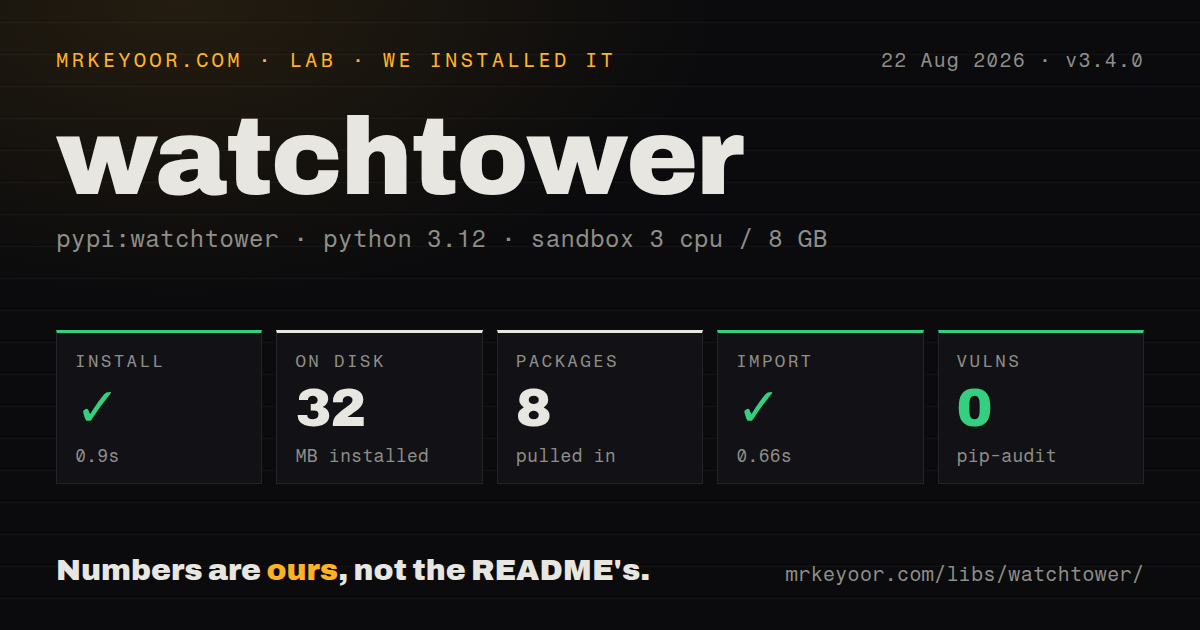
| Install | ✓ · 0.9s | 8 packages on disk · 32 MB |
| Import | ✓ | import watchtower in 0.66s · pure Python · py.typed · requires Python >=3.8 |
| Known vulns | 0 | (pip-audit) |
Answers from our run
Does watchtower install cleanly?
Yes. In a fresh container with an empty cache, pip install watchtower finished in 0.9s, leaving 8 packages and 32 MB on disk. pip-audit reported no known vulnerabilities.
What does watchtower need to run?
Python >=3.8, and nothing compiled: it is pure Python. In our run import watchtower succeeded in 0.66s, and the package ships py.typed for type checkers.
watchtower or python-json-logger: which should you use?
python-json-logger: Choose it when the runtime already ships stdout and the application only needs JSON formatting for standard logging. Watchtower 3.4.0 installed in 0.9 seconds and imported in 0.66 seconds on our box, but production use adds 8 packages, AWS credentials, network delivery, and a 60-second buffered window.
When should you not use watchtower?
You run on AWS Lambda; the documentation says Watchtower is unnecessary there and background delivery cannot operate correctly after the runtime freezes
Use it if
- A long-running Python process must send standard logging records directly to CloudWatch and no platform collector is available
- Your application already uses boto3 credential discovery and can receive least-privilege CloudWatch Logs permissions
- Queued batch delivery with an orderly shutdown fits the service's durability requirements
- Log groups and unique per-process streams must be named from logger, machine, program, process, and time fields
- You run on AWS Lambda; the documentation says Watchtower is unnecessary there and background delivery cannot operate correctly after the runtime freezes
- ECS, EKS, Docker, an agent, or the hosting platform already ships stdout to CloudWatch; adding an SDK handler duplicates transport and IAM inside the app
- Hard-crash loss is unacceptable; queued records can remain unsent until the 60-second deadline, and SIGKILL cannot run flush or close
- Several processes must write one stream; the README warns sequence-token contention can grow until events are dropped with a stderr warning
- You need cloud-neutral logs; this package ties application delivery to boto3, CloudWatch APIs, IAM, AWS regions, service quotas, and ingestion cost
Setup reality
Our Watchtower 3.4.0 install finished in 0.9 seconds and left 8 packages using 32 MB on disk. It reports 7 direct dependencies, pip-audit found 0 known vulnerabilities, and import watchtower worked in 0.66 seconds. The package is pure Python, requires Python >=3.8, and ships py.typed.
The process still needs AWS credentials and a region through boto3's normal chain. Grant only the CloudWatch Logs actions needed for group and stream creation, stream discovery, and event writes. log_group_tags also needs logs:TagResource. Set create_log_group=False when infrastructure code owns groups, retention, encryption, and tags. A successful import performs none of these permission checks.
Records wait in an internal queue and the default delivery deadline is 60 seconds. Call flush() or close() during orderly shutdown, while accepting that a crash or SIGKILL can strand queued messages. Version 3.2 added a timeout while waiting for queues to empty. Mapping messages become JSON; since 3.0, unsupported values use repr(), which can expose more data than an earlier null conversion did.
Keep process_id in stream names for process pools. Independent writers sharing one stream spend work recovering from sequence-token conflicts and may eventually drop records. Watchtower filters its own boto3, botocore, and urllib3 recursion, but other handlers can still print that debug traffic. Django's development server needs propagation exclusions documented by the project. Lambda should write to stdout or stderr and let AWS collect it.
Patterns
Attach a CloudWatch handler send-basic-log
import logging
import watchtower

logger = logging.getLogger('orders')
logger.setLevel(logging.INFO)
logger.addHandler(watchtower.CloudWatchLogHandler(log_group_name='orders'))
logger.info('worker started')
The first emitted record can trigger AWS credential checks plus group and stream API calls, even though import took 0.66 seconds on our box.
Select the AWS region with boto3 use-explicit-client
import boto3
import watchtower

logs = boto3.client('logs', region_name='us-west-2')
handler = watchtower.CloudWatchLogHandler(
    boto3_client=logs,
    log_group_name='orders'
)
An explicit client fixes the region and credential chain used for log delivery instead of relying on process-wide defaults.
Use a pre-provisioned log group disable-group-creation
handler = watchtower.CloudWatchLogHandler(
    log_group_name='/services/orders',
    create_log_group=False
)
With creation disabled, the group must already exist; provision retention, encryption, and access policy outside the application.
Give each worker its own stream name-process-streams
handler = watchtower.CloudWatchLogHandler(
    log_group_name='orders',
    log_stream_name='{machine_name}/{program_name}/{logger_name}/{process_id}'
)
Including process_id prevents several workers from contending for sequence tokens on 1 CloudWatch stream.
Put the date in the stream name rotate-stream-daily
handler = watchtower.CloudWatchLogHandler(
    log_stream_name='{logger_name}/{strftime:%Y-%m-%d}'
)
Version 3.4.0 documents that strftime requires a format after the colon; an empty placeholder is not a valid daily template.
Send a mapping as JSON send-json-record
logger.info({
    'event': 'order.created',
    'order_id': 'ord_123',
    'amount': 42
})
Since major 3, non-JSON values fall back to repr(), so sanitize objects that could reveal secrets or emit very large strings.
Apply tags when managing the group tag-log-group
handler = watchtower.CloudWatchLogHandler(
    log_group_name='orders',
    log_group_tags={'service': 'orders', 'env': 'prod'}
)
Group tagging needs the logs:TagResource IAM action in addition to event-write permissions.
Send queued records every 10 seconds set-delivery-interval
handler = watchtower.CloudWatchLogHandler(
    log_group_name='orders',
    send_interval=10
)
A 10-second interval reduces the default 60-second delivery window but increases the frequency of CloudWatch API work.
Flush during an orderly shutdown flush-on-shutdown
try:
    run_worker()
finally:
    handler.flush()
    handler.close()
flush and close can drain queued records during normal exit; SIGKILL, a native crash, or a frozen Lambda runtime bypasses this path.
Register Watchtower with dictConfig configure-dictconfig
LOGGING = {
  'version': 1,
  'handlers': {
    'cloudwatch': {
      'class': 'watchtower.CloudWatchLogHandler',
      'level': 'INFO',
      'log_group_name': 'orders',
      'create_log_group': False
    }
  },
  'root': {'level': 'INFO', 'handlers': ['cloudwatch']}
}
dictConfig constructs the handler at configuration time, so AWS client setup and permissions can affect application startup.
Alternatives
| Package | Registry | Pick it when |
|---|---|---|
| python-json-logger | PyPI | Choose it when the runtime already ships stdout and the application only needs JSON formatting for standard logging. |
| structlog | PyPI | Choose it for structured event processing while an agent or platform handles cloud transport. |
| loguru | PyPI | Choose it for convenient local sinks and formatting in a smaller application that does not need logging.Handler compatibility. |
More infra guides
semver · boto3 · opentelemetry-api · @opentelemetry/api · psutil · distro · the whole shelf →
How this guide is made: grounded in the library's documentation, release notes, changelog, and issue history, on a fixed rubric — not a hands-on install of every release. The 50 most-downloaded entries are additionally install-verified in clean containers. Corrections: contact the desk.