@use-gesture/react review
@use-gesture/react 10.3.1 converts pointer, touch, wheel, scroll, hover, move, and Safari gesture events into React hook state. Handlers receive displacement, persistent offset, velocity, direction, swipe decisions, pinch scale, timing, bounds, and cancellation controls. `useGesture` can combine recognizers on one target. The package recognizes input only: it does not animate elements, reorder lists, announce drag-and-drop state to assistive technology, or supply a finished interaction component.
@use-gesture/react 10.3.1 added 11.9 KB gzipped in our browser build and installed in 1.7 seconds with 0 audit findings. It earns that cost for custom multi-input surfaces, but it is the wrong dependency for sortable accessibility or a simple click-and-drag element.
We installed it
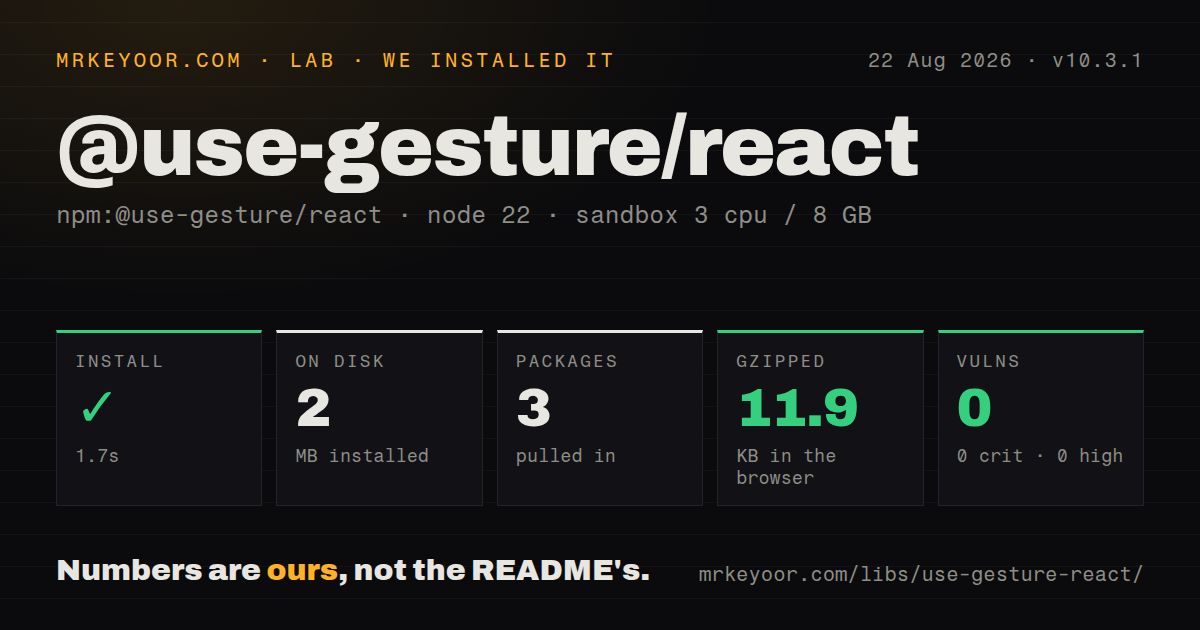
| Install | ✓ · 1.7s | 3 packages on disk · 2 MB |
| Import | ✓ | ESM import works · require() works · CommonJS package |
| Browser | 11.9 KB | gzipped (36.8 KB minified), bundled with esbuild |
| Types | — | no TypeScript types found |
| Known vulns | 0 | 0 critical · 0 high · 0 moderate · 0 low (npm audit) |
Answers from our run
Does @use-gesture/react install cleanly?
Yes. In a fresh container with an empty cache, npm install @use-gesture/react finished in 2 seconds, leaving 3 packages and 2 MB on disk. npm audit reported no known vulnerabilities.
How much does @use-gesture/react add to a browser bundle?
11.9 KB gzipped (36.8 KB minified) when the whole package is bundled for the browser with esbuild. Importing only part of it is usually smaller.
Does @use-gesture/react work with both ESM and CommonJS?
Yes. Both import '@use-gesture/react' and require('@use-gesture/react') worked in Node 22 in our run. The package is published as CommonJS.
Does @use-gesture/react include TypeScript types?
No type declarations were found in our install, so TypeScript users need their own declarations.
@use-gesture/react or @dnd-kit/core: which should you use?
@dnd-kit/core: Choose it for sortable or drag-and-drop UI with keyboard sensors, collision detection, and accessibility primitives. @use-gesture/react 10.3.1 added 11.9 KB gzipped in our browser build and installed in 1.7 seconds with 0 audit findings.
When should you not use @use-gesture/react?
You are building a sortable or accessible drag-and-drop workflow. The package has no collision engine, keyboard sensors, reorder model, or live-region announcements; dnd-kit is a better match.
Use it if
- A canvas, map, card, scrubber, slider, or zoom surface needs direct manipulation across mouse and touch input.
- Handlers need normalized offset, velocity, direction, swipe, pinch, tap, and first or last event state.
- Several gesture types must share one target without hand-maintained browser listeners.
- Bounds, axis locking, thresholds, rubberbanding, pointer capture, or deliberate cancellation are part of the interaction design.
- You are building a sortable or accessible drag-and-drop workflow. The package has no collision engine, keyboard sensors, reorder model, or live-region announcements; dnd-kit is a better match.
- You expect movement or animation to appear after installation. Gesture state must drive your own styles, React Spring, Motion, or another renderer.
- The team cannot test `touch-action`, native image dragging, link clicks, text selection, pointer capture, and passive listeners on real devices.
- A frequently released browser-input dependency is required. Version 10.3.1 dates to March 2024, and the repository's last push was July 2024.
- Only click, hover, or one simple pointer callback is needed. React event props are clearer and remove the gesture-state vocabulary.
- First-party TypeScript declarations are required by policy. Our installed-package check found none, despite the library's TypeScript-oriented API.
Setup reality
We installed @use-gesture/react 10.3.1 in a clean Node 22 Bookworm sandbox. npm completed in 1.7 seconds, left 3 packages using 2 MB, and found 0 vulnerabilities at every severity. The package has 1 direct dependency, 1 React peer, and 156 KB unpacked. Our inspection found no TypeScript declarations in the installed package.
The package is CommonJS without an exports map. Both require() and ESM import worked under Node 22.23.2. A browser esbuild run produced 36.8 KB minified and 11.9 KB gzipped. That size covers recognition code, not the animation library or interaction UI usually paired with it.
Mobile behavior begins with CSS. A two-axis draggable surface often needs touch-action: none; a horizontal control that should preserve page scrolling may need pan-y. Without a deliberate value, the browser can take over and cancel pointer delivery. Links and images also bring selection, navigation, and native dragging, so combine filterTaps, preventDefault, and CSS only where the product behavior justifies them.
React prop bindings cannot request non-passive listeners. Wheel cancellation or Safari trackpad pinch may require a stable target plus eventOptions: { passive: false }. Drag captures the pointer by default, which follows movement outside the element but blocks other targets until release. movement resets per gesture, while offset persists. Rubberbanding does nothing without bounds, and wheel or scroll endings are inferred through debounce rather than a DOM end event.
Patterns
Move an element from persistent offset drag-element
import { useDrag } from '@use-gesture/react'
import { useSpring, animated } from '@react-spring/web'

function Draggable() {
  const [{ x, y }, api] = useSpring(() => ({ x: 0, y: 0 }))
  const bind = useDrag(({ offset: [x, y] }) => api.start({ x, y }))
  return <animated.div {...bind()} style={{ x, y, touchAction: 'none' }} />
}
`offset` carries position between drags. Use `movement` when every new gesture should begin at zero.
Return an element after release snap-back-drag
const bind = useDrag(({ down, movement: [mx, my] }) => {
  api.start({ x: down ? mx : 0, y: down ? my : 0, immediate: down })
})
`movement` resets for each drag, which fits temporary displacement followed by a spring back to origin.
Clamp and rubberband a drag constrain-drag
const bind = useDrag(
  ({ offset: [x, y] }) => api.start({ x, y }),
  {
    bounds: { left: -100, right: 100, top: -50, bottom: 50 },
    rubberband: true,
  },
)
Rubberbanding needs bounds and settles at the nearest allowed value after release.
Choose the detected drag axis lock-drag-axis
const bind = useDrag(
  ({ offset: [x, y] }) => api.start({ x, y }),
  { axis: 'lock', threshold: 8 },
)
`axis: 'lock'` waits for intent before selecting x or y. Use a fixed axis when the component must never switch.
Treat short drags as taps distinguish-tap
const bind = useDrag(
  ({ tap, last }) => {
    if (last && tap) openItem()
  },
  { filterTaps: true },
)
`filterTaps` holds drag behavior until movement passes the configured tap threshold.
Recognize a release-time swipe detect-swipe
const bind = useDrag(
  ({ swipe: [swipeX] }) => {
    if (swipeX) setPage((page) => page - swipeX)
  },
  {
    axis: 'x',
    swipe: { distance: 50, velocity: 0.5, duration: 250 },
  },
)
A swipe value appears only when its distance, velocity, and duration tests all pass.
Scale and rotate from pinch state pinch-scale
import { usePinch } from '@use-gesture/react'

const bind = usePinch(
  ({ offset: [scale, angle] }) => api.start({ scale, rotateZ: angle }),
  {
    scaleBounds: { min: 0.5, max: 3 },
    rubberband: true,
  },
)
Safari trackpad pinch needs target binding and browser gesture handling because React does not expose those proprietary events.
Attach drag and pinch together combine-gestures
import { useGesture } from '@use-gesture/react'

const bind = useGesture(
  {
    onDrag: ({ offset: [x, y] }) => api.start({ x, y }),
    onPinch: ({ offset: [scale, angle] }) => api.start({ scale, rotateZ: angle }),
  },
  {
    drag: { bounds: containerRef },
    pinch: { scaleBounds: { min: 1, max: 4 } },
  },
)
With `useGesture`, each recognizer keeps its options under its own config key.
Watch a browser scroll target bind-window-scroll
import { useScroll } from '@use-gesture/react'

function ScrollProgress() {
  useScroll(({ xy: [, y] }) => setProgress(y), { target: window })
  return null
}
Do not touch `window` during server rendering. Mount this listener in the browser or attach it through a post-mount ref.
Cancel an excessive drag cancel-drag
const bind = useDrag(({ active, movement: [mx], cancel }) => {
  if (mx > 200) cancel()
  api.start({ x: active ? mx : 0, immediate: active })
})
Only drag and pinch implement `cancel`; calling it from hover, move, wheel, or scroll has no effect.
Alternatives
| Package | Registry | Pick it when |
|---|---|---|
| @dnd-kit/core | npm | Choose it for sortable or drag-and-drop UI with keyboard sensors, collision detection, and accessibility primitives. |
| react-draggable | npm | Choose it when one constrained draggable element and a component API are enough. |
| framer-motion | npm | Choose it when gesture handling should arrive inside a wider animation and layout system. |
More web frontend guides
postcss · react · react-dom · tailwindcss · clsx · htmlparser2 · the whole shelf →
How this guide is made: grounded in the library's documentation, release notes, changelog, and issue history, on a fixed rubric — not a hands-on install of every release. The 50 most-downloaded entries are additionally install-verified in clean containers. Corrections: contact the desk.