texttable review
texttable 1.7.0 turns Python rows into one ASCII-style table string. Its `Texttable` object controls the header, fixed widths, horizontal and vertical alignment, numeric formatting, precision, drawing characters, and border or separator lines. Multiline cells work, while optional `wcwidth` or `cjkwrap` installations improve some emoji and CJK width calculations. The package does not stream rows, track terminal resizing, style ANSI output, or export Markdown and HTML. Version 1.7.0 added the boolean column datatype.
texttable 1.7.0 installed in 0.2 seconds, used 1 MB, and imported in 0.06 seconds in our sandbox with 0 dependencies and 0 audit findings. Keep it for bounded plain-text reports; start elsewhere when output needs typing, live terminal behavior, deterministic complex Unicode, or several export formats.
We installed it
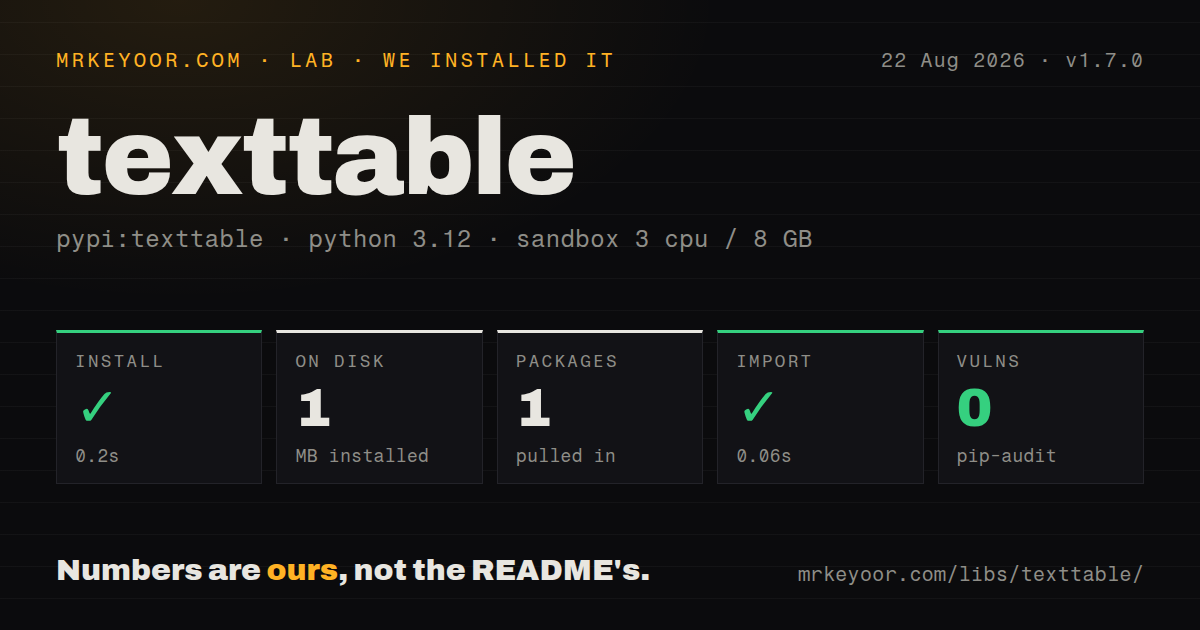
| Install | ✓ · 0.2s | 1 package on disk · 1 MB |
| Import | ✓ | import texttable in 0.06s · pure Python |
| Known vulns | 0 | (pip-audit) |
Answers from our run
Does texttable install cleanly?
Yes. In a fresh container with an empty cache, pip install texttable finished in 0.2s, leaving 1 package and 1 MB on disk. pip-audit reported no known vulnerabilities.
What does texttable need to run?
Python 3.x, and nothing compiled: it is pure Python. In our run import texttable succeeded in 0.06s.
texttable or tabulate: which should you use?
tabulate: Choose it when one dataset must render in Markdown, HTML, grid, and database-style formats. texttable 1.7.0 installed in 0.2 seconds, used 1 MB, and imported in 0.06 seconds in our sandbox with 0 dependencies and 0 audit findings.
When should you not use texttable?
The terminal UI needs colors, hyperlinks, progress, or live refresh. texttable returns static plain text and has no console capability layer.
Use it if
- A script, log, or test needs a small fixed-width text table with no required runtime dependencies.
- Each column needs explicit alignment, wrapping width, datatype, or number precision.
- The complete result is small enough to assemble as one string before printing or logging.
- Existing code already depends on `Texttable` and its stable setter-based interface.
- The terminal UI needs colors, hyperlinks, progress, or live refresh. texttable returns static plain text and has no console capability layer.
- The same data must render as Markdown, HTML, LaTeX, CSV, or a spreadsheet. `draw()` only returns the text-table form.
- CJK and emoji alignment must be identical in every environment. Optional `wcwidth` and `cjkwrap` change how some cells are measured and wrapped.
- Static type checking is a release requirement. Our install found no `py.typed` marker, and the project does not ship current inline types.
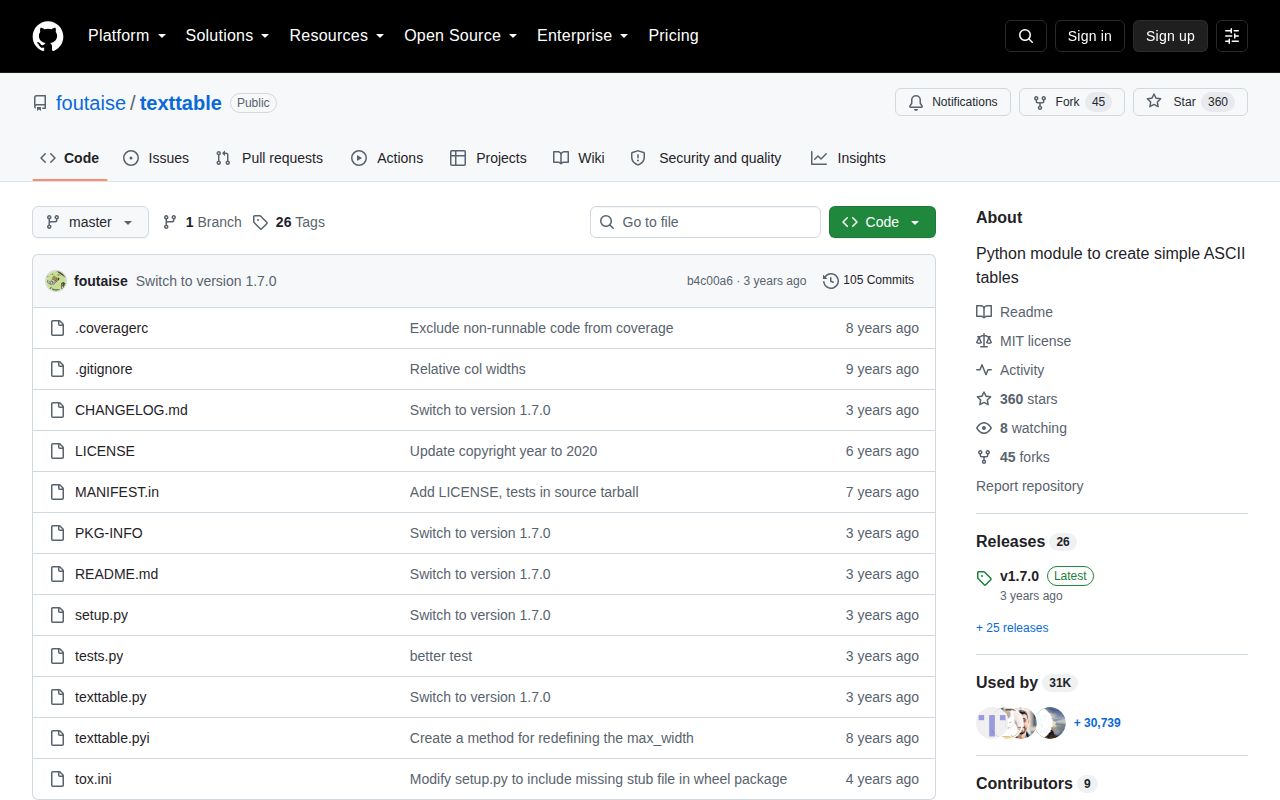
- You expect ongoing feature releases. Version 1.7.0 and the repository's latest push both date to October 2023.
Setup reality
We installed texttable 1.7.0 in 0.2 seconds in a fresh Python 3.12 Bookworm sandbox. It left 1 package and 1 MB on disk, and pip-audit found 0 known vulnerabilities. The MIT-licensed distribution is pure Python, declares 0 direct dependencies, does not specify a Python floor, has no py.typed marker, and completed import texttable in 0.06 seconds.
There are no credentials or config files. Defaults still decide output: maximum width is 80, decorations are enabled, automatic typing may reinterpret strings, float precision is 3, and add_rows() consumes its first row as the header unless header=False. Set the schema before adding data. A header, row, alignment, datatype, or width array with the wrong number of cells raises ArraySizeError.
Use datatype t for identifiers such as 00123; automatic formatting can treat them as numbers and lose meaningful presentation. set_cols_width() fixes per-column wrapping, while max_width=0 disables the overall automatic limit. Multiline cells use the selected vertical alignment. Optional wcwidth improves emoji width handling and cjkwrap affects CJK wrapping, so install the same extras in CI and production if snapshots must match.
draw() builds and returns the entire table. That is convenient for a short report and wasteful for a very large query result because output is not incremental. The library does not understand ANSI escape sequences, a resized terminal, sorting, pagination, or alternate serialization formats. Keep raw records separate, render only the bounded page you need, and test representative Unicode rather than assuming visible width equals Python string length.
Patterns
Build a table with a header and rows draw-basic-table
from texttable import Texttable

table = Texttable()
table.header(['Name', 'Age'])
table.add_row(['Ada', 36])
table.add_row(['Grace', 40])
print(table.draw())
`draw()` returns one complete string. Send it to the logger once so prefixes are not inserted on every visual row.
Add a batch without consuming its first row as a header add-rows-without-header
table = Texttable()
table.header(['Name', 'Score'])
table.add_rows([['Ada', 98], ['Grace', 95]], header=False)
`add_rows()` assumes its first item is a header unless `header=False` is explicit.
Set horizontal and vertical alignment align-columns
table.set_cols_align(['l', 'r', 'c'])
table.set_cols_valign(['t', 'm', 'b'])
Both arrays need exactly one setting per column; a mismatch raises `ArraySizeError`.
Control numeric and text formatting format-column-types
table.set_cols_dtype([
    't',  # preserve identifiers as text
    'i',  # integer
    'f',  # fixed-point float
    'b',  # boolean
])
table.set_precision(2)
Automatic typing can reinterpret `00123`, so declare identifier columns as text before adding values.
Wrap cells at explicit column widths set-column-widths
table = Texttable(max_width=0)
table.set_cols_width([12, 36, 8])
`max_width=0` removes the overall limit while these explicit widths continue to wrap individual columns.
Draw only borders and a header separator choose-decoration
from texttable import Texttable

table.set_deco(Texttable.BORDER | Texttable.HEADER)
Decoration constants combine with bitwise OR. Omitting `VLINES` and `HLINES` removes the internal rules.
Change the four drawing characters customize-border-characters
table.set_chars(['-', '|', '+', '='])The order is horizontal, vertical, corner, then header. Wide glyphs can still upset the width calculation.
Use a callable as a column datatype format-with-callable
def dollars(value):
    return f'${value:,.2f}'

table.set_cols_dtype(['t', dollars])
table.add_rows([['Item', 'Price'], ['Cable', 12.5]])
A datatype callable must return a string for every cell, including whatever null representation your rows contain.
Reset rows and header before another report reuse-table
print(table.draw())

table.reset()
table.header(['Key', 'Value'])
table.add_row(['status', 'ok'])
`reset()` removes both data and header. Define the next report's header before appending new rows.
Catch a mismatched row shape handle-schema-error
from texttable import ArraySizeError

try:
    table.add_row(['too', 'many', 'cells'])
except ArraySizeError as exc:
    raise ValueError('row does not match table columns') from exc
One malformed row prevents final rendering, so normalize record lengths before they reach `Texttable`.
Alternatives
| Package | Registry | Pick it when |
|---|---|---|
| tabulate | PyPI | Choose it when one dataset must render in Markdown, HTML, grid, and database-style formats. |
| prettytable | PyPI | Choose it for sorting, field selection, and a larger table object with several output styles. |
| rich | PyPI | Choose it for colored, console-aware tables inside a live or styled terminal interface. |
More utils guides
lru-cache · type-fest · ajv · zod · p-limit · find-up · the whole shelf →
How this guide is made: grounded in the library's documentation, release notes, changelog, and issue history, on a fixed rubric — not a hands-on install of every release. The 50 most-downloaded entries are additionally install-verified in clean containers. Corrections: contact the desk.