prettytable review
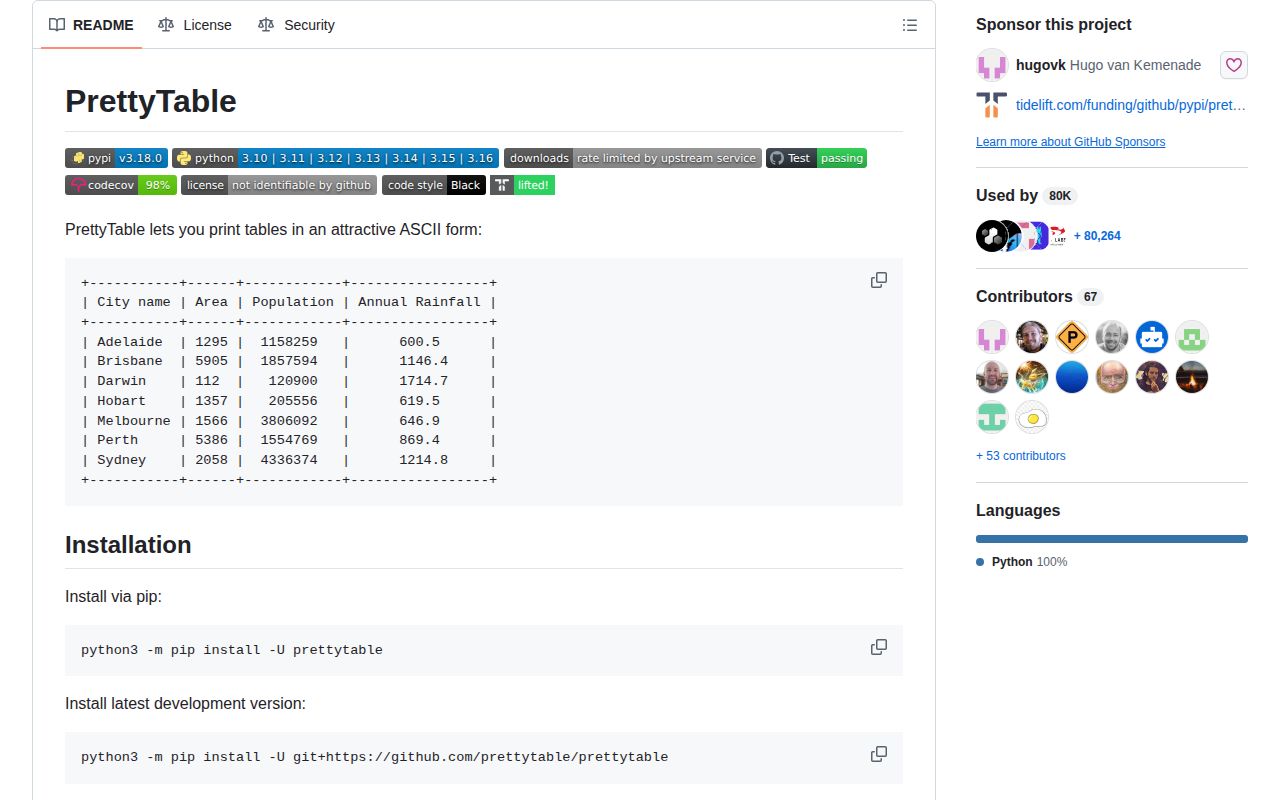
PrettyTable 3.18.0 formats Python rows as aligned text tables and can export the same data as Markdown, reStructuredText, HTML, CSV, JSON, LaTeX, Org mode, or MediaWiki markup. It handles borders, padding, column widths, wrapping, sorting, filtering, pagination, and numeric display. wcwidth support counts terminal cells for wide Unicode characters instead of trusting string length. Version 3.18 adds multiline headings, reStructuredText output, Markdown captions, CSV number formatters, and Python 3.16 support; it also fixes tabs and alignment state after field renames.
PrettyTable 3.18.0 installed in 0.2 seconds and used 3 MB across 2 packages in our sandbox, with typed metadata and 0 audit findings. It fits bounded CLI and document tables; skip it for streaming rows, machine-to-machine output, or a project where Rich already defines terminal rendering.
We installed it
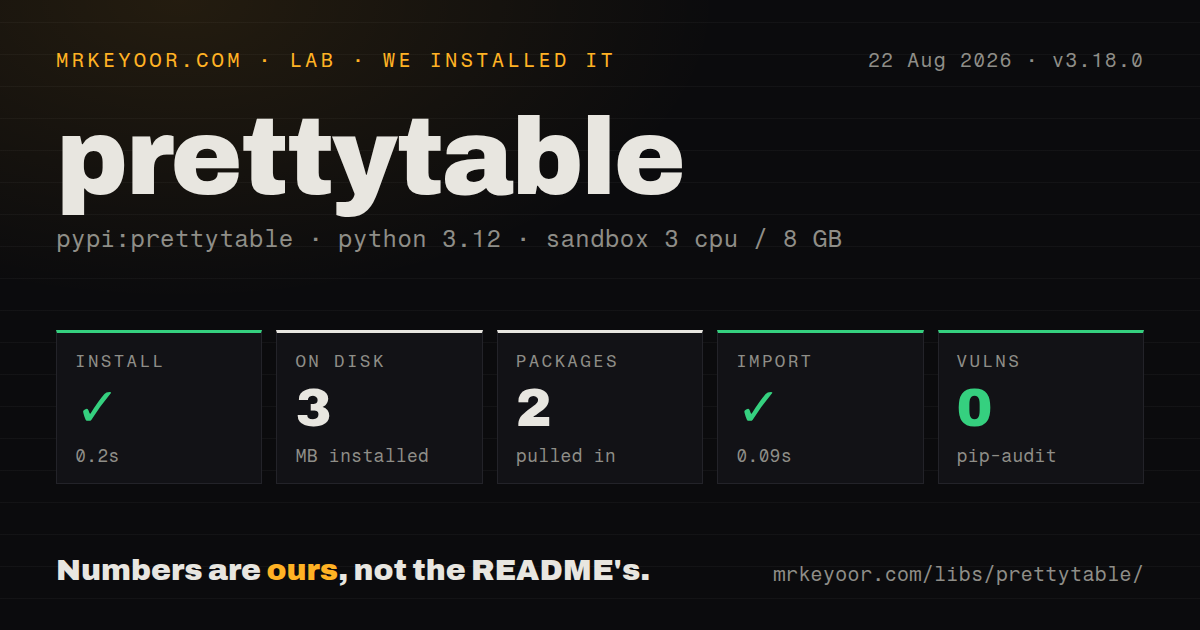
| Install | ✓ · 0.2s | 2 packages on disk · 3 MB |
| Import | ✓ | import prettytable in 0.09s · pure Python · py.typed · requires Python >=3.10 |
| Known vulns | 0 | (pip-audit) |
Answers from our run
Does prettytable install cleanly?
Yes. In a fresh container with an empty cache, pip install prettytable finished in 0.2s, leaving 2 packages and 3 MB on disk. pip-audit reported no known vulnerabilities.
What does prettytable need to run?
Python >=3.10, and nothing compiled: it is pure Python. In our run import prettytable succeeded in 0.09s, and the package ships py.typed for type checkers.
prettytable or rich: which should you use?
rich: Choose it when the CLI also needs colored markup, panels, progress, or live terminal updates. PrettyTable 3.18.0 installed in 0.2 seconds and used 3 MB across 2 packages in our sandbox, with typed metadata and 0 audit findings.
When should you not use prettytable?
Rich already owns the command-line presentation and styled cells or live updates are required
Use it if
- A bounded CLI query or maintenance report needs readable columns with little formatting code
- One table must be copied into terminal text, Markdown, reStructuredText, CSV, or HTML
- CJK characters, tabs, and wrapped cells make manual padding calculations unreliable
- Per-column alignment, number formats, row filters, or page breaks are needed without a terminal UI framework
- Rich already owns the command-line presentation and styled cells or live updates are required
- Rows are unbounded or arrive continuously; PrettyTable measures and renders the accumulated table as a string
- Another program consumes the result; emit JSON or CSV directly instead of defining a text-layout contract
- The task needs grouping, joins, aggregation, or typed calculations; PrettyTable only displays values it receives
- The runtime is Python 3.9, because PrettyTable 3.18.0 requires Python 3.10 or later
Setup reality
Our Python 3.12 sandbox installed PrettyTable 3.18.0 in 0.2 seconds. Two packages occupied 3 MB, and import prettytable worked in 0.09 seconds. pip-audit reported 0 known vulnerabilities. Inspection found 4 direct dependencies, pure Python code, and bundled py.typed metadata. Python 3.10 is the minimum. The package metadata did not provide a license value, so our install records the license as unknown.
PrettyTable needs no credentials or configuration file. Field names establish the row width, and every added row must match it. Rendering options passed to get_string affect that call, while assigning align, border, max_width, or a style changes the object. clear() removes rows and headings yet preserves style properties. A reused instance can therefore carry width, border, or alignment choices into the next report unless the caller resets them.
Version 3.18 supports multiline headers and improves multiline titles in text, HTML, and Markdown output. Tabs in cells are expanded before width calculation. wcwidth understands terminal column width better than len(), although fonts and ANSI escapes can still alter what a user sees. ColorTable can style the frame, and custom formatters can add escape codes to values. Disable or strip those codes when redirecting output to a file.
Sorting compares the original Python values, so a column mixing None, strings, and numbers can raise TypeError. Normalize values or provide a sort_key before rendering. Dividers belong to row positions and lose their meaning after a sort. paginate() still returns one string; its default separator is a form-feed character. Pass an explicit line_break for logs and ordinary terminals. Large reports should paginate or query fewer rows rather than build one huge table in memory.
Patterns
Render rows with named columns render-basic-table
from prettytable import PrettyTable

table = PrettyTable(['Service', 'State', 'Jobs'])
table.add_rows([
    ['api', 'ready', 12],
    ['worker', 'paused', 3],
])

print(table)
add_row requires the same number of values as field_names and raises ValueError when the widths differ.
Populate a table by columns add-data-by-column
from prettytable import PrettyTable

table = PrettyTable()
table.add_column('Region', ['apac', 'emea'])
table.add_column('Requests', [1842, 921])
print(table)
A new column must contain as many entries as every column already stored on the table.
Format numbers per column format-numeric-columns
table.align = 'r'
table.align['Region'] = 'l'
table.int_format['Requests'] = ',d'
table.float_format['Latency'] = '.1f'
table.none_format = 'n/a'

print(table)
Integer and float rules inspect the Python value type. A numeric-looking string remains a string.
Filter, sort, and slice one rendering filter-and-sort-output
output = table.get_string(
    sortby='Requests',
    reversesort=True,
    row_filter=lambda row: row[1] >= 100,
    fields=['Region', 'Requests'],
    start=0,
    end=10,
)
print(output)
sortby compares the stored Python values. Convert mixed and missing values to a comparable form first.
Switch between Markdown and reStructuredText switch-table-style
from prettytable import TableStyle

table.set_style(TableStyle.MARKDOWN)
markdown = table.get_string()

table.set_style(TableStyle.RST)
rst = table.get_string()

table.set_style(TableStyle.DEFAULT)
set_style changes persistent properties on the instance. Restore the default before using it again for terminal text.
Cap table and message widths wrap-long-cells
table.max_table_width = 88
table.max_width['Message'] = 48
table.min_width['Service'] = 12
table.break_on_hyphens = False
table.valign = 't'

print(table)
A wrapped value occupies several display lines. Top alignment usually keeps adjacent labels easier to follow.
Serialize one table to several formats export-formats
json_text = table.get_json_string()
csv_text = table.get_csv_string()
html_text = table.get_html_string(attributes={'class': 'report'})
latex_text = table.get_latex_string()
wiki_text = table.get_mediawiki_string()
HTML serialization escapes headers and cell values by default. Keep escaping enabled for supplied text.
Build a report from a DB-API result load-db-cursor
import sqlite3
from prettytable import from_db_cursor

connection = sqlite3.connect('app.db')
cursor = connection.execute(
    'select id, email from users order by id limit 20'
)
table = from_db_cursor(cursor)
print(table)
from_db_cursor reads names from cursor.description. An update or insert cursor has no result columns to render.
Parse an already opened CSV stream load-csv-file
from prettytable import from_csv

with open('report.csv', encoding='utf-8', newline='') as stream:
    table = from_csv(stream)

print(table)
from_csv takes a file object, so open the path with the required encoding and newline handling first.
Format each value with a callback format-cell-values
def display(field, value):
    if value is None:
        return '-'
    if field == 'Bytes':
        return f'{value / 1_048_576:.1f} MiB'
    return str(value)

table.custom_format = display
print(table)
The callback receives the column name and original Python value and must return display text.
Draw rules between row groups separate-row-groups
table.add_row(['checkout', 'done'])
table.add_row(['install', 'done'], divider=True)
table.add_row(['test', 'failed'])
table.add_divider()
table.add_row(['deploy', 'blocked'])

print(table)
A divider tracks its row position. Sorting afterward breaks the original grouping unless the table is rebuilt.
Repeat headings across 20-row pages paginate-terminal-report
text = table.paginate(
    page_length=20,
    line_break='

--- next page ---

',
)
print(text)
paginate produces one string and defaults to a form-feed separator. Set line_break for a normal terminal or log file.
Alternatives
| Package | Registry | Pick it when |
|---|---|---|
| rich | PyPI | Choose it when the CLI also needs colored markup, panels, progress, or live terminal updates. |
| tabulate | PyPI | Choose it for a function-oriented formatter over lists, mappings, and dataframe-like inputs. |
| terminaltables | PyPI | Choose it for a narrower set of terminal table styles and a small object API. |
More utils guides
lru-cache · type-fest · ajv · zod · p-limit · find-up · the whole shelf →
How this guide is made: grounded in the library's documentation, release notes, changelog, and issue history, on a fixed rubric — not a hands-on install of every release. The 50 most-downloaded entries are additionally install-verified in clean containers. Corrections: contact the desk.