@tanstack/react-router review
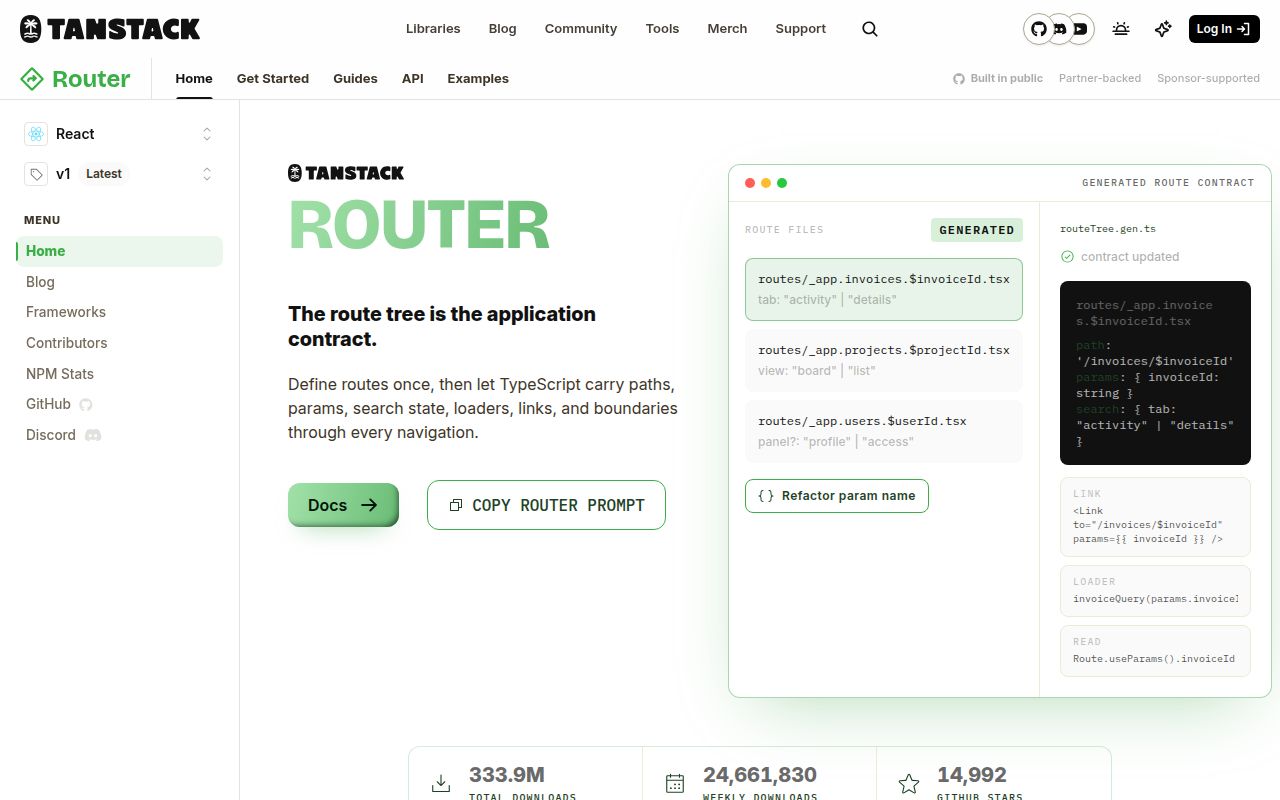
@tanstack/react-router 1.170.31 produced a 36.2 KB gzipped all-package browser bundle in our sandbox and loaded through both ESM import and require(). The current 1.170.32 package routes React through a TypeScript-known tree, generated from files or assembled in code. That tree types destinations, params, search state, loader data, and context. Routes can validate URLs, preload data, guard entry, and render pending, error, or not-found states. It remains a client router; TanStack Start supplies server rendering and server functions.
@tanstack/react-router 1.170.31 installed in 2.5 seconds, used 15 MB across 13 packages, and bundled to 36.2 KB gzipped in our sandbox with 0 audit findings. It earns that setup in a TypeScript SPA with typed URLs and loaders; simple JavaScript navigation or server rendering calls for a smaller router or full framework.
We installed it
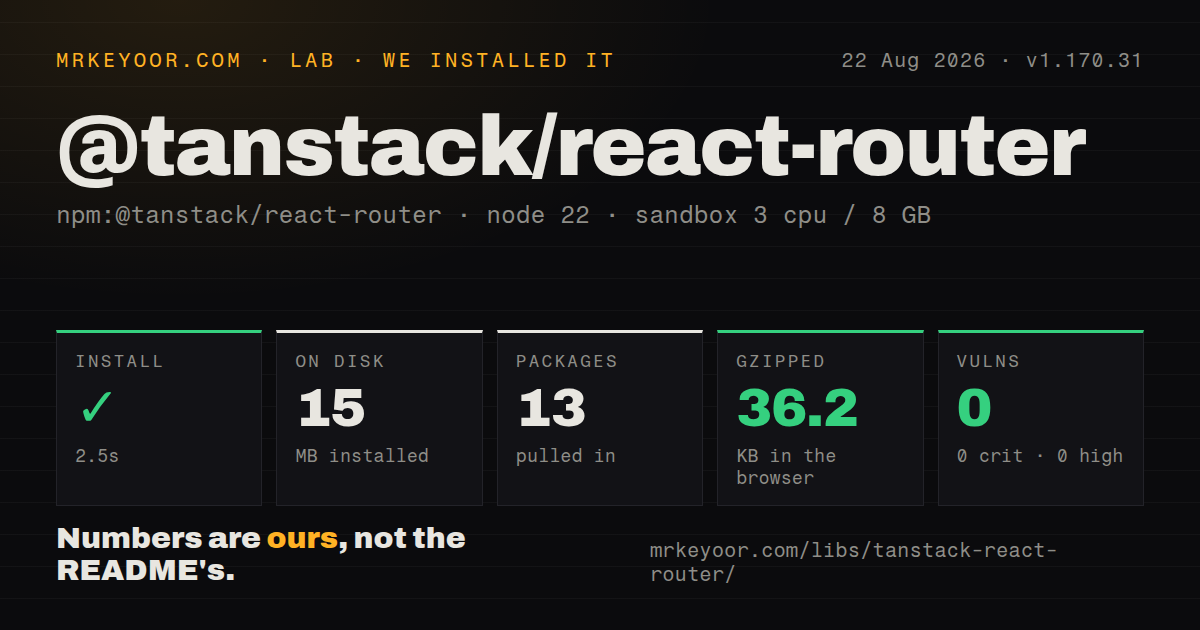
| Install | ✓ · 2.5s | 13 packages on disk · 15 MB |
| Import | ✓ | ESM import works · require() works · ESM package with exports map |
| Browser | 36.2 KB | gzipped (106.9 KB minified), bundled with esbuild |
| Types | ✓ | TypeScript types bundled |
| Known vulns | 0 | 0 critical · 0 high · 0 moderate · 0 low (npm audit) |
Answers from our run
Does @tanstack/react-router install cleanly?
Yes. In a fresh container with an empty cache, npm install @tanstack/react-router finished in 3 seconds, leaving 13 packages and 15 MB on disk. npm audit reported no known vulnerabilities.
How much does @tanstack/react-router add to a browser bundle?
36.2 KB gzipped (106.9 KB minified) when the whole package is bundled for the browser with esbuild. Importing only part of it is usually smaller.
Does @tanstack/react-router work with both ESM and CommonJS?
Yes. Both import '@tanstack/react-router' and require('@tanstack/react-router') worked in Node 22 in our run. The package is published as ESM with an exports map.
Does @tanstack/react-router include TypeScript types?
Yes, type declarations ship inside the package, so no @types install is needed.
@tanstack/react-router or react-router: which should you use?
react-router: Choose it for established data-router conventions, a long history of third-party examples, and framework or SSR modes. @tanstack/react-router 1.170.31 installed in 2.5 seconds, used 15 MB across 13 packages, and bundled to 36.2 KB gzipped in our sandbox with 0 audit findings.
When should you not use @tanstack/react-router?
Skip it for plain JavaScript when compile-time route inference cannot repay the generated-tree and registration setup.
Use it if
- Use it when a TypeScript SPA should reject invalid destinations or missing route params during compilation.
- Choose it when query-string values need route-specific parsing, defaults, validation, and typed updates.
- Adopt it when loaders and intent preloading should live beside routes and share TanStack Query's cache.
- Use it for nested client layouts that need local pending, error, and not-found boundaries without a server framework.
- Skip it for plain JavaScript when compile-time route inference cannot repay the generated-tree and registration setup.
- Benchmark type checking on a large tree. The docs identify broad Link search unions and large inferred loader returns as sources of slow TypeScript work.
- Choose TanStack Start or another framework when SSR, streaming, server functions, and deployment conventions must arrive together.
- Avoid a migration when a large React Router app cannot fund new route files, JSON search semantics, context, and loader behavior.
- Use code-defined routing when generated files are forbidden. File routing writes routeTree.gen.ts and expects tooling to leave it alone.
Setup reality
We installed @tanstack/react-router 1.170.31 in 2.5 seconds in a fresh Node 22 container. It left 13 packages using 15 MB, with 4 direct dependencies and 2 peers: React and React DOM. The package itself was 2,040 KB unpacked and requires Node 20.19 or newer. It is ESM with an exports map, yet require() and ESM import both worked. Types are bundled. npm audit reported 0 findings. A full import bundled to 106.9 KB minified and 36.2 KB gzipped. The registry is now at 1.170.32.
File routes require @tanstack/router-plugin in the build. Under Vite, tanstackRouter() must run before the React transform. It watches src/routes and writes src/routeTree.gen.ts. The documented workflow commits that output while excluding it from edits, lint, and formatting. Filenames carry structure: __root names the root, $name creates a parameter, a leading _ creates a pathless layout, and a trailing _ escapes a parent layout.
createRouter consumes the tree, and TypeScript module augmentation registers typeof router with @tanstack/react-router. Runtime navigation still works without that declaration, but route-aware types largely disappear. Search state also needs a validator and a defined response to invalid values. Zod 4 schemas work directly; older Zod integrations may require the TanStack adapter. Decide whether bad input receives a default or reaches an error component.
Router loaders cache on their own terms and do not replace every server-state cache. With TanStack Query, loaders can ensure query data while components read the identical options. Add from to relative links and search changes so TypeScript checks one route rather than the whole tree union. beforeLoad guards navigation UI, never the backing API. Test code splitting, preload timing, stale times, and pending delays on a slow connection.
Patterns
Run the route generator before React in Vite vite-plugin-setup
// vite.config.ts
import { defineConfig } from 'vite'
import react from '@vitejs/plugin-react'
import { tanstackRouter } from '@tanstack/router-plugin/vite'

export default defineConfig({
  plugins: [
    tanstackRouter({ target: 'react', autoCodeSplitting: true }),
    react(),
  ],
})
Plugin order is functional: the router transform precedes React. Its defaults already read src/routes and write src/routeTree.gen.ts.
Build a router and connect its generated type create-and-register-router
// src/router.tsx
import { createRouter } from '@tanstack/react-router'
import { routeTree } from './routeTree.gen'

export const router = createRouter({
  routeTree,
  defaultPreload: 'intent',
})

declare module '@tanstack/react-router' {
  interface Register {
    router: typeof router
  }
}
Register.router supplies the generated type to Link and route hooks. Removing the augmentation leaves navigation alive while losing route-aware checks.
Render navigation and child routes at the root root-route
// src/routes/__root.tsx
import { createRootRoute, Link, Outlet } from '@tanstack/react-router'

export const Route = createRootRoute({
  component: () => (
    <>
      <nav>
        <Link to="/">Home</Link> <Link to="/posts">Posts</Link>
      </nav>
      <Outlet />
    </>
  ),
})

// src/main.tsx
// <RouterProvider router={router} />
Every destination includes this root component. Outlet marks the child insertion point, while conditional shells belong in a pathless child layout.
Fetch a post before rendering its route route-with-loader
// src/routes/posts/$postId.tsx
import { createFileRoute } from '@tanstack/react-router'

export const Route = createFileRoute('/posts/$postId')({
  loader: ({ params }) => fetchPost(params.postId),
  component: PostPage,
})

function PostPage() {
  const post = Route.useLoaderData()
  const { postId } = Route.useParams()
  return <article>{post.title}</article>
}
File generation depends on the named Route export and controls the createFileRoute path. Its params and loader result become types for these hooks.
Build typed links for a post and next page typed-links
import { Link } from '@tanstack/react-router'

<Link to="/posts/$postId" params={{ postId: '42' }}>
  Read post
</Link>

<Link from={Route.fullPath} to="." search={(prev) => ({ ...prev, page: prev.page + 1 })}>
  Next page
</Link>
from anchors the relative search update to one route, avoiding a TypeScript comparison against every search schema.
Parse product filters from the URL validate-search-params
import { createFileRoute } from '@tanstack/react-router'
import { z } from 'zod'

const productSearchSchema = z.object({
  page: z.number().catch(1),
  filter: z.string().catch(''),
  sort: z.enum(['newest', 'oldest', 'price']).catch('newest'),
})

export const Route = createFileRoute('/shop/products')({
  validateSearch: productSearchSchema,
  component: Products,
})
Zod catch values replace invalid inputs with defaults. Throwing validation instead reaches the route error component; Zod 3 may need the adapter, while Zod 4 works directly.
Increment one search parameter read-and-update-search
function Products() {
  const { page, filter } = Route.useSearch()
  const navigate = Route.useNavigate()

  return (
    <button
      onClick={() =>
        navigate({ search: (prev) => ({ ...prev, page: prev.page + 1 }) })
      }
    >
      Page {page}
    </button>
  )
}
The callback receives the current search object, so spreading prev keeps filter and sort. A new object drops omitted values.
Redirect unauthenticated navigation from a layout auth-guard
// src/routes/_authenticated.tsx
import { createFileRoute, redirect } from '@tanstack/react-router'

export const Route = createFileRoute('/_authenticated')({
  beforeLoad: async ({ location }) => {
    if (!(await isAuthenticated())) {
      throw redirect({
        to: '/login',
        search: { redirect: location.href },
      })
    }
  },
})
beforeLoad must throw the redirect before child guards run. The API still needs its own authorization because this check controls client navigation.
Expose QueryClient to route loaders router-context
// src/routes/__root.tsx
import { createRootRouteWithContext, Outlet } from '@tanstack/react-router'
import type { QueryClient } from '@tanstack/react-query'

export const Route = createRootRouteWithContext<{ queryClient: QueryClient }>()({
  component: () => <Outlet />,
})

// src/router.tsx
const router = createRouter({ routeTree, context: { queryClient } })
createRootRouteWithContext uses 2 calls: the first declares context, and the second configures the route. Descendant loaders inherit that type.
Warm a query in the loader and read it in React query-integration
export const Route = createFileRoute('/posts/$postId')({
  loader: async ({ context: { queryClient }, params: { postId } }) => {
    await queryClient.ensureQueryData(postQueryOptions(postId))
  },
  component: Post,
})

function Post() {
  const { postId } = Route.useParams()
  const { data } = useSuspenseQuery(postQueryOptions(postId))
  return <h1>{data.title}</h1>
}
The loader awaits cache population without returning the data, keeping its inferred type small. useSuspenseQuery then reads the identical query key.
Handle 3 route outcomes beside the loader error-and-not-found
import { createFileRoute, notFound } from '@tanstack/react-router'

export const Route = createFileRoute('/posts/$postId')({
  loader: async ({ params }) => {
    const post = await fetchPost(params.postId)
    if (!post) throw notFound()
    return post
  },
  pendingComponent: () => <Spinner />,
  errorComponent: ({ error, reset }) => (
    <button onClick={reset}>{String(error)}</button>
  ),
  notFoundComponent: () => <p>No such post</p>,
})
Thrown notFound bubbles to the nearest matching handler. This route also contains its loading and ordinary error UI.
Read route data without importing the route module route-api-outside-route-file
import { getRouteApi } from '@tanstack/react-router'

const routeApi = getRouteApi('/posts/$postId')

export function PostSidebar() {
  const post = routeApi.useLoaderData()
  const { postId } = routeApi.useParams()
  return <aside>{postId}</aside>
}
getRouteApi avoids a circular route-module import while retaining typed hooks. The generated tree checks the supplied /posts/$postId path.
Alternatives
| Package | Registry | Pick it when |
|---|---|---|
| react-router | npm | Choose it for established data-router conventions, a long history of third-party examples, and framework or SSR modes. |
| wouter | npm | Choose it for a small client app that wants matching and hooks without generators or a loader system. |
| @tanstack/react-start | npm | Choose it when TanStack Router should run inside a framework that owns SSR and server functions. |
| next | npm | Choose it when routing, React Server Components, rendering strategy, and deployment should be one framework decision. |
More web frontend guides
postcss · react · react-dom · tailwindcss · clsx · htmlparser2 · the whole shelf →
How this guide is made: grounded in the library's documentation, release notes, changelog, and issue history, on a fixed rubric — not a hands-on install of every release. The 50 most-downloaded entries are additionally install-verified in clean containers. Corrections: contact the desk.