spawndamnit review
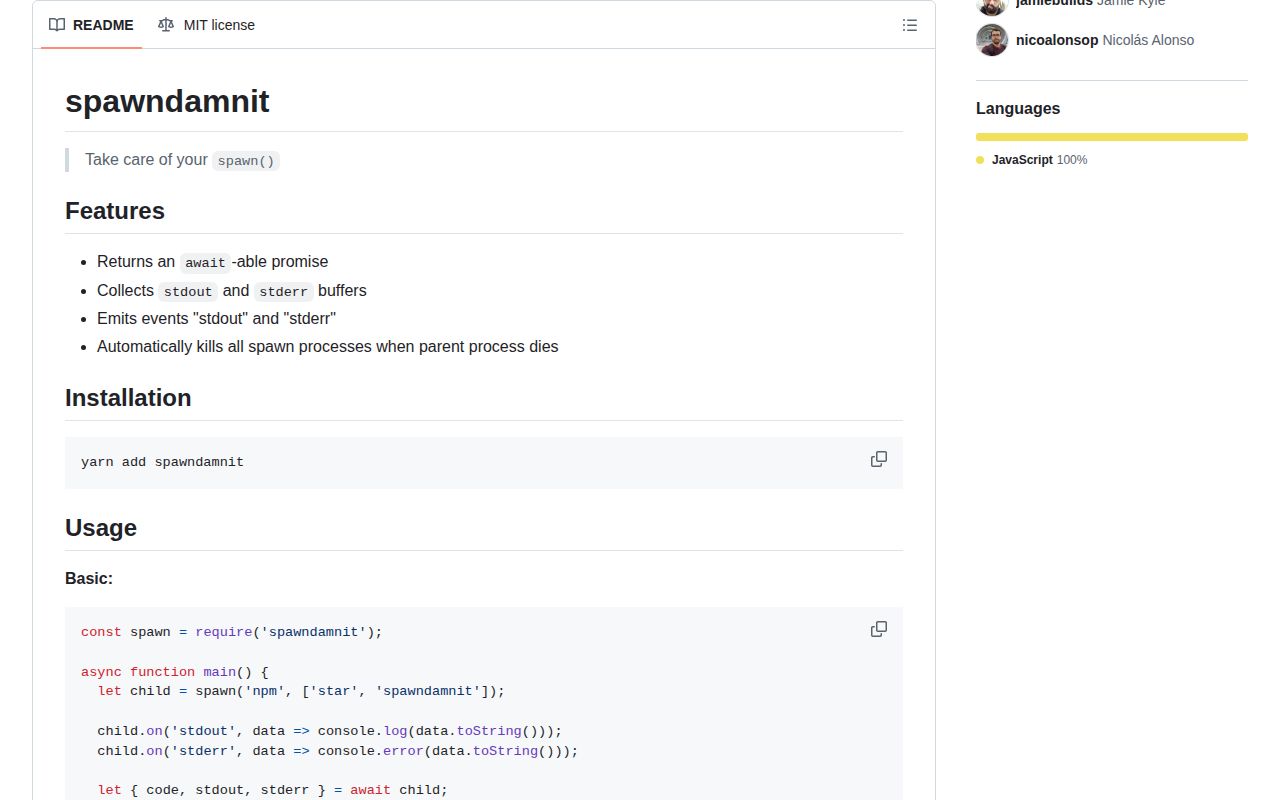
spawndamnit 3.0.1 is a small CommonJS layer over `child_process.spawn()`. One call returns an object that behaves as both a Promise and an EventEmitter: it emits stdout and stderr chunks while the command runs, then resolves with the exit code and complete output Buffers. It uses cross-spawn for executable lookup and signal-exit to send termination signals to tracked children when the parent ends. Version 3.0.1 updates cross-spawn to fix a dependency vulnerability; it does not add timeouts, cancellation, types, or a richer command API.
spawndamnit 3.0.1 installed in 1 second and occupied 1 MB in our sandbox with 0 audit findings, but it buffers all child output and exposes no timeout or direct cancellation. Keep it for small CommonJS commands that need live chunks plus final Buffers; choose execa or built-in spawn when process control and bounded output matter.
We installed it
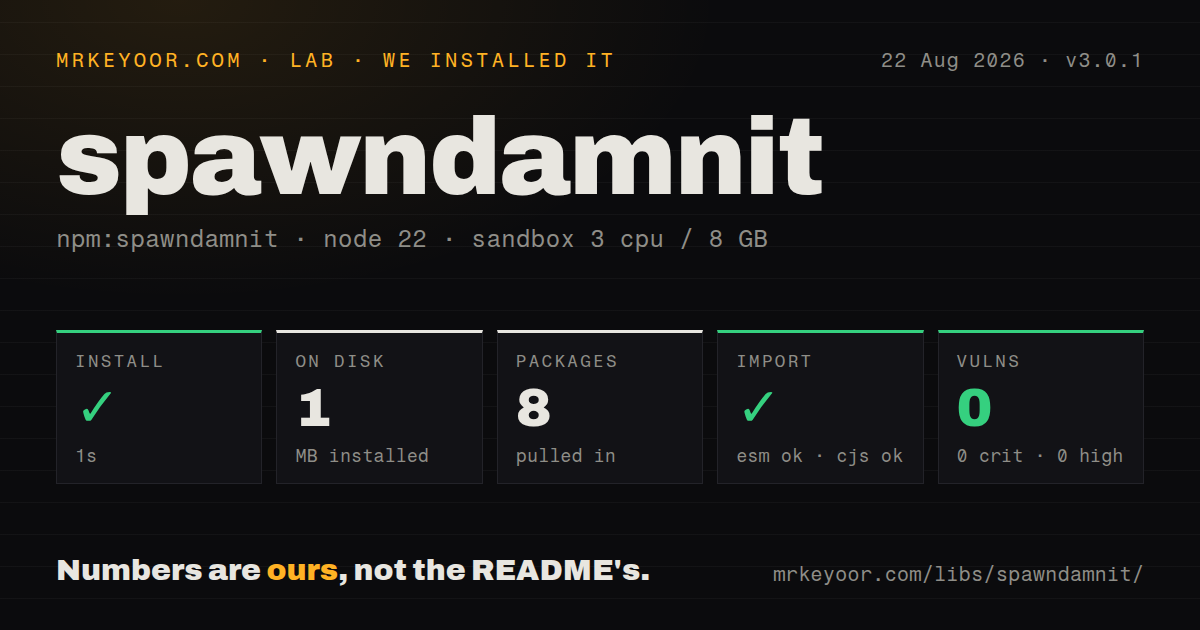
| Install | ✓ · 1s | 8 packages on disk · 1 MB |
| Import | ✓ | ESM import works · require() works · CommonJS package |
| Browser | n/a | could not be bundled for the browser (Node-only code, most likely) |
| Types | — | no TypeScript types found |
| Known vulns | 0 | 0 critical · 0 high · 0 moderate · 0 low (npm audit) |
Answers from our run
Does spawndamnit install cleanly?
Yes. In a fresh container with an empty cache, npm install spawndamnit finished in 1 seconds, leaving 8 packages and 1 MB on disk. npm audit reported no known vulnerabilities.
Can spawndamnit run in a browser?
Not directly: esbuild could not bundle it for the browser in our run, which normally means it depends on Node built-ins. Use it on the server, or find a browser-targeted alternative.
Does spawndamnit work with both ESM and CommonJS?
Yes. Both import 'spawndamnit' and require('spawndamnit') worked in Node 22 in our run. The package is published as CommonJS.
Does spawndamnit include TypeScript types?
No type declarations were found in our install, so TypeScript users need their own declarations.
spawndamnit or execa: which should you use?
execa: Use it for typed modern process execution with rich errors, cancellation, timeouts, piping, and output controls. spawndamnit 3.0.1 installed in 1 second and occupied 1 MB in our sandbox with 0 audit findings, but it buffers all child output and exposes no timeout or direct cancellation.
When should you not use spawndamnit?
Child output may be large or endless. The implementation retains stdout and stderr chunks in memory and offers no byte limit or streaming-only mode.
Use it if
- A CommonJS CLI wants one awaitable wrapper that also emits live stdout and stderr chunks.
- The final output is small enough to buffer and must be available after the child closes.
- Windows-compatible command lookup from cross-spawn is useful, while direct ChildProcess control is unnecessary.
- Every caller can check `code` because a normal nonzero exit is data rather than a rejected Promise.
- Child output may be large or endless. The implementation retains stdout and stderr chunks in memory and offers no byte limit or streaming-only mode.
- You need a timeout, AbortSignal, direct `kill()`, PID, IPC channel, or the complete ChildProcess event surface. The returned hybrid does not expose the child handle.
- A nonzero exit should throw automatically. Version 3.0.1 resolves normal closes regardless of code and rejects only spawn errors such as a missing executable.
- TypeScript declarations or package-native ESM exports are required. Our install found neither declarations nor an exports map.
- You expect operational documentation beyond one example. The README omits spawn options, output limits, inherited stdio behavior, cancellation, and the distinction between spawn failure and exit failure.
Setup reality
We installed spawndamnit 3.0.1 in 1 second in a fresh Node 22 Bookworm sandbox. The install left 8 packages and 1 MB on disk. The package has 2 direct dependencies, no peers, and a 28 KB unpacked size. npm audit found 0 known vulnerabilities. Package metadata states SEE LICENSE IN LICENSE rather than an SPDX identifier. Our check found no bundled TypeScript declarations.
The runtime is CommonJS without an exports map. Both require() and ESM import worked in our Node 22 sandbox. An esbuild browser bundle failed because the wrapper depends on child processes, signals, and Node streams; this is CLI and server tooling only. There is no config file, credential, native build, or service. The third argument is passed to cross-spawn, so ordinary spawn options such as cwd, env, and stdio apply even though the short README does not enumerate them.
Attach stdout and stderr listeners immediately after calling the function, before awaiting, because a fast child can emit at once. Output is also accumulated into Buffers for the final result. There is no cap, so a verbose build or long-lived watcher can grow the parent until memory is exhausted. With stdio: 'inherit', there are no piped child streams; live output goes directly to the terminal and the returned Buffers remain empty.
A child that starts and exits with code 1 resolves normally. A command that cannot start rejects through the child error event. Check both paths. Pass arguments as an array and keep shell false when any value is untrusted. signal-exit tracks children globally and sends SIGTERM when the parent exits, but the wrapper does not expose one child's PID or cancellation method. Use built-in spawn or execa when shutdown, timeout, signal escalation, or output bounds are part of correctness.
Patterns
Run a command and enforce success run-command
const spawn = require('spawndamnit');

const result = await spawn('git', ['status', '--short']);
if (result.code !== 0) {
  throw new Error(result.stderr.toString('utf8') || `git exited ${result.code}`);
}
console.log(result.stdout.toString('utf8'));
A normal nonzero exit resolves in version 3.0.1. Check `code` before consuming stdout as a successful result.
Forward chunks while awaiting the result mirror-live-output
const task = spawn('npm', ['run', 'build']);
task.on('stdout', (chunk) => process.stdout.write(chunk));
task.on('stderr', (chunk) => process.stderr.write(chunk));

const result = await task;
process.exitCode = result.code ?? 1;
Listeners must be attached immediately. Every chunk is still retained for the final Buffers, so live forwarding does not bound memory.
Run inside another project set-working-directory
const result = await spawn('npm', ['test'], {
  cwd: '/srv/project',
  env: process.env,
});
The third object is forwarded to cross-spawn even though the README does not list its standard spawn options.
Add one child environment variable extend-environment
await spawn(process.execPath, ['worker.js'], {
  env: {
    ...process.env,
    NODE_ENV: 'production',
  },
});
Spread the current environment unless isolation is deliberate. Omitting it can remove PATH and credentials the child expects.
Give an interactive child the terminal inherit-terminal
const result = await spawn('npm', ['init'], {
  stdio: 'inherit',
});
if (result.code !== 0) process.exitCode = result.code;
Inherited stdout and stderr are not pipes, so no chunk events fire and the returned output Buffers are empty.
Separate spawn errors from exit codes handle-missing-executable
try {
  const result = await spawn(command, args);
  if (result.code !== 0) console.error('exit', result.code);
} catch (error) {
  if (error.code === 'ENOENT') console.error('command not found');
  else throw error;
}
The Promise rejects when the child cannot start. Once started, even exit code 1 produces a resolved result.
Use the CommonJS entry from ESM import-from-esm
import spawn from 'spawndamnit';

const result = await spawn(process.execPath, ['--version']);
if (result.code !== 0) throw new Error(`node exited ${result.code}`);
Our Node 22 ESM import worked through CommonJS interop. The package has no native ESM entry or exports map.
Launch the current Node executable run-current-node
const result = await spawn(process.execPath, [
  '-e',
  'process.stdout.write(process.version)',
]);
console.log(result.stdout.toString('utf8'));
`process.execPath` avoids assuming that the executable is named `node` or discoverable through the child PATH.
Pass untrusted data as one argument avoid-shell-parsing
const result = await spawn('git', ['show', '--stat', '--', userRef], {
  shell: false,
});
if (result.code !== 0) throw new Error(result.stderr.toString());
An argument array avoids shell interpolation. The `--` marker also stops Git from interpreting `userRef` as an option.
Decode JSON only after success parse-json-output
const result = await spawn('npm', ['view', 'react', '--json']);
if (result.code !== 0) throw new Error(result.stderr.toString('utf8'));
const metadata = JSON.parse(result.stdout.toString('utf8'));
Final output values are Buffers. Decode explicitly and check the exit code before attempting JSON parsing.
Keep the ChildProcess handle for cancellation use-built-in-spawn
import { spawn as nodeSpawn } from 'node:child_process';

const child = nodeSpawn(command, args, { stdio: 'pipe' });
const timer = setTimeout(() => child.kill('SIGTERM'), 30_000);
child.once('close', () => clearTimeout(timer));
spawndamnit does not expose the child handle or a 30-second timeout option. Built-in spawn does, but you must collect output and handle errors yourself.
Alternatives
| Package | Registry | Pick it when |
|---|---|---|
| execa | npm | Use it for typed modern process execution with rich errors, cancellation, timeouts, piping, and output controls. |
| cross-spawn | npm | Use it when Windows command lookup is the only helper needed and you want the real ChildProcess handle. |
| zx | npm | Use it for script-oriented automation built around template commands and included shell utilities. |
| tinysh | npm | Use it for a smaller shell-style helper when its command semantics match a simple script. |
More cli & tooling guides
commander · chalk · typescript · esbuild · yargs · click · the whole shelf →
How this guide is made: grounded in the library's documentation, release notes, changelog, and issue history, on a fixed rubric — not a hands-on install of every release. The 50 most-downloaded entries are additionally install-verified in clean containers. Corrections: contact the desk.