@react-navigation/native review
@react-navigation/native 7.3.17 is the state and integration layer under React Navigation. It provides the root container, focus lifecycle, themes, link-to-route conversion, refs, actions, and TypeScript helpers for React Native and web targets. It does not draw a stack, tab bar, or drawer; those come from separate navigator packages. Version 7 supports both JSX-based dynamic configuration and a static API that can infer route types. Our isolated Node checks could install the package and find its bundled declarations, but neither CommonJS require nor ESM import succeeded under Node 22.23.2. That is a practical warning that this package expects a React Native application environment rather than a standalone Node process.
@react-navigation/native 7.3.17 took 18.2 seconds and 175 MB to install in our sandbox, where npm audit found 7 high-severity vulnerabilities and plain Node loading failed. Use it inside a configured React Native stack; Expo apps that want filesystem routes should begin with Expo Router.
We installed it
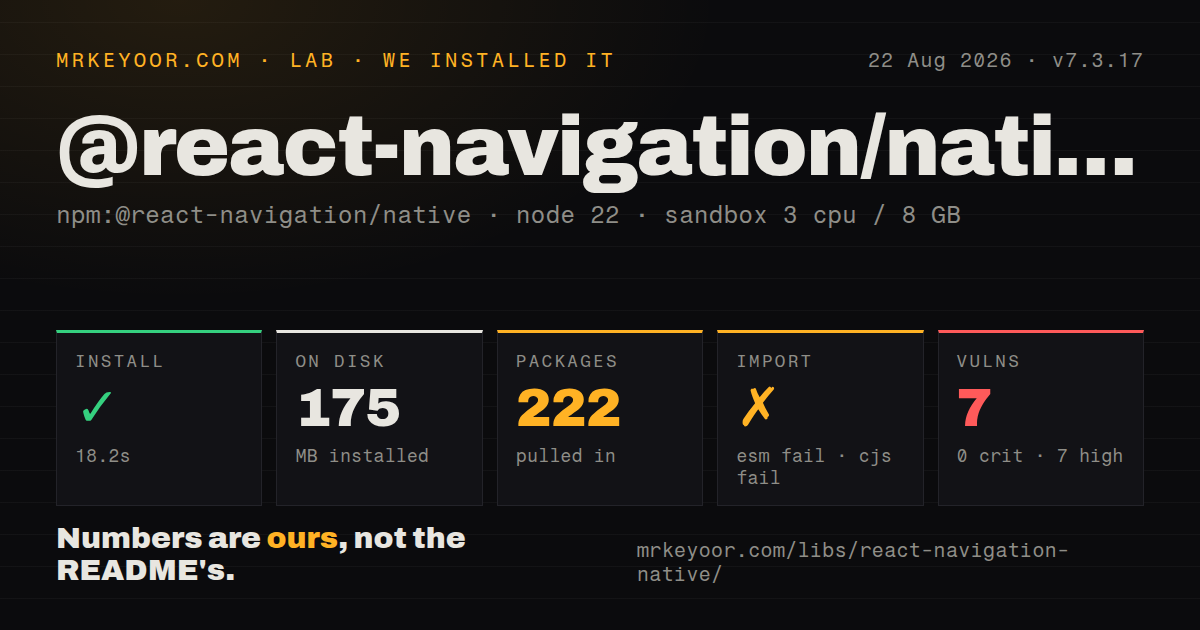
| Install | ✓ · 18.2s | 222 packages on disk · 175 MB |
| Import | ✗ | ESM import fails · require() fails · CommonJS package with exports map |
| Browser | n/a | could not be bundled for the browser (Node-only code, most likely) |
| Types | ✓ | TypeScript types bundled |
| Known vulns | 7 | 0 critical · 7 high · 0 moderate · 0 low (npm audit) |
Answers from our run
Does @react-navigation/native install cleanly?
Yes. In a fresh container with an empty cache, npm install @react-navigation/native finished in 18 seconds, leaving 222 packages and 175 MB on disk. npm audit reported 7 known vulnerabilities.
Can @react-navigation/native run in a browser?
Not directly: esbuild could not bundle it for the browser in our run, which normally means it depends on Node built-ins. Use it on the server, or find a browser-targeted alternative.
Does @react-navigation/native work with both ESM and CommonJS?
Neither plain import nor require succeeded in our sandbox, so it needs a bundler or extra setup.
Does @react-navigation/native include TypeScript types?
Yes, type declarations ship inside the package, so no @types install is needed.
@react-navigation/native or expo-router: which should you use?
expo-router: Use it in Expo when files, layouts, and typed links should define routes over React Navigation. @react-navigation/native 7.3.17 took 18.2 seconds and 175 MB to install in our sandbox, where npm audit found 7 high-severity vulnerabilities and plain Node loading failed.
When should you not use @react-navigation/native?
You expect visible navigation after installing one package. native supplies infrastructure; stack, tabs, drawer, gestures, and screen components live elsewhere.
Use it if
- A React Native application needs nested stacks, tabs, drawers, or modals assembled from the React Navigation package family.
- One navigation state should coordinate app links, URL paths, themes, persistence, focus effects, and Android back behavior.
- The team wants either component-driven route definitions or version 7 static configuration with inferred parameter types.
- Your Expo, bare React Native, or React Native Web build can install and configure the required platform peers.
- You expect visible navigation after installing one package. `native` supplies infrastructure; stack, tabs, drawer, gestures, and screen components live elsewhere.
- An Expo app should derive routes from files and layouts. Expo Router already uses React Navigation underneath and owns that URL-first convention.
- Native project changes are off limits. The getting-started path adds `react-native-screens` and `react-native-safe-area-context`, plus CocoaPods work for bare iOS.
- A JavaScript linking object is expected to create Universal Links or Android App Links by itself. Domain files, schemes, intent filters, and a rebuilt binary are separate tasks.
- You need an ordinary browser or Node library. Our Node 22.23.2 require and import checks failed, and esbuild could not produce the browser bundle.
Setup reality
Our fresh install of @react-navigation/native 7.3.17 took 18.2 seconds in a Node 22 Bookworm sandbox. It left 222 packages and 175 MB on disk. The package itself declares 6 direct and 2 peer dependencies, is 872 KB unpacked, and bundles TypeScript declarations. npm audit reported 7 known vulnerabilities, all high severity. On Node.js 22.23.2, both require() and ESM import failed. esbuild also failed to make a browser bundle.
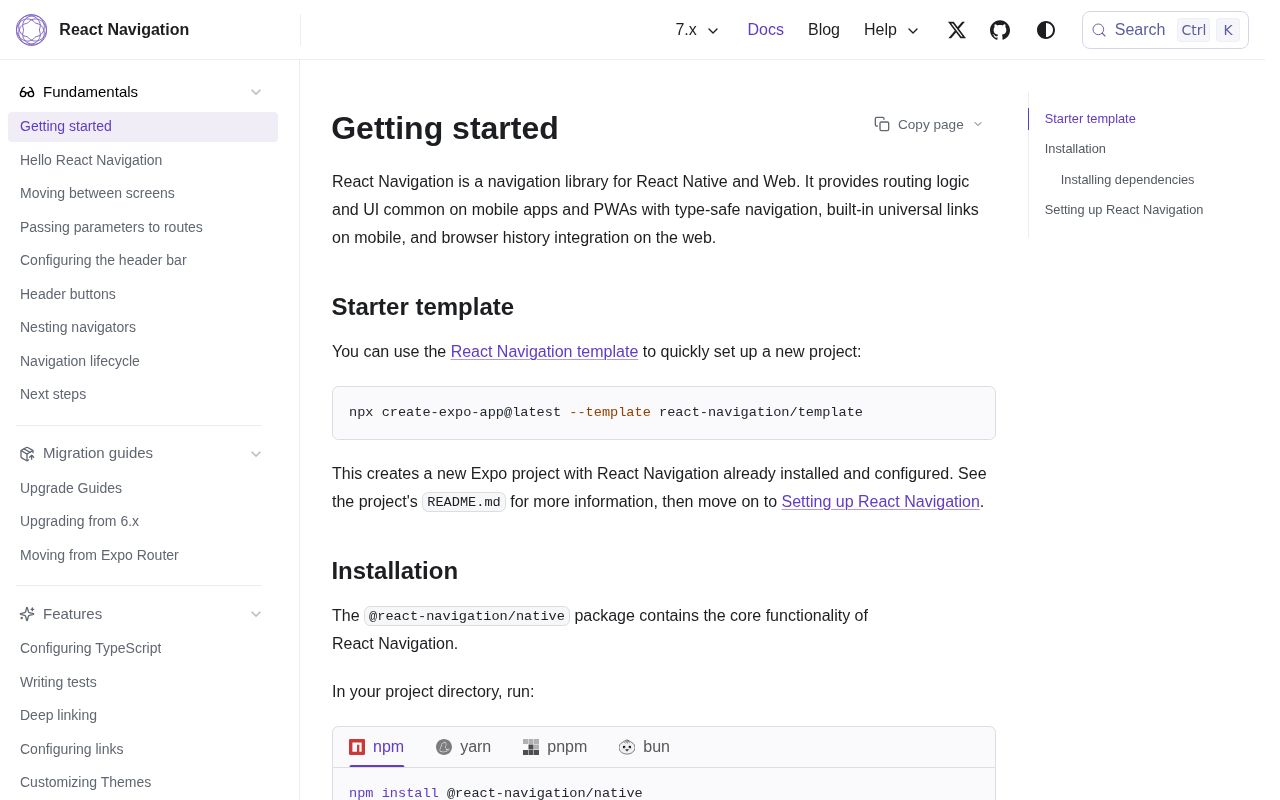
The install alone produces no navigator UI. Add react-native-screens, react-native-safe-area-context, and a navigator such as @react-navigation/native-stack. Expo projects should use expo install so native versions match the SDK. Bare iOS projects need CocoaPods installation; drawers or some tab and stack choices can also add Gesture Handler or Reanimated setup. Review the 7 high audit results in the resolved 222-package tree rather than assuming they belong to this 872 KB package.
Use exactly one ordinary NavigationContainer at the root of a dynamic setup. The version 7 static API instead returns a component through createStaticNavigation, which supplies its container. Keep route params small and serializable because state may be persisted or translated into a URL. If a deep link launched the app, do not overwrite it with saved initialState; web builds should normally treat the URL as the state source.
Linking still needs native and web configuration outside JavaScript: iOS associated domains, Android intent filters, URL schemes, hosted association files, and a rebuilt app. useFocusEffect needs a memoized callback plus cleanup because focus differs from mounting. A navigation ref must pass isReady() before use. Read version 7 docs or the 7.x branch, since the repository's default branch now describes the upcoming major version 8.
Patterns
Render a two-screen native stack create-native-stack
import { NavigationContainer } from '@react-navigation/native'
import { createNativeStackNavigator } from '@react-navigation/native-stack'

const Stack = createNativeStackNavigator()

export default function App() {
  return (
    <NavigationContainer>
      <Stack.Navigator>
        <Stack.Screen name="Home" component={HomeScreen} />
        <Stack.Screen name="Details" component={DetailsScreen} />
      </Stack.Navigator>
    </NavigationContainer>
  )
}
`@react-navigation/native-stack` is a separate install. The base native package only provides the surrounding container and state.
Declare routes with the version 7 static API use-static-navigation
import { createStaticNavigation } from '@react-navigation/native'
import { createNativeStackNavigator } from '@react-navigation/native-stack'

const RootStack = createNativeStackNavigator({
  screens: {
    Home: HomeScreen,
    Details: DetailsScreen,
  },
})

const Navigation = createStaticNavigation(RootStack)
export default function App() {
  return <Navigation />
}
The component returned by `createStaticNavigation` owns its root container. Adding another ordinary container creates the wrong hierarchy.
Pass a user identifier between screens navigate-with-params
function HomeScreen({ navigation }) {
  return (
    <Button
      title="Open profile"
      onPress={() => navigation.navigate('Profile', { userId: 'jane' })}
    />
  )
}

function ProfileScreen({ route }) {
  return <Text>User: {route.params.userId}</Text>
}
A small string survives persistence and URL conversion. Fetch the user in Profile instead of placing the whole object in navigation state.
Translate URLs into route parameters configure-deep-links
const linking = {
  prefixes: ['myapp://', 'https://app.example.com'],
  config: {
    screens: {
      Home: '',
      Profile: {
        path: 'users/:userId',
      },
      NotFound: '*',
    },
  },
}

<NavigationContainer linking={linking} fallback={<Loading />}>
  <RootNavigator />
</NavigationContainer>
This mapping does not register a platform link. iOS associations, Android intent filters, schemes, and a rebuilt binary still apply.
Override colors without dropping defaults set-theme
import { DarkTheme, NavigationContainer } from '@react-navigation/native'

const theme = {
  ...DarkTheme,
  colors: {
    ...DarkTheme.colors,
    primary: '#7dd3fc',
    background: '#0f172a',
    card: '#111827',
  },
}

<NavigationContainer theme={theme}>
  <RootNavigator />
</NavigationContainer>
Spread the original theme and its color map. Replacing `colors` outright omits values consumed by navigators and headers.
Cancel a focused-screen request on blur run-on-focus
import * as React from 'react'
import { useFocusEffect } from '@react-navigation/native'

function OrdersScreen() {
  useFocusEffect(
    React.useCallback(() => {
      const controller = new AbortController()
      loadOrders({ signal: controller.signal })
      return () => controller.abort()
    }, []),
  )
  return <OrdersList />
}
`useCallback` keeps the focus effect stable across renders. The returned abort handles blur and unmount cleanup.
Replay a blocked remove action prevent-leaving
import { Alert } from 'react-native'
import { usePreventRemove } from '@react-navigation/native'

usePreventRemove(hasUnsavedChanges, ({ data }) => {
  Alert.alert('Discard changes?', 'Your edits will be lost.', [
    { text: 'Stay', style: 'cancel' },
    {
      text: 'Discard',
      style: 'destructive',
      onPress: () => navigation.dispatch(data.action),
    },
  ])
})
Dispatch `data.action` after the user confirms. A fresh `goBack()` call may differ from the remove action that was intercepted.
Navigate outside React components navigate-outside-component
import { createNavigationContainerRef } from '@react-navigation/native'

export const navigationRef = createNavigationContainerRef()

export function openInbox() {
  if (navigationRef.isReady()) {
    navigationRef.navigate('Inbox')
  }
}

<NavigationContainer ref={navigationRef}>
  <RootNavigator />
</NavigationContainer>
The root ref is unavailable during startup, so guard it with `isReady()`. Screen code should continue to use the hook or prop.
Expose inferred static route types globally type-static-routes
import type { StaticParamList } from '@react-navigation/native'

type RootStackParamList = StaticParamList<typeof RootStack>

declare global {
  namespace ReactNavigation {
    interface RootParamList extends RootStackParamList {}
  }
}
`StaticParamList` reads names and parameter shapes from the navigator object. Dynamic JSX route definitions normally need a handwritten list.
Restore native navigation after restart persist-navigation-state
const [initialState, setInitialState] = React.useState()
const [ready, setReady] = React.useState(false)

React.useEffect(() => {
  AsyncStorage.getItem('NAVIGATION_STATE').then((value) => {
    if (value) setInitialState(JSON.parse(value))
    setReady(true)
  })
}, [])

if (!ready) return <Loading />
return (
  <NavigationContainer
    initialState={initialState}
    onStateChange={(state) =>
      AsyncStorage.setItem('NAVIGATION_STATE', JSON.stringify(state))
    }
  >
    <RootNavigator />
  </NavigationContainer>
)
Skip saved state when startup came from a link. On web, the address bar should normally remain the source of navigation truth.
Alternatives
| Package | Registry | Pick it when |
|---|---|---|
| expo-router | npm | Use it in Expo when files, layouts, and typed links should define routes over React Navigation. |
| react-native-navigation | npm | Use Wix's native-navigation model when platform-owned screens justify more native setup. |
| solito | npm | Use it when the same screens must connect React Native navigation with a Next.js router. |
More mobile guides
react-native · expo · react-native-safe-area-context · react-native-reanimated · react-native-worklets · react-native-svg · the whole shelf →
How this guide is made: grounded in the library's documentation, release notes, changelog, and issue history, on a fixed rubric — not a hands-on install of every release. The 50 most-downloaded entries are additionally install-verified in clean containers. Corrections: contact the desk.