react-native-svg review
react-native-svg 15.15.5 maps SVG-shaped React components onto native renderers for iOS, Android, macOS, and Windows, with a React Native Web compatibility path. `Svg`, `Path`, shapes, text, gradients, masks, clipping, markers, and XML loaders cover most application artwork without rasterizing it first. The current patch repairs MaskView and LinearGradient with Android's RN props 2.0, macOS rendering under Fabric, and opacity on `currentColor` fills and strokes for Apple platforms. Our generic Node and browser probes both failed, which is a useful reminder that this package belongs inside a configured React Native build.
react-native-svg is the sensible base for custom vector artwork in a current React Native app, but it is a native integration rather than a drop-in web SVG parser. Match the React Native version first and test every platform that will ship.
We installed it
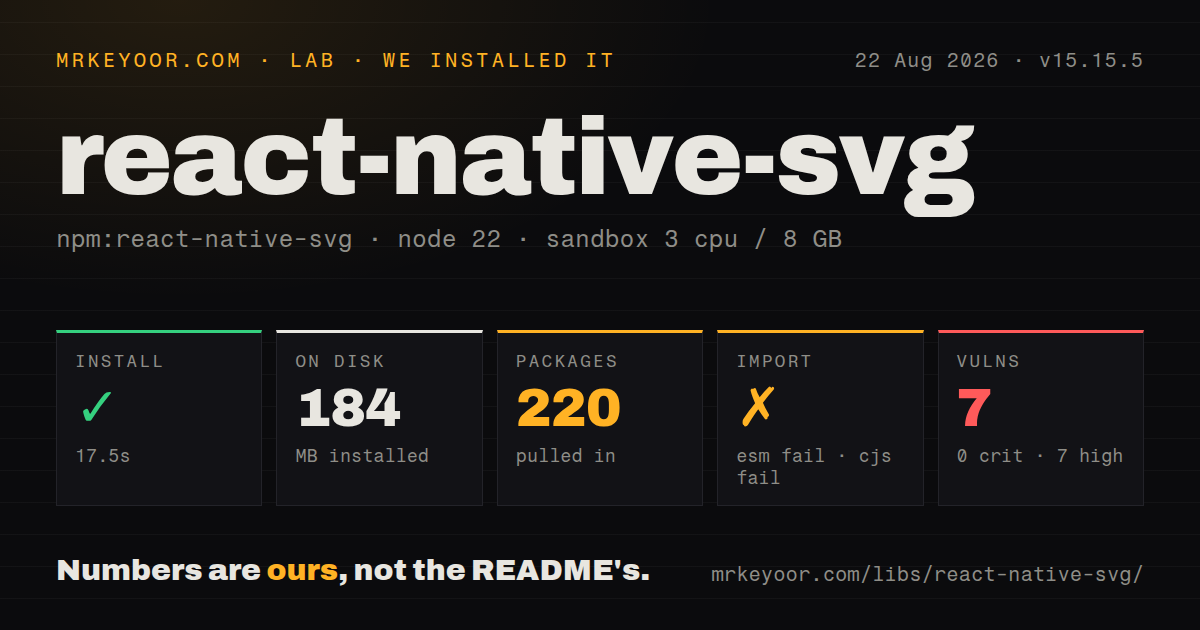
| Install | ✓ · 17.5s | 220 packages on disk · 184 MB |
| Import | ✗ | ESM import fails · require() fails · CommonJS package |
| Browser | n/a | could not be bundled for the browser (Node-only code, most likely) |
| Types | ✓ | TypeScript types bundled |
| Known vulns | 7 | 0 critical · 7 high · 0 moderate · 0 low (npm audit) |
Answers from our run
Does react-native-svg install cleanly?
Yes. In a fresh container with an empty cache, npm install react-native-svg finished in 18 seconds, leaving 220 packages and 184 MB on disk. npm audit reported 7 known vulnerabilities.
Can react-native-svg run in a browser?
Not directly: esbuild could not bundle it for the browser in our run, which normally means it depends on Node built-ins. Use it on the server, or find a browser-targeted alternative.
Does react-native-svg work with both ESM and CommonJS?
Neither plain import nor require succeeded in our sandbox, so it needs a bundler or extra setup.
Does react-native-svg include TypeScript types?
Yes, type declarations ship inside the package, so no @types install is needed.
react-native-svg or @shopify/react-native-skia: which should you use?
@shopify/react-native-skia: Use it for canvas drawing, shaders, filters, and animation-heavy graphics where a GPU-oriented scene API is the better model. react-native-svg is the sensible base for custom vector artwork in a current React Native app, but it is a native integration rather than a drop-in web SVG parser.
When should you not use react-native-svg?
The product needs only common interface icons. An icon package gives named glyphs and a curated set without owning SVG paths and view boxes.
Use it if
- A React Native screen needs custom icons, charts, maps, diagrams, or illustrations that must remain sharp at several display sizes.
- Designers provide path data that can be converted to JSX components and colored or composed at runtime.
- The artwork uses gradients, masks, clip paths, markers, text paths, or touch handlers on individual shapes.
- One component tree should target maintained iOS and Android apps, with deliberate testing for macOS, Windows, or React Native Web.
- The product needs only common interface icons. An icon package gives named glyphs and a curated set without owning SVG paths and view boxes.
- The app is below React Native 0.78. The README maps react-native-svg 15.13 and newer, including 15.15.5, to React Native 0.78 or newer.
- Exact browser SVG coverage is required. The project says it implements most elements and properties, lists an Android radial-gradient focus issue, and warns that some filters work on web but remain unimplemented natively.
- The artwork is a continuously animated, shader-heavy, or particle-rich scene. A canvas/GPU renderer such as React Native Skia fits that workload better than frequent updates to a large SVG component tree.
- The build must treat this as ordinary Node or browser JavaScript. In our Node 22.23.2 checks, CommonJS require and ESM import failed, and esbuild could not produce a browser bundle.
Setup reality
We installed react-native-svg 15.15.5 in a fresh Node 22 Bookworm container. npm took 17.5 seconds, resolved 220 packages, and used 184 MB. The package itself declares 2 direct dependencies and 2 peers, with 8180 KB unpacked and bundled TypeScript types. The installed graph reported 7 known vulnerabilities, all high severity. Review the audit paths in your lockfile because this measurement covers the resolved environment, not a claim that each finding sits in react-native-svg itself.
The package uses CommonJS without an exports map. Both require() and ESM import failed in our plain Node 22.23.2 probe, and an esbuild browser bundle also failed. That is the wrong runtime boundary for a native React component library. Validate it with Metro and the actual platform build. Expo projects should use npx expo install react-native-svg for SDK-compatible selection. React Native CLI projects install the package, run CocoaPods for iOS, and rebuild the native app.
Version matching is mandatory. The current table assigns react-native-svg 15.13 and newer to React Native 0.78 or newer. Fabric has separate documented floors across older library versions. Webpack-based React Native Web needs special handling for @react-native/assets-registry/registry; Metro needs no extra web step. Importing .svg files as components is a separate transformer workflow that edits Metro's asset and source extensions.
Remote SvgUri and SvgCssUri content needs onError, a fallback, caching decisions, and a trust boundary. XML strings are parsed at runtime, while preconverted JSX avoids that work. Give percentage-sized SVGs a parent with measurable dimensions. Render on every target platform before approving an asset: native filters are incomplete, Android still has a documented radial-gradient focus limitation, and 15.15.5 includes separate rendering fixes for Android, macOS Fabric, and Apple color opacity.
Patterns
Scale shapes through a view box draw-responsive-shapes
import Svg, {Circle, Rect} from 'react-native-svg';

export function StatusMark() {
  return (
    <Svg width={160} height={96} viewBox="0 0 160 96">
      <Rect width={160} height={96} rx={12} fill="#eef2ff" />
      <Circle cx={80} cy={48} r={26} fill="#4f46e5" />
    </Svg>
  );
}
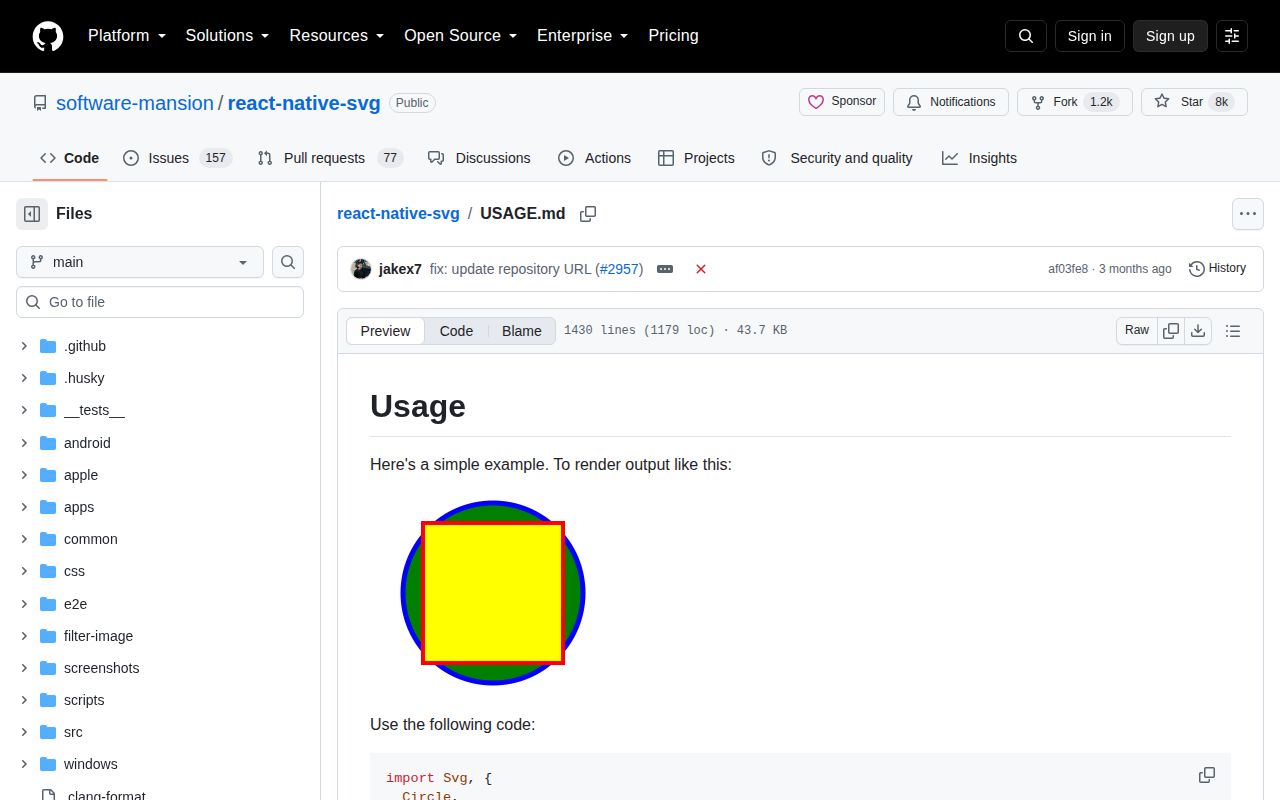
The view box keeps drawing coordinates independent of the displayed width and height.
Turn a path into a component render-path-data
import Svg, {Path} from 'react-native-svg';

<Svg width={48} height={48} viewBox="0 0 24 24">
  <Path
    d="M12 2 22 20H2L12 2Z"
    fill="none"
    stroke="currentColor"
    strokeWidth={2}
    strokeLinejoin="round"
  />
</Svg>
Convert XML attributes to JSX casing, such as `strokeWidth`. Version 15.15.5 fixes Apple opacity handling for `currentColor`.
Reference a gradient definition fill-linear-gradient
import Svg, {Defs, LinearGradient, Rect, Stop} from 'react-native-svg';

<Svg width={240} height={80}>
  <Defs>
    <LinearGradient id="brand" x1="0%" y1="0%" x2="100%" y2="0%">
      <Stop offset="0%" stopColor="#7c3aed" />
      <Stop offset="100%" stopColor="#06b6d4" />
    </LinearGradient>
  </Defs>
  <Rect width="100%" height="100%" rx={12} fill="url(#brand)" />
</Svg>
Keep the definition under `Defs` and match its id exactly in `url(#brand)`. Test gradients on every native target.
Crop an image with a clip path clip-remote-image
import Svg, {Circle, ClipPath, Defs, Image} from 'react-native-svg';

<Svg width={120} height={120}>
  <Defs>
    <ClipPath id="avatar">
      <Circle cx={60} cy={60} r={56} />
    </ClipPath>
  </Defs>
  <Image
    href={{uri: avatarUrl}}
    width={120}
    height={120}
    preserveAspectRatio="xMidYMid slice"
    clipPath="url(#avatar)"
  />
</Svg>
A raster URI still needs normal network permissions, caching behavior, dimensions, and an application-level error state.
Draw one definition several times reuse-symbol
import Svg, {Circle, Defs, G, Use} from 'react-native-svg';

<Svg width={140} height={60}>
  <Defs>
    <G id="dot"><Circle cx={8} cy={8} r={8} fill="#16a34a" /></G>
  </Defs>
  <Use href="#dot" x={12} y={22} />
  <Use href="#dot" x={54} y={22} />
  <Use href="#dot" x={96} y={22} />
</Svg>
The href needs `#`, and ids should be unique within the SVG document.
Position two text lines lay-out-svg-text
import Svg, {Text, TSpan} from 'react-native-svg';

<Svg width={240} height={84}>
  <Text x={12} y={28} fill="#111827" fontSize={18}>
    Revenue
    <TSpan x={12} dy={28} fill="#059669" fontSize={22}>$42,800</TSpan>
  </Text>
</Svg>
SVG text does not use React Native Text layout. Check font availability, wrapping assumptions, and baselines on each platform.
Make a shape respond to presses handle-shape-touch
<Circle
  cx={50}
  cy={50}
  r={40}
  fill="tomato"
  onPress={() => selectPoint('center')}
/>
The guide also lists press-in, press-out, and long-press handlers. Provide an adequate hit area and accessible surrounding control.
Show a fallback for a remote SVG load-svg-uri
import {SvgUri} from 'react-native-svg';

<SvgUri
  width={120}
  height={120}
  uri={imageUrl}
  onError={(error) => reportImageError(error)}
  fallback={<PlaceholderIcon />}
/>
The URI loaders otherwise log and ignore errors. Decide whether remote XML is trusted and how it should be cached.
Render an XML string parse-svg-xml
import {SvgXml} from 'react-native-svg';

const xml = '<svg viewBox="0 0 24 24"><path fill="#2563eb" d="M4 4h16v16H4z"/></svg>';

<SvgXml xml={xml} width={48} height={48} />
This parses at runtime. Prefer a reviewed, compiled component for bundled assets and avoid feeding arbitrary XML into the renderer.
Use the CSS-aware XML entry parse-svg-css
import {SvgCss} from 'react-native-svg/css';

const xml = '<svg viewBox="0 0 20 20"><style>.dot{fill:#e11d48}</style><circle class="dot" cx="10" cy="10" r="8"/></svg>';

<SvgCss xml={xml} width={40} height={40} />
Use the `/css` entry when a style element must be interpreted; `SvgXml` is for direct SVG attributes.
Use a transformed file as JSX import-svg-asset
import Logo from './logo.svg';

export function HeaderLogo() {
  return <Logo width={120} height={32} />;
}
This import requires `react-native-svg-transformer` and Metro changes that remove `svg` from asset extensions and add it to source extensions.
Move and rotate related shapes transform-shape-group
import Svg, {Circle, G, Rect} from 'react-native-svg';

<Svg width={160} height={100} viewBox="0 0 160 100">
  <G transform="translate(30 10) rotate(8 50 40)" opacity={0.9}>
    <Rect width={100} height={70} rx={8} fill="#fde68a" />
    <Circle cx={50} cy={35} r={16} fill="#f59e0b" />
  </G>
</Svg>
The transform and inherited presentation props affect the group. Check touch hit testing after complex transforms on each native renderer.
Alternatives
| Package | Registry | Pick it when |
|---|---|---|
| @shopify/react-native-skia | npm | Use it for canvas drawing, shaders, filters, and animation-heavy graphics where a GPU-oriented scene API is the better model. |
| react-native-vector-icons | npm | Use it when the requirement is a named catalog of application icons rather than arbitrary SVG documents. |
| lottie-react-native | npm | Use it for designer-authored timeline animation exported as Lottie data instead of hand-animating SVG component props. |
More mobile guides
react-native · expo · react-native-safe-area-context · react-native-reanimated · react-native-worklets · react-native-web · the whole shelf →
How this guide is made: grounded in the library's documentation, release notes, changelog, and issue history, on a fixed rubric — not a hands-on install of every release. The 50 most-downloaded entries are additionally install-verified in clean containers. Corrections: contact the desk.