@react-native-async-storage/async-storage review
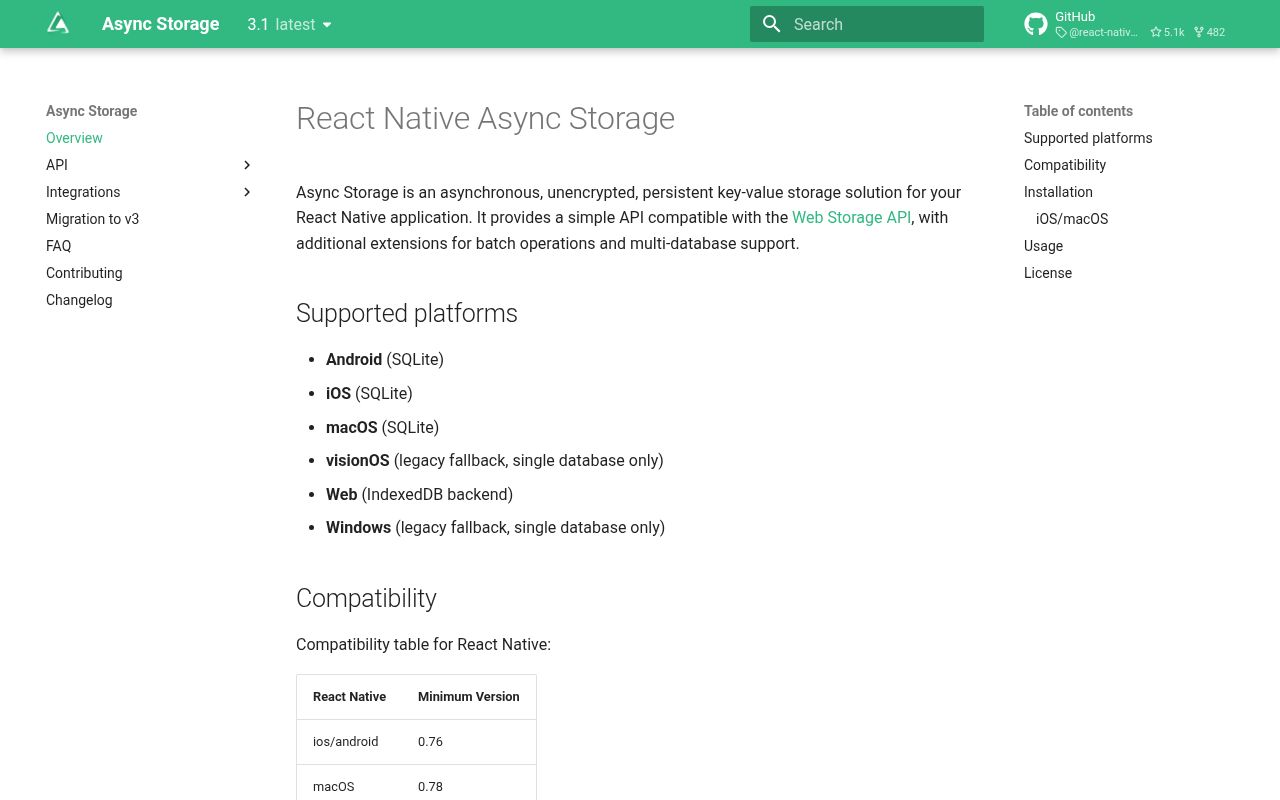
Async Storage is persistent, unencrypted string storage for React Native, with SQLite backends on Android, iOS, and macOS, IndexedDB on web, and a single legacy store on Windows and visionOS. Version 3 replaces the singleton-first design with named storage instances and renames the batch API; 3.1.1 updates the native SQLite and Room dependencies. Our install was much heavier than its small JavaScript bundle because npm pulled a React Native dependency graph and the package itself includes native platform code. Use it for preferences and replaceable cached state, never for credentials.
Async Storage 3.1.1 is a sound place for non-secret React Native preferences and cache state when scoped stores help. Its major-version migration, native setup, 221 MB clean install, and 7 high audit findings all deserve review before an upgrade.
We installed it
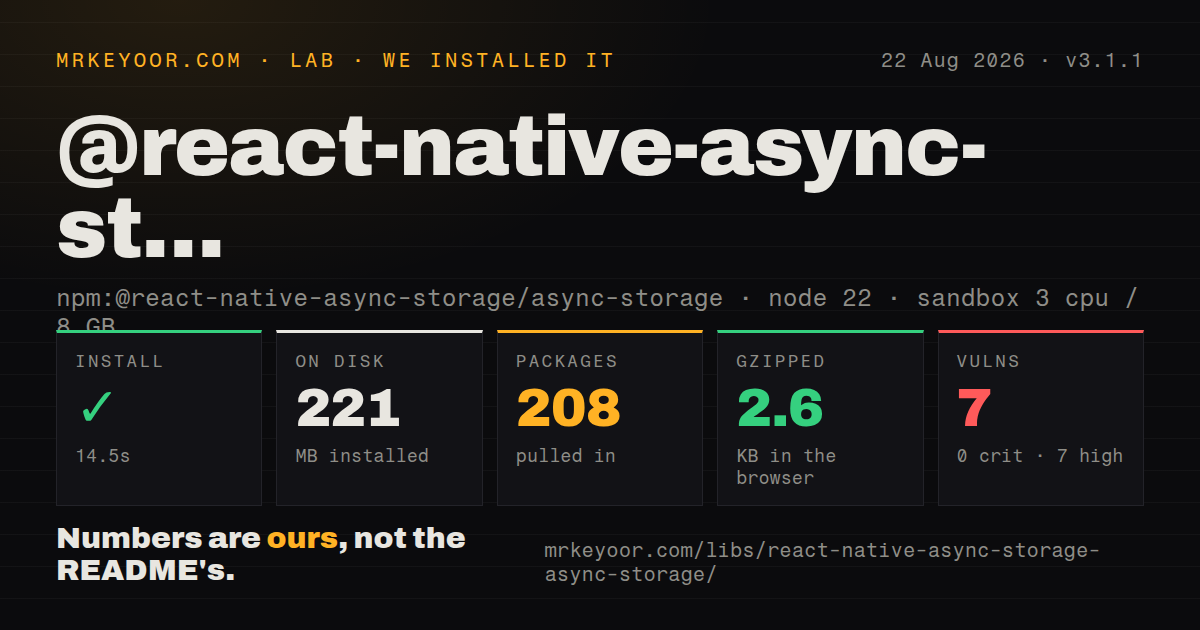
| Install | ✓ · 14.5s | 208 packages on disk · 221 MB |
| Import | ✗ | ESM import fails · require() fails · CommonJS package with exports map |
| Browser | 2.6 KB | gzipped (7.7 KB minified), bundled with esbuild |
| Types | ✓ | TypeScript types bundled |
| Known vulns | 7 | 0 critical · 7 high · 0 moderate · 0 low (npm audit) |
Answers from our run
Does @react-native-async-storage/async-storage install cleanly?
Yes. In a fresh container with an empty cache, npm install @react-native-async-storage/async-storage finished in 15 seconds, leaving 208 packages and 221 MB on disk. npm audit reported 7 known vulnerabilities.
How much does @react-native-async-storage/async-storage add to a browser bundle?
2.6 KB gzipped (7.7 KB minified) when the whole package is bundled for the browser with esbuild. Importing only part of it is usually smaller.
Does @react-native-async-storage/async-storage work with both ESM and CommonJS?
Neither plain import nor require succeeded in our sandbox, so it needs a bundler or extra setup.
Does @react-native-async-storage/async-storage include TypeScript types?
Yes, type declarations ship inside the package, so no @types install is needed.
@react-native-async-storage/async-storage or react-native-mmkv: which should you use?
react-native-mmkv: Use it when synchronous reads and a faster native key-value engine matter more than Async Storage's IndexedDB path. Async Storage 3.1.1 is a sound place for non-secret React Native preferences and cache state when scoped stores help.
When should you not use @react-native-async-storage/async-storage?
The values include passwords, refresh tokens, private keys, or regulated records. The project describes its storage as unencrypted; use Keychain, Keystore, or a secure-store wrapper.
Use it if
- A React Native app needs durable strings for settings, onboarding state, drafts, or JSON cache entries across launches.
- Separate named stores should isolate user data, cache data, or feature state on Android, iOS, macOS, and web.
- Several keys must be written or removed atomically through the version 3 `setMany` and `removeMany` calls.
- Your supported devices meet the version 3 floors, including React Native 0.76 for iOS and Android and Android API 24.
- The values include passwords, refresh tokens, private keys, or regulated records. The project describes its storage as unencrypted; use Keychain, Keystore, or a secure-store wrapper.
- Your app still supports React Native below 0.76 on iOS or Android, Android below API 24, iOS below 13, or the older platform floors listed in the migration guide.
- Windows or visionOS must have independent named databases. Those targets fall back to the version 2 single store and do not support scoped storage.
- Existing code depends on callbacks, `mergeItem`, `multiMerge`, or `useAsyncStorage`. Version 3 removes them, and its other `multi*` methods have new names and shapes.
- You need indexes, filtered queries, record-level updates, or relationships. The public API stores strings by key, so a database layer fits structured data better.
Setup reality
We installed version 3.1.1 in a fresh Node 22 Bookworm container. npm completed in 14.5 seconds, left 208 packages, and used 221 MB on disk. The package has 1 direct dependency, 2 peer dependencies, and 51,316 KB unpacked. npm audit reported 7 known vulnerabilities, all high severity. TypeScript declarations ship in the package. Its measured browser bundle was 7.7 KB minified and 2.6 KB gzipped.
The package has a CommonJS package boundary and an exports map, yet both require() and ESM import failed in our plain Node check under Node.js v22.23.2. That environment has no React Native native module, so validate it inside the actual app toolchain. npm installed the peer graph in our sandbox; your project must provide compatible React and React Native versions. Run pod install for iOS or macOS native projects.
Version 3 code starts with createAsyncStorage('name'). Android, iOS, and macOS turn that name into a SQLite path; web uses it as the IndexedDB database name. Do not include a file extension. Windows and visionOS use one legacy store. The default export also points to legacy version 2 data for migration, while new scoped stores start separately. Plan how old keys move before changing every import.
Values must be strings, so JSON parsing, data-version migration, and corrupt-value handling remain application work. Jest needs the package's in-memory /jest implementation and an ESM transform exception; clear all mock stores between tests. Storage methods can reject with categorized native-module, web, SQLite, other-storage, or unknown errors. Review the 7 high audit findings against the lockfile before shipping, and keep secret material in protected platform storage.
Patterns
Open two isolated stores create-scoped-storage
import {createAsyncStorage} from '@react-native-async-storage/async-storage';

export const userStore = createAsyncStorage('user');
export const cacheStore = createAsyncStorage('cache');
Scoped stores work on Android, iOS, macOS, and web. Windows and visionOS fall back to one legacy store.
Save and read one string store-string
await userStore.setItem('theme', 'dark');

const theme = await userStore.getItem('theme');
if (theme === null) {
  applyDefaultTheme();
}
A missing key returns null. An empty string is a stored value, so do not use a truthiness check.
Persist JSON with a schema version store-versioned-json
const record = {version: 2, theme: 'dark', fontScale: 1.1};
await userStore.setItem('preferences', JSON.stringify(record));

const raw = await userStore.getItem('preferences');
const saved = raw === null ? null : JSON.parse(raw);
Async Storage accepts strings only. Validate the parsed object and migrate older versions before use.
Delete one optional value remove-item
await userStore.removeItem('draft');Removing a missing key resolves without an error. Do not use this store for authentication secrets.
Write several keys atomically write-atomic-batch
await userStore.setMany({
  theme: 'dark',
  locale: 'en-GB',
  onboardingComplete: 'true',
});
Version 3 accepts a record in `setMany`; the older `multiSet` tuple-array shape does not apply.
Fetch several keys in one call read-batch
const values = await userStore.getMany(['theme', 'locale', 'draft']);
console.log(values.theme, values.locale);
if (values.draft === null) {
  createEmptyDraft();
}
getMany returns a record containing every requested key and null for each missing value.
Remove a group of keys atomically remove-atomic-batch
await cacheStore.removeMany([
  'feed',
  'feedFetchedAt',
  'feedEtag',
]);
The version 3 name is `removeMany`. Missing keys are ignored.
Inspect keys inside one scope list-store-keys
const keys = await userStore.getAllKeys();
for (const key of keys) {
  console.log(key);
}
Named storage limits this list to the selected scope on platforms that support multiple stores.
Clear a cache store clear-one-scope
const keysBefore = await cacheStore.getAllKeys();
await cacheStore.clear();
console.log(`removed ${keysBefore.length} cache entries`);
clear is destructive within that store. Keep user-owned settings and replaceable cache data in different scopes.
Move a key from the legacy singleton migrate-legacy-data
import LegacyStorage, {createAsyncStorage} from '@react-native-async-storage/async-storage';

const current = createAsyncStorage('user');
const oldTheme = await LegacyStorage.getItem('theme');
if (oldTheme !== null) {
  await current.setItem('theme', oldTheme);
  await LegacyStorage.removeItem('theme');
}
Write the new store before deleting the legacy value so an interrupted migration can retry safely.
Branch on the documented error type classify-storage-error
import {AsyncStorageError} from '@react-native-async-storage/async-storage';

try {
  await userStore.setItem('theme', 'dark');
} catch (error) {
  if (error instanceof AsyncStorageError) {
    reportStorageFailure(error.type, error.message);
  } else {
    throw error;
  }
}
The type distinguishes native-module, web, SQLite, other-storage, and unknown failures. Do not turn every write failure into a cache miss.
Load and reset the Jest store mock-storage-in-jest
jest.mock('@react-native-async-storage/async-storage', () =>
  require('@react-native-async-storage/async-storage/jest')
);

const {clearAllMockStorages} = require('@react-native-async-storage/async-storage/jest');
afterEach(() => clearAllMockStorages());
Jest may also need this package allowed through `transformIgnorePatterns` because the published source path uses ESM.
Alternatives
| Package | Registry | Pick it when |
|---|---|---|
| react-native-mmkv | npm | Use it when synchronous reads and a faster native key-value engine matter more than Async Storage's IndexedDB path. |
| expo-secure-store | npm | Use it in Expo apps for small secrets that need platform-protected storage rather than an unencrypted database. |
| react-native-keychain | npm | Use it for credentials that need Keychain or Keystore access controls and optional biometric policies. |
More mobile guides
react-native · expo · react-native-safe-area-context · react-native-reanimated · react-native-worklets · react-native-svg · the whole shelf →
How this guide is made: grounded in the library's documentation, release notes, changelog, and issue history, on a fixed rubric — not a hands-on install of every release. The 50 most-downloaded entries are additionally install-verified in clean containers. Corrections: contact the desk.