rastermill review
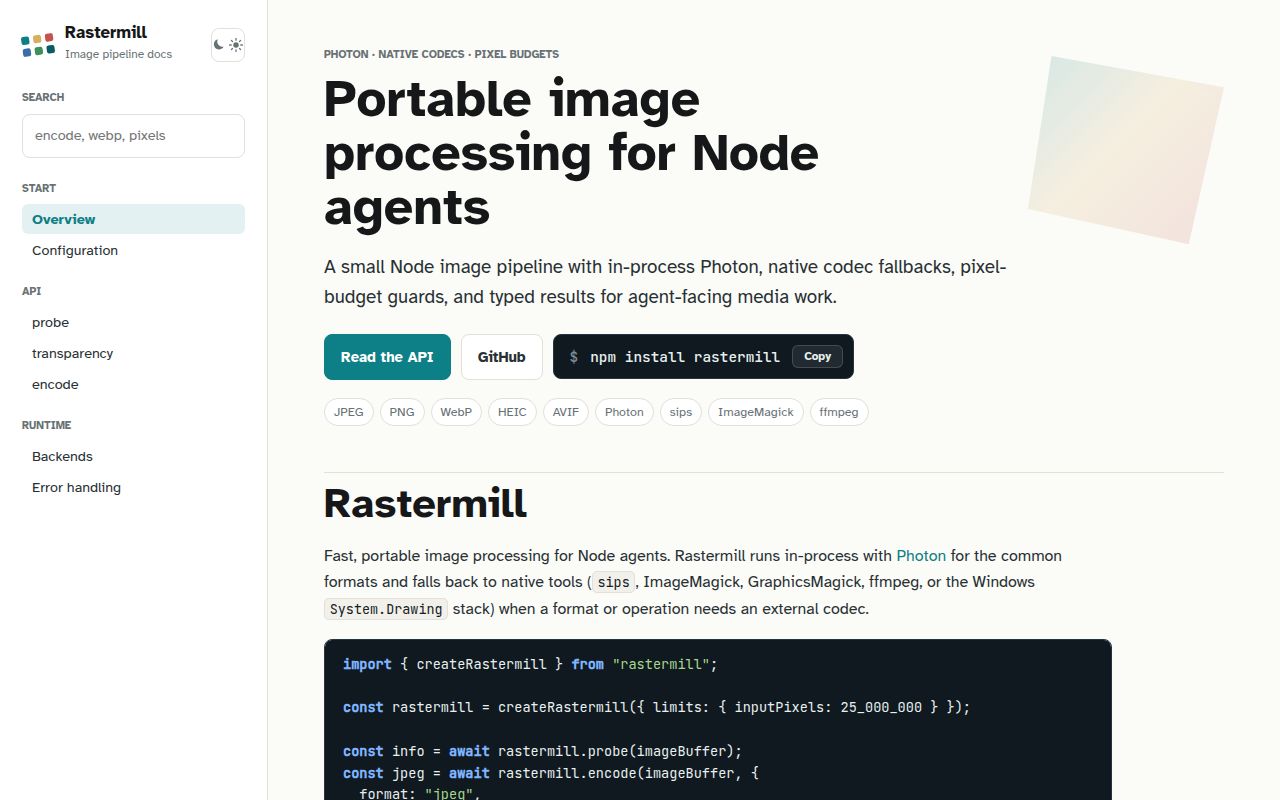
Rastermill 0.3.2 is a Node 22 image-processing API for Buffer, Uint8Array, and ArrayBuffer input. It probes headers, decodes pixels to distinguish an alpha channel from real transparency, resizes and crops, converts among common raster formats, and searches dimensions or quality to fit raw and base64 byte limits. Photon handles supported formats in-process; auto and external modes can invoke sips, ImageMagick, GraphicsMagick, ffmpeg, or Windows codecs. Version 0.3.2 fixes HEIF and AVIF orientation, including rotated or mirrored Apple photos, and ties reported geometry to the primary image rather than a larger auxiliary image.
Rastermill 0.3.2 installed in 1.5 seconds as 2 packages using 3 MB with 0 audit findings, but our browser bundle failed and external codecs vary by host. It fits guarded Node 22 transcoding with byte budgets; Sharp remains the safer default for general image pipelines, streams, metadata work, and older runtimes.
We installed it
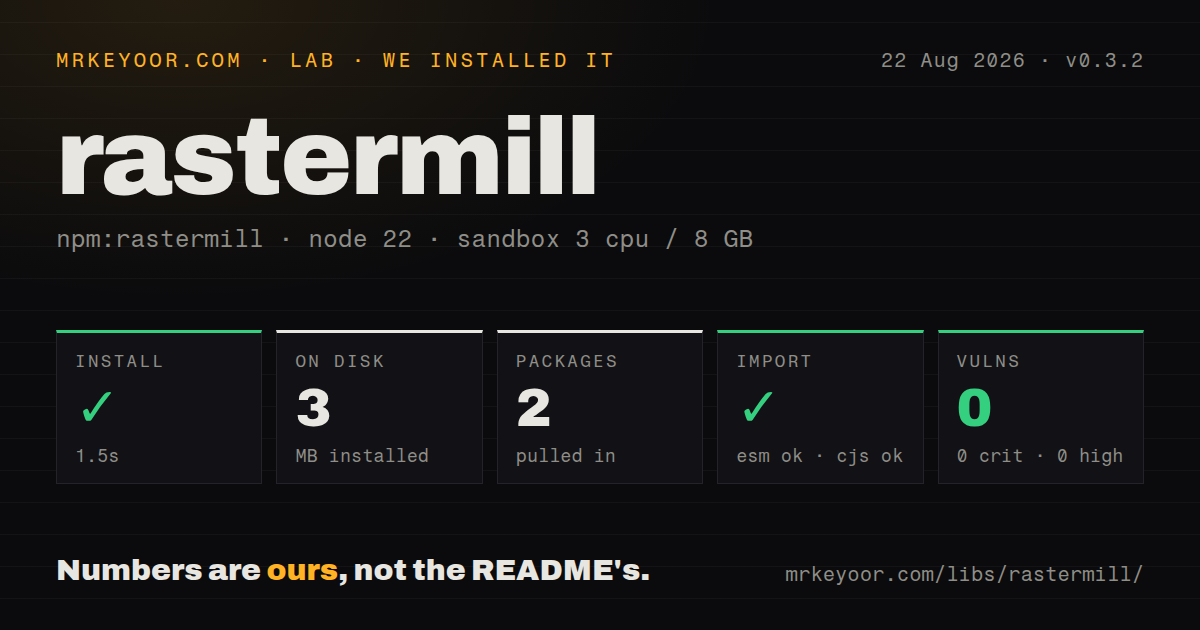
| Install | ✓ · 1.5s | 2 packages on disk · 3 MB |
| Import | ✓ | ESM import works · require() works · ESM package with exports map |
| Browser | n/a | could not be bundled for the browser (Node-only code, most likely) |
| Types | ✓ | TypeScript types bundled |
| Known vulns | 0 | 0 critical · 0 high · 0 moderate · 0 low (npm audit) |
Answers from our run
Does rastermill install cleanly?
Yes. In a fresh container with an empty cache, npm install rastermill finished in 2 seconds, leaving 2 packages and 3 MB on disk. npm audit reported no known vulnerabilities.
Can rastermill run in a browser?
Not directly: esbuild could not bundle it for the browser in our run, which normally means it depends on Node built-ins. Use it on the server, or find a browser-targeted alternative.
Does rastermill work with both ESM and CommonJS?
Yes. Both import 'rastermill' and require('rastermill') worked in Node 22 in our run. The package is published as ESM with an exports map.
Does rastermill include TypeScript types?
Yes, type declarations ship inside the package, so no @types install is needed.
rastermill or sharp: which should you use?
sharp: Choose it for mature libvips pipelines, file and stream input, wider transforms, and a much longer production history. Rastermill 0.3.2 installed in 1.5 seconds as 2 packages using 3 MB with 0 audit findings, but our browser bundle failed and external codecs vary by host.
When should you not use rastermill?
Deployment uses Node 20, a browser, or an edge isolate. Version 0.3.2 declares Node 22 or newer and its browser bundle failed in our check.
Use it if
- Untrusted uploads need header-level input and output pixel budgets before full image processing begins.
- A model, messaging API, or storage layer imposes a raw-byte or base64-byte ceiling and can inspect withinBudget after search.
- Common images should stay in-process while HEIC or AVIF may use explicitly approved native tools on the host.
- Output format should depend on decoded transparent pixels, with separate policy for opaque and transparent images.
- Deployment uses Node 20, a browser, or an edge isolate. Version 0.3.2 declares Node 22 or newer and its browser bundle failed in our check.
- HEIC and AVIF must work where child processes are forbidden. Photon does not decode those formats, so internal mode cannot supply that path.
- Transforms must retain EXIF, GPS, ICC, or XMP. Photon cannot copy that metadata, and actual transformations report it as stripped.
- The application is stream- or path-first. Public input accepts byte containers, so callers must read files and collect streams before Rastermill runs.
- A stable major-version contract is required. The package launched in May 2026, remains at 0.3.2, and version 0.3.0 already removed encodeWithinBytes.
Setup reality
We installed rastermill 0.3.2 in a fresh Node 22 Bookworm sandbox. npm finished in 1.5 seconds, left 2 packages using 3 MB, and reported 0 known vulnerabilities. Rastermill is 228 KB unpacked with 1 direct dependency and no peers. It is ESM with an exports map, bundles declarations, and requires Node 22 or newer. Both require() and ESM import worked on our box. The esbuild browser bundle failed, which matches its server-only byte and process APIs.
The zero-config functions create a lazy auto-mode instance with 25,000,000-pixel input and output budgets. Auto mode may run sips on macOS, PowerShell or System.Drawing on Windows, or ImageMagick, GraphicsMagick, and ffmpeg from PATH. Use execution:internal when child processes are prohibited, accepting no HEIC or AVIF decode and no quality-controlled WebP. Use external mode when native tools are an intentional deployment dependency.
External work creates temporary files, caps captured process output, and applies a per-command timeout. Pick a private writable temp root for multi-tenant services and resolve commands explicitly when PATH is not controlled. Inputs are already-collected bytes, so set request-body limits before allocating them. probe returns null for unknown, malformed, or over-budget headers; transparency and encode throw structured errors.
Real transforms strip metadata. metadata:preserve only succeeds when the original bytes can be returned unchanged. A maxBytes or maxBase64Bytes request is a search, not a guarantee: version 0.3.2 returns its smallest candidate with withinBudget false when none fit. Keep the instance inputPixels limit and per-call output dimensions aligned with your threat model, and always branch on that result flag.
Patterns
Set process and pixel boundaries configure-limits
import { createRastermill } from 'rastermill'
const images = createRastermill({
  execution: 'internal',
  limits: { inputPixels: 20_000_000, outputPixels: 12_000_000 },
  timeoutMs: 15_000,
})
Internal mode forbids child processes, which also removes HEIC, AVIF, and quality-controlled WebP paths.
Inspect dimensions before decoding probe-header
const info = await images.probe(buffer)
if (!info) throw new Error('unknown, malformed, or over-budget image')
console.log(info.format, info.width, info.height, info.orientation)
probe can return null and hasAlpha can be unknown; it does not perform a full pixel decode.
Find actual transparent pixels check-transparency
const alpha = await images.transparency(buffer)
if (alpha.hasTransparentPixels) chooseAlphaFormat()
An RGBA image can have an alpha channel while every pixel is opaque. HEIC and AVIF are unavailable to this in-process check.
Fit within a bounding box resize-inside
const out = await images.encode(buffer, {
  format: 'jpeg', quality: 85,
  resize: { width: 1600, height: 1200, fit: 'inside' },
})
inside preserves aspect ratio and avoids enlargement unless enlarge:true is set.
Create a centered square crop crop-square
const thumb = await images.encode(buffer, {
  format: 'png', compressionLevel: 9,
  resize: { width: 512, height: 512, fit: 'cover' },
})
cover scales and center-crops. fit:fill stretches to exact dimensions instead.
Convert HEIC through approved fallback convert-heic
const images = createRastermill({ execution: 'auto' })
const jpeg = await images.encode(heicBytes, { format: 'jpeg', quality: 85 })
Version 0.3.2 needs sips, ImageMagick, GraphicsMagick, ffmpeg, or a suitable platform codec for HEIC and AVIF.
Preserve transparency by policy auto-format
const out = await images.encode(buffer, {
  format: 'auto',
  opaque: { format: 'jpeg', quality: 82 },
  transparent: { format: 'png', compressionLevel: 9 },
  transparency: 'preserve',
})
Auto selection uses decoded transparent pixels. preserve will not flatten alpha just to make a smaller opaque output.
Search under a raw byte ceiling fit-raw-budget
const out = await images.encode(buffer, {
  format: 'jpeg', maxBytes: 500_000,
  search: { maxSide: [1600, 1280, 1024], quality: [85, 75, 65] },
})
if (!out.withinBudget) throw new Error(`smallest is ${out.bytes} bytes`)
The returned candidate can still exceed 500,000 bytes. withinBudget is the authoritative outcome.
Budget an encoded API payload fit-base64-budget
const out = await images.encode(buffer, {
  format: 'auto', maxBase64Bytes: 4_500_000,
  limits: { maxWidth: 2000, maxHeight: 2000 },
})
if (!out.withinBudget) throw new Error('payload too large')
Use result.base64Bytes rather than estimating expansion from raw bytes.
Cancel a slow conversion cancel-encode
const controller = new AbortController()
const timer = setTimeout(() => controller.abort(), 10_000)
try {
  return await images.encode(buffer, { format: 'jpeg', signal: controller.signal })
} finally { clearTimeout(timer) }
The instance timeout is per external command; AbortSignal controls the caller's overall request.
Map structured failures to responses handle-policy-error
import { isRastermillError, isRastermillUnavailableError } from 'rastermill'
try { return await images.encode(buffer, { format: 'jpeg' }) }
catch (error) {
  if (isRastermillUnavailableError(error)) return { status: 415 }
  if (isRastermillError(error) && error.code === 'RASTERMILL_INPUT_TOO_LARGE') return { status: 413 }
  throw error
}
Backend absence and an over-budget image are different failures; keep malformed input and timeouts distinct too.
Request metadata preservation for no-op output preserve-noop-bytes
const out = await images.encode(buffer, {
  format: 'auto', metadata: 'preserve',
  limits: { maxWidth: 4096, maxHeight: 4096 },
})
Metadata survives only if Rastermill returns original bytes unchanged. Any real transform strips EXIF, GPS, ICC, and XMP.
Alternatives
| Package | Registry | Pick it when |
|---|---|---|
| sharp | npm | Choose it for mature libvips pipelines, file and stream input, wider transforms, and a much longer production history. |
| jimp | npm | Choose it for a JavaScript-oriented image API when its performance and codec set fit the workload. |
| pureimage | npm | Choose it when drawing and canvas-style composition matter more than codec fallback and byte-budget search. |
More utils guides
lru-cache · type-fest · ajv · zod · p-limit · find-up · the whole shelf →
How this guide is made: grounded in the library's documentation, release notes, changelog, and issue history, on a fixed rubric — not a hands-on install of every release. The 50 most-downloaded entries are additionally install-verified in clean containers. Corrections: contact the desk.