psycopg2-binary review
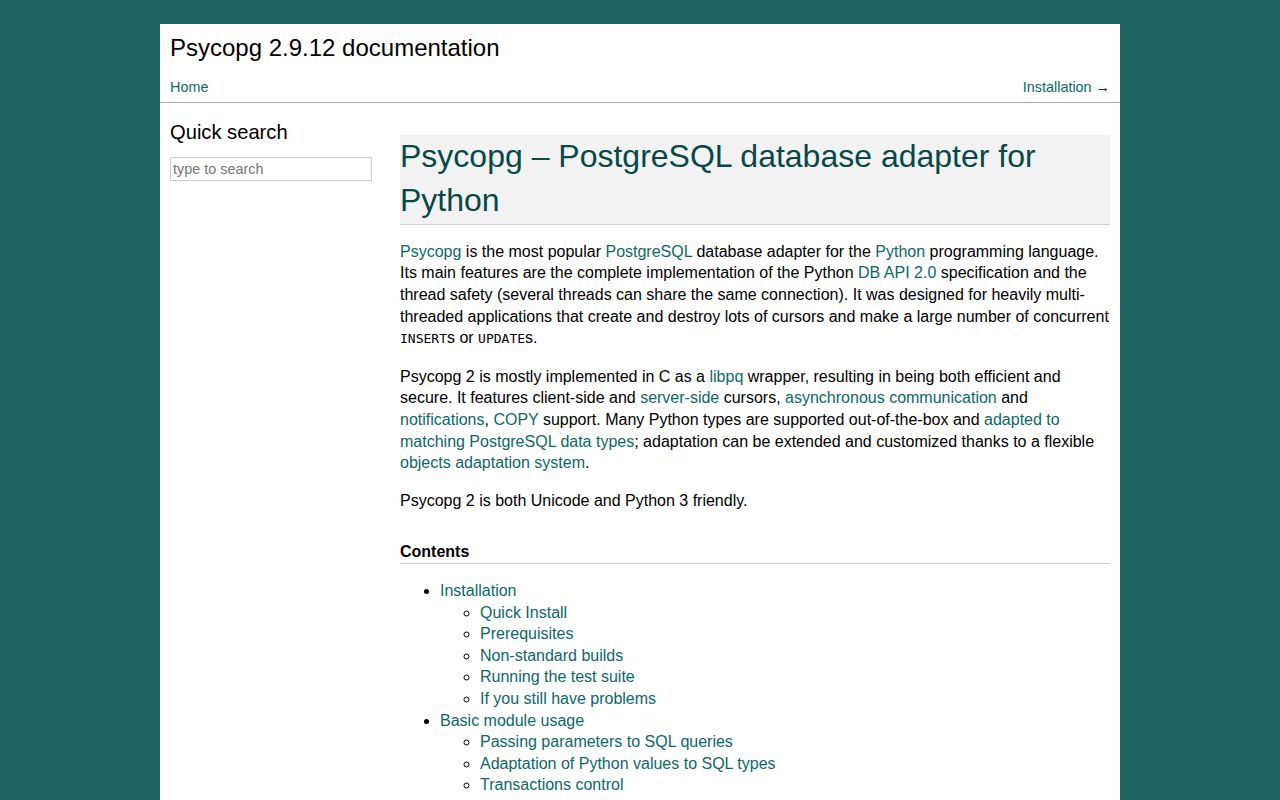
psycopg2-binary installs the Psycopg 2 PostgreSQL adapter as a prebuilt wheel. Application code still imports psycopg2 and gets DB API 2.0 connections, cursors, transactions, COPY, PostgreSQL type adaptation, server-side cursors, and LISTEN/NOTIFY through libpq-backed native code. Version 2.9.12 keeps the maintenance line compatible with current Python and PostgreSQL releases; new driver features go to Psycopg 3. Our sandbox confirmed a compiled, dependency-free wheel, but it did not include py.typed.
Keep psycopg2-binary where an existing synchronous Psycopg 2 application depends on its API and easy wheels. Start new work on Psycopg 3, and follow the Psycopg 2 maintainers' source-build advice before choosing the binary distribution for production.
We installed it
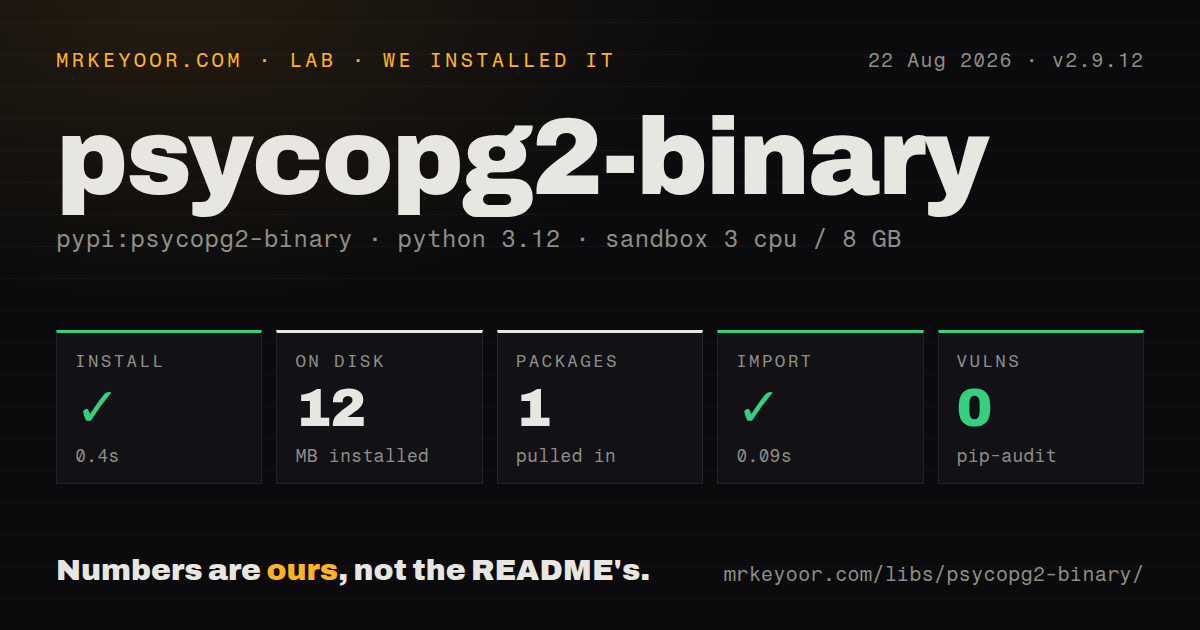
| Install | ✓ · 0.4s | 1 package on disk · 12 MB |
| Import | ✓ | import psycopg2 in 0.09s · compiled extensions · requires Python >=3.9 |
| Known vulns | 0 | (pip-audit) |
Answers from our run
Does psycopg2-binary install cleanly?
Yes. In a fresh container with an empty cache, pip install psycopg2-binary finished in 0.4s, leaving 1 package and 12 MB on disk. pip-audit reported no known vulnerabilities.
What does psycopg2-binary need to run?
Python >=3.9, and a platform wheel with compiled extensions. In our run import psycopg2 succeeded in 0.09s.
psycopg2-binary or psycopg: which should you use?
psycopg: Psycopg 3, the successor where development happens: new projects, async support, pipeline mode. Keep psycopg2-binary where an existing synchronous Psycopg 2 application depends on its API and easy wheels.
When should you not use psycopg2-binary?
You are starting a new project: the README itself says psycopg2 is not expected to receive new features and points new projects to Psycopg 3, which adds native async, pipeline mode, and a saner parameter binding model
Use it if
- You maintain an existing codebase, Django project, or SQLAlchemy 1.x stack that already speaks psycopg2; it is stable, fast, and not going anywhere
- You need painless installs in CI, containers, and developer laptops without apt-get install libpq-dev and a compiler
- You depend on the mature psycopg2 extension surface: RealDictCursor, execute_values, sql.Identifier composition, COPY support, LISTEN/NOTIFY
- You need a synchronous driver with well-understood transaction semantics and thousands of documented answers for every edge case
- You are starting a new project: the README itself says psycopg2 is not expected to receive new features and points new projects to Psycopg 3, which adds native async, pipeline mode, and a saner parameter binding model
- You need asyncio: psycopg2 is synchronous only, so async web frameworks need asyncpg or psycopg 3 instead
- You are shipping the -binary wheel to production against upstream advice: the docs recommend building psycopg2 from source for production because the wheel's bundled libpq and OpenSSL can conflict with other libraries in the same process (the classic case is SSL errors alongside other ssl users)
- You want server-side prepared statements or modern Postgres features to keep arriving; feature development stopped here years ago by design
Setup reality
Our fresh Python 3.12 installation of psycopg2-binary 2.9.12 succeeded in 0.4 seconds. One package used 12 MB, pip-audit reported no known vulnerabilities, and import psycopg2 completed in 0.09 seconds. The wheel has compiled .so files, no direct dependencies, and requires Python 3.9 or newer. It uses the LGPL with exceptions and does not ship py.typed.
The binary distribution avoids pg_config, PostgreSQL development headers, and a compiler by carrying its own native libraries. That convenience has a production caveat from the project itself: use a source-built psycopg2 package for production because bundled libpq and SSL libraries may conflict with other extensions or lag system security updates. Do not list psycopg2 and psycopg2-binary together. They expose the same import and can make environments differ by whichever distribution won installation.
A connection starts transactions automatically, including for plain SELECT statements, and autocommit is false. Commit successful work or roll it back promptly; an exception leaves the transaction failed until rollback, and idle-in-transaction sessions retain locks and snapshots. The connection context manager commits or rolls back but does not close the connection. Credentials normally arrive in a PostgreSQL DSN or libpq environment variables, so redact exception text and process listings that may contain passwords.
Connections may be shared by threads under the documented thread-safety level, but cursors serialize work through that connection and transactions are shared state. Do not share connections across forked processes. The driver is synchronous; its historical asynchronous connection mode is not an asyncio-native replacement. Named cursors stream large results but require an open transaction unless declared withhold. The built-in pools are small utilities without the health checks, acquisition timeouts, or process-level multiplexing supplied by SQLAlchemy pools or PgBouncer.
Patterns
Connect and run a query connect-and-query
import psycopg2

conn = psycopg2.connect(
    'postgresql://user:pass@localhost:5432/mydb'
)
with conn.cursor() as cur:
    cur.execute('SELECT id, name FROM users WHERE active = %s', (True,))
    rows = cur.fetchall()
conn.commit()
Parameters are always %s regardless of column type; never use f-strings or .format to build SQL.
Get rows as dictionaries dict-rows
from psycopg2.extras import RealDictCursor

with conn.cursor(cursor_factory=RealDictCursor) as cur:
    cur.execute('SELECT id, name FROM users')
    for row in cur.fetchall():
        print(row['name'])
Default cursors return plain tuples; RealDictCursor costs a little memory but saves index-counting bugs.
Commit or roll back automatically transaction-context
with conn:
    with conn.cursor() as cur:
        cur.execute('UPDATE accounts SET balance = balance - %s WHERE id = %s', (100, 1))
        cur.execute('UPDATE accounts SET balance = balance + %s WHERE id = %s', (100, 2))
# committed on success, rolled back on exception
with conn commits the transaction but does NOT close the connection; that asymmetry bites everyone once.
Insert many rows fast bulk-insert
from psycopg2.extras import execute_values

execute_values(
    cur,
    'INSERT INTO events (ts, kind, payload) VALUES %s',
    rows,  # list of tuples
    page_size=1000,
)
execute_values is dramatically faster than executemany, which sends one statement per row.
Bulk load with COPY copy-bulk-load
with open('data.csv') as f:
    cur.copy_expert(
        "COPY events (ts, kind, payload) FROM STDIN WITH (FORMAT csv, HEADER true)",
        f,
    )
conn.commit()
COPY is the fastest ingestion path by far; copy_expert gives you full COPY syntax unlike the older copy_from.
Build SQL with dynamic table or column names dynamic-identifiers
from psycopg2 import sql

query = sql.SQL('SELECT {fields} FROM {table} WHERE id = %s').format(
    fields=sql.SQL(', ').join(map(sql.Identifier, ['id', 'name'])),
    table=sql.Identifier('users'),
)
cur.execute(query, (42,))
%s placeholders cannot carry identifiers; sql.Identifier quotes them correctly and blocks injection.
Stream a huge result set server-side-cursor
with conn.cursor(name='big_scan') as cur:  # named = server-side
    cur.itersize = 10000
    cur.execute('SELECT * FROM events')
    for row in cur:
        process(row)
An unnamed cursor fetches the entire result into memory; naming the cursor keeps rows on the server and streams them.
Pool connections in a threaded app connection-pool
from psycopg2.pool import ThreadedConnectionPool

pool = ThreadedConnectionPool(minconn=1, maxconn=10, dsn=DSN)
conn = pool.getconn()
try:
    with conn, conn.cursor() as cur:
        cur.execute('SELECT 1')
finally:
    pool.putconn(conn)
The built-in pool is basic (no health checks or timeouts); most production stacks pool via SQLAlchemy or pgbouncer instead.
Run statements outside a transaction autocommit-ddl
conn.autocommit = True
with conn.cursor() as cur:
    cur.execute('CREATE DATABASE analytics')
    cur.execute('VACUUM events')
CREATE DATABASE and VACUUM refuse to run inside a transaction block, which is exactly where psycopg2 puts you by default.
Write and read jsonb json-columns
from psycopg2.extras import Json

cur.execute(
    'INSERT INTO docs (meta) VALUES (%s)',
    (Json({'tags': ['a', 'b'], 'v': 2}),),
)
cur.execute('SELECT meta FROM docs')
meta = cur.fetchone()[0]  # already a dict
Wrap dicts in Json() on the way in; jsonb comes back as parsed Python objects automatically.
React to LISTEN/NOTIFY events listen-notify
import select

conn.autocommit = True
cur = conn.cursor()
cur.execute('LISTEN jobs')
while True:
    if select.select([conn], [], [], 5) != ([], [], []):
        conn.poll()
        while conn.notifies:
            note = conn.notifies.pop(0)
            print(note.channel, note.payload)
Requires autocommit; notifications only arrive after poll() and queue on conn.notifies.
Handle Postgres errors by class error-handling
import psycopg2
from psycopg2 import errors

try:
    cur.execute('INSERT INTO users (email) VALUES (%s)', (email,))
    conn.commit()
except errors.UniqueViolation:
    conn.rollback()
    raise DuplicateEmail(email)
except psycopg2.OperationalError:
    conn.rollback()
    reconnect()
After any error the connection is in a failed transaction; every statement raises InFailedSqlTransaction until you rollback().
Alternatives
| Package | Registry | Pick it when |
|---|---|---|
| psycopg | PyPI | Psycopg 3, the successor where development happens: new projects, async support, pipeline mode |
| asyncpg | PyPI | Pure-asyncio applications that want the fastest Postgres driver and do not need DB API compatibility |
| pg8000 | PyPI | You need a pure-Python driver with no C or libpq dependency at all, for example in restricted build environments |
More data guides
numpy · pandas · fsspec · pyarrow · lxml · sqlalchemy · the whole shelf →
How this guide is made: grounded in the library's documentation, release notes, changelog, and issue history, on a fixed rubric — not a hands-on install of every release. The 50 most-downloaded entries are additionally install-verified in clean containers. Corrections: contact the desk.