psycopg review
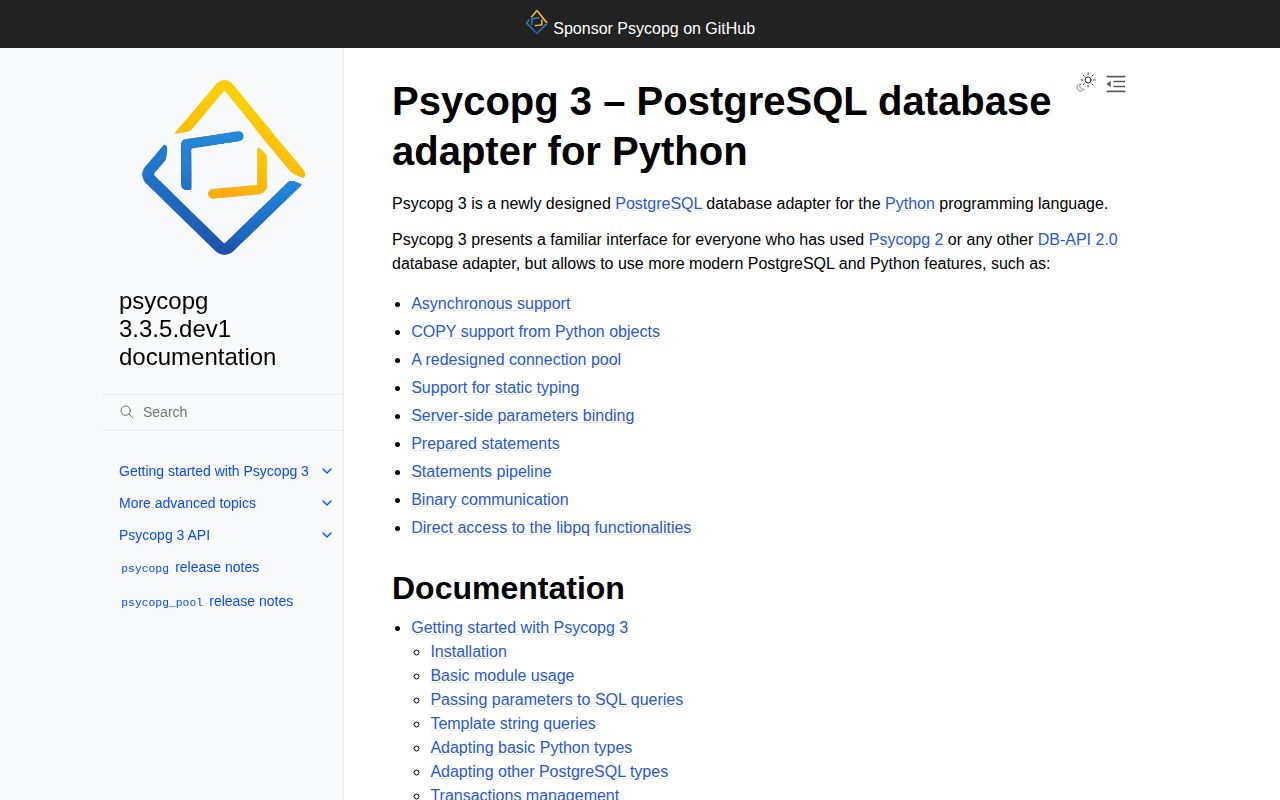
Psycopg 3.3.4 is a PostgreSQL adapter for Python with synchronous and asyncio connections, DB-API-style cursors, server-side binding, binary transfer, COPY support, pipeline mode, composable SQL, and typed row factories. The base `psycopg` wheel contains the pure-Python implementation, while `psycopg[binary]` adds a self-contained optimized build and `psycopg[c]` compiles against local PostgreSQL libraries. Version 3.3.4 fixes false connection timeouts on systems with very long uptime, quoted enum-name adaptation, and missing `statusmessage` values after `executemany()`.
Psycopg 3.3.4 installed in 0.2 seconds, occupied 2 MB across 2 packages, imported in 0.63 seconds, and returned 0 audit findings in our sandbox. Install it for explicit PostgreSQL work on Python 3.10+, but choose the libpq packaging method and connection-per-transaction concurrency model before deployment.
We installed it
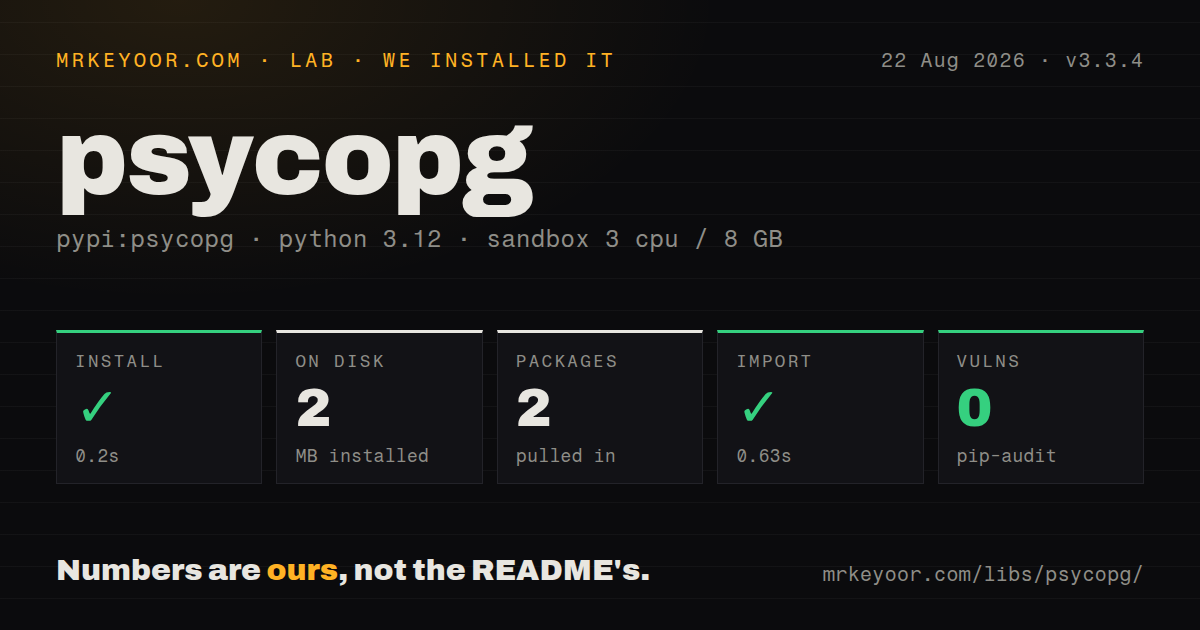
| Install | ✓ · 0.2s | 2 packages on disk · 2 MB |
| Import | ✓ | import psycopg in 0.63s · pure Python · py.typed · requires Python >=3.10 |
| Known vulns | 0 | (pip-audit) |
Answers from our run
Does psycopg install cleanly?
Yes. In a fresh container with an empty cache, pip install psycopg finished in 0.2s, leaving 2 packages and 2 MB on disk. pip-audit reported no known vulnerabilities.
What does psycopg need to run?
Python >=3.10, and nothing compiled: it is pure Python. In our run import psycopg succeeded in 0.63s, and the package ships py.typed for type checkers.
psycopg or asyncpg: which should you use?
asyncpg: Use it for an asyncio-only PostgreSQL service that prefers its native record and prepared-statement API over DB-API compatibility. Psycopg 3.3.4 installed in 0.2 seconds, occupied 2 MB across 2 packages, imported in 0.63 seconds, and returned 0 audit findings in our sandbox.
When should you not use psycopg?
The deployment cannot supply libpq and policy forbids the binary extra. The pure-Python package still loads PostgreSQL's client library at runtime.
Discussed on
- hnBuilding a Django driver for Psycopg 3171 points
- hnDifferences from Psycopg246 points
- hnPsycopg 2.9 Released29 points
- hnPsycopg 3.2 released – PostgreSQL driver for Python24 points
- hnPsycopg 3.0 Released7 points
Use it if
- A Python 3.10 or newer service talks directly to PostgreSQL and needs sync, async, COPY, or pipeline APIs.
- SQL should stay explicit while parameters, PostgreSQL types, and result rows receive reliable adaptation.
- The application needs server-side cursors or binary COPY for data volumes that should not be materialized at once.
- One driver should support ordinary DB-API code and asyncio without switching to a separate PostgreSQL client.
- The deployment cannot supply `libpq` and policy forbids the binary extra. The pure-Python package still loads PostgreSQL's client library at runtime.
- Python 3.9 must remain supported. Psycopg 3.3.4 requires Python 3.10 or newer; psycopg2 or an older Psycopg 3 line may be the migration bridge.
- You expect an ORM, schema migrations, or model relationships. Psycopg executes PostgreSQL operations but does not map application models or manage schema history.
- The app treats one connection as safely shareable among concurrent transactions. Connections serialize command execution, and all cursors on a connection share the same transaction.
- You need a built-in pool from the base install. Pool classes ship as the separate `psycopg-pool` distribution or the `psycopg[pool]` extra.
Setup reality
We installed psycopg 3.3.4 in a fresh Python 3.12 Bookworm sandbox in 0.2 seconds. The result was 2 packages and 2 MB on disk. import psycopg worked in 0.63 seconds, and pip-audit reported 0 known vulnerabilities. The measured package was pure Python, included py.typed, declared 28 direct dependencies in its full metadata, and required Python 3.10 or newer. PyPI did not publish a license value for this distribution.
The small base wheel is not self-contained: its pure-Python implementation still needs a usable libpq on the host. pip install 'psycopg[binary]' is the quick deployment path with bundled native components. psycopg[c] builds the extension locally and needs a compiler, Python headers, pg_config, and matching libpq development files. Choose one policy deliberately, since containers can import successfully on one base image and fail on another that lacks the shared library.
A connection starts a transaction on the first database command, including a SELECT, unless autocommit is enabled. Leaving it open can produce an idle-in-transaction session and retain locks or old row versions. Use connection context managers or explicit commit() and rollback(). Parameters always use %s placeholders and a second argument; table and column names require psycopg.sql.Identifier, never string interpolation.
Async connections still execute one command at a time per connection. Separate tasks may own separate cursors, but their work shares the connection's transaction and error state. Use a pool for independent concurrent transactions. Server cursors stream results but hold server resources until closed. Pipeline mode reduces network round trips without making dependent SQL parallel, and an error can surface when the pipeline synchronizes rather than on the exact enqueue call.
Patterns
Run a parameterized query connect-and-query
import psycopg

with psycopg.connect(DATABASE_URL) as conn:
    with conn.cursor() as cur:
        cur.execute(
            'select id, email from app_user where id = %s',
            (user_id,),
        )
        row = cur.fetchone()
A 1-item parameter tuple needs the trailing comma, and `%s` is used regardless of the Python value type.
Fetch rows by column name return-dict-rows
from psycopg.rows import dict_row

with psycopg.connect(DATABASE_URL, row_factory=dict_row) as conn:
    user = conn.execute(
        'select id, email from app_user where id = %s', (user_id,)
    ).fetchone()
print(user['email'])
The `dict_row` factory changes every result on that connection from tuples to dictionaries keyed by selected column names.
Insert a safe dynamic table name compose-identifiers
from psycopg import sql

query = sql.SQL('select count(*) from {} where tenant_id = %s').format(
    sql.Identifier(table_name)
)
count = conn.execute(query, (tenant_id,)).fetchone()[0]
`Identifier` quotes the 1 table name; values still belong in `%s` parameters and must not enter `SQL.format`.
Commit a unit of work control-transaction
with psycopg.connect(DATABASE_URL) as conn:
    with conn.transaction():
        conn.execute('update account set balance = balance - %s where id = %s', (amount, source))
        conn.execute('update account set balance = balance + %s where id = %s', (amount, target))
An exception exits the transaction block with a rollback; both statements share 1 database transaction.
Run a command outside a transaction use-autocommit
with psycopg.connect(DATABASE_URL, autocommit=True) as conn:
    conn.execute('vacuum analyze app_event')
Commands such as `VACUUM` cannot run inside a transaction, and autocommit also avoids idle transactions for isolated reads.
Query with asyncio connect-asynchronously
import psycopg

async with await psycopg.AsyncConnection.connect(DATABASE_URL) as conn:
    async with conn.cursor() as cur:
        await cur.execute('select payload from job where id = %s', (job_id,))
        row = await cur.fetchone()
One async connection serializes commands; use more than 1 pooled connection for independent concurrent transactions.
Read a large result incrementally stream-server-cursor
with psycopg.connect(DATABASE_URL) as conn:
    with conn.cursor(name='event_stream') as cur:
        cur.execute('select id, payload from app_event order by id')
        for row in cur:
            process(row)
A named cursor keeps state on PostgreSQL and must remain inside the open connection and transaction until iteration finishes.
Load rows through COPY copy-records
rows = [(1, 'queued'), (2, 'done')]
with conn.cursor() as cur:
    with cur.copy('COPY job (id, state) FROM STDIN') as copy:
        for row in rows:
            copy.write_row(row)
`write_row` adapts Python values, but COPY options such as CSV formatting do not apply to this row-by-row mode.
Insert a parameter batch batch-execute
with conn.cursor() as cur:
    cur.executemany(
        'insert into metric (name, value) values (%s, %s)',
        [('latency', 12), ('errors', 0)],
    )
    print(cur.statusmessage)
Version 3.3.4 consistently fills `statusmessage` after `executemany()`; use COPY when the batch is much larger.
Queue independent commands in a pipeline pipeline-round-trips
with conn.pipeline():
    for event in events:
        conn.execute(
            'insert into app_event (kind, payload) values (%s, %s)',
            (event.kind, event.payload),
        )
Pipeline mode reduces network waits for many commands but does not execute them in parallel, and errors can appear at synchronization.
Borrow a connection per request open-connection-pool
from psycopg_pool import ConnectionPool

pool = ConnectionPool(DATABASE_URL, min_size=2, max_size=10)
with pool.connection() as conn:
    result = conn.execute('select now()').fetchone()
pool.close()
Install the separate `psycopg-pool` package or `psycopg[pool]`; the base 2-package lab install did not include it.
Send a JSON document adapt-json-value
from psycopg.types.json import Jsonb

payload = {'kind': 'build', 'ok': True}
conn.execute(
    'insert into app_event (payload) values (%s)',
    (Jsonb(payload),),
)
Wrap dictionaries in `Json` or `Jsonb` so Psycopg selects the intended PostgreSQL type instead of guessing from a Python mapping.
Alternatives
| Package | Registry | Pick it when |
|---|---|---|
| asyncpg | PyPI | Use it for an asyncio-only PostgreSQL service that prefers its native record and prepared-statement API over DB-API compatibility. |
| pg8000 | PyPI | Use it when a pure-Python PostgreSQL protocol implementation is required without a system `libpq`. |
| psycopg2-binary | PyPI | Use it as a compatibility bridge for mature Psycopg 2 code or Python versions outside Psycopg 3's current range. |
| sqlalchemy | PyPI | Use it when SQL expression building, mapping, and engine-level pooling are required above a PostgreSQL driver. |
More data guides
numpy · pandas · fsspec · pyarrow · lxml · sqlalchemy · the whole shelf →
How this guide is made: grounded in the library's documentation, release notes, changelog, and issue history, on a fixed rubric — not a hands-on install of every release. The 50 most-downloaded entries are additionally install-verified in clean containers. Corrections: contact the desk.