piccolore review
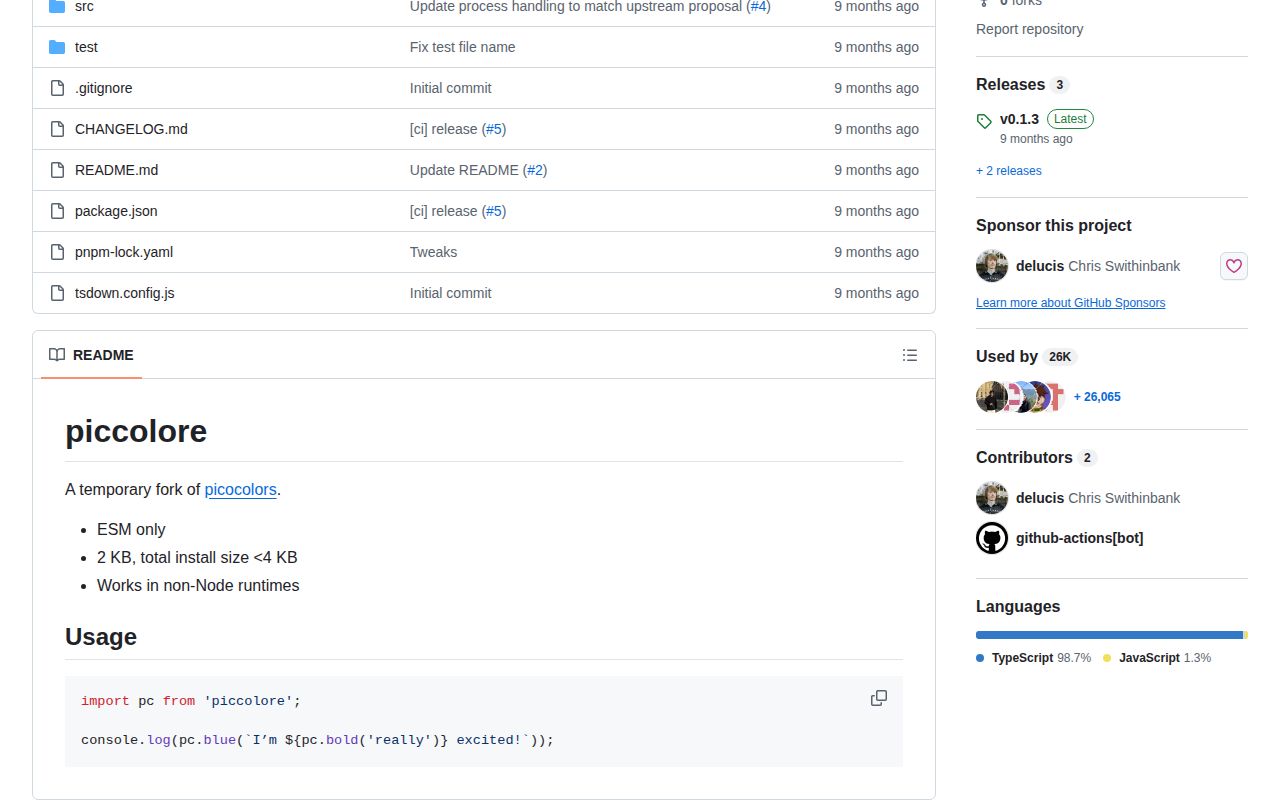
Piccolore 0.1.3 is a zero-dependency terminal styling library whose full-import browser build measured 2 KB minified. It exposes plain functions for the standard 16 ANSI foreground colors, bright variants, matching backgrounds, and modifiers such as bold, dim, underline, inverse, and strikethrough. createColors can force all styles on or off, while the default export detects command flags, environment variables, TTY state, Windows, TERM, and CI. The project describes itself as a temporary ESM fork of picocolors for non-Node runtimes. Version 0.1.3 updates process handling to match an upstream picocolors change. It does not provide RGB colors, terminal layout, prompts, log routing, or a chainable style API.
Piccolore 0.1.3 installed in 0.7 seconds, left 1 MB on our box, and bundled to 0.7 KB gzipped with no audit findings. It fits ESM tools that specifically need picocolors-style output outside Node; most Node CLIs should prefer the upstream picocolors package.
We installed it
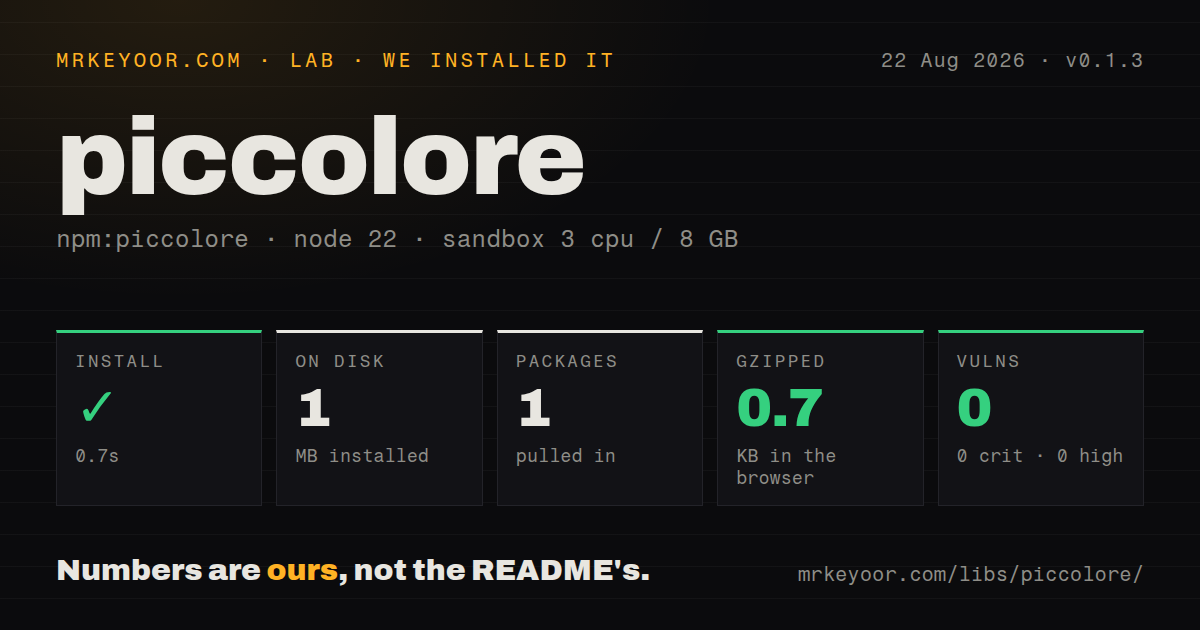
| Install | ✓ · 0.7s | 1 package on disk · 1 MB |
| Import | ✓ | ESM import works · require() works · ESM package with exports map |
| Browser | 0.7 KB | gzipped (2 KB minified), bundled with esbuild |
| Types | — | no TypeScript types found |
| Known vulns | 0 | 0 critical · 0 high · 0 moderate · 0 low (npm audit) |
Answers from our run
Does piccolore install cleanly?
Yes. In a fresh container with an empty cache, npm install piccolore finished in 0.7s, leaving 1 package and 1 MB on disk. npm audit reported no known vulnerabilities.
How much does piccolore add to a browser bundle?
0.7 KB gzipped (2 KB minified) when the whole package is bundled for the browser with esbuild. Importing only part of it is usually smaller.
Does piccolore work with both ESM and CommonJS?
Yes. Both import 'piccolore' and require('piccolore') worked in Node 22 in our run. The package is published as ESM with an exports map.
Does piccolore include TypeScript types?
No type declarations were found in our install, so TypeScript users need their own declarations.
piccolore or picocolors: which should you use?
picocolors: Use the established upstream package when Node compatibility and its tiny ANSI helper API are enough. Piccolore 0.1.3 installed in 0.7 seconds, left 1 MB on our box, and bundled to 0.7 KB gzipped with no audit findings.
When should you not use piccolore?
Long-term package ownership matters. The README calls piccolore a temporary fork, and version 0.1.3 remains below 1.0.
Use it if
- An ESM command-line tool needs fixed ANSI colors and text modifiers without runtime dependencies.
- The same formatter must load where globalThis.process may be absent, such as a browser, worker, or alternate JavaScript runtime.
- Tests need createColors(false) for plain snapshots and createColors(true) for exact escape-sequence assertions.
- The picocolors-style nested function API is already familiar and 16-color output is enough.
- Long-term package ownership matters. The README calls piccolore a temporary fork, and version 0.1.3 remains below 1.0.
- You need TypeScript declarations guaranteed by our package checks. Our install reported no types.
- The output requires 256-color, truecolor, hex, or RGB values. The implementation only contains fixed ANSI color codes and bright variants.
- Developers expect chainable calls such as color.bold.blue(text). Piccolore composes styles by nesting functions.
- A Node-only project has no portability reason to leave picocolors. Piccolore documents no additional formatting capability beyond ESM and non-Node process handling.
Setup reality
We installed piccolore 0.1.3 in a fresh unprivileged Node 22 Bookworm sandbox. npm completed in 0.7 seconds and left 1 package using 1 MB on disk. The package is 24 KB unpacked, declares 0 direct dependencies and 0 peers, and uses the ISC license. npm audit found 0 known vulnerabilities. Both require() and ESM import worked against its ESM package and exports map in our checks. No TypeScript types were found. Our browser build measured 2 KB minified and 0.7 KB gzipped.
There are no credentials, native builds, peers, or config files. The default export decides color support at module initialization. It reads NO_COLOR, --no-color, FORCE_COLOR, --color, Windows, stdout.isTTY, TERM, and CI. Set flags and environment variables before importing. Version 0.1.3's only release-note change is process handling aligned with a picocolors patch, which matters in runtimes where globalThis.process is absent or partial.
Outside Node, automatic detection usually disables colors because stdout and its TTY flag are unavailable. createColors(true) bypasses that check, but redirected files and consumers without ANSI support will then receive escape sequences. createColors(false) keeps one formatting path for snapshots and plain output. Disabled style functions still coerce their argument to a string. NO_COLOR and --no-color take precedence over forcing in the shipped detection expression.
Styles are nested functions, not builders. The implementation repairs nested occurrences of its own closing sequence, so applying the same color inside itself does not prematurely reset the outer style. It reports only a boolean isColorSupported and cannot distinguish 16-color, 256-color, or truecolor terminals. The project has 4 GitHub stars and explicitly calls itself temporary, so use an exact version or choose picocolors when the fork's portability goal is unnecessary.
Patterns
Color one line color-terminal-text
import pc from 'piccolore';

console.log(pc.blue('Build started'));
The default instance decides whether to emit ANSI codes when the module loads.
Nest bold and green combine-color-weight
import pc from 'piccolore';

console.log(pc.bold(pc.green('Build passed')));
Styles are plain functions. There is no pc.bold.green chain.
Color status prefixes format-status-prefixes
import pc from 'piccolore';

const status = {
  info: (text) => pc.cyan('info  ' + text),
  warn: (text) => pc.yellow('warn  ' + text),
  error: (text) => pc.red('error ' + text),
};
console.log(status.warn('Cache is stale'));
Piccolore only returns strings. Timestamps, filtering, and stdout or stderr routing remain caller responsibilities.
Build a failure badge style-background-badge
import pc from 'piccolore';

const badge = pc.bgRed(pc.white(pc.bold(' FAILED ')));
console.error(badge);
Backgrounds use fixed ANSI colors and bright variants; arbitrary RGB or hex backgrounds are unavailable.
Use bright color variants use-bright-ansi-color
import pc from 'piccolore';

console.log(pc.cyanBright('new release'));
console.log(pc.bgBlueBright(pc.black(' preview ')));
The library does not negotiate depth, so an older terminal may render bright and standard colors the same way.
Force colors for a known consumer force-ansi-output
import { createColors } from 'piccolore';

const color = createColors(true);
process.stdout.write(color.magenta(color.bold('colored')) + '\n');
Forced output keeps escapes when redirected. Enable it only when the next consumer understands ANSI.
Create a plain formatter disable-ansi-output
import { createColors } from 'piccolore';

const color = createColors(false);
console.log(color.red(color.bold('plain text')));
Disabled helpers return stringified values without escapes, which is useful for stable snapshots.
Inspect detected support check-color-support
import pc from 'piccolore';

console.log(pc.isColorSupported ? pc.green('color') : 'plain');
The value is boolean. It does not reveal whether the terminal supports 16, 256, or truecolor output.
Honor plain-output requests disable-colors-from-shell
NO_COLOR=1 node ./cli.mjs
node ./cli.mjs --no-color
Both signals are read during import. Changing NO_COLOR after piccolore loads does not rebuild the default instance.
Request colors for redirected output force-colors-from-shell
FORCE_COLOR=1 node ./cli.mjs
node ./cli.mjs --color
A simultaneous NO_COLOR or --no-color signal wins over these force settings.
Alternatives
| Package | Registry | Pick it when |
|---|---|---|
| picocolors | npm | Use the established upstream package when Node compatibility and its tiny ANSI helper API are enough. |
| chalk | npm | Use it when chainable styling, color-depth support, hex or RGB colors, and broader documentation justify more surface. |
| kleur | npm | Use it for a small terminal color package with chainable modifier and color calls. |
| colorette | npm | Use it for compact fixed-color helpers with explicit enable and disable control in a more established package. |
More cli & tooling guides
commander · chalk · typescript · esbuild · yargs · click · the whole shelf →
How this guide is made: grounded in the library's documentation, release notes, changelog, and issue history, on a fixed rubric — not a hands-on install of every release. The 50 most-downloaded entries are additionally install-verified in clean containers. Corrections: contact the desk.