parse-css-color review
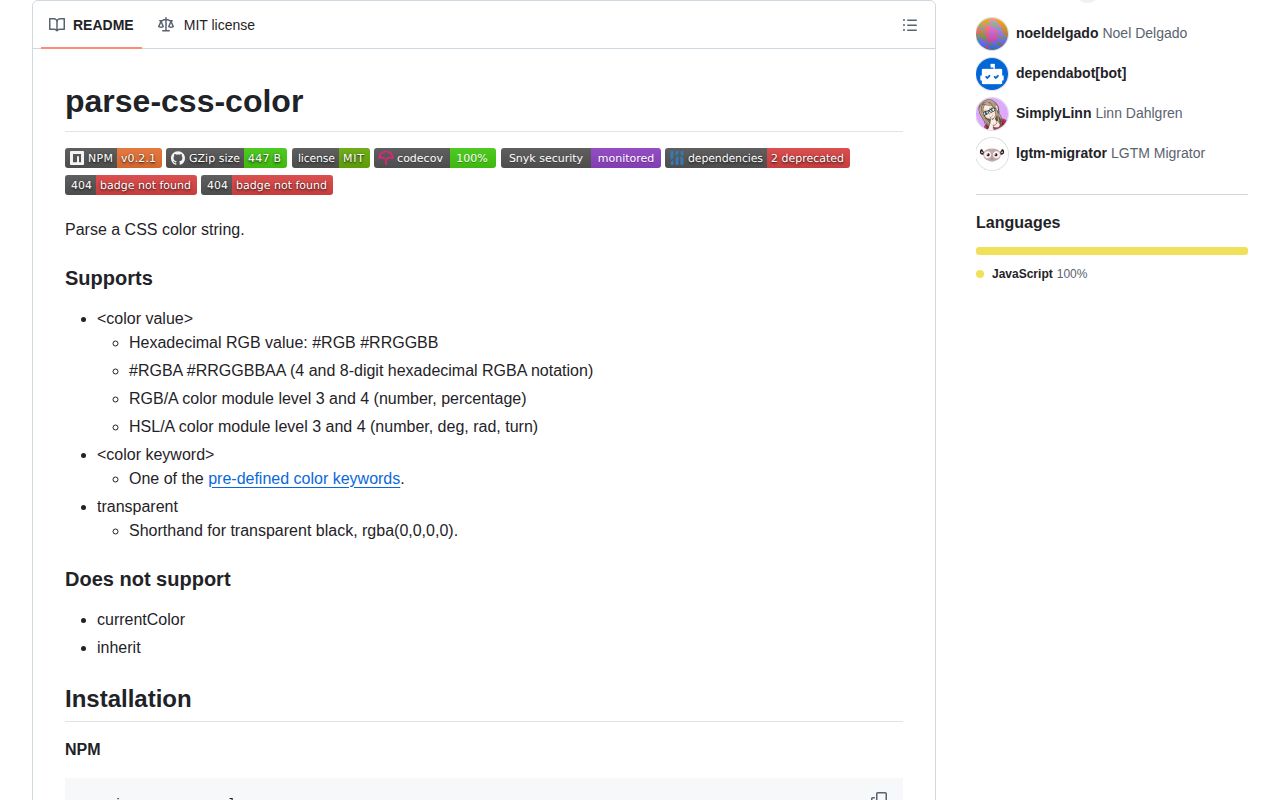
parse-css-color 0.2.1 accepts literal CSS color strings and returns `{ type, values, alpha }` or null. It covers 3, 4, 6, and 8-digit hex; comma and space forms of rgb() and hsl(); numeric or percentage RGB channels; deg, rad, and turn hues; named colors; and transparent. RGB-like inputs become byte channels, while HSL stays HSL. The 0.2.1 release fixed the bundled declaration file rather than expanding CSS syntax. There is no support for currentColor, CSS variables, lab(), oklch(), color(), or color-mix(), and no conversion or formatting API.
parse-css-color 0.2.1 added 7.2 KB minified and 3 KB gzipped in our browser build, and its 3-package install had 0 audit findings. Use it for a deliberately small literal-color grammar; choose a current color engine when modern CSS functions, strict rejection, conversion, or manipulation are part of the job.
We installed it
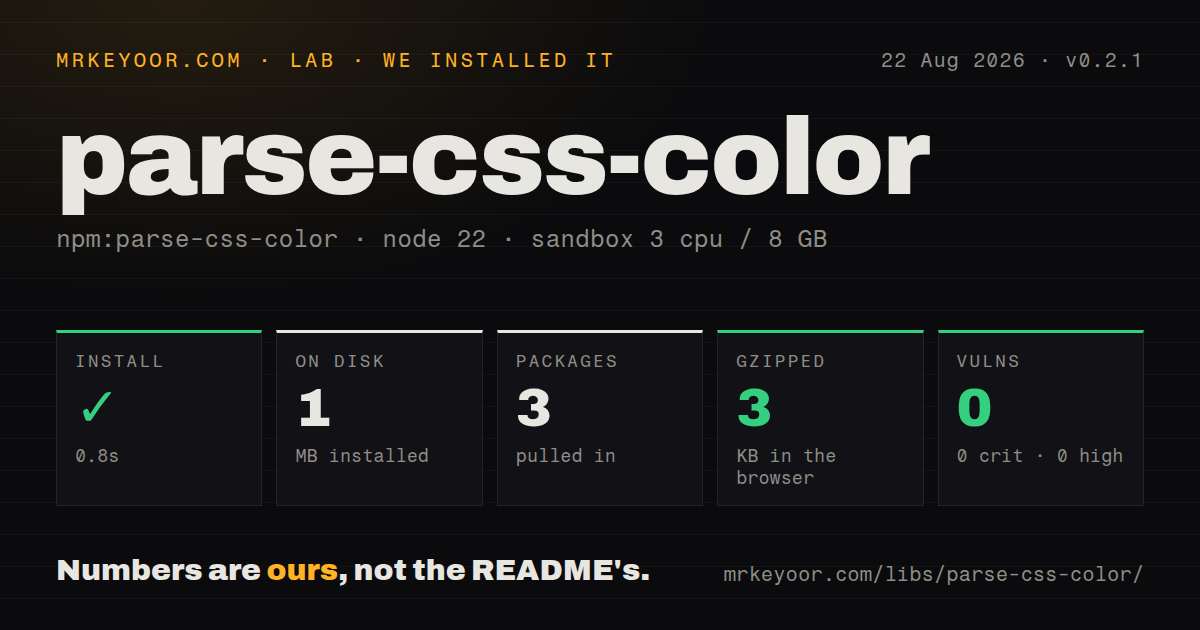
| Install | ✓ · 0.8s | 3 packages on disk · 1 MB |
| Import | ✓ | ESM import works · require() works · CommonJS package |
| Browser | 3 KB | gzipped (7.2 KB minified), bundled with esbuild |
| Types | ✓ | TypeScript types bundled |
| Known vulns | 0 | 0 critical · 0 high · 0 moderate · 0 low (npm audit) |
Answers from our run
Does parse-css-color install cleanly?
Yes. In a fresh container with an empty cache, npm install parse-css-color finished in 0.8s, leaving 3 packages and 1 MB on disk. npm audit reported no known vulnerabilities.
How much does parse-css-color add to a browser bundle?
3 KB gzipped (7.2 KB minified) when the whole package is bundled for the browser with esbuild. Importing only part of it is usually smaller.
Does parse-css-color work with both ESM and CommonJS?
Yes. Both import 'parse-css-color' and require('parse-css-color') worked in Node 22 in our run. The package is published as CommonJS.
Does parse-css-color include TypeScript types?
Yes, type declarations ship inside the package, so no @types install is needed.
parse-css-color or color-parse: which should you use?
color-parse: Choose it for a similarly focused parser with a different output model and syntax coverage. parse-css-color 0.2.1 added 7.2 KB minified and 3 KB gzipped in our browser build, and its 3-package install had 0 audit findings.
When should you not use parse-css-color?
Input may contain currentColor, inherit, var(), calc(), lab(), lch(), oklab(), oklch(), color(), or color-mix(); version 0.2.1 cannot resolve or parse them.
Use it if
- A color input accepts only literal hex, RGB, HSL, named colors, or transparent and needs a null result for invalid syntax.
- The same small parser must run in CommonJS, ESM, and a browser without consulting computed styles or the DOM.
- Downstream code can preserve separate rgb and hsl result types and does not need color-space conversion from this package.
- Forgiving numeric input is desired, including rounding and clamping channels into their allowed ranges.
- Input may contain currentColor, inherit, var(), calc(), lab(), lch(), oklab(), oklch(), color(), or color-mix(); version 0.2.1 cannot resolve or parse them.
- Out-of-range channels must be rejected. rgb(500 -100 0) is accepted and clamped to [255, 0, 0] instead of returning null.
- The feature also needs conversion, contrast, mixing, lightening, or serialization. This package only parses and leaves HSL as HSL.
- Raw form values may include surrounding spaces. The parser does not trim, and its tests reject whitespace around the transparent keyword.
- You need active CSS Color specification coverage. The npm release dates to April 2022 and the last GitHub push was in August 2023.
Setup reality
We installed parse-css-color 0.2.1 in a fresh Node 22 Bookworm sandbox. npm completed in 0.8 seconds, left 3 packages using 1 MB, and reported 0 known vulnerabilities. The package is 44 KB unpacked with 2 direct dependencies and no peers. It publishes CommonJS without an exports map, includes TypeScript declarations, and both require() and ESM import worked. Our browser build measured 7.2 KB minified and 3 KB gzipped.
There are no credentials, native builds, globals to configure, or runtime options. The function returns null for unsupported syntax and non-string input, so guard before destructuring. It does not trim the string. Decide whether your boundary should call trim(), since accepting pasted whitespace is reasonable for a form but can conceal malformed machine input in a parser or linter.
Result values are not one canonical color space. Hex, RGB, named colors, and transparent produce type rgb; HSL input produces type hsl. Alpha is separate in both cases. Numeric RGB channels are rounded and clamped to 0 through 255, saturation and lightness to 0 through 100, and alpha to 0 through 1. Mixed percentage and numeric RGB channels return null.
Hue handling has another edge: turns and radians are converted to rounded degrees, while degree input is not wrapped into 0 through 359. TypeScript declares result.type as string instead of the narrower rgb or hsl union. Add your own normalizer and runtime schema when downstream code needs exhaustive branching, strict ranges, or a single output model.
Patterns
Read hex with optional alpha parse-hex
import parse from 'parse-css-color'
parse('#0af')
parse('#00aaff80')
Four and 8-digit forms put alpha in the last component; the returned alpha is a 0 through 1 number.
Check unsupported input before use guard-null
const color = parse(userInput)
if (color === null) return { ok: false, error: 'unsupported color' }
const { type, values, alpha } = color
Invalid syntax, unsupported CSS functions, and non-string values return null rather than throwing.
Choose whether form whitespace is valid trim-form-value
const color = parse(colorInput.value.trim())
colorInput.setCustomValidity(color ? '' : 'Enter a literal CSS color')
Version 0.2.1 does not trim. Its tests reject leading or trailing spaces around transparent.
Read space syntax and slash alpha parse-modern-rgb
const color = parse('rgb(255 0 153 / 20%)')
// { type: 'rgb', values: [255, 0, 153], alpha: 0.2 }
All 3 RGB channels must be numbers or all percentages; mixed channel units return null.
Convert percentage channels to bytes parse-percent-rgb
const color = parse('rgb(41.2% 69.88% 96.64%)')
// values: [105, 178, 246]
Percentage channels are multiplied by 255 and rounded, so the original percentage precision is not preserved.
Convert turns and radians to degrees parse-hsl-units
parse('hsl(.75turn 60% 70% / 50%)')
parse('hsl(4.71239rad 60% 70%)')
Both examples yield hue 270, but the result type remains hsl and is not converted to RGB.
Resolve a CSS named color parse-name
const color = parse('RebeccaPurple')
// { type: 'rgb', values: [102, 51, 153], alpha: 1 }
Name lookup is case-insensitive. System colors and misspellings return null.
Represent transparent black parse-transparent
const color = parse('transparent')
// { type: 'rgb', values: [0, 0, 0], alpha: 0 }
RGB channels have no visible meaning at alpha 0, so do not use them to preserve an author's hidden color.
Separate literals from CSS context reject-context-values
for (const value of ['currentColor', 'var(--brand)', 'oklch(60% .2 20)']) {
  if (parse(value) === null) console.log('requires CSS evaluation', value)
}
The package cannot resolve computed values or modern color functions; null does not mean the CSS itself is invalid.
Validate ranges before forgiving parsing detect-clamping
const raw = 'rgb(500 -100 12.6 / 200%)'
const color = parse(raw)
// values: [255, 0, 13], alpha: 1
Version 0.2.1 clamps and rounds numeric channels. Add a strict pre-check when range errors must be reported.
Handle RGB and HSL separately branch-on-model
const color = parse(input)
if (!color) throw new TypeError('unsupported color')
if (color.type === 'rgb') renderRgb(color.values, color.alpha)
else if (color.type === 'hsl') renderHsl(color.values, color.alpha)
Bundled types call type a string, so TypeScript does not enforce an exhaustive rgb and hsl switch.
Load the CommonJS entry use-commonjs
const parse = require('parse-css-color')
const color = parse('rgba(255, 0, 0, 0.5)')
require() worked in our Node 22 check; the package has no exports map and points main at dist/index.cjs.js.
Alternatives
| Package | Registry | Pick it when |
|---|---|---|
| color-parse | npm | Choose it for a similarly focused parser with a different output model and syntax coverage. |
| colord | npm | Choose it when parsing must lead into conversion, formatting, manipulation, or plugin-based color spaces. |
| color | npm | Choose it for a fluent Node and browser API covering conversion, mixing, lightening, and contrast. |
More web frontend guides
postcss · react · react-dom · tailwindcss · clsx · htmlparser2 · the whole shelf →
How this guide is made: grounded in the library's documentation, release notes, changelog, and issue history, on a fixed rubric — not a hands-on install of every release. The 50 most-downloaded entries are additionally install-verified in clean containers. Corrections: contact the desk.