colord review
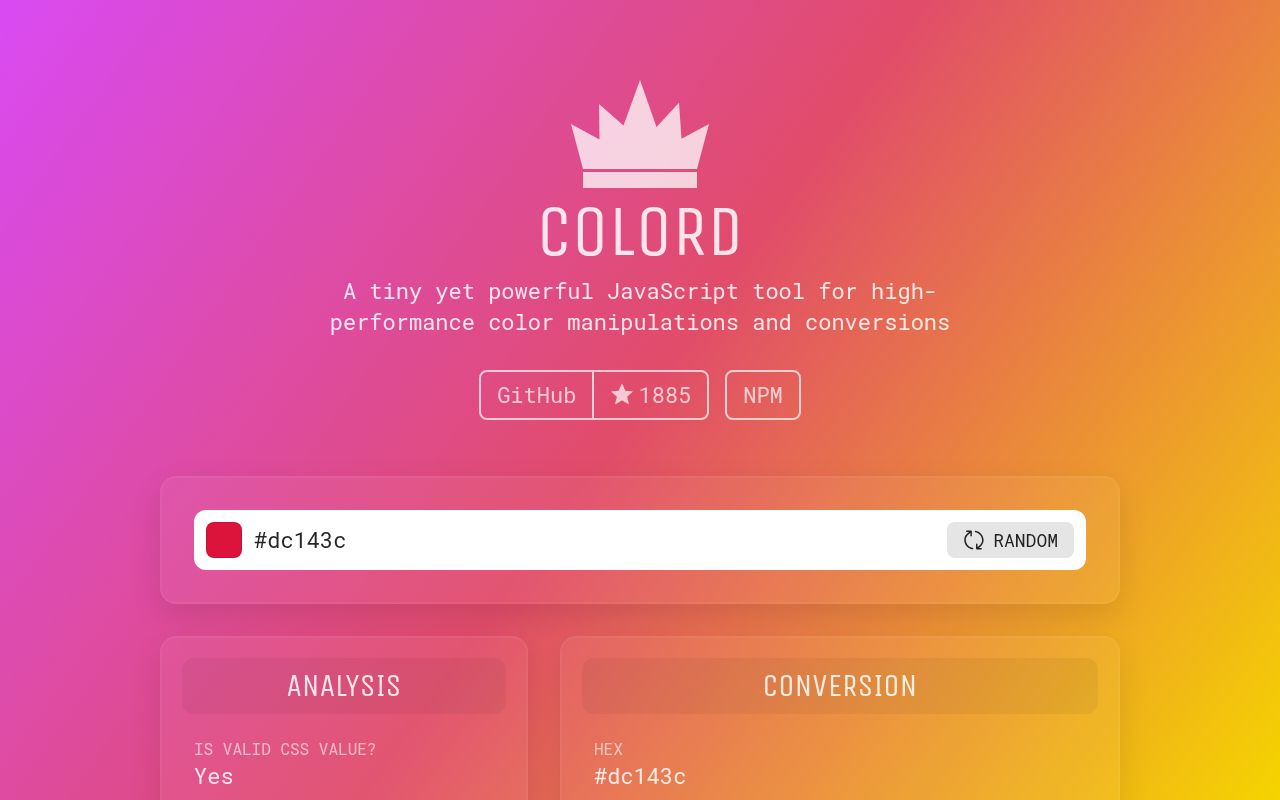
Colord 2.10.0 parses and changes colors without mutating the original value. Its dependency-free core understands hex, RGB, HSL, and HSV, then converts between them or adjusts alpha, hue, saturation, and lightness. Extra modules add CSS names, contrast tests, LAB, LCH, HWB, CMYK, XYZ, palette harmonies, and mixing. The 2.10.0 change is specific: mix(), tints(), shades(), and tones() can interpolate RGB channels when passed "rgb"; calls without that argument still use LAB. Our complete browser import was 2.1 KB gzipped.
Our colord 2.10.0 install took 0.3 seconds, left one 1 MB package, and bundled to 2.1 KB gzipped with no audit findings. It suits ordinary CSS color math; OKLCH tokens, scale generation, and packages that cannot accept shared plugin registration need another tool.
We installed it
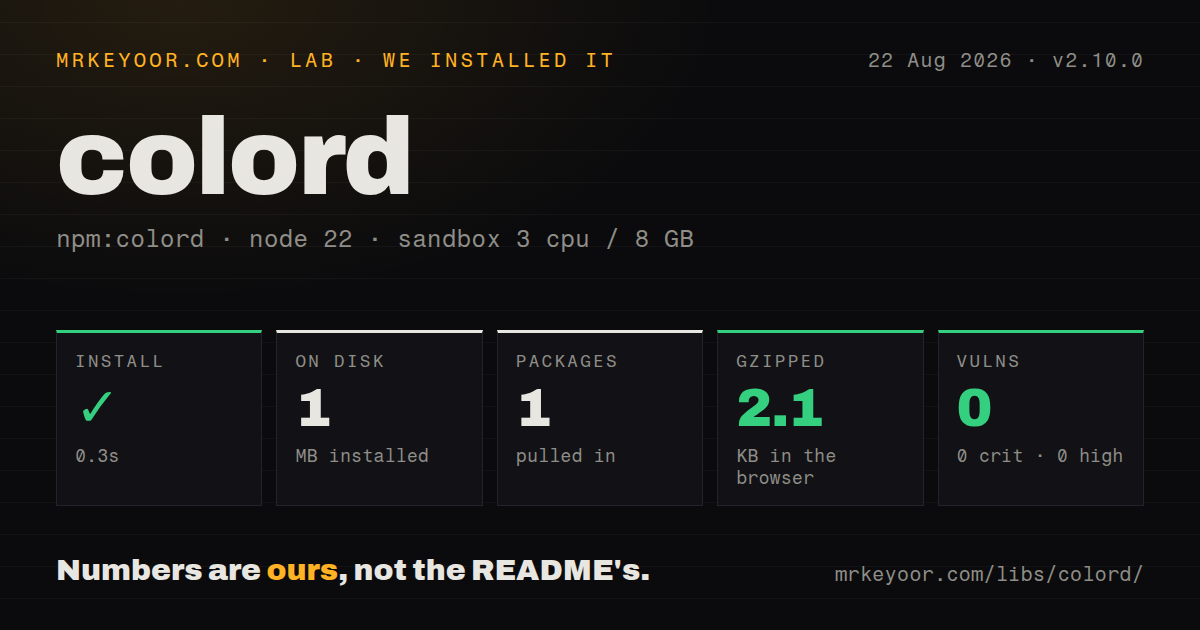
| Install | ✓ · 0.3s | 1 package on disk · 1 MB |
| Import | ✓ | ESM import works · require() works · CommonJS package with exports map |
| Browser | 2.1 KB | gzipped (6 KB minified), bundled with esbuild |
| Types | ✓ | TypeScript types bundled |
| Known vulns | 0 | 0 critical · 0 high · 0 moderate · 0 low (npm audit) |
Answers from our run
Does colord install cleanly?
Yes. In a fresh container with an empty cache, npm install colord finished in 0.3s, leaving 1 package and 1 MB on disk. npm audit reported no known vulnerabilities.
How much does colord add to a browser bundle?
2.1 KB gzipped (6 KB minified) when the whole package is bundled for the browser with esbuild. Importing only part of it is usually smaller.
Does colord work with both ESM and CommonJS?
Yes. Both import 'colord' and require('colord') worked in Node 22 in our run. The package is published as CommonJS with an exports map.
Does colord include TypeScript types?
Yes, type declarations ship inside the package, so no @types install is needed.
colord or color: which should you use?
color: Choose it when an older Node project already passes Color instances between modules. Our colord 2.10.0 install took 0.3 seconds, left one 1 MB package, and bundled to 2.1 KB gzipped with no audit findings.
When should you not use colord?
Design tokens rely on OKLCH, OKLab, display-p3, or color(); none appears in the documented core or plugin input list
Use it if
- UI code needs hex, RGB, HSL, or HSV parsing plus immutable adjustments in a 2.1 KB gzipped measured bundle
- A TypeScript project wants declarations in the package and working CommonJS and ESM entry paths
- Contrast checks or named CSS colors are occasional needs that can stay in explicit plugins
- RGB channel interpolation must match design-tool compositing, using the option added in 2.10.0
- Design tokens rely on OKLCH, OKLab, display-p3, or color(); none appears in the documented core or plugin input list
- The job is building multi-stop scales across several interpolation spaces; Culori covers that workflow directly
- Bad input must raise automatically; Colord requires isValid() and otherwise lets conversion continue from an invalid value
- A published package cannot change process-wide behavior; extend() adds methods to the shared Colord prototype
- You require a parser for every newer CSS Color 4 form rather than the finite formats listed by this project
Setup reality
We installed colord 2.10.0 in 0.3 seconds on Node 22. The sandbox contained one package using 1 MB afterward, while the distribution itself was 340 KB unpacked. It declares 0 direct dependencies and 0 peers, includes TypeScript declarations, and carries an MIT license. npm audit found 0 known vulnerabilities. CommonJS require() and ESM import both loaded through its exports map. Our esbuild check produced 6 KB minified and 2.1 KB gzipped.
The base package needs no credentials, config file, native compiler, or postinstall step. Plugins are the setup trap. Importing one supplies its TypeScript augmentation, but runtime methods appear only after extend([plugin]) executes. A missed registration can pass type checking and fail at the call site. Register every chosen plugin in one startup module that runs before components create colors.
extend() edits a prototype shared by that module instance. Application entrypoints can control this; reusable packages may surprise their host by registering methods globally. Incoming strings also need an explicit isValid() branch. Colord represents invalid input without throwing, so blindly calling a formatter can hide a bad CMS value behind plausible output instead of producing an obvious error.
Mixing changed in 2.10.0, but its default did not: LAB is still used unless "rgb" is passed to mix(), tints(), shades(), or tones(). HSL lighten() and darken() do not preserve perceived brightness. The accessibility plugin compares against white if no second color is given. Pin those choices in code and tests rather than accepting a default that happens to suit one screen.
Patterns
Turn CSS input into another color model parse-and-convert
import { colord } from "colord";

const rgb = colord("#ff6347").toRgb();
const css = colord({ r: 255, g: 99, b: 71 }).toHslString();
Hex, RGB, HSL, and HSV work in core; a word such as tomato is valid only after registering the names plugin.
Stop an invalid external value validate-user-color
import { colord } from "colord";

const parsed = colord(input);
if (!parsed.isValid()) throw new Error("Invalid color");
return parsed.toHex();
Colord keeps an invalid state instead of throwing, so check isValid() before formatting user or CMS data.
Derive hover and disabled colors adjust-color
const base = colord("#2457a7");
const hover = base.lighten(0.08).toHex();
const disabled = base.alpha(0.45).toRgbString();
Both calls return new instances and preserve base; lighten() changes HSL lightness rather than a perceptual channel.
Install optional methods before use register-color-plugins
import { extend } from "colord";
import a11y from "colord/plugins/a11y";
import names from "colord/plugins/names";

extend([a11y, names]);
extend() changes the shared prototype, so execute this once from an entry module before any plugin method runs.
Test a foreground against its real background check-color-contrast
import { colord } from "colord";

const readable = colord("#222222").isReadable("#f7f7f7", {
  level: "AA",
  size: "normal",
});
isReadable() comes from a11y; omitting the second color makes the plugin use white, which may not match the component.
Match RGB channel compositing mix-in-rgb
import mix from "colord/plugins/mix";
extend([mix]);

const overlay = colord("#f0f3f1")
  .mix("#007d40", 0.14, "rgb")
  .toHex();
The choice is explicit because 2.10.0 continues to select LAB whenever the color-space argument is absent.
Create five channel-mixed tints make-tints
const tints = colord("#ff0000")
  .tints(5, "rgb")
  .map((color) => color.toHex());
tints() is supplied by mix, and its array includes both the starting red and the white endpoint.
Translate CSS names and hex values use-css-color-names
import names from "colord/plugins/names";
extend([names]);

colord("tomato").toHex();
colord("#00ffff").toName();
toName() returns undefined without an exact keyword match unless its closest-name option is enabled.
Compare two colors with Delta E compare-perceptual-difference
import lab from "colord/plugins/lab";
extend([lab]);

const difference = colord("#3296fa").delta("#197dc8");
The lab plugin's delta() reports a normalized Delta E 2000 difference rather than an RGB channel distance.
Pick the shortest equivalent CSS string minify-css-color
import minify from "colord/plugins/minify";
extend([minify]);

const compact = colord("rgba(170, 170, 170, 0.4)").minify();
minify() may change notation, so snapshots requiring one format should call a specific formatter.
Move a hue by 180 degrees rotate-hue
const complement = colord("hsl(24, 80%, 50%)")
  .rotate(180)
  .toHslString();
rotate() follows the HSL wheel, so the result can have different perceived brightness despite the 180 degree offset.
Constrain an RGB object at compile time use-typed-color-object
import { colord, type RgbColor } from "colord";

function toCss(value: RgbColor): string {
  return colord(value).toHex();
}
The included declaration checks object keys in TypeScript; arbitrary strings still need isValid() at runtime.
Alternatives
| Package | Registry | Pick it when |
|---|---|---|
| color | npm | Choose it when an older Node project already passes Color instances between modules |
| tinycolor2 | npm | Choose it when existing helpers and plugins already depend on TinyColor objects |
| culori | npm | Choose it for OKLCH, wide-gamut spaces, conversion graphs, and interpolated scales |
More web frontend guides
postcss · react · react-dom · tailwindcss · clsx · htmlparser2 · the whole shelf →
How this guide is made: grounded in the library's documentation, release notes, changelog, and issue history, on a fixed rubric — not a hands-on install of every release. The 50 most-downloaded entries are additionally install-verified in clean containers. Corrections: contact the desk.