npm-run-all review
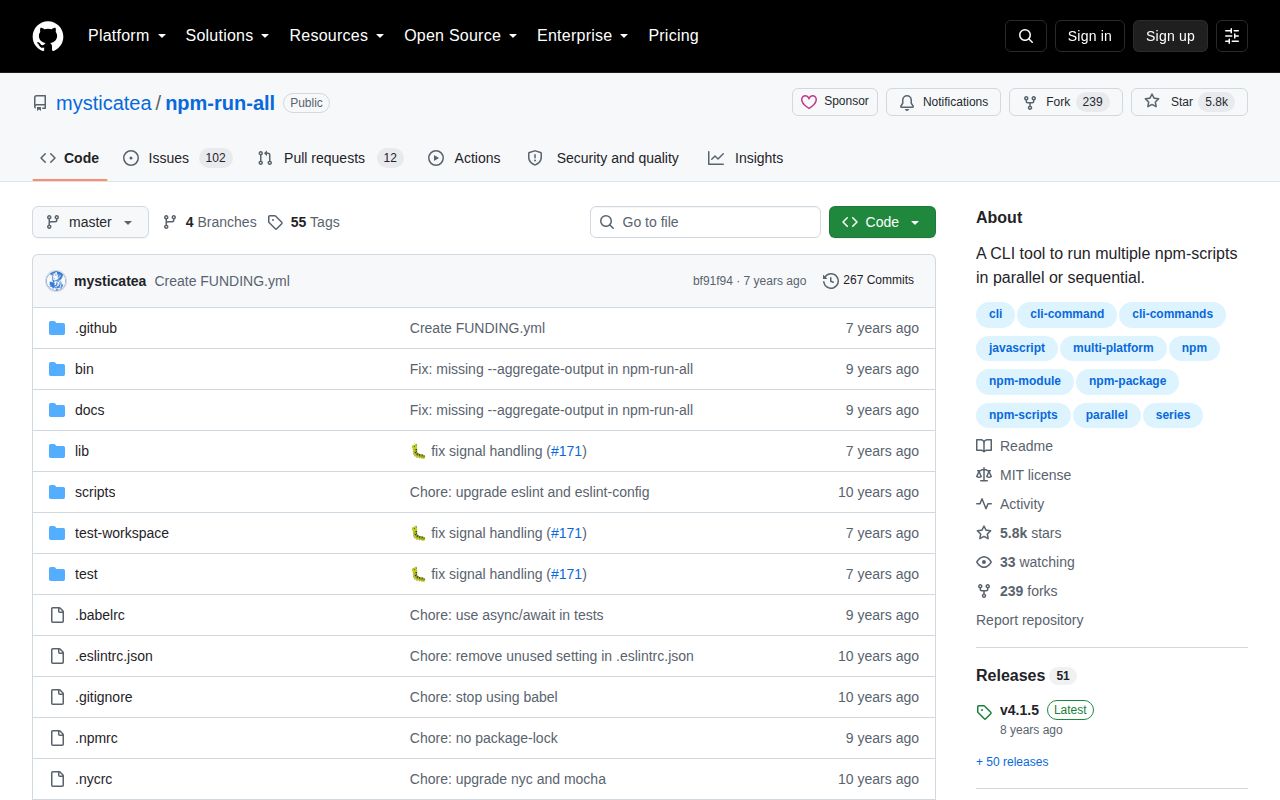
npm-run-all coordinates names from a package's `scripts` object across operating systems. `run-s` executes scripts in sequence, `run-p` starts them concurrently, and `npm-run-all` can change modes inside one plan. Colon-based patterns such as `build:**` select script families, while flags control labels, failure handling, output buffering, and concurrency. Version 4.1.5 remains the current release from 2018, so there is no recent feature to adopt; the maintained `npm-run-all2` fork now carries the same basic interface forward.
npm-run-all 4.1.5 took 6.9 seconds, 136 installed packages, and 20 MB in our sandbox despite exposing only script coordination commands. Existing builds can keep its frozen behavior, but new projects should start with `npm-run-all2`, `concurrently`, or Wireit according to the job model.
We installed it
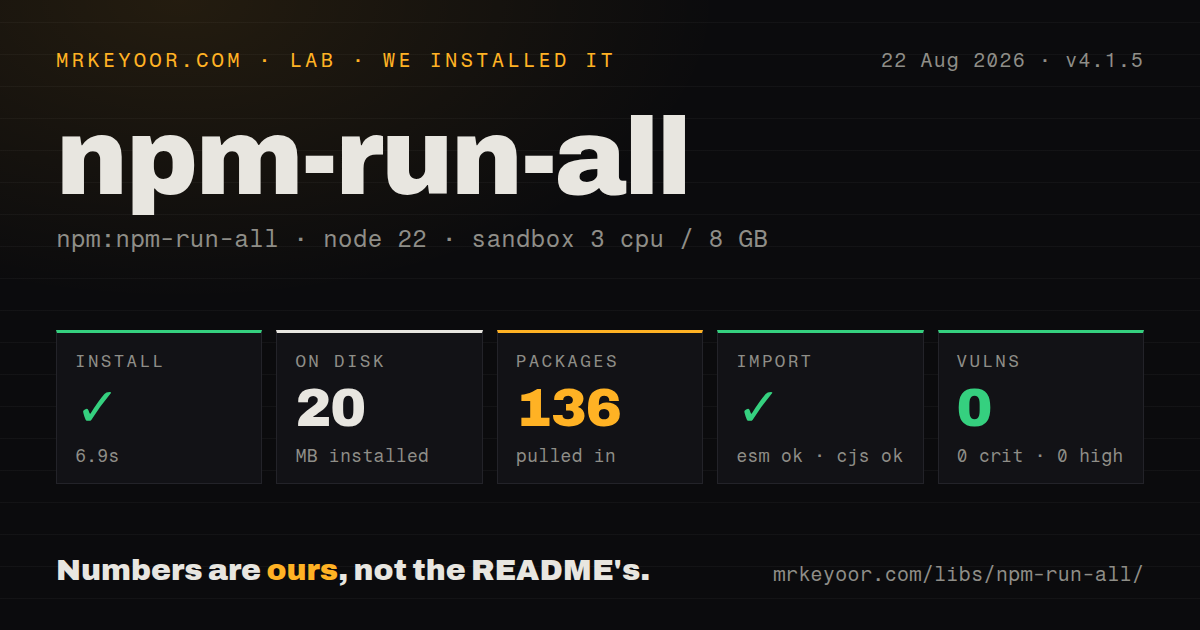
| Install | ✓ · 6.9s | 136 packages on disk · 20 MB |
| Import | ✓ | ESM import works · require() works · CommonJS package |
| Browser | n/a | could not be bundled for the browser (Node-only code, most likely) |
| Types | — | no TypeScript types found |
| Known vulns | 0 | 0 critical · 0 high · 0 moderate · 0 low (npm audit) |
Answers from our run
Does npm-run-all install cleanly?
Yes. In a fresh container with an empty cache, npm install npm-run-all finished in 7 seconds, leaving 136 packages and 20 MB on disk. npm audit reported no known vulnerabilities.
Can npm-run-all run in a browser?
Not directly: esbuild could not bundle it for the browser in our run, which normally means it depends on Node built-ins. Use it on the server, or find a browser-targeted alternative.
Does npm-run-all work with both ESM and CommonJS?
Yes. Both import 'npm-run-all' and require('npm-run-all') worked in Node 22 in our run. The package is published as CommonJS.
Does npm-run-all include TypeScript types?
No type declarations were found in our install, so TypeScript users need their own declarations.
npm-run-all or npm-run-all2: which should you use?
npm-run-all2: Use it for the same command vocabulary on a fork that tracks current Node releases. npm-run-all 4.1.5 took 6.9 seconds, 136 installed packages, and 20 MB in our sandbox despite exposing only script coordination commands.
When should you not use npm-run-all?
You are choosing a runner for a new project. npm-run-all 4.1.5 has not had a package release since November 2018, while npm-run-all2 preserves the familiar commands on a maintained line.
Use it if
- An established project already uses `run-s`, `run-p`, or colon-delimited script patterns and its behavior is covered by CI.
- The same package scripts must run on Windows and Unix without shell-specific `&` syntax.
- A build needs sequential preparation followed by a bounded parallel group.
- Yarn invocation must cause child scripts to run through Yarn as documented by the package.
- You are choosing a runner for a new project. npm-run-all 4.1.5 has not had a package release since November 2018, while `npm-run-all2` preserves the familiar commands on a maintained line.
- You supervise servers that need restart rules, health checks, or durable process ownership. This tool runs package scripts and kills sibling trees on failure; it is not a service manager.
- Readable streaming logs from many watchers are essential. `--print-label` pipes output and can disable colors, while `--aggregate-output` withholds a task's log until that task exits.
- You expect filesystem globs or arbitrary shell commands. Patterns match npm script names split by colons, and every selected task must exist in the package script map.
- A browser or typed import is required. Our browser bundle failed, and the CommonJS package includes no TypeScript declarations or exports map.
Setup reality
Our npm-run-all 4.1.5 install in a fresh Node 22 Bookworm container completed in 6.9 seconds. It left 136 packages and 20 MB on disk; the package itself is 188 KB unpacked, with 9 direct dependencies and 0 peers. npm audit reported 0 known vulnerabilities at all severity levels. There are no native addons, credentials, environment variables, or external configuration files.
Install it as a development dependency and call run-s, run-p, or npm-run-all from package.json. The declared engine floor is Node 4, a sign of the release's age rather than proof of current testing. Its CommonJS entry has no exports map. Both require() and ESM import worked on our Node 22 box, but the package ships no TypeScript declarations. Our esbuild browser attempt failed because the runner depends on Node process behavior.
Patterns select script names, not files. One * covers one colon-delimited segment and ** reaches deeper segments. Quote a pattern when the shell might expand it or when arguments travel with the task. Sequential execution stops at the first nonzero result. Parallel execution normally terminates siblings and their descendants after a failure; --continue-on-error lets them finish while preserving a nonzero final status.
Parallel jobs have no default cap, so set --max-parallel around memory-heavy builds, databases, or shared ports. --race stops siblings after one task succeeds and fits a preview-plus-test pair, not a build where every output is required. Labelled output uses pipes, and aggregated output stays buffered until process exit. The CommonJS Node API returns a promise and needs explicit stdout and stderr streams when callers expect live logs.
Patterns
Stop a sequence on its first failure run-sequential
{
  "scripts": {
    "clean": "rimraf dist",
    "lint": "eslint .",
    "compile": "tsc",
    "build": "run-s clean lint compile"
  }
}
`run-s` preserves the listed order and never starts `compile` when `lint` exits nonzero.
Start two independent checks together run-parallel
{
  "scripts": {
    "typecheck": "tsc --noEmit",
    "test": "vitest run",
    "verify": "run-p typecheck test"
  }
}
A failed parallel task terminates its sibling process tree unless `--continue-on-error` is set.
Select nested script names match-script-pattern
{
  "scripts": {
    "build:css": "postcss src.css -o dist.css",
    "build:js": "rollup -c",
    "build:js:types": "tsc --emitDeclarationOnly",
    "build": "run-p build:**"
  }
}
`build:*` stops after one colon segment; `build:**` also reaches `build:js:types`.
Clean first, then parallelize the build mix-execution-modes
{
  "scripts": {
    "release": "npm-run-all clean lint --parallel build:css build:js --sequential package"
  }
}
The full command switches behavior at each mode flag. Tasks before the first switch run sequentially.
Pass watch mode into matched scripts forward-arguments
{
  "scripts": {
    "watch": "run-p \"build:* -- --watch\""
  }
}
Quote the task expression so its pattern and forwarded argument arrive as one runner item.
Prefix each worker's output label-parallel-output
{
  "scripts": {
    "dev": "run-p --print-label dev:api dev:web"
  }
}
Labels route stdout through a pipe. Programs that require a TTY for color may switch to plain output.
Run no more than two jobs limit-parallelism
{
  "scripts": {
    "test:all": "run-p --max-parallel 2 test:unit test:integration test:e2e"
  }
}
Without `--max-parallel`, every selected task may start at once and contend for memory, CPU, or test services.
Finish all checks before returning failure continue-after-error
{
  "scripts": {
    "check": "run-p --continue-on-error lint typecheck test"
  }
}
The flag keeps sibling tasks alive, but one child failure still makes the final command exit nonzero.
End watchers after the test task succeeds race-long-running-tasks
{
  "scripts": {
    "preview:test": "run-p --race preview wait-and-test"
  }
}
`--race` kills siblings after the first successful exit. Do not apply it when every task must produce an artifact.
Run package scripts through the CommonJS API call-node-api
const runAll = require('npm-run-all')

const results = await runAll(['clean', 'build:*'], {
  parallel: false,
  stdout: process.stdout,
  stderr: process.stderr,
})
console.log(results.map(({ name, code }) => ({ name, code })))
The API does not inherit output streams automatically. Pass them when callers need live child logs.
Alternatives
| Package | Registry | Pick it when |
|---|---|---|
| npm-run-all2 | npm | Use it for the same command vocabulary on a fork that tracks current Node releases. |
| concurrently | npm | Use it for long-running processes that need stronger prefixes, restart behavior, and success policies. |
| wireit | npm | Use it when package scripts need declared dependencies, caching, and incremental task execution. |
More cli & tooling guides
commander · chalk · typescript · esbuild · yargs · click · the whole shelf →
How this guide is made: grounded in the library's documentation, release notes, changelog, and issue history, on a fixed rubric — not a hands-on install of every release. The 50 most-downloaded entries are additionally install-verified in clean containers. Corrections: contact the desk.