node-fetch review
node-fetch 3.3.2 provides the browser-shaped fetch API on top of Node HTTP and exposes response bodies as Node Readable streams. It has server-specific controls for maximum response size, redirect count, custom agents, raw response headers, compression, and stream buffering. Node 18 and newer already include fetch through Undici, so the package now mainly serves older runtimes and existing applications that depend on node-fetch extensions or error classes. Version 3.3.2 is still the current stable release. Our browser bundle failed because this implementation is built for Node.
node-fetch 3.3.2 installed in 0.9 seconds but left 10 MB across 9 packages and 1 deprecation warning on our Node 22 box, where fetch already exists. Keep it when old runtime support or node-fetch extensions are contractual; do not add it by habit to a current Node service.
We installed it
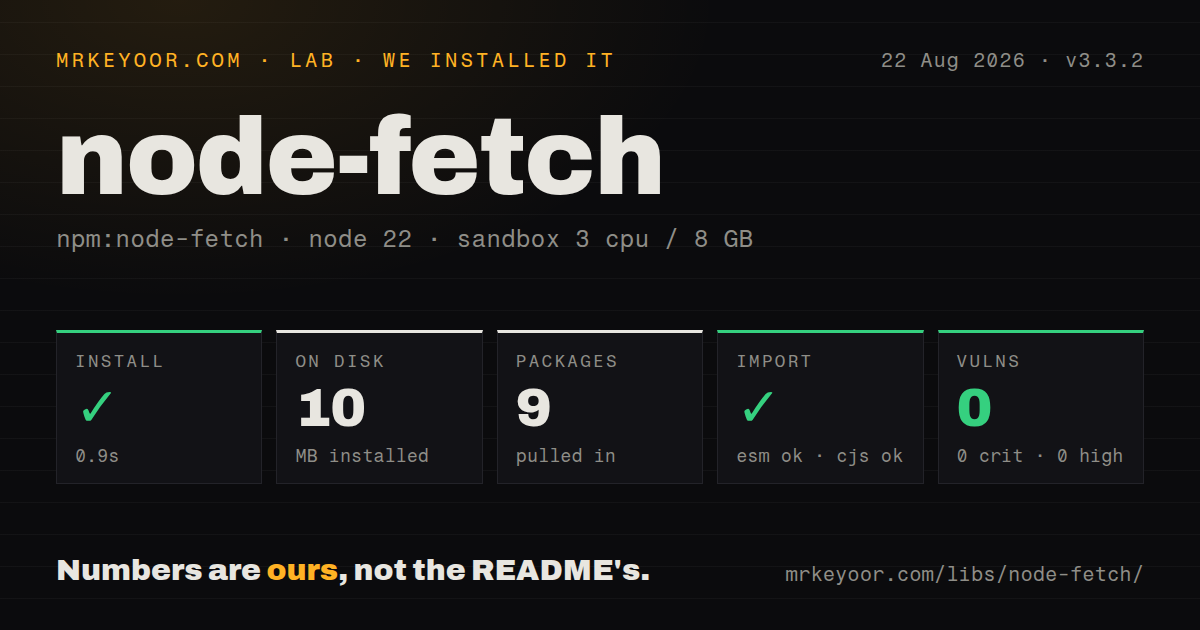
| Install | ✓ · 0.9s | 9 packages on disk · 10 MB · 1 deprecation warning |
| Import | ✓ | ESM import works · require() works · ESM package |
| Browser | n/a | could not be bundled for the browser (Node-only code, most likely) |
| Types | ✓ | TypeScript types bundled |
| Known vulns | 0 | 0 critical · 0 high · 0 moderate · 0 low (npm audit) |
Answers from our run
Does node-fetch install cleanly?
Yes. In a fresh container with an empty cache, npm install node-fetch finished in 0.9s, leaving 9 packages and 10 MB on disk. npm audit reported no known vulnerabilities. The install printed 1 deprecation warning.
Can node-fetch run in a browser?
Not directly: esbuild could not bundle it for the browser in our run, which normally means it depends on Node built-ins. Use it on the server, or find a browser-targeted alternative.
Does node-fetch work with both ESM and CommonJS?
Yes. Both import 'node-fetch' and require('node-fetch') worked in Node 22 in our run. The package is published as ESM.
Does node-fetch include TypeScript types?
Yes, type declarations ship inside the package, so no @types install is needed.
node-fetch or undici: which should you use?
undici: Use it for Node's fetch engine plus explicit pools, dispatchers, interceptors, and lower-level control. node-fetch 3.3.2 installed in 0.9 seconds but left 10 MB across 9 packages and 1 deprecation warning on our Node 22 box, where fetch already exists.
When should you not use node-fetch?
The application starts on Node 18 or newer and needs ordinary fetch; the runtime already provides it
Discussed on
Use it if
- An established service depends on FetchError, headers.raw(), Node Readable bodies, size limits, or custom agent behavior
- The supported runtime predates Node's global fetch
- Redirect limits and maximum response sizes already form part of the application's network policy
- Replacing a working client would risk behavior changes without removing meaningful operational cost
- The application starts on Node 18 or newer and needs ordinary fetch; the runtime already provides it
- CommonJS must import synchronously; the v3 README documents ESM only and directs CommonJS users to v2 or dynamic import
- Retries, hooks, pagination, caching, or a cookie jar should come with the HTTP client; node-fetch does not add those policies
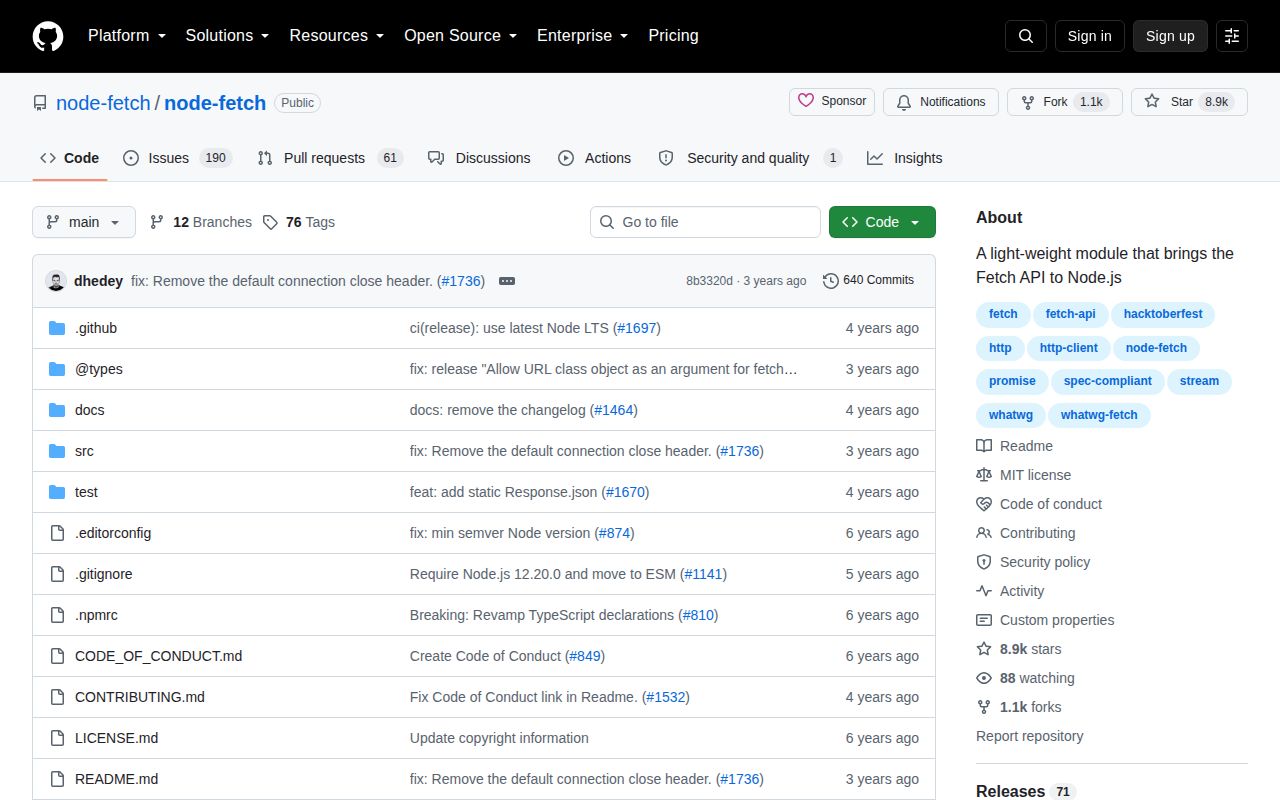
- A current release cadence matters; 3.3.2 has remained latest since 2023 despite repository work
- The dependency enters browser code; our esbuild browser attempt failed on its Node-specific implementation
Setup reality
We installed node-fetch 3.3.2 in our clean Node 22 sandbox in 0.9 seconds. npm left 9 packages using 10 MB and printed 1 deprecation warning. npm audit found 0 known vulnerabilities. The package has 3 direct dependencies, 0 peers, a 168 KB unpacked size, bundled TypeScript declarations, and an MIT license. Its engines range covers Node 12.20, 14.13.1, or 16 and newer, although current Node already supplies fetch.
node-fetch 3 is an ESM package without an exports map. Both require() and ESM import happened to work in our generic Node 22 probe, but the project's documented contract says direct require is unsupported. CommonJS should use an async import wrapper or remain on the separately maintained v2 line. The browser-targeted esbuild run failed. Keep node-fetch out of shared client modules and do not treat loader interop on 1 test box as a packaging promise.
A 404 or 500 resolves to a Response, just like browser fetch. Check ok or status before parsing a success body. There is no cookie jar, automatic retry, or timeout option. Cancellation uses AbortSignal, so clear any manual timer in finally. For large downloads, await stream.pipeline(response.body, destination); a loose pipe can lose errors or leave a partial file that looks complete. Limit response size when the remote body is untrusted.
Agents control proxies, TLS, and connection reuse. Redirects may change protocol, so an agent function sometimes has to select HTTP or HTTPS per URL. Manual redirects differ from browser opaque redirects. Cloning a large body can stall if its 2 branches are consumed serially because Node's stream buffer is smaller; read clones in parallel or set highWaterMark with a measured reason. On Node 22, test the built-in fetch first before preserving these package-specific edges.
Patterns
Fetch JSON after checking status get-json
import fetch from 'node-fetch';
const response = await fetch('https://api.example.com/item/42');
if (!response.ok) throw new Error(`HTTP ${response.status}`);
const item = await response.json();
node-fetch rejects on network failure, but 4xx and 5xx responses still resolve normally.
Send an explicit JSON body post-json
const response = await fetch(url, {
  method: 'POST', headers: { 'content-type': 'application/json' },
  body: JSON.stringify({ enabled: true })
});
A plain object is not serialized automatically; set content type and call JSON.stringify yourself.
Load version 3 from CommonJS load-from-commonjs
const fetch = (...args) => import('node-fetch').then(({ default: fn }) => fn(...args));
const response = await fetch('https://example.com');
The v3 README specifies ESM only, so CommonJS uses asynchronous import or stays on the v2 release line.
Preserve a bounded error response capture-http-error
const response = await fetch(url, { size: 1_000_000 });
if (!response.ok) {
  const body = (await response.text()).slice(0, 4096);
  throw new Error(`HTTP ${response.status}: ${body}`);
}
The 1000000-byte body cap applies during consumption; the 4096-character slice keeps logs bounded.
Abort a slow request abort-timeout
const controller = new AbortController();
const timer = setTimeout(() => controller.abort(), 5000);
try { return await fetch(url, { signal: controller.signal }); }
finally { clearTimeout(timer); }
Always clear the 5000 ms timer; abort errors and underlying network timeouts can have different causes.
Write a body with pipeline stream-download
import { pipeline } from 'node:stream/promises';
const response = await fetch(url);
if (!response.ok) throw new Error(`HTTP ${response.status}`);
await pipeline(response.body, createWriteStream('./download.bin'));
pipeline forwards stream errors and waits for completion, avoiding a silently partial download.
Select an agent after redirects choose-agent
const response = await fetch(url, { agent: parsed =>
  parsed.protocol === 'http:' ? httpAgent : httpsAgent
});
A redirect can cross protocols, so the callback runs with each URL rather than assuming HTTPS forever.
Read every Set-Cookie value read-cookies
const response = await fetch(loginUrl);
const setCookies = response.headers.raw()['set-cookie'] ?? [];
headers.raw() is a node-fetch extension; the package does not store or resend those cookies for you.
Upload a file with FormData upload-form
import fetch, { FormData, fileFrom } from 'node-fetch';
const form = new FormData();
form.set('document', await fileFrom('./report.pdf'));
await fetch(url, { method: 'POST', body: form });
Let FormData set the multipart boundary; manually setting content-type would omit the generated boundary value.
Consume cloned bodies in parallel consume-clones
const response = await fetch(url);
const copy = response.clone();
const [json, text] = await Promise.all([response.json(), copy.text()]);
Parallel consumption prevents 1 branch from filling the Node stream buffer while the other waits.
Alternatives
| Package | Registry | Pick it when |
|---|---|---|
| undici | npm | Use it for Node's fetch engine plus explicit pools, dispatchers, interceptors, and lower-level control |
| got | npm | Use it when retries, hooks, pagination, and Node-oriented request features belong in the client |
| axios | npm | Use it for browser and Node calls with interceptors and CommonJS-friendly packaging |
More utils guides
lru-cache · type-fest · ajv · zod · p-limit · find-up · the whole shelf →
How this guide is made: grounded in the library's documentation, release notes, changelog, and issue history, on a fixed rubric — not a hands-on install of every release. The 50 most-downloaded entries are additionally install-verified in clean containers. Corrections: contact the desk.