node-fetch-h2 review
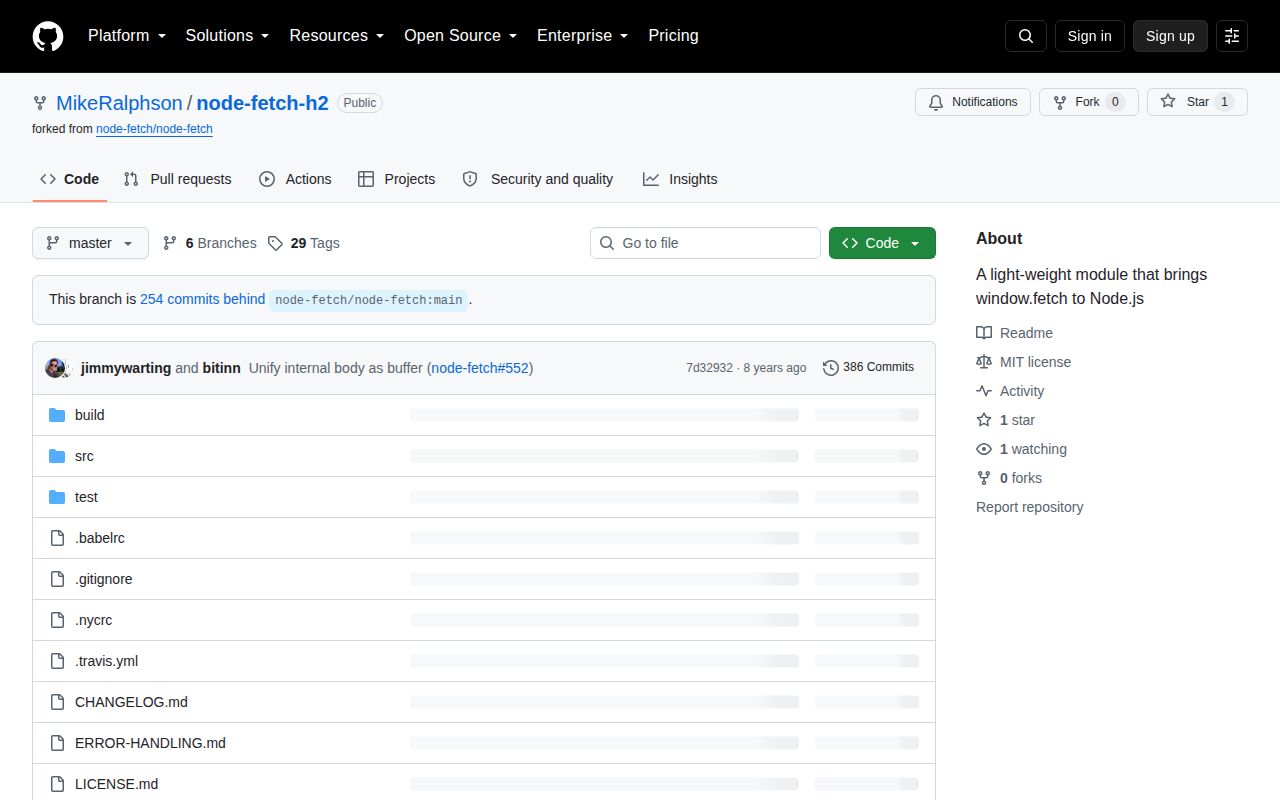
node-fetch-h2 2.3.1-0 is a 2018 fork of node-fetch 2.3.0 that sends requests through `http2-client` instead of Node's `http.request()` and `https.request()`. The rest of the public surface is the old node-fetch API: a CommonJS `fetch` function plus Request, Response, Headers, FetchError, Node streams, redirects, decompression, abort signals, timeouts, and response-size limits. The prerelease's only package change from 2.3.0 is an `http2-client` range bump from `^1.2.5` to `^1.3.0`; its copied README still tells users to install `node-fetch` and never explains HTTP/2 behavior.
node-fetch-h2 2.3.1-0 installed in 1.1 seconds and used 1 MB across 2 packages in our sandbox, yet its redirect code can forward credentials to another host and discard size and timeout limits. Do not install it for new work; pin it only while removing a tested legacy dependency.
We installed it
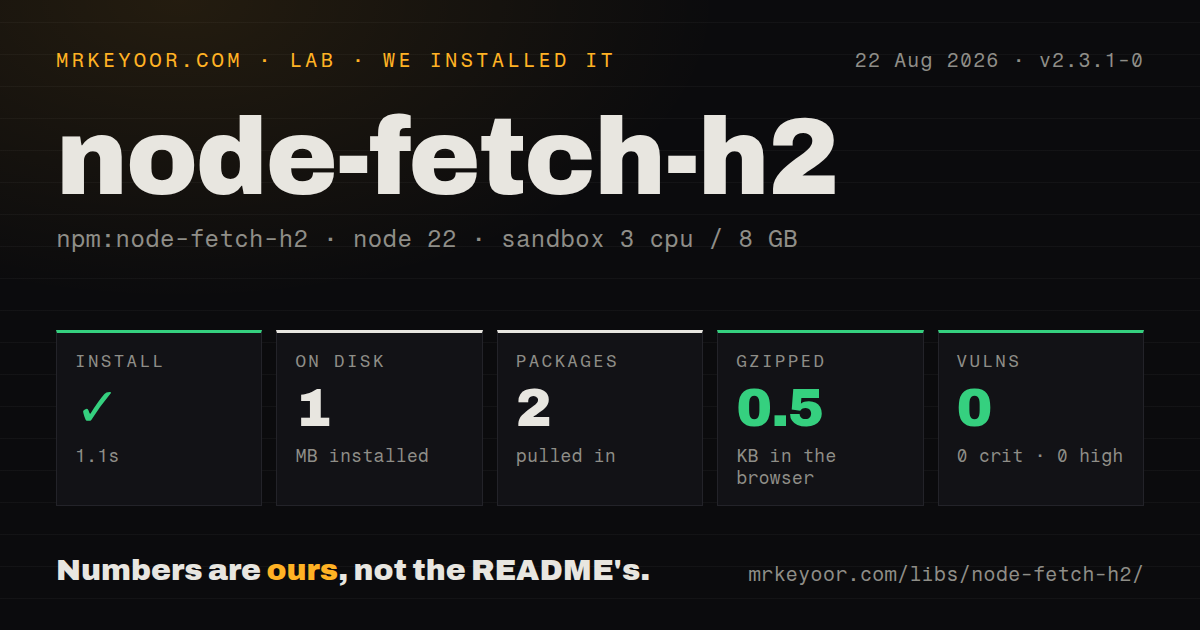
| Install | ✓ · 1.1s | 2 packages on disk · 1 MB |
| Import | ✓ | ESM import works · require() works · CommonJS package |
| Browser | 0.5 KB | gzipped (0.8 KB minified), bundled with esbuild |
| Types | — | no TypeScript types found |
| Known vulns | 0 | 0 critical · 0 high · 0 moderate · 0 low (npm audit) |
Answers from our run
Does node-fetch-h2 install cleanly?
Yes. In a fresh container with an empty cache, npm install node-fetch-h2 finished in 1 seconds, leaving 2 packages and 1 MB on disk. npm audit reported no known vulnerabilities.
How much does node-fetch-h2 add to a browser bundle?
0.5 KB gzipped (0.8 KB minified) when the whole package is bundled for the browser with esbuild. Importing only part of it is usually smaller.
Does node-fetch-h2 work with both ESM and CommonJS?
Yes. Both import 'node-fetch-h2' and require('node-fetch-h2') worked in Node 22 in our run. The package is published as CommonJS.
Does node-fetch-h2 include TypeScript types?
No type declarations were found in our install, so TypeScript users need their own declarations.
node-fetch-h2 or undici: which should you use?
undici: Use it for a maintained Node HTTP client with fetch support and explicit opt-in HTTP/2 clients. node-fetch-h2 2.3.1-0 installed in 1.1 seconds and used 1 MB across 2 packages in our sandbox, yet its redirect code can forward credentials to another host and discard size and timeout limits.
When should you not use node-fetch-h2?
You are choosing a client today. The repository's last push and npm publish were both in November 2018, and the package has 1 GitHub star.
Use it if
- A lockfile already contains node-fetch-h2 and you need to understand the HTTP/2 transport before replacing it.
- Legacy code depends on node-fetch 2 classes and Node Readable response bodies while an upstream endpoint negotiates HTTP/2.
- Your test matrix includes the exact 2.3.1-0 prerelease and you can isolate its redirect behavior behind a trusted single host.
- A transitive dependency cannot yet be removed, so pinning and compensating controls are more practical than an immediate client migration.
- You are choosing a client today. The repository's last push and npm publish were both in November 2018, and the package has 1 GitHub star.
- Requests carry Authorization or Cookie headers across redirects. Its follow code clones every request header without comparing the old and new hosts.
- A response-size limit or timeout must survive redirects. The follow-up Request copies neither `size` nor `timeout`, so both reset after the first hop.
- TypeScript declarations, an exports map, or modern ESM packaging are required. Version 2.3.1-0 supplies none of them.
- You need to inspect or tune HTTP/2 sessions, stream concurrency, ALPN results, or server push. The fetch wrapper exposes none of those transport details.
Setup reality
Our fresh Node 22 install of node-fetch-h2 2.3.1-0 completed in 1.1 seconds. It left 2 packages and 1 MB on disk; the package itself was 172 KB unpacked. npm audit reported 0 known vulnerabilities. The manifest has 1 direct dependency, no peers, an MIT license, and an engine range of Node 4.x || >=6.0.0. The package is CommonJS with no exports map or TypeScript declarations. Both require() and ESM import loaded it in our sandbox.
There are no credentials or configuration files, but the release channel is unusual. npm's latest tag points to the prerelease 2.3.1-0. The only tarball difference from 2.3.0 is the http2-client range changing from ^1.2.5 to ^1.3.0. Its README is copied from node-fetch: the install command says npm install node-fetch, examples require node-fetch, and HTTP/2 is not described. Pin the exact build if an inherited dependency must stay.
Automatic redirects are the reason to walk away from credentialed use. The source creates the next Request with a fresh copy of every header, even when Location points to another host. It also leaves size and timeout out of the new options, resetting both limits. Use redirect: 'manual' and rebuild an allowed next request, or migrate. HTTP 4xx and 5xx responses still resolve normally, so callers must check response.ok or status.
The transport delegates pooling, ALPN, and HTTP/1.1 fallback to http2-client, while the fetch result does not report which protocol won. Server response bodies are Node Readable streams rather than the WHATWG streams returned by current global fetch. Our browser bundle measured 0.8 KB minified and 0.5 KB gzipped because the browser entry simply returns global fetch; that figure says nothing about the server transport. Use AbortSignal for cancellation, close or drain bodies, and migrate new code to a maintained client.
Patterns
Read JSON and check the status fetch-json
const fetch = require('node-fetch-h2');

const response = await fetch('https://api.example.com/users');
if (!response.ok) {
  throw new Error(`HTTP ${response.status}`);
}
const users = await response.json();
A 4xx or 5xx response resolves normally; only transport, abort, and body-processing failures reject the promise.
Lock the exact published build pin-prerelease
{
  "dependencies": {
    "node-fetch-h2": "2.3.1-0"
  }
}
npm marks `2.3.1-0` as latest, while ordinary semver ranges can exclude prereleases; use an exact version for repeatable legacy installs.
Send a JSON request body post-json
const fetch = require('node-fetch-h2');

const response = await fetch('https://api.example.com/jobs', {
  method: 'POST',
  headers: {'Content-Type': 'application/json'},
  body: JSON.stringify({task: 'sync'}),
});
A string body does not infer JSON; set `Content-Type` yourself and check the returned status before reading the body.
Keep credentials on one host handle-redirect-manually
const fetch = require('node-fetch-h2');
const {URL} = require('node:url');

async function fetchOneHost(url, token) {
  const first = new URL(url);
  const response = await fetch(first, {
    redirect: 'manual',
    headers: {Authorization: `Bearer ${token}`},
  });
  if (response.status < 300 || response.status >= 400) return response;

  const next = new URL(response.headers.get('location'), first);
  if (next.origin !== first.origin) throw new Error('cross-host redirect');
  return fetch(next, {redirect: 'manual', headers: {Authorization: `Bearer ${token}`}});
}
Version 2.3.1-0 copies every header during automatic redirects without an origin comparison, so manual handling is required for secrets.
Reapply limits after each redirect preserve-response-limit
const LIMIT = 5 * 1024 * 1024;

const response = await fetch(url, {
  redirect: 'manual',
  size: LIMIT,
  timeout: 5_000,
});

const length = Number(response.headers.get('content-length') || 0);
if (length > LIMIT) throw new Error('response too large');
Automatic follow omits both `size` and `timeout` from its next Request; manual hops must pass the 5 MB and 5-second limits again.
Cancel a slow operation abort-request
const controller = new AbortController();
const timer = setTimeout(() => controller.abort(), 5_000);

try {
  const response = await fetch(url, {signal: controller.signal});
  return await response.json();
} finally {
  clearTimeout(timer);
}
AbortController is absent from the old Node 4 and 6 environments named by this package, so those runtimes require a compatible polyfill.
Pipe a response into a file stream-download
const fs = require('node:fs');
const {pipeline} = require('node:stream/promises');

const response = await fetch(url);
if (!response.ok) throw new Error(`HTTP ${response.status}`);
await pipeline(response.body, fs.createWriteStream('artifact.bin'));
`response.body` is a Node Readable stream; code written for the WHATWG stream returned by global fetch needs an adapter.
Separate HTTP and socket failures classify-failure
try {
  const response = await fetch(url);
  if (!response.ok) {
    return {kind: 'http', status: response.status};
  }
  return {kind: 'ok', value: await response.json()};
} catch (error) {
  return {kind: 'transport', code: error.code, type: error.type};
}
FetchError exposes transport details such as `type` and sometimes `code`; an HTTP 500 remains a Response.
Inspect repeated headers read-response-headers
const response = await fetch(url);

console.log(response.status);
console.log(response.headers.get('content-type'));
console.log(response.headers.raw());
`.raw()` is a node-fetch extension that returns header arrays; browser fetch and Node's global Headers do not share that exact API.
Override the package during migration replace-transitive-client
{
  "overrides": {
    "node-fetch-h2": "npm:node-fetch@^2.7.0"
  }
}
The node-fetch 2 API is close enough for many callers, but this override removes HTTP/2 negotiation and must be tested against the real upstream service.
Use Node's built-in fetch migrate-to-global-fetch
const response = await fetch(url, {
  signal: AbortSignal.timeout(5_000),
});
if (!response.ok) throw new Error(`HTTP ${response.status}`);
const payload = await response.json();
Current Node fetch returns WHATWG streams and has different extension methods, so audit `.buffer()`, `.raw()`, timeout, and agent usage during migration.
Create a maintained HTTP/2 client opt-into-undici-http2
const {Client} = require('undici');

const client = new Client('https://api.example.com', {allowH2: true});
try {
  const {statusCode, body} = await client.request({
    path: '/users',
    method: 'GET',
  });
  console.log(statusCode, await body.json());
} finally {
  await client.close();
}
Undici makes HTTP/2 an explicit per-client option and exposes a maintained connection lifecycle instead of hiding it behind a 2018 fork.
Alternatives
| Package | Registry | Pick it when |
|---|---|---|
| undici | npm | Use it for a maintained Node HTTP client with fetch support and explicit opt-in HTTP/2 clients. |
| fetch-h2 | npm | Evaluate it when a fetch-shaped HTTP/2 client is required and Node's built-in fetch is insufficient. |
| node-fetch | npm | Use it for older Node applications that need the upstream fetch API and can stay on HTTP/1.1. |
| got | npm | Use it when retries, hooks, pagination, and richer request controls matter more than browser-fetch parity. |
More utils guides
lru-cache · ajv · type-fest · p-limit · find-up · js-yaml · the whole shelf →
How this guide is made: grounded in the library's documentation, release notes, changelog, and issue history, on a fixed rubric — not a hands-on install of every release. The 50 most-downloaded entries are additionally install-verified in clean containers. Corrections: contact the desk.