node-ensure review
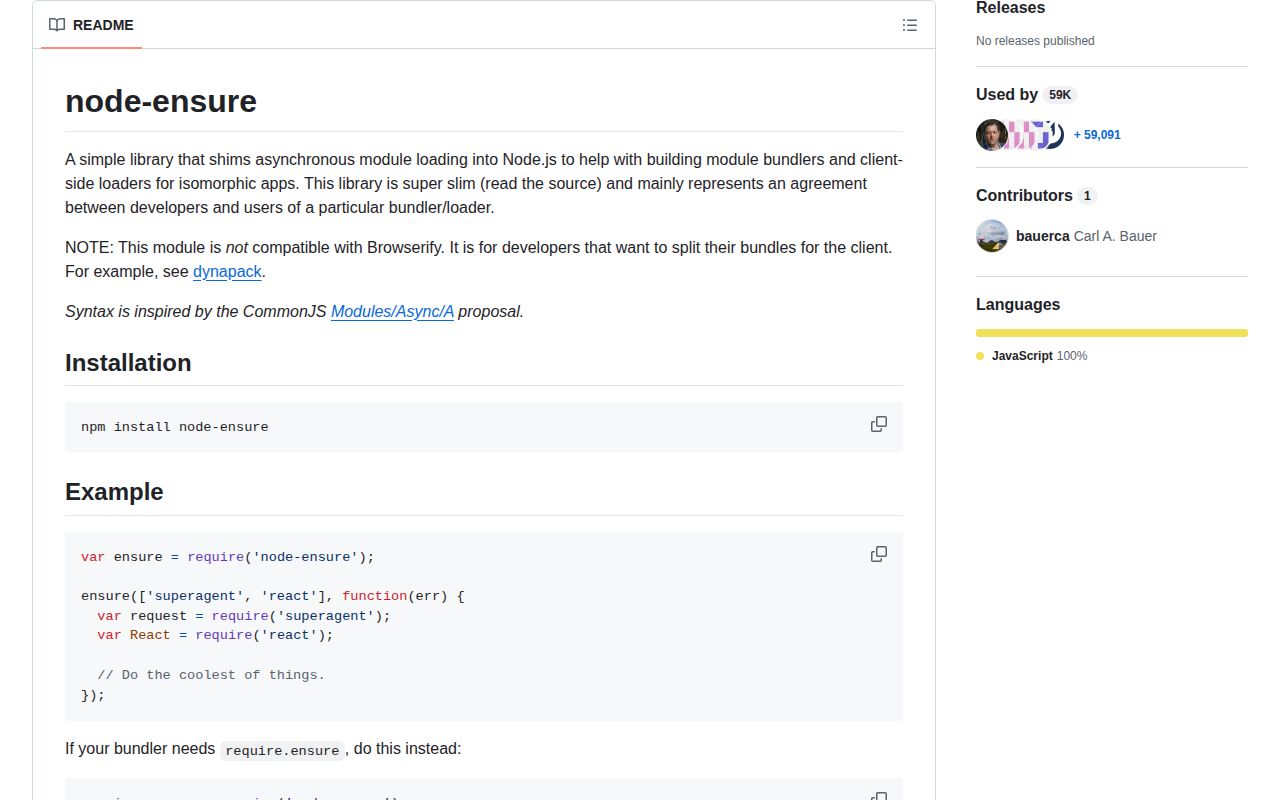
node-ensure 0.0.0 is a two-file shim for a pre-import() code-splitting convention. On Node, ensure(['module'], callback) ignores the array and schedules the callback with setImmediate; ordinary require() calls inside that callback do the loading. In a browser bundle, the package's browser map swaps in a file that forwards the call to a loader-provided require.ensure. The package neither downloads nor validates modules by itself. It exists as a contract between 2015-era application code and a custom bundler, and the README explicitly says Browserify is incompatible.
node-ensure 0.0.0 installed as one 1 MB package in 0.8 seconds in our sandbox, but its Node implementation only defers a callback and its repository has had no code change since 2015. Do not install it unless an existing custom loader requires this exact protocol while you migrate to import().
We installed it
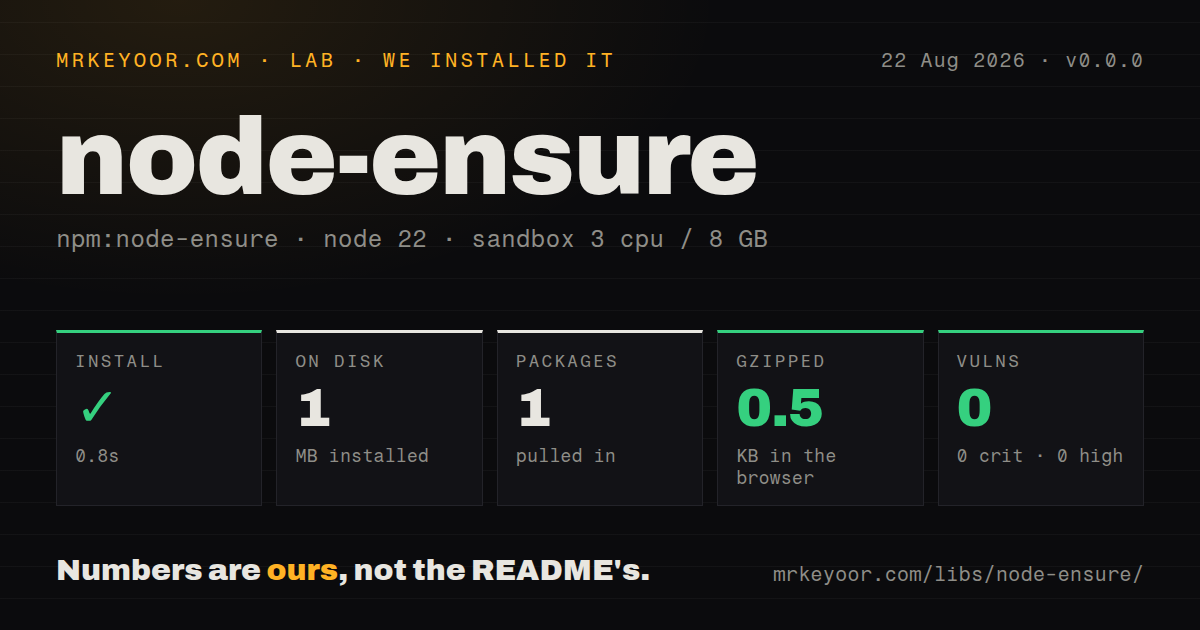
| Install | ✓ · 0.8s | 1 package on disk · 1 MB |
| Import | ✓ | ESM import works · require() works · CommonJS package |
| Browser | 0.5 KB | gzipped (0.9 KB minified), bundled with esbuild |
| Types | — | no TypeScript types found |
| Known vulns | 0 | 0 critical · 0 high · 0 moderate · 0 low (npm audit) |
Answers from our run
Does node-ensure install cleanly?
Yes. In a fresh container with an empty cache, npm install node-ensure finished in 0.8s, leaving 1 package and 1 MB on disk. npm audit reported no known vulnerabilities.
How much does node-ensure add to a browser bundle?
0.5 KB gzipped (0.9 KB minified) when the whole package is bundled for the browser with esbuild. Importing only part of it is usually smaller.
Does node-ensure work with both ESM and CommonJS?
Yes. Both import 'node-ensure' and require('node-ensure') worked in Node 22 in our run. The package is published as CommonJS.
Does node-ensure include TypeScript types?
No type declarations were found in our install, so TypeScript users need their own declarations.
node-ensure or webpack: which should you use?
webpack: Choose it when a maintained bundler should turn standard dynamic imports into separate client chunks. node-ensure 0.0.0 installed as one 1 MB package in 0.8 seconds in our sandbox, but its Node implementation only defers a callback and its repository has had no code change since 2015.
When should you not use node-ensure?
You are writing new code: import() supplies a standard Promise and current bundlers already use it as a split point
Use it if
- A legacy CommonJS application already has node-ensure split points that its custom bundler recognizes
- Your server path must preserve the exact setImmediate callback timing used by version 0.0.0
- A dynapack-era loader honors package browser maps and injects the required require.ensure function
- You are keeping the shim temporarily while replacing each call with standard import()
- You are writing new code: import() supplies a standard Promise and current bundlers already use it as a split point
- You use Browserify: node-ensure's README says that combination is unsupported
- You expect the module array to preload or verify anything on Node: index.js discards it and only calls setImmediate(callback)
- You need a maintained package with tests and types: 0.0.0 is the sole release, npm test deliberately exits 1, and the repository stopped changing in 2015
- You need consistent error semantics: Node passes no load error to the callback, while browser errors depend entirely on the injected loader
Setup reality
Our install of node-ensure 0.0.0 completed in 0.8 seconds and left one package using 1 MB on disk. npm audit found 0 known vulnerabilities. The package is 24 KB unpacked, has no direct or peer dependencies, and runs no install script or native compiler.
There are no credentials or config files. The package is CommonJS with no exports map; require() and ESM import worked in our Node 22 sandbox. We found no bundled TypeScript declarations. There has never been a release after 0.0.0, and the repository's final code commit was the 2015 npm publish.
On Node, the implementation is setImmediate(callback). It does not inspect the module-name array, catch later require() errors, return a Promise, or pass an error argument. Keep literal require() calls inside the callback because the old bundler, rather than node-ensure, must discover what belongs in a separate chunk. The README explicitly rules out Browserify.
Our browser build measured 0.9 KB minified and 0.5 KB gzipped. Browser behavior comes from package.json replacing index.js with browser.js, which calls require.ensure.apply(this, arguments). A compatible loader must inject that nonstandard method and honor the browser map. Modern webpack, Vite, Rollup, and Node code should use import(), which also gives callers real rejection handling and a Promise.
Patterns
Preserve the legacy callback shape load-commonjs-modules
const ensure = require('node-ensure');

ensure(['superagent', 'react'], (error) => {
  if (error) return showClientLoadError(error);
  const request = require('superagent');
  const React = require('react');
  startApp({request, React});
});
On Node, the array is ignored and error is undefined; a compatible browser loader must interpret the array and callback.
Expose the shim as require.ensure attach-require-ensure
require.ensure = require('node-ensure');

require.ensure(['./feature'], (error) => {
  if (error) throw error;
  require('./feature').run();
});
This changes the module-local CommonJS require function for bundlers that look specifically for require.ensure syntax.
Leave the chunk request as a literal keep-static-require
const ensure = require('node-ensure');

ensure(['./reports/monthly'], (error) => {
  if (error) return showFailure(error);
  require('./reports/monthly').render();
});
Old bundlers need a literal require path inside the callback to identify the code destined for the client chunk.
Handle a loader error in the callback handle-client-error
ensure(['./account-panel'], (error) => {
  if (error) {
    showRetryButton(openAccountPanel);
    return;
  }
  require('./account-panel').mount();
});
The README says Node should never supply an error; whether a browser failure reaches this argument is loader-defined.
Catch the real Node require failure catch-node-require-error
ensure(['./optional-feature'], () => {
  try {
    require('./optional-feature').start();
  } catch (error) {
    console.error('optional feature failed', error);
  }
});
A missing Node module throws inside the deferred callback because node-ensure does not load or catch it.
Verify the setImmediate ordering observe-server-timing
console.log('before');
ensure(['anything'], () => console.log('callback'));
console.log('after');
// before, after, callback
Version 0.0.0 schedules exactly one setImmediate callback; the requested name does not affect the order.
Wrap the old callback for a temporary migration wrap-in-promise
function ensureAsync(modules) {
  return new Promise((resolve, reject) => {
    ensure(modules, (error) => error ? reject(error) : resolve());
  });
}

await ensureAsync(['./editor']);
const editor = require('./editor');
This wrapper changes consumption only; Node still does not preload the module, and an old bundler may not recognize the indirect split point.
Forward a loader context preserve-callback-context
require.ensure = require('node-ensure');

require.ensure.call({chunk: 'settings'}, ['./settings'], function (error) {
  if (!error) require('./settings').open(this.chunk);
});
browser.js forwards this through apply(), but the injected require.ensure decides what context the callback eventually receives.
Add the missing CommonJS declaration declare-types-locally
declare module 'node-ensure' {
  type Callback = (error?: Error) => void;
  function ensure(modules: string[], callback: Callback): void;
  export = ensure;
}
The 0.0.0 package has no types field or bundled declaration, so keep this shim in an application-owned .d.ts file.
Use a browser-map replacement configure-browser-replacement
{
  "browser": {
    "./server-loader.js": "./browser-loader.js"
  }
}
node-ensure relies on this package.json convention, yet honoring the map does not by itself add require.ensure support.
Replace the split point with import() migrate-dynamic-import
async function openEditor() {
  try {
    const {createEditor} = await import('./editor.js');
    return createEditor();
  } catch (error) {
    showLoadFailure(error);
  }
}
import() returns a Promise and is understood by current Node releases and bundlers without node-ensure.
Keep a webpack chunk name after migration name-webpack-chunk
const panel = await import(
  /* webpackChunkName: "account-panel" */
  './account-panel.js'
);
panel.mount();
The naming comment is webpack-specific; other bundlers split import() calls but expose different output naming controls.
Alternatives
| Package | Registry | Pick it when |
|---|---|---|
| webpack | npm | Choose it when a maintained bundler should turn standard dynamic imports into separate client chunks. |
| vite | npm | Choose it for an ESM-based development server and production build using import() split points. |
| @loadable/component | npm | Choose it for React component splitting with loading states and server-rendering support. |
More web frontend guides
postcss · react · react-dom · tailwindcss · clsx · htmlparser2 · the whole shelf →
How this guide is made: grounded in the library's documentation, release notes, changelog, and issue history, on a fixed rubric — not a hands-on install of every release. The 50 most-downloaded entries are additionally install-verified in clean containers. Corrections: contact the desk.