native-run review
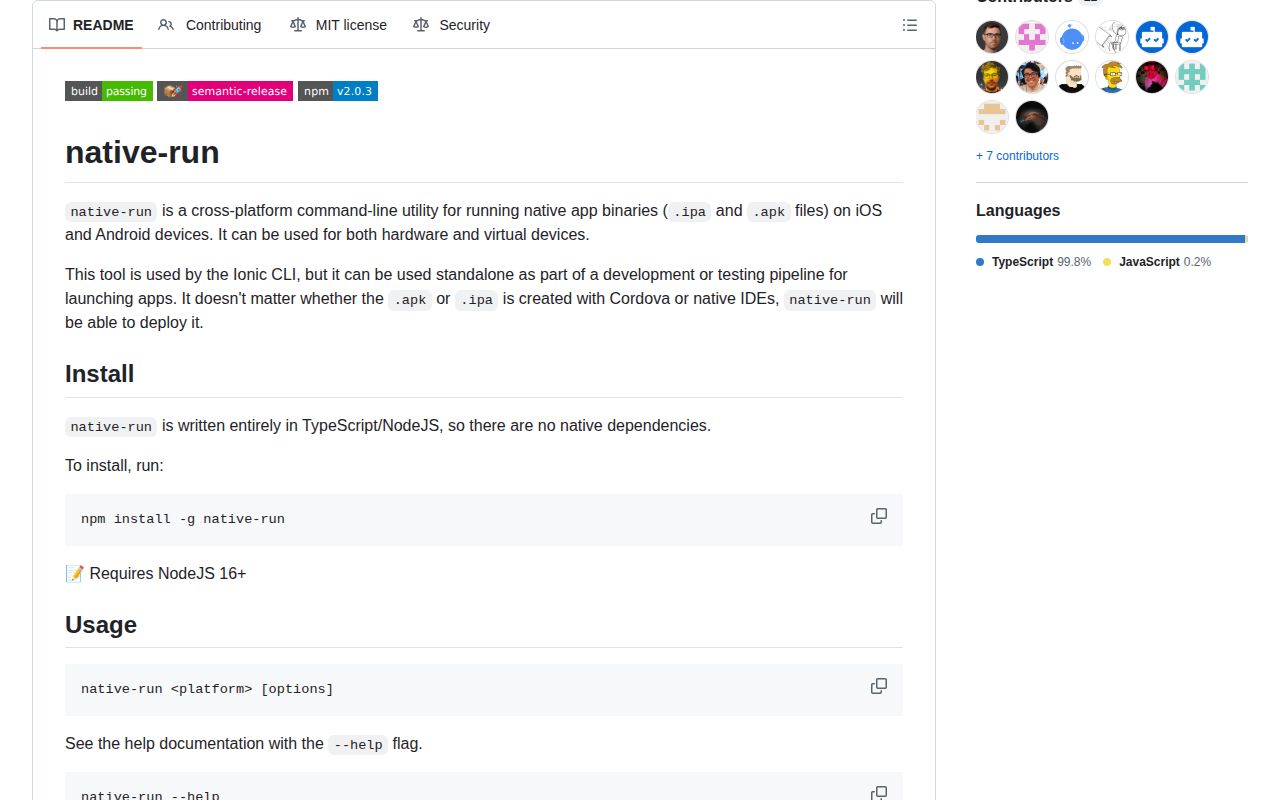
native-run 2.0.3 is an Ionic-maintained CLI for installing and launching an already-built Android APK or iOS app bundle or IPA on local hardware and virtual devices. It discovers targets, reports Android SDK state, selects a device, can forward Android ports, and can remain attached to the launched app. Version 2.0.3 adds support for wireless iOS devices. It does not compile, sign, provision, or test an application. Our package check found no TypeScript declarations, and browser bundling failed because this CLI calls local mobile toolchains.
native-run 2.0.3 installed in 5.3 seconds with 49 packages and 10 MB in our sandbox, passed npm audit, and failed browser bundling as a local-device CLI should. Install it for the last deployment step after a native build; skip it when your framework already wraps it or when the job includes building, signing, or UI testing.
We installed it
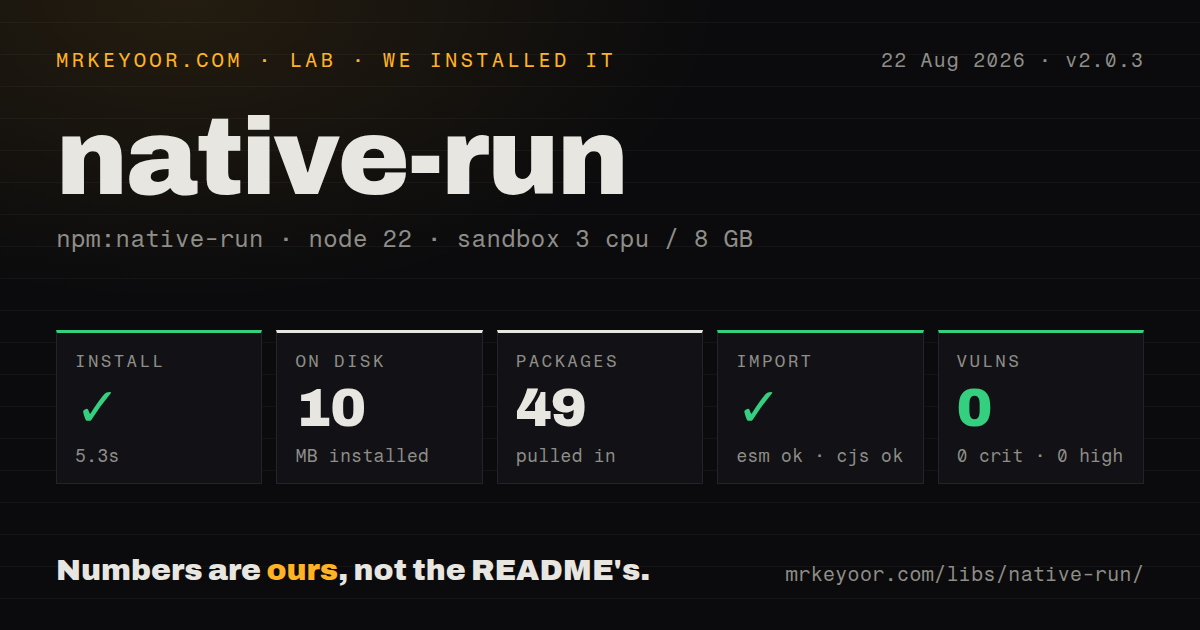
| Install | ✓ · 5.3s | 49 packages on disk · 10 MB |
| Import | ✓ | ESM import works · require() works · CommonJS package |
| Browser | n/a | could not be bundled for the browser (Node-only code, most likely) |
| Types | — | no TypeScript types found |
| Known vulns | 0 | 0 critical · 0 high · 0 moderate · 0 low (npm audit) |
Answers from our run
Does native-run install cleanly?
Yes. In a fresh container with an empty cache, npm install native-run finished in 5 seconds, leaving 49 packages and 10 MB on disk. npm audit reported no known vulnerabilities.
Can native-run run in a browser?
Not directly: esbuild could not bundle it for the browser in our run, which normally means it depends on Node built-ins. Use it on the server, or find a browser-targeted alternative.
Does native-run work with both ESM and CommonJS?
Yes. Both import 'native-run' and require('native-run') worked in Node 22 in our run. The package is published as CommonJS.
Does native-run include TypeScript types?
No type declarations were found in our install, so TypeScript users need their own declarations.
native-run or ios-deploy: which should you use?
ios-deploy: Use it for focused installation and debugging of iOS apps on physical devices from macOS. native-run 2.0.3 installed in 5.3 seconds with 49 packages and 10 MB in our sandbox, passed npm audit, and failed browser bundling as a local-device CLI should.
When should you not use native-run?
You expect the tool to build, sign, or provision an app. --app points to an artifact that must already be valid for its target.
Use it if
- A script already has a built APK, `.app`, or IPA and only needs local installation and launch.
- You want the same target discovery and selection used internally by the Ionic CLI.
- Android automation needs JSON device listings, exact target selection, or temporary ADB port forwarding.
- One command should cover both Android and macOS-hosted iOS deployment without owning the build step.
- You expect the tool to build, sign, or provision an app. `--app` points to an artifact that must already be valid for its target.
- iOS deployment must run on Linux or Windows. Simulator and device paths depend on Xcode, `xcrun`, `simctl`, device-support images, and macOS commands.
- A framework command already wraps native-run. Ionic and Capacitor users may gain only another version to reconcile by installing it directly.
- You need a supported programmatic Node API. The package exposes a CLI and our install found no declaration files.
- The requirement is UI automation, assertions, screenshots, remote devices, or device-farm scheduling. native-run launches one local app and is not a test system.
Setup reality
We installed native-run 2.0.3 in 5.3 seconds in our fresh Node 22 sandbox. It left 49 packages and 10 MB on disk, and npm audit reported 0 known vulnerabilities. The package has 11 direct dependencies, 0 peers, 2400 KB unpacked, an MIT license, and a Node floor of 16. It is CommonJS with no exports map; require() and ESM import worked, but no TypeScript declarations were found.
Android runs still need a working SDK, adb, platform tools, and emulator components when virtual targets are used. Resolution checks ANDROID_HOME, then ANDROID_SDK_ROOT, then conventional SDK folders. A virtual setup also depends on the normal .android and AVD locations or their environment overrides. Run native-run android --sdk-info before debugging target selection. Without --target, connected hardware is preferred unless --virtual changes that choice.
The npm install contains no native build, but iOS execution is a macOS and Xcode job. Simulator work calls xcrun simctl, xcode-select, Simulator, and open. Physical devices need trust, provisioning, a compatible signed artifact, and matching Xcode device-support files. Version 2.0.3 specifically fixes wireless iOS device support. A locked device is polled at 5-second intervals and abandoned after 1 minute according to the implementation.
Our browser bundle failed, which is the expected result for a CLI that shells out to SDK tools and deploys local binaries. Pin native-run in devDependencies and invoke it through npm exec in CI, even though the README demonstrates a global install. Use --target on shared runners, --json for machine parsing, and --verbose for diagnostics. --connect keeps the process alive and may stop the app during cleanup, so leave it out of fire-and-forget deployment steps.
Patterns
Pin the deployment CLI install-cli
npm install --save-dev native-run@2.0.3
npm exec native-run -- --version
Version 2.0.3 requires Node 16 or newer; a local dev dependency makes CI use the lockfile version instead of a changing global install.
Read each platform's flags show-platform-help
native-run --help
native-run android --help
native-run ios --help
Platform help contains options missing from the short README, including target filters, Android forwarding, SDK inspection, and connection behavior.
Discover Android targets list-android-targets
native-run android --listEven listing needs a discoverable Android SDK and `adb`; add `--device` or `--virtual` to restrict the target class.
Return machine-readable devices list-targets-json
native-run android --list --json
native-run ios --list --json
Probe platforms separately in automation so a missing iOS or Android toolchain does not pollute the result for the platform you use.
Show the resolved Android SDK inspect-android-sdk
native-run android --sdk-info
native-run android --sdk-info --json
SDK resolution prefers a valid `ANDROID_HOME`, then `ANDROID_SDK_ROOT`, then the operating system's conventional location.
Deploy and start an APK run-apk-automatically
native-run android --app ./android/app/build/outputs/apk/debug/app-debug.apkWithout `--target`, selection can choose attached hardware or an available emulator; that convenience is risky on a busy shared machine.
Require attached Android hardware require-android-device
native-run android --app ./app-debug.apk --deviceThe command fails instead of falling back to an emulator; USB debugging and host authorization must already be accepted.
Require a virtual Android target prefer-android-emulator
native-run android --app ./app-debug.apk --virtualThe 10 MB npm install does not contain Android emulator tools or a system image; those remain SDK setup responsibilities.
Address one Android serial select-android-target
native-run android --list --json
native-run android --app ./app-debug.apk --target emulator-5554
Use the serial or AVD identifier from `--list`; explicit selection avoids installing on the wrong device in CI.
Forward two Android ports forward-android-ports
native-run android \
  --app ./app-debug.apk \
  --target emulator-5554 \
  --forward 8080:8080 \
  --forward 9222:9222
Each value is device-port to host-port, and the repeatable rules are removed when native-run performs process cleanup.
Launch an iOS artifact run-ios-binary
native-run ios --app ./build/MyApp.app --virtual
native-run ios --app ./artifacts/MyApp.ipa --device
Simulator `.app` bundles and device IPAs must target the right platform; physical-device artifacts also need valid signing and provisioning.
Stay attached to one iOS target select-ios-target
native-run ios --list --json
native-run ios --app ./build/MyApp.app \
  --target A1B2C3D4-EXAMPLE-UDID \
  --connect --verbose
Version 2.0.3 supports wireless devices. `--connect` keeps the CLI alive and can terminate the app when the process cleans up.
Alternatives
| Package | Registry | Pick it when |
|---|---|---|
| ios-deploy | npm | Use it for focused installation and debugging of iOS apps on physical devices from macOS. |
| adbkit | npm | Use it when Node code needs a programmatic Android Debug Bridge API and no iOS support. |
| appium | npm | Use it when launching is only the first step and the job also needs UI automation and assertions. |
More mobile guides
react-native · expo · react-native-safe-area-context · react-native-reanimated · react-native-worklets · react-native-svg · the whole shelf →
How this guide is made: grounded in the library's documentation, release notes, changelog, and issue history, on a fixed rubric — not a hands-on install of every release. The 50 most-downloaded entries are additionally install-verified in clean containers. Corrections: contact the desk.