@lexical/yjs review
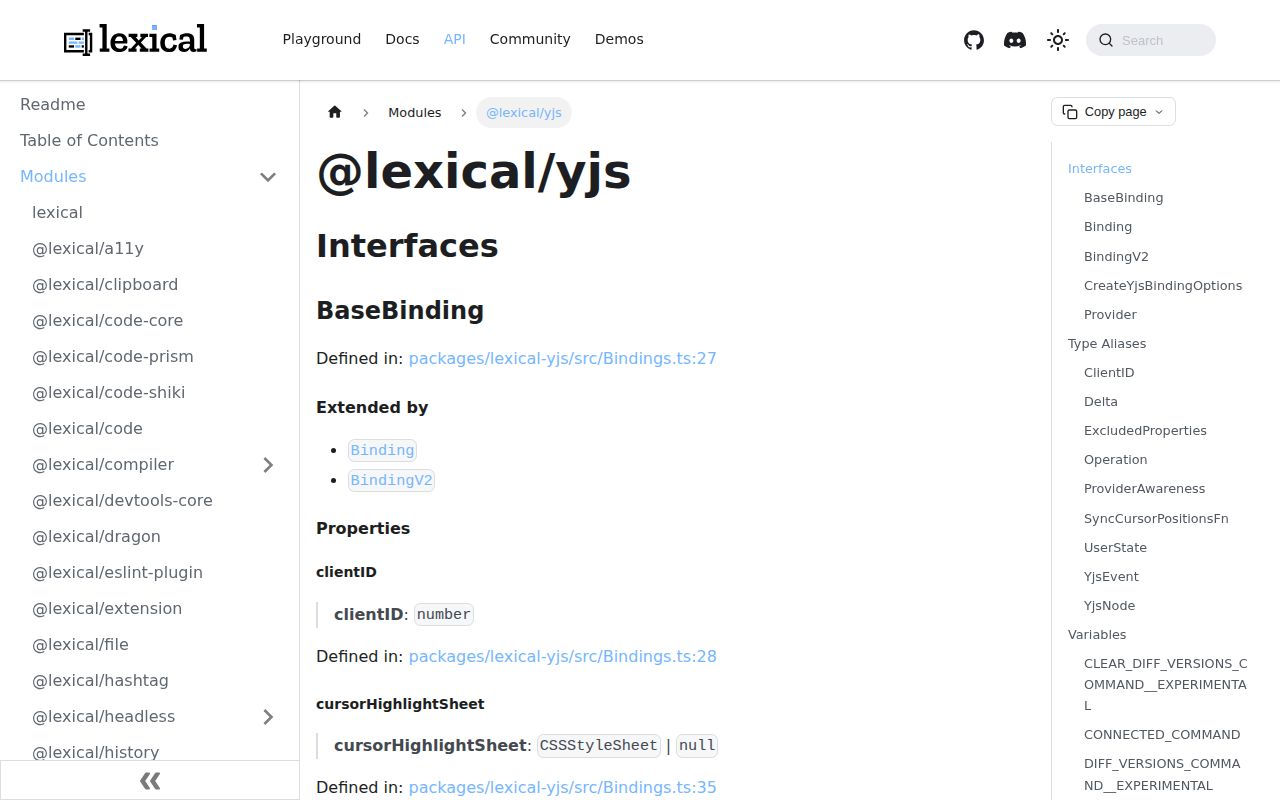
@lexical/yjs 0.49.0 converts Lexical editor updates into Yjs shared types and applies remote Yjs changes back to Lexical. Its public pieces cover the binding, collaborative undo, awareness state, remote cursor positions, connection commands, and low-level synchronization calls. React projects usually let `CollaborationPlugin` from `@lexical/react` manage those pieces. The package supplies no network transport, server, room authorization, persistence, or identity system. The 0.49.0 family also completes Lexical's `$config()` migration for built-in nodes, so collaborative custom-node tests should run with the whole Lexical set on 0.49.0.
@lexical/yjs 0.49.0 installed as 7 packages using 13 MB and produced a 96.1 KB gzipped browser bundle in our sandbox, so the binding is measurable weight rather than a free Lexical add-on. Install it when Yjs is already the collaboration model; otherwise choose the editor binding that matches your actual document engine.
We installed it
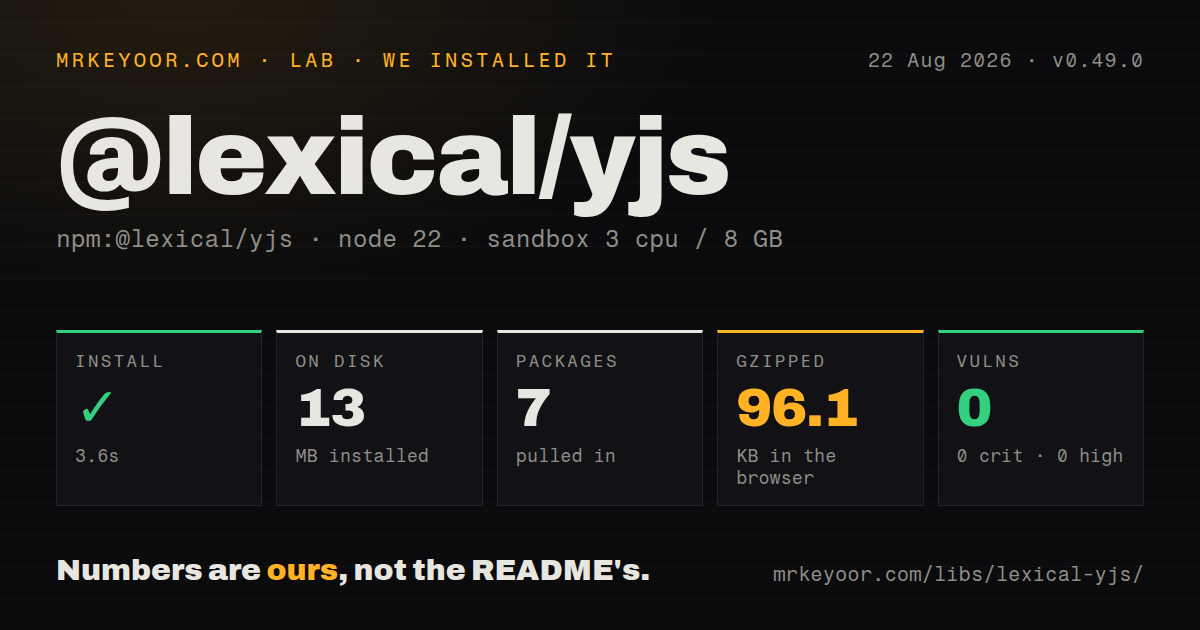
| Install | ✓ · 3.6s | 7 packages on disk · 13 MB |
| Import | ✓ | ESM import works · require() works · CommonJS package with exports map |
| Browser | 96.1 KB | gzipped (298 KB minified), bundled with esbuild |
| Types | ✓ | TypeScript types bundled |
| Known vulns | 0 | 0 critical · 0 high · 0 moderate · 0 low (npm audit) |
Answers from our run
Does @lexical/yjs install cleanly?
Yes. In a fresh container with an empty cache, npm install @lexical/yjs finished in 4 seconds, leaving 7 packages and 13 MB on disk. npm audit reported no known vulnerabilities.
How much does @lexical/yjs add to a browser bundle?
96.1 KB gzipped (298 KB minified) when the whole package is bundled for the browser with esbuild. Importing only part of it is usually smaller.
Does @lexical/yjs work with both ESM and CommonJS?
Yes. Both import '@lexical/yjs' and require('@lexical/yjs') worked in Node 22 in our run. The package is published as CommonJS with an exports map.
Does @lexical/yjs include TypeScript types?
Yes, type declarations ship inside the package, so no @types install is needed.
@lexical/yjs or y-prosemirror: which should you use?
y-prosemirror: Use it when the editor model is ProseMirror and Yjs should bind directly to ProseMirror state. @lexical/yjs 0.49.0 installed as 7 packages using 13 MB and produced a 96.1 KB gzipped browser bundle in our sandbox, so the binding is measurable weight rather than a free Lexical add-on.
When should you not use @lexical/yjs?
You expect one install to produce a collaboration service. @lexical/yjs has no WebSocket server, database adapter, authentication, or access-control layer.
Use it if
- Your editor is Lexical, your shared document is Yjs, and you want the binding maintained in the Lexical monorepo.
- Remote selections, awareness metadata, connection commands, and Yjs-backed undo belong in the editing experience.
- A React application can use the documented CollaborationPlugin lifecycle instead of wiring every observer by hand.
- Your team already owns authenticated room transport, durable document storage, reconnect policy, and server-side initialization.
- You expect one install to produce a collaboration service. @lexical/yjs has no WebSocket server, database adapter, authentication, or access-control layer.
- The project upgrades Lexical packages independently. Version 0.49.0 has 3 exact-version Lexical dependencies plus Yjs and TypeScript peers, so a mixed release set is an avoidable failure mode.
- A 96.1 KB gzipped binding bundle is too much for the editor route. Our full namespace import measured 298 KB minified before gzip.
- Each browser will seed an empty production room. Lexical's collaboration guide warns that simultaneous client bootstrapping can corrupt shared content and points production setups to server initialization.
- You need a settled public contract for V2 binding or snapshot diffing. Several exports still carry `__EXPERIMENTAL` in their names.
Setup reality
Our Node 22 sandbox installed @lexical/yjs 0.49.0 in 3.6 seconds. The result was 7 packages and 13 MB on disk; @lexical/yjs itself was 700 KB unpacked. npm audit found 0 known vulnerabilities. The manifest has 3 direct dependencies and 2 peers: Yjs >=13.5.22 and TypeScript >=5.2. It includes TypeScript declarations and an exports map. Both CommonJS require() and ESM import worked against the CommonJS package in our checks.
Installation does not create a working room. A React setup also needs Lexical, @lexical/react, React, Yjs, and a provider. Lexical documents y-websocket as the only officially supported connection provider, while noting that others may work. The provider factory receives the room ID and a shared Map<string, Y.Doc>; it must put the document into that map. With y-websocket, pass connect: false so CollaborationPlugin owns connect and disconnect. Authenticate the socket and authorize every room on the server.
Initial state is the costly surprise. Set the Lexical composer's editorState to null, then initialize production Yjs documents on the server and use shouldBootstrap={false}. The guide reserves client bootstrapping for local development because 2 clients can race to seed the same empty room. Awareness fields travel as presence data and disappear with the session. They are neither durable profile storage nor trusted proof of identity. Persistence, retention, document deletion, and recovery remain provider concerns.
Custom nodes need a collaboration audit during the 0.49.0 upgrade. The binding discovers synchronized fields by constructing a node and inspecting its own enumerable properties. Assign optional fields in every constructor path, even when the value is undefined, or use NodeState. Our full browser import measured 298 KB minified and 96.1 KB gzipped, so load collaboration only on editor routes. Low-level callers must register both Lexical and Yjs observers, awareness, undo, connection state, teardown, and error handling themselves.
Patterns
Install one Lexical release across the editor install-matched-stack
npm install @lexical/react@0.49.0 @lexical/yjs@0.49.0 lexical@0.49.0 react react-dom y-websocket yjs@lexical/yjs 0.49.0 pins 3 Lexical dependencies to 0.49.0 and declares Yjs `>=13.5.22` plus TypeScript `>=5.2` as peers.
Create and cache the room document create-websocket-provider
import {useCallback} from 'react';
import * as Y from 'yjs';
import {WebsocketProvider} from 'y-websocket';

const providerFactory = useCallback((id, docs) => {
  let doc = docs.get(id);
  if (!doc) {
    doc = new Y.Doc();
    docs.set(id, doc);
  }
  return new WebsocketProvider(
    'wss://collab.example.com',
    id,
    doc,
    {connect: false},
  );
}, []);
`connect: false` leaves connection control to CollaborationPlugin; the server must authenticate the socket and authorize the room ID.
Let the Yjs document initialize Lexical disable-local-editor-state
const initialConfig = {
  namespace: 'SharedArticle',
  editorState: null,
  nodes: [MentionNode],
  theme: {},
  onError(error) {
    throw error;
  },
};
`editorState: null` prevents a second local state from racing the collaborative document during startup.
Mount the managed React lifecycle mount-react-collaboration
import {LexicalCollaboration} from '@lexical/react/LexicalCollaborationContext';
import {CollaborationPlugin} from '@lexical/react/LexicalCollaborationPlugin';

<LexicalCollaboration>
  <LexicalComposer initialConfig={initialConfig}>
    <CollaborationPlugin
      id={documentId}
      providerFactory={providerFactory}
      shouldBootstrap={false}
    />
  </LexicalComposer>
</LexicalCollaboration>
CollaborationPlugin disconnects its provider during cleanup; `shouldBootstrap={false}` assumes the production document is initialized elsewhere.
Seed a development-only room bootstrap-local-room
<CollaborationPlugin
  id="demo-room"
  providerFactory={providerFactory}
  initialEditorState={$seedDemo}
  shouldBootstrap={true}
/>
Two production clients can race when `shouldBootstrap` is true, so Lexical's guide directs production initialization to the server.
Attach visible collaborator details publish-awareness-metadata
<CollaborationPlugin
  id={documentId}
  providerFactory={providerFactory}
  shouldBootstrap={false}
  username={user.displayName}
  cursorColor={user.cursorColor}
  awarenessData={{userId: user.id, avatarUrl: user.avatarUrl}}
/>
Awareness data is ephemeral and visible to peers; it is not durable user storage or proof that the claimed user ID is authorized.
Track connection changes in the editor watch-connection-state
import {CONNECTED_COMMAND} from '@lexical/yjs';
import {COMMAND_PRIORITY_LOW} from 'lexical';

const removeListener = editor.registerCommand(
  CONNECTED_COMMAND,
  (connected) => {
    setConnected(connected);
    return false;
  },
  COMMAND_PRIORITY_LOW,
);
Call `removeListener()` during cleanup; each registration adds another command handler to the editor.
Pause and resume transport toggle-provider-connection
import {TOGGLE_CONNECT_COMMAND} from '@lexical/yjs';

editor.dispatchCommand(TOGGLE_CONNECT_COMMAND, false);
editor.dispatchCommand(TOGGLE_CONNECT_COMMAND, true);
A disconnect changes transport state only; it does not revoke room access, erase the local Y.Doc, or block local edits.
Create an enumerable optional property sync-custom-node-field
class MentionNode extends TextNode {
  __userId: string | undefined;

  constructor(text = '', userId?: string, key?: NodeKey) {
    super(text, key);
    this.__userId = userId;
  }
}
The assignment creates an own enumerable property even when the value is `undefined`; a TypeScript `?` declaration alone may emit no field.
Bind one editor to one Yjs document create-low-level-binding
import {createYjsBinding} from '@lexical/yjs';
import * as Y from 'yjs';

const id = 'article-42';
const doc = new Y.Doc();
const docMap = new Map([[id, doc]]);

const binding = createYjsBinding({
  editor,
  id,
  doc,
  docMap,
});
`createYjsBinding()` creates binding state only; low-level code still needs editor updates, Yjs observers, awareness, undo, and teardown.
Choose the Yjs root key explicitly use-named-shared-root
const binding = createYjsBinding({
  editor,
  id: documentId,
  doc,
  docMap,
  rootName: 'article-body',
});
Version 0.49.0 defaults V1 bindings to root key `root`; every peer must use the same key to edit the same shared type.
Scope undo to the shared root create-collaborative-undo
import {createUndoManager} from '@lexical/yjs';

const undoManager = createUndoManager(
  binding,
  binding.root.getSharedType(),
);

undoManager.undo();
undoManager.redo();
The helper tracks the binding and `null` origins for one shared root; the React plugin already wires collaborative history in its managed flow.
Alternatives
| Package | Registry | Pick it when |
|---|---|---|
| y-prosemirror | npm | Use it when the editor model is ProseMirror and Yjs should bind directly to ProseMirror state. |
| @tiptap/extension-collaboration | npm | Use it for Tiptap projects that want collaboration exposed through Tiptap extensions. |
| y-quill | npm | Use it when an existing Quill editor needs a Yjs binding. |
| @lexical/react | npm | Use its CollaborationPlugin above this package when React should own provider and binding cleanup. |
More web frontend guides
postcss · react · react-dom · tailwindcss · clsx · htmlparser2 · the whole shelf →
Related reading
How this guide is made: grounded in the library's documentation, release notes, changelog, and issue history, on a fixed rubric — not a hands-on install of every release. The 50 most-downloaded entries are additionally install-verified in clean containers. Corrections: contact the desk.