isort review
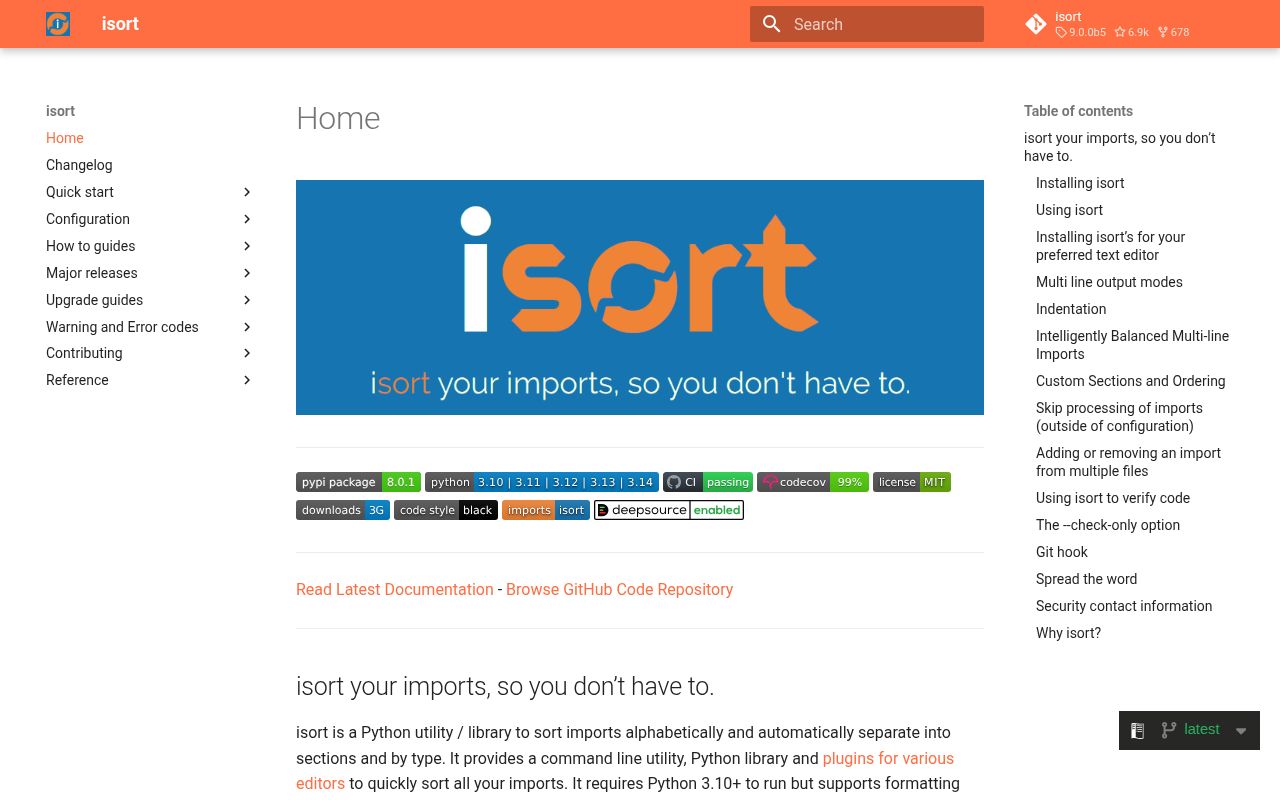
isort 8.0.1 rearranges Python imports without formatting the surrounding program. Its CLI and Python API classify statements as future, standard library, third party, first party, or local, then apply configured section order and one of 12 wrapping modes. The current release fixes Python 3.14 standard-library data and a case where comments inside an indented block were damaged. It runs on Python 3.10 or newer, still parses older source, and arrived as one typed pure-Python package in our test.
isort 8.0.1 installed as 1 package using 1 MB in our sandbox, imported in 0.35 seconds, and produced no audit findings. Keep it for established policies and custom sections; for a new project with ordinary grouping, Ruff's I rules are the simpler starting point.
We installed it
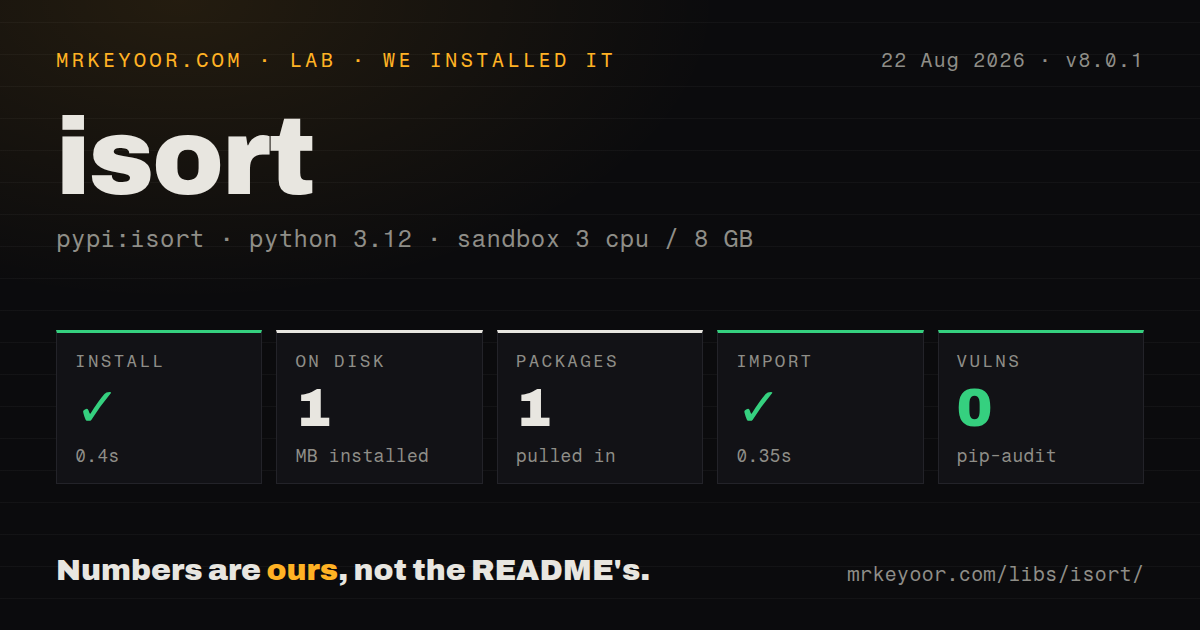
| Install | ✓ · 0.4s | 1 package on disk · 1 MB |
| Import | ✓ | import isort in 0.35s · pure Python · py.typed · requires Python >=3.10.0 |
| Known vulns | 0 | (pip-audit) |
Answers from our run
Does isort install cleanly?
Yes. In a fresh container with an empty cache, pip install isort finished in 0.4s, leaving 1 package and 1 MB on disk. pip-audit reported no known vulnerabilities.
What does isort need to run?
Python >=3.10.0, and nothing compiled: it is pure Python. In our run import isort succeeded in 0.35s, and the package ships py.typed for type checkers.
isort or ruff: which should you use?
ruff: Use its I rules when one fast executable should lint, sort imports, and format. isort 8.0.1 installed as 1 package using 1 MB in our sandbox, imported in 0.35 seconds, and produced no audit findings.
When should you not use isort?
A new project already uses Ruff; enabling its I rules usually removes a separate import command.
Use it if
- A repository already standardizes import output through isort in editors, hooks, and CI.
- Import policy needs custom sections, forced separation, or explicit first-party classification.
- A Python transformation calls `isort.code` or `isort.file` instead of starting another process.
- Order-sensitive files need supported line, block, or whole-file skip controls.
- A new project already uses Ruff; enabling its I rules usually removes a separate import command.
- Black compatibility has not been configured; different wrapping rules can make two tools repeatedly rewrite one block.
- You need unused-import, dependency-cycle, or missing-import analysis; isort only classifies and rearranges statements.
- Import order controls registration, patching, backend selection, or lazy cycles and the sensitive statements cannot be excluded.
- Formatting output must never change after dependency updates; classifier data and major-version cleanup can rewrite untouched files.
Setup reality
We installed isort 8.0.1 in a fresh Python 3.12 Bookworm environment in 0.4 seconds. The install left 1 package and 1 MB on disk. Metadata reports 1 direct dependency, pure Python, an MIT license, Python 3.10 or newer, and a bundled py.typed marker. import isort worked in 0.35 seconds, while pip-audit found 0 known vulnerabilities. The package cost is small; synchronized configuration and version pins are the operational work.
Place the shared policy in [tool.isort] within pyproject.toml. isort can also discover .isort.cfg, setup.cfg, and tox.ini while walking upward from a target, so different monorepo paths may resolve different roots. --settings-path removes that ambiguity. Projects using a src layout or namespace packages should set src_paths or known_first_party; otherwise internal modules can land among third-party imports.
For Black, set profile = "black" and use the same line length. isort does not automatically follow .gitignore unless skip_gitignore is enabled. Pre-commit jobs that pass explicit filenames often need --filter-files so isort exclusions still apply. CI should use --check-only --diff, and both the hook revision and CI dependency should pin 8.0.1. A classifier update can otherwise fail a file nobody edited.
Alphabetic validity does not imply runtime safety. Imports may register plugins, monkey-patch a module, choose a Matplotlib backend, or sit inside a function to break a cycle. --atomic catches syntax errors only. Use # isort: skip, off/on blocks, or a file exclusion for intentional order. Version 8.0.1 repaired comment handling in indented blocks, yet teams upgrading from 7 should inspect the initial full diff before enabling writes.
Patterns
Rewrite imports under two directories format-paths
isort src tests

# Preview without writing
isort --diff src tests
The first command edits files in place; review the preview before an initial repository-wide run.
Fail CI and print the required patch check-in-ci
isort --check-only --diff src testsA nonzero exit marks any file that would change, while `--diff` gives the contributor the exact repair.
Use Black-compatible wrapping match-black
# pyproject.toml
[tool.isort]
profile = "black"
line_length = 88
Black and isort must share the 88-character limit or they can disagree about the same import block.
Classify modules in a src layout mark-first-party
[tool.isort]
src_paths = ["src", "tests"]
known_first_party = ["billing", "testkit"]
known_third_party = ["vendor_sdk"]
Namespace packages and unusual roots often require explicit names even when `src_paths` is present.
Exclude imports with runtime ordering requirements protect-order
import gevent.monkey  # isort: skip
gevent.monkey.patch_all()

# isort: off
import matplotlib
matplotlib.use('Agg')
import matplotlib.pyplot as plt
# isort: on
These comments preserve monkey-patching and backend selection that a sorter cannot infer from syntax.
Lock the official hook to 8.0.1 pin-pre-commit
repos:
  - repo: https://github.com/PyCQA/isort
    rev: 8.0.1
    hooks:
      - id: isort
        args: ["--filter-files"]
The version pin prevents an automatic formatter change; `--filter-files` reapplies isort exclusions to explicit hook paths.
Reorder source held in memory sort-string
import isort
config = isort.Config(profile='black', known_first_party=['billing'])
result = isort.code('import requests\nimport billing\n', config=config)
print(result)
`isort.code` returns a new string and does not write a file; reuse one Config across a batch.
Show the settings and files isort resolved inspect-config
isort --show-config src/billing/api.py
isort --show-files src tests
isort --verbose --diff src/billing/api.py
These commands explain disagreements among an editor, a shell, and CI by exposing the selected root and input set.
Insert a dedicated framework section define-section
[tool.isort]
sections = ["FUTURE", "STDLIB", "DJANGO", "THIRDPARTY", "FIRSTPARTY", "LOCALFOLDER"]
known_django = ["django"]
section_comments = ["DJANGO"]
A custom section needs the corresponding `known_<lowercase>` list, which is one reason to choose isort over a simpler sorter.
Alternatives
| Package | Registry | Pick it when |
|---|---|---|
| ruff | PyPI | Use its I rules when one fast executable should lint, sort imports, and format. |
| reorder-python-imports | PyPI | Use it for a stricter style with fewer configuration choices. |
| usort | PyPI | Use it when side-effect barriers should constrain how far imports can move. |
| autoflake | PyPI | Use it when removing unused or duplicate imports is the actual job. |
More cli & tooling guides
commander · chalk · typescript · esbuild · yargs · click · the whole shelf →
Related reading
How this guide is made: grounded in the library's documentation, release notes, changelog, and issue history, on a fixed rubric — not a hands-on install of every release. The 50 most-downloaded entries are additionally install-verified in clean containers. Corrections: contact the desk.