ipython review
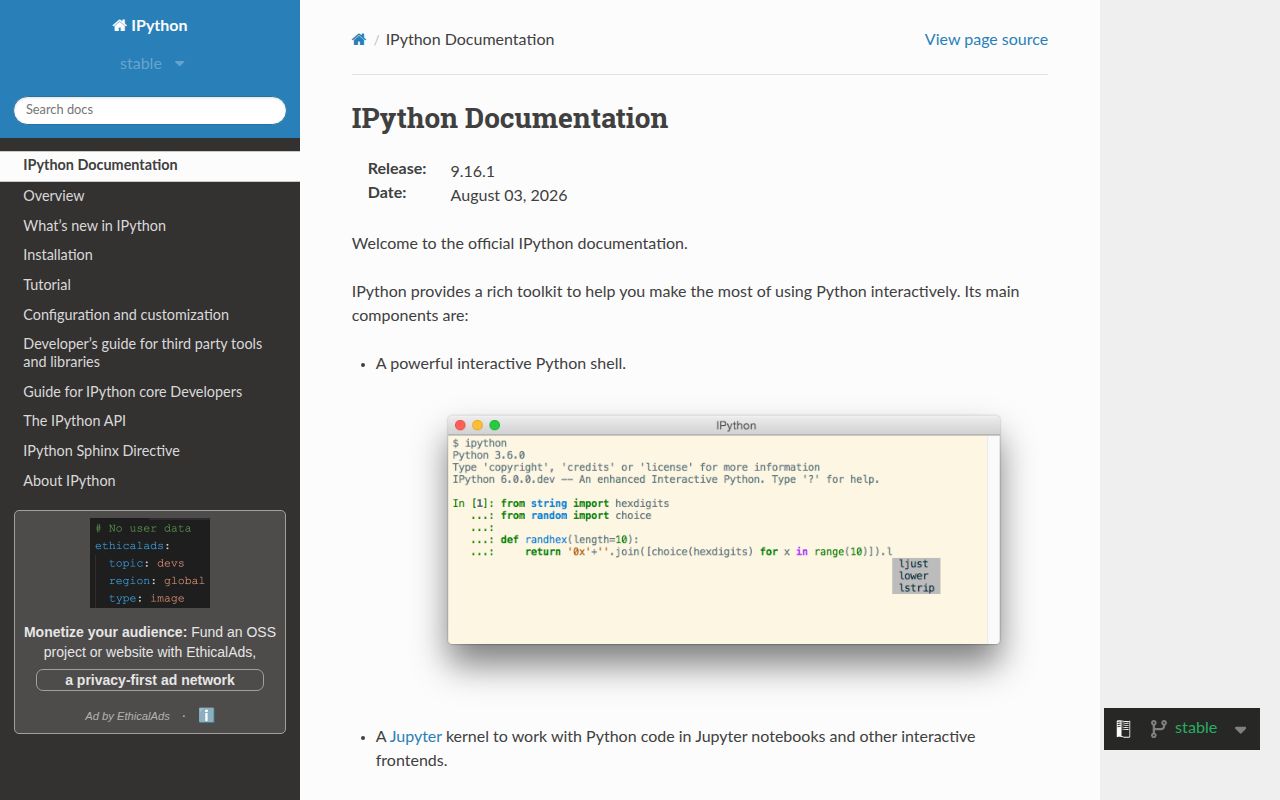
IPython replaces Python's basic interactive prompt with completion, searchable history, object inspection, shell escapes, magic commands, timing tools, and a debugger that can open on the last exception. Jupyter kernels use its interactive shell, although this package does not install the notebook or JupyterLab interface. Release 9.16 adds HTML-attribute escaping, closes an arbitrary-code-execution path in completion, adds `cell_meta` to `ExecutionInfo`, fixes completion and autoreload cases, and changes `%lsmagic` to plain text by default. Patch 9.16.1 is the current PyPI build and requires Python 3.11 or newer.
Install IPython in development and notebook environments when its inspection, history, magics, and debugger shorten real work. Leave it out of noninteractive production images, and do not mistake the package for a notebook interface.
We installed it
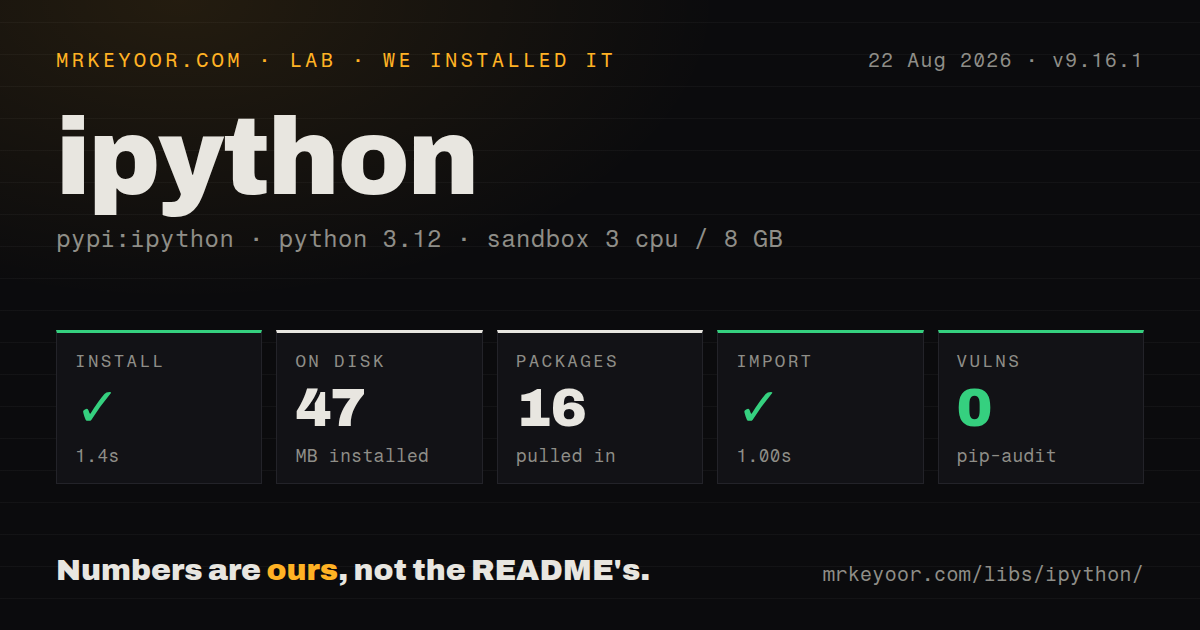
| Install | ✓ · 1.4s | 16 packages on disk · 47 MB |
| Import | ✓ | import IPython in 1.00s · pure Python · py.typed · requires Python >=3.11 |
| Known vulns | 0 | (pip-audit) |
Answers from our run
Does ipython install cleanly?
Yes. In a fresh container with an empty cache, pip install ipython finished in 1 seconds, leaving 16 packages and 47 MB on disk. pip-audit reported no known vulnerabilities.
What does ipython need to run?
Python >=3.11, and nothing compiled: it is pure Python. In our run import IPython succeeded in 1.00s, and the package ships py.typed for type checkers.
ipython or ptpython: which should you use?
ptpython: Use it for multiline editing, completion, and vi or emacs bindings while staying close to normal Python evaluation. Install IPython in development and notebook environments when its inspection, history, magics, and debugger shorten real work.
When should you not use ipython?
You expect a notebook UI. Install JupyterLab, Notebook, or an application that depends on ipykernel; IPython alone provides the terminal shell and execution machinery
Use it if
- You inspect unfamiliar Python objects interactively and want signatures, docstrings, source, and wildcard name searches at the prompt
- A data or library-development session benefits from `%timeit`, `%run`, `%debug`, output history, and autoreload magics
- You need the interactive execution layer used by an ipykernel or another Jupyter-compatible kernel frontend
- An application needs an embedded developer shell with access to the local stack and namespace
- You expect a notebook UI. Install JupyterLab, Notebook, or an application that depends on ipykernel; IPython alone provides the terminal shell and execution machinery
- The production image has no interactive debugging path. Our install left 16 packages and 47 MB, which is needless runtime surface when the `ipython` command will never run
- The interpreter is Python 3.10 or older. IPython 9.16.1 requires Python 3.11 or newer under the project's SPEC 0 support policy
- Code copied from the session must run unchanged under `python`. `%` magics, `!` shell commands, and IPython's input transformations are not Python syntax
- A small prompt upgrade is enough. ptpython or bpython stays closer to the ordinary REPL and avoids IPython's magic, profile, and extension systems
Setup reality
We installed IPython 9.16.1 in a clean Python 3.12 container in 1.4 seconds. Sixteen packages occupied 47 MB afterward. import IPython worked and took 1.00 second, while pip-audit reported no known vulnerabilities. The distribution is pure Python, advertises 40 direct dependency entries including extras and platform conditions, requires Python 3.11 or newer, and ships a py.typed marker. The package metadata inspected by the lab did not yield a license value.
The terminal starts without a config file. ipython profile create writes ~/.ipython/profile_default/ipython_config.py when repeatable settings are worth keeping. Extensions can load from that file, and command-line trait settings can override it. Use python -m IPython when multiple virtual environments are present; a globally installed ipython executable may select a different interpreter and fail to see the project's packages.
IPython keeps input and output history. Names such as _, _2, In, and Out retain references, which means a large result can stay in memory after its variable is deleted. %reset -f out clears the output cache. %autoreload 2 is convenient during edits, though replaced class definitions and failed reloads can leave old instances in confusing states. Restart the shell when object behavior no longer matches the file on disk.
Shell escapes execute subprocesses, so !cd cannot change IPython's working directory; %cd can. %pip targets the running interpreter, whereas !pip resolves whatever executable appears on PATH. Embedded shells block on real terminal input and should sit behind a deliberate development switch. In 9.16, %lsmagic prints text by default; pass --json when code needs a machine-readable mapping.
Patterns
Start IPython with the active interpreter start-correct-environment
python -m pip install ipython
python -m IPython
The module form avoids accidentally launching a global `ipython` executable tied to another environment.
Read a signature, documentation, or source inspect-python-object
In [1]: import pathlib
In [2]: pathlib.Path.read_text?
In [3]: pathlib.Path.read_text??
In [4]: pathlib.Path.*link*?
Double question marks show Python source when it is available. Compiled objects fall back to the shorter inspection view.
Time repeated and single executions benchmark-expression
In [1]: %timeit sum(range(10_000))
In [2]: %time result = expensive_call()
In [3]: %%timeit values = list(range(1_000))
   ...: sorted(values, reverse=True)
A `%%timeit` setup statement on the first line runs outside the measured cell body. Use `%time` when cold-start cost matters.
Execute a command and capture its lines run-shell-command
In [1]: !git status --short
In [2]: files = !find . -name '*.py'
In [3]: files.grep('test')
In [4]: target = 'README.md'
In [5]: !wc -l {target}
Captured output is an IPython `SList`. Shell interpolation with braces evaluates Python expressions, so do not insert untrusted values into command text.
Change directories inside the session change-working-directory
In [1]: %pwd
In [2]: %cd ../project
In [3]: %pushd /tmp
In [4]: %popd
Use `%cd` instead of `!cd`; each shell escape runs in a subprocess and cannot update the parent shell's directory.
Reload imports before each execution reload-edited-modules
In [1]: %load_ext autoreload
In [2]: %autoreload 2
In [3]: from service import calculate
In [4]: calculate()
In [5]: %autoreload 0
Objects created before a class reload may retain old behavior. Restart when a session mixes definitions or reports reload errors.
Open the debugger at the failing frame debug-last-exception
In [1]: parse_record(None)
TypeError: ...
In [2]: %debug

In [3]: %pdb on
In [4]: parse_record(None)
`%debug` uses the most recent traceback. `%pdb on` enters post-mortem debugging automatically for later exceptions.
Run a Python file under IPython execute-script
In [1]: %run analysis.py
In [2]: %run -i experiment.py
In [3]: %run -d failing_job.py
In [4]: %run -p slow_job.py
`%run` executes the file with `__name__ == '__main__'`. The `-i` option exposes the current interactive namespace to the script.
Pause a program with local variables available embed-developer-shell
from IPython import embed

def process(order):
    total = calculate(order)
    if debug_enabled:
        embed(header='Inspect order and total; exit to continue')
    return total
An embedded shell blocks for terminal input. Guard it so workers, web requests, tests, and CI cannot enter it unexpectedly.
Inspect and clear cached outputs manage-output-history
In [1]: large_result = build_table()
In [2]: _
In [3]: Out[1]
In [4]: %history -n 1-3
In [5]: %reset -f out
`Out` retains displayed objects by reference. Clearing it can release memory that remains held after deleting an ordinary variable.
Install into the interpreter IPython is using install-in-running-kernel
In [1]: %pip install httpx
In [2]: import sys
In [3]: sys.executable
`%pip` is aware of the running interpreter. `!pip` can target a different environment through shell `PATH` resolution.
Read available magics as structured data list-magics-as-json
In [1]: %lsmagic
In [2]: %lsmagic --json
IPython 9.16 changed the default to plain text. Scripts that consume the list should request JSON explicitly.
Alternatives
| Package | Registry | Pick it when |
|---|---|---|
| ptpython | PyPI | Use it for multiline editing, completion, and vi or emacs bindings while staying close to normal Python evaluation. |
| bpython | PyPI | Use it for a compact REPL with inline signatures, source display, and rewind-oriented interaction. |
| xonsh | PyPI | Use it when Python expressions and shell commands should share a full command shell rather than an occasional `!` escape. |
More cli & tooling guides
commander · chalk · typescript · esbuild · yargs · click · the whole shelf →
How this guide is made: grounded in the library's documentation, release notes, changelog, and issue history, on a fixed rubric — not a hands-on install of every release. The 50 most-downloaded entries are additionally install-verified in clean containers. Corrections: contact the desk.