hyperlinker review
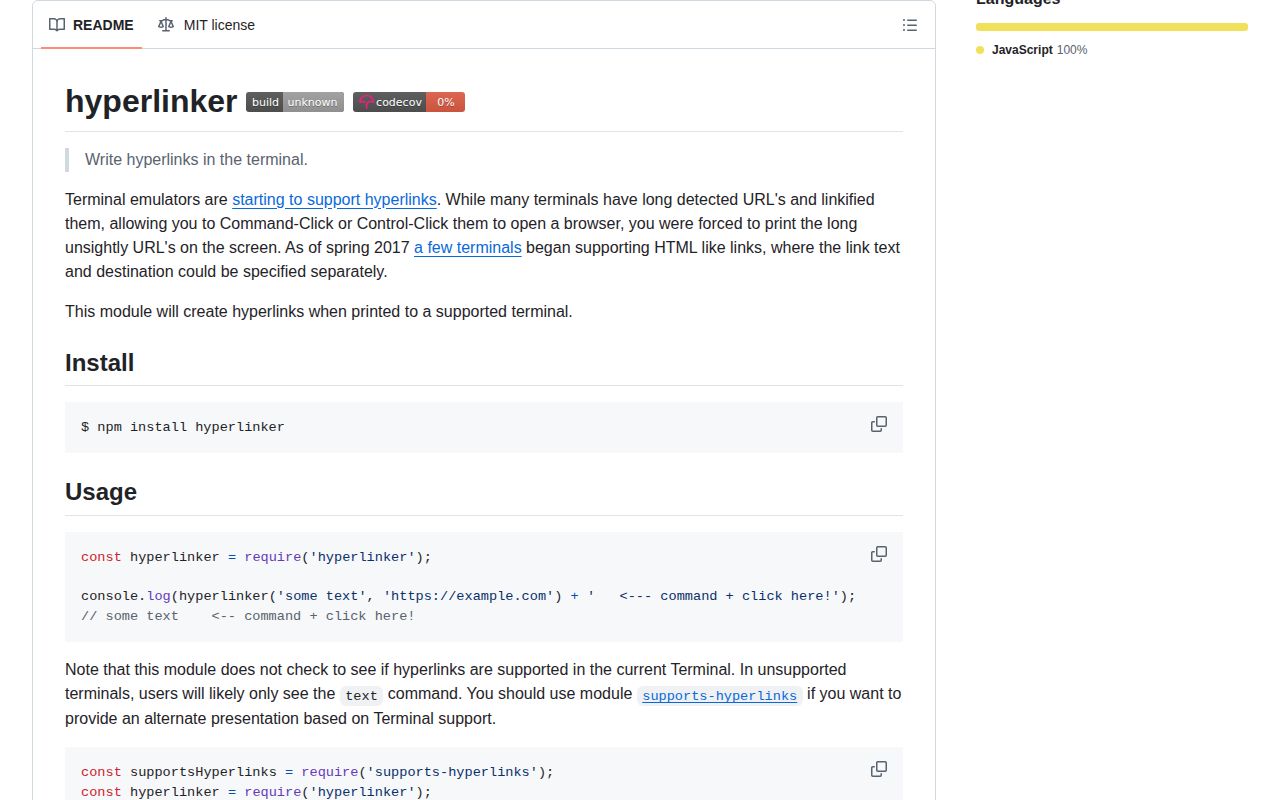
hyperlinker 1.0.0 builds an OSC 8 terminal hyperlink string from visible text, a destination URI, and optional hidden parameters. A compatible terminal can show a short label while opening the longer destination on click. The package is a dependency-free CommonJS formatter: it does not write output, detect terminal support, verify protocols, escape control bytes, or supply fallback text. Version 1.0.0 is also the first and current release, published in 2017, so there are no newer features to migrate to.
hyperlinker 1.0.0 installed in 0.3 seconds as 1 dependency-free package and bundled to 0.4 KB gzipped in our sandbox, but it neither detects support nor protects terminal control syntax. Keep it for trusted legacy CLI labels; `terminal-link` is a safer starting point for new command-line output.
We installed it
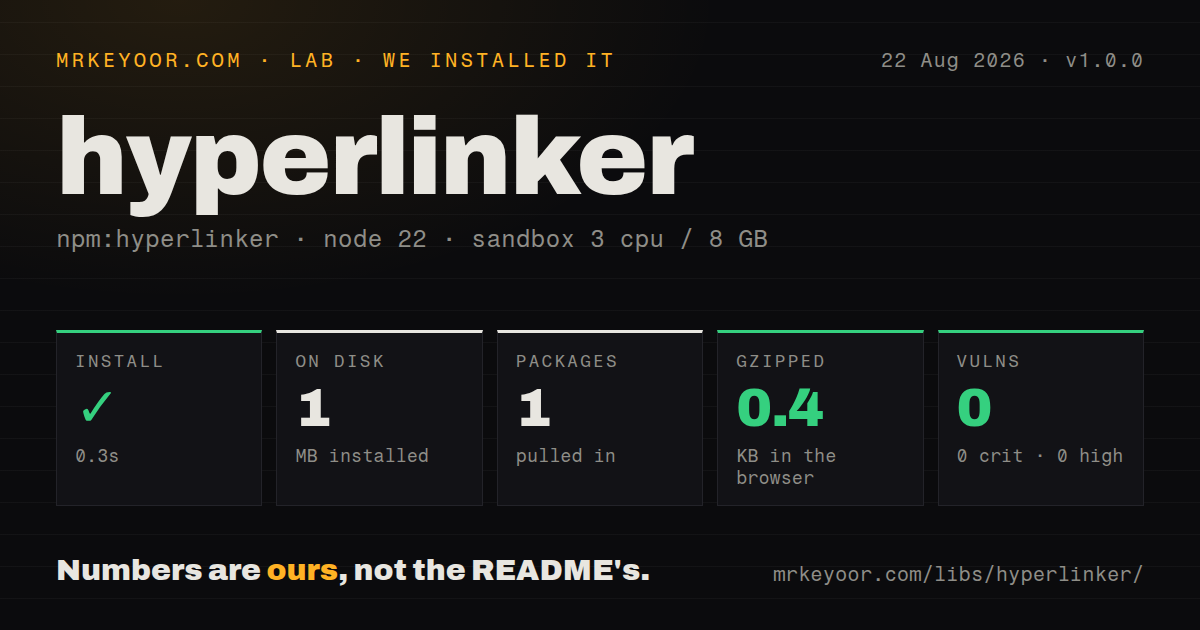
| Install | ✓ · 0.3s | 1 package on disk · 1 MB |
| Import | ✓ | ESM import works · require() works · CommonJS package |
| Browser | 0.4 KB | gzipped (0.7 KB minified), bundled with esbuild |
| Types | — | no TypeScript types found |
| Known vulns | 0 | 0 critical · 0 high · 0 moderate · 0 low (npm audit) |
Answers from our run
Does hyperlinker install cleanly?
Yes. In a fresh container with an empty cache, npm install hyperlinker finished in 0.3s, leaving 1 package and 1 MB on disk. npm audit reported no known vulnerabilities.
How much does hyperlinker add to a browser bundle?
0.4 KB gzipped (0.7 KB minified) when the whole package is bundled for the browser with esbuild. Importing only part of it is usually smaller.
Does hyperlinker work with both ESM and CommonJS?
Yes. Both import 'hyperlinker' and require('hyperlinker') worked in Node 22 in our run. The package is published as CommonJS.
Does hyperlinker include TypeScript types?
No type declarations were found in our install, so TypeScript users need their own declarations.
hyperlinker or terminal-link: which should you use?
terminal-link: Use it for current packaging, capability checks, and a configurable plain-text fallback. hyperlinker 1.0.0 installed in 0.3 seconds as 1 dependency-free package and bundled to 0.4 KB gzipped in our sandbox, but it neither detects support nor protects terminal control syntax.
When should you not use hyperlinker?
You want support detection or fallback text included; the README assigns that work to supports-hyperlinks and your own branch
Use it if
- A legacy CommonJS CLI already expects hyperlinker's exact BEL-terminated OSC 8 output
- Link labels and destinations are trusted constants supplied by your application
- Your code already detects terminal capability and prints the full URI when links are unavailable
- A tiny standalone formatter is preferable to a larger ANSI control package
- You want support detection or fallback text included; the README assigns that work to `supports-hyperlinks` and your own branch
- Labels, URIs, or parameter values can contain user input; 1.0.0 concatenates control bytes and delimiters without sanitizing them
- You need bundled TypeScript declarations or a modern exports map; our install found neither
- Your output targets browsers, files, CI collectors, or pagers more often than known OSC 8 terminals
- Current maintenance is required; npm published the only release in November 2017 and GitHub records the last push in July 2020
Setup reality
Our hyperlinker 1.0.0 install finished in 0.3 seconds in a fresh Node 22 container. It left 1 package and 1 MB on disk; npm audit found 0 known vulnerabilities. The package measured 24 KB unpacked with 0 direct dependencies and 0 peers. Both require() and ESM import worked against its CommonJS entry. It has no exports map and no TypeScript declarations.
There are no credentials, configuration files, native steps, or runtime services. Calling hyperlinker(text, uri, params) only returns a string. Your code must write it. The current terminal is never inspected, so pair it with supports-hyperlinks or equivalent detection and make the fallback include the actual destination. stdout and stderr need separate checks because either stream may be redirected.
Every argument is concatenated into terminal control syntax without validation. Reject ESC, BEL, C0/C1 control bytes, and ambiguous parameter delimiters from untrusted values, then allow only destination protocols your CLI intends to open. Version 1.0.0 always uses BEL to terminate OSC 8 and offers no ST option. Optional parameters are joined into one hidden field, so even harmless punctuation can change their parsing.
Our complete-package browser bundle measured 0.7 KB minified and 0.4 KB gzipped, but small size does not make OSC 8 meaningful in a web page. Files, pipes, CI logs, multiplexers, and pagers can strip the escape sequence, display it literally, or hide the destination behind an inert label. Snapshot JSON.stringify(result) in tests so the runner does not interpret live terminal controls.
Patterns
Print one OSC 8 link create-link
const hyperlinker = require('hyperlinker');

const output = hyperlinker('Open documentation', 'https://example.com/docs');
console.log(output);
The function returns control syntax and `console.log` writes it. An unsupported terminal can leave only the label visible.
Keep the URL visible without OSC 8 stdout-fallback
const supportsHyperlinks = require('supports-hyperlinks');
const hyperlinker = require('hyperlinker');

function stdoutLink(text, uri) {
  return supportsHyperlinks.stdout
    ? hyperlinker(text, uri)
    : `${text} (${uri})`;
}
Version 1.0.0 does no detection. The fallback includes the URI so redirected output remains actionable.
Check stderr on its own stderr-fallback
function stderrLink(text, uri) {
  return supportsHyperlinks.stderr
    ? hyperlinker(text, uri)
    : `${text}: ${uri}`;
}
process.stderr.write(stderrLink('Error details', errorUrl) + '\n');
stderr may be a TTY while stdout is piped, or the reverse. Reusing one stream's capability result gives the wrong output.
Convert a local path to a file URL file-uri
const { pathToFileURL } = require('url');

const uri = pathToFileURL('/tmp/build report.html').href;
console.log(hyperlinker('Open local report', uri));
`pathToFileURL` handles spaces and platform path syntax. The terminal may still refuse `file:` destinations by policy.
Give related fragments the same ID link-id
const a = hyperlinker('issue', issueUrl, { id: 'issue-42' });
const b = hyperlinker('#42', issueUrl, { id: 'issue-42' });
console.log(a, 'was fixed in', b);
OSC 8 ID behavior varies across terminals. Keep IDs trusted and free of colons, semicolons, ESC, and BEL.
Reject unwanted destination schemes protocol-allowlist
function webUri(value) {
  const url = new URL(value);
  if (!['https:', 'http:'].includes(url.protocol)) {
    throw new Error('unsupported link protocol');
  }
  return url.href;
}

const output = hyperlinker('Release', webUri(candidateUrl));
The formatter accepts any URI string. A protocol allowlist belongs before the call when destinations are dynamic.
Block terminal control characters control-byte-check
const CONTROL = /[\u0000-\u001F\u007F-\u009F]/u;
function clean(value, name) {
  const text = String(value);
  if (CONTROL.test(text)) throw new Error(`${name} contains control bytes`);
  return text;
}

const output = hyperlinker(clean(label, 'label'), clean(uri, 'uri'));
BEL can end this package's sequence and ESC can begin another one. Version 1.0.0 escapes neither byte.
Place a link inside a status line exact-write
process.stdout.write('Report: ');
process.stdout.write(hyperlinker('open', reportUrl));
process.stdout.write('\n');
The returned value has no newline. `stdout.write` avoids the separators that `console.log` inserts between arguments.
Expose escape bytes in a test snapshot snapshot-output
const actual = hyperlinker('docs', 'https://example.com');
console.log(JSON.stringify(actual));
// "\u001b]8;;https://example.com\u0007docs\u001b]8;;\u0007"
Serialize the string before showing it in a test log, or the runner may interpret the bytes as a live hyperlink.
Use plain text for redirected output pipe-safe-output
const interactive = process.stdout.isTTY && supportsHyperlinks.stdout;
const output = interactive
  ? hyperlinker('artifact', artifactUrl)
  : `artifact: ${artifactUrl}`;
process.stdout.write(output + '\n');
TTY status and OSC 8 support are both relevant. Pipes and machine-readable logs should receive the explicit URL.
Alternatives
| Package | Registry | Pick it when |
|---|---|---|
| terminal-link | npm | Use it for current packaging, capability checks, and a configurable plain-text fallback. |
| ansi-escapes | npm | Use it when hyperlinks are one part of a broader set of terminal cursor and screen controls. |
| supports-hyperlinks | npm | Use detection with a local OSC 8 formatter when your application must own validation and fallback policy. |
More cli & tooling guides
commander · chalk · typescript · esbuild · yargs · click · the whole shelf →
How this guide is made: grounded in the library's documentation, release notes, changelog, and issue history, on a fixed rubric — not a hands-on install of every release. The 50 most-downloaded entries are additionally install-verified in clean containers. Corrections: contact the desk.