hex-rgb review
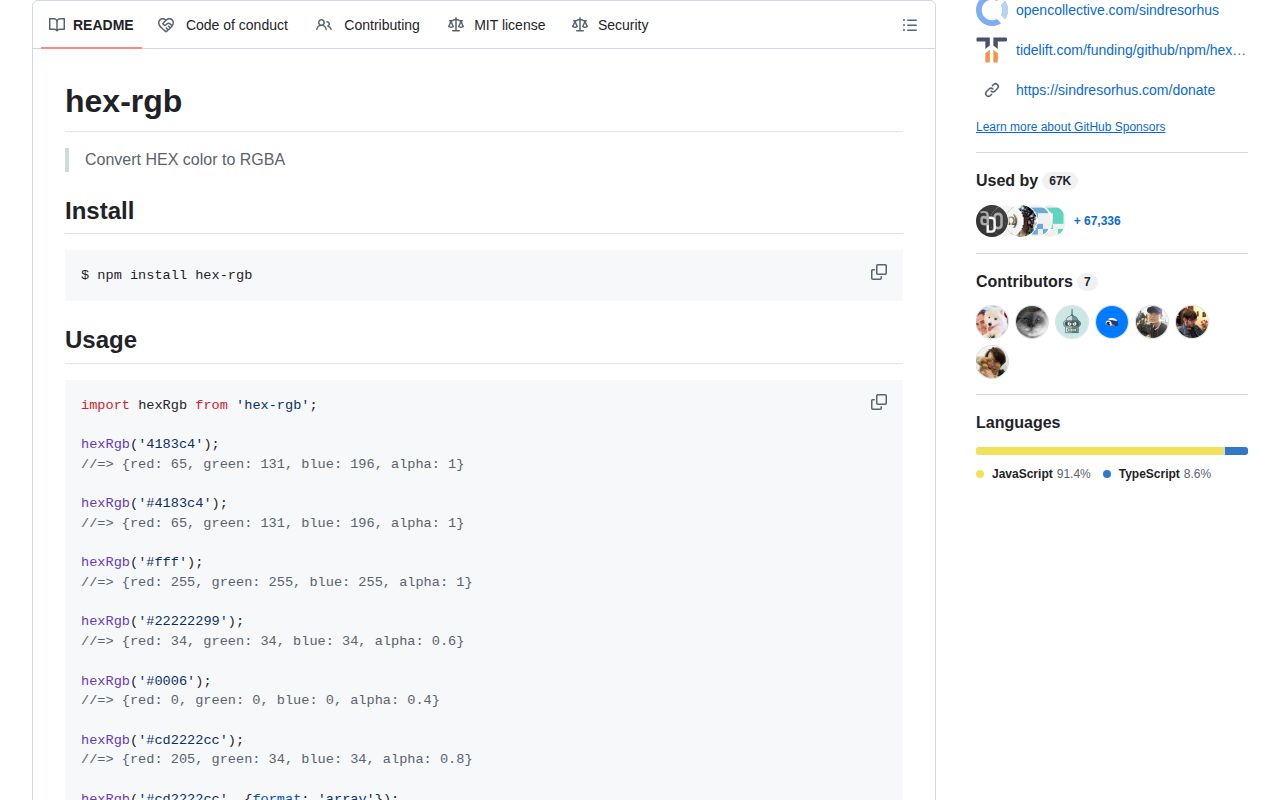
hex-rgb 5.0.0 converts a 3, 4, 6, or 8-digit hexadecimal color into an RGBA object, a four-number array, or a CSS rgb() string. A leading # is optional, and the final nibble or byte becomes alpha when present. The alpha option can replace that embedded value. Version 5 moved the package to pure ESM and raised its declared runtime to Node 12. It bundles TypeScript overloads for each output format. This is deliberately one-way conversion, with no named-color parsing, HSL support, mixing, contrast calculation, or gamut work.
hex-rgb 5.0.0 installed as one 1 MB package in 0.6 seconds, and our browser build measured 0.5 KB gzipped, making it a cheap choice for strict hex-to-RGBA conversion. Do not install it for general CSS color parsing or unchecked alpha input.
We installed it
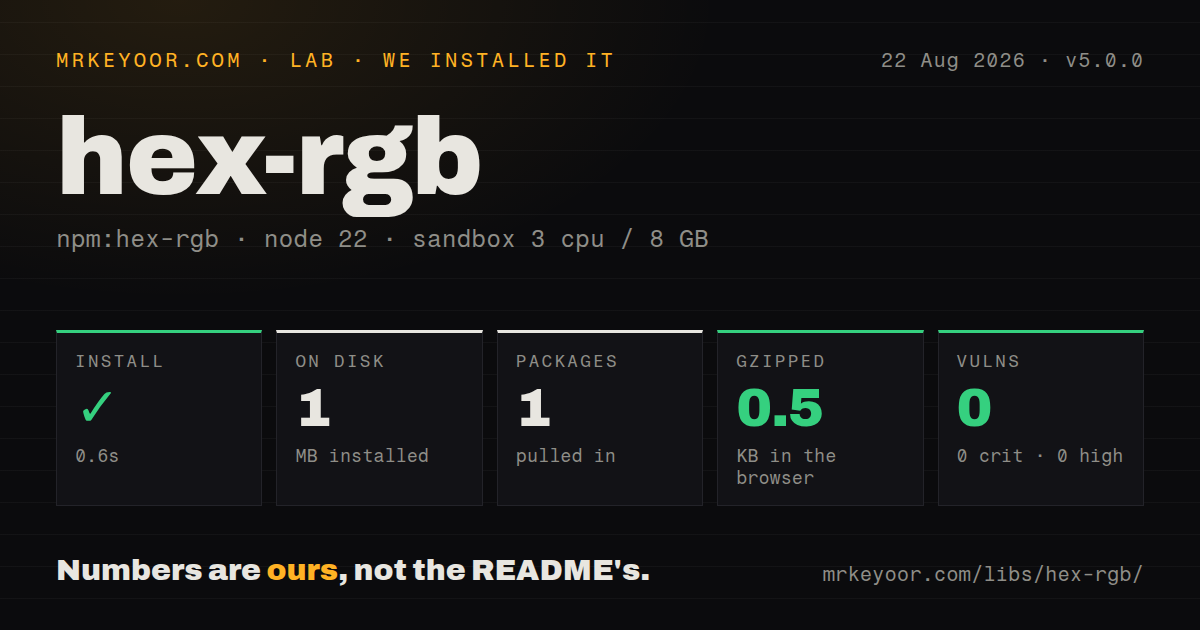
| Install | ✓ · 0.6s | 1 package on disk · 1 MB |
| Import | ✓ | ESM import works · require() works · ESM package with exports map |
| Browser | 0.5 KB | gzipped (0.9 KB minified), bundled with esbuild |
| Types | ✓ | TypeScript types bundled |
| Known vulns | 0 | 0 critical · 0 high · 0 moderate · 0 low (npm audit) |
Answers from our run
Does hex-rgb install cleanly?
Yes. In a fresh container with an empty cache, npm install hex-rgb finished in 0.6s, leaving 1 package and 1 MB on disk. npm audit reported no known vulnerabilities.
How much does hex-rgb add to a browser bundle?
0.5 KB gzipped (0.9 KB minified) when the whole package is bundled for the browser with esbuild. Importing only part of it is usually smaller.
Does hex-rgb work with both ESM and CommonJS?
Yes. Both import 'hex-rgb' and require('hex-rgb') worked in Node 22 in our run. The package is published as ESM with an exports map.
Does hex-rgb include TypeScript types?
Yes, type declarations ship inside the package, so no @types install is needed.
hex-rgb or color-convert: which should you use?
color-convert: Choose it for conversions across RGB, HSL, HSV, CMYK, keyword, and other models. hex-rgb 5.0.0 installed as one 1 MB package in 0.6 seconds, and our browser build measured 0.5 KB gzipped, making it a cheap choice for strict hex-to-RGBA conversion.
When should you not use hex-rgb?
You accept general CSS colors: the parser rejects rgb(), hsl(), named colors, surrounding whitespace, and 0x-prefixed integers
Use it if
- Your input contract permits only hexadecimal colors and you need numeric red, green, blue, and alpha channels
- You want modern space-separated CSS rgb() output from the same converter
- A frontend bundle benefits from a dependency-free converter that measured 0.9 KB minified
- Your TypeScript call uses a literal format value and should receive a narrowed object, tuple, or string return type
- You accept general CSS colors: the parser rejects rgb(), hsl(), named colors, surrounding whitespace, and 0x-prefixed integers
- Your alpha override is untrusted: the README says 0 through 1, but version 5.0.0 does not enforce that range or reject NaN
- You need CommonJS on older Node releases: version 5 is pure ESM, even though require() succeeded in our Node 22 measurement
- Your application will soon need interpolation, contrast, color-space conversion, or gamut mapping, which belong in a fuller color library
- Your dependency policy requires recent releases: npm published 5.0.0 in May 2021 and the repository's last push was in July 2022
Setup reality
Our install of hex-rgb 5.0.0 completed in 0.6 seconds and left one package using 1 MB on disk. npm audit reported 0 known vulnerabilities. The package is 24 KB unpacked, has no direct or peer dependencies, and runs no native build.
No credentials or config files are needed. Version 5 declares type: module, includes an exports map, and requires Node >=12. ESM import and require() both worked in our Node 22 sandbox. Older CommonJS runtimes do not have Node 22's synchronous ESM loading behavior, so follow the README's default import or use dynamic import there. TypeScript declarations are bundled.
The parser accepts exactly 3, 4, 6, or 8 hex digits with one optional leading #. Invalid types, lengths, whitespace, and other color syntaxes throw a synchronous TypeError. Four and eight-digit values use the last nibble or byte for alpha. Object and array output keep the full floating-point fraction; CSS output converts it to a percentage rounded to two decimal places.
Our browser build was 0.9 KB minified and 0.5 KB gzipped. An explicit numeric alpha replaces the value encoded in the string, but the implementation does not clamp it or enforce the documented 0-to-1 range. Validate user-provided alpha first. CSS output uses modern rgb(1 2 3 / 40%) syntax and omits alpha when it equals exactly 1.
Patterns
Convert six hex digits to channels convert-six-digit-hex
import hexRgb from 'hex-rgb';

const color = hexRgb('#4183c4');
// {red: 65, green: 131, blue: 196, alpha: 1}
The default object always has four properties, and alpha is 1 when the input carries no alpha digits.
Expand three-digit shorthand expand-short-hex
import hexRgb from 'hex-rgb';

const white = hexRgb('#fff');
// {red: 255, green: 255, blue: 255, alpha: 1}
Each of the 3 shorthand digits is duplicated before the RGB channels are calculated.
Decode an eight-digit alpha byte read-eight-digit-alpha
import hexRgb from 'hex-rgb';

const color = hexRgb('#4183c488');
console.log(color.alpha);
// 0.5333333333333333
The last byte is divided by 255, and object output does not round the resulting fraction.
Decode shorthand alpha read-four-digit-alpha
import hexRgb from 'hex-rgb';

const black = hexRgb('#0008');
// {red: 0, green: 0, blue: 0, alpha: 0.5333333333333333}
The fourth nibble is duplicated to 88 hex, which is 136 divided by 255 rather than exactly 0.5.
Return an RGBA tuple return-rgba-tuple
import hexRgb from 'hex-rgb';

const rgba = hexRgb('#cd2222cc', {format: 'array'});
// [205, 34, 34, 0.8]
A literal format: 'array' narrows the bundled TypeScript return type to [red, green, blue, alpha].
Produce modern CSS rgb() text return-css-color
import hexRgb from 'hex-rgb';

const css = hexRgb('#4183c488', {format: 'css'});
// 'rgb(65 131 196 / 53.33%)'
CSS output uses spaces and a slash, and its alpha percentage is rounded to 2 decimal places.
Omit alpha for an opaque CSS color omit-opaque-css-alpha
import hexRgb from 'hex-rgb';

const css = hexRgb('#000f', {format: 'css'});
// 'rgb(0 0 0)'
An alpha value equal to 1 removes the slash component instead of emitting 100%.
Replace alpha encoded in the hex string override-alpha-channel
import hexRgb from 'hex-rgb';

const color = hexRgb('#22222299', {alpha: 1});
// {red: 34, green: 34, blue: 34, alpha: 1}
The numeric alpha option takes precedence over the 99 suffix in the input.
Reject an unsafe alpha override validate-alpha-override
import hexRgb from 'hex-rgb';

function convert(hex: string, alpha: number) {
  if (!Number.isFinite(alpha) || alpha < 0 || alpha > 1) {
    throw new RangeError('alpha must be between 0 and 1');
  }
  return hexRgb(hex, {alpha});
}
Version 5.0.0 does not enforce its documented alpha range, so this guard prevents negative or greater-than-100% CSS output.
Keep one invalid color from stopping a batch handle-invalid-hex
import hexRgb from 'hex-rgb';

function tryConvert(input: unknown) {
  try {
    return {ok: true, value: hexRgb(input as string)};
  } catch (error) {
    if (error instanceof TypeError) return {ok: false, error: error.message};
    throw error;
  }
}
Bad types, characters, or lengths throw TypeError synchronously; the package has no nullable parsing mode.
Load the ESM module from older CommonJS load-from-commonjs
async function convert(hex) {
  const {default: hexRgb} = await import('hex-rgb');
  return hexRgb(hex);
}

convert('#fff').then(console.log);
Dynamic import works where require() cannot load this pure ESM package, but it makes the calling path asynchronous.
Convert every entry in a fixed palette map-color-palette
import hexRgb from 'hex-rgb';

const palette = ['#0f172a', '#38bdf8', '#f8fafc'];
const channels = palette.map((hex) => ({hex, ...hexRgb(hex)}));
Array.map stops on the first invalid string because hexRgb throws instead of returning a partial result.
Alternatives
| Package | Registry | Pick it when |
|---|---|---|
| color-convert | npm | Choose it for conversions across RGB, HSL, HSV, CMYK, keyword, and other models. |
| color | npm | Choose it when parsing and chained color manipulation belong in the same API. |
| tinycolor2 | npm | Choose it for older browser code that needs broad color parsing, mixing, readability, and palette helpers. |
| polished | npm | Choose it inside styling code that also needs CSS-oriented lightening, contrast, and readable-color utilities. |
More web frontend guides
postcss · react · react-dom · tailwindcss · clsx · htmlparser2 · the whole shelf →
How this guide is made: grounded in the library's documentation, release notes, changelog, and issue history, on a fixed rubric — not a hands-on install of every release. The 50 most-downloaded entries are additionally install-verified in clean containers. Corrections: contact the desk.