exec-sh review
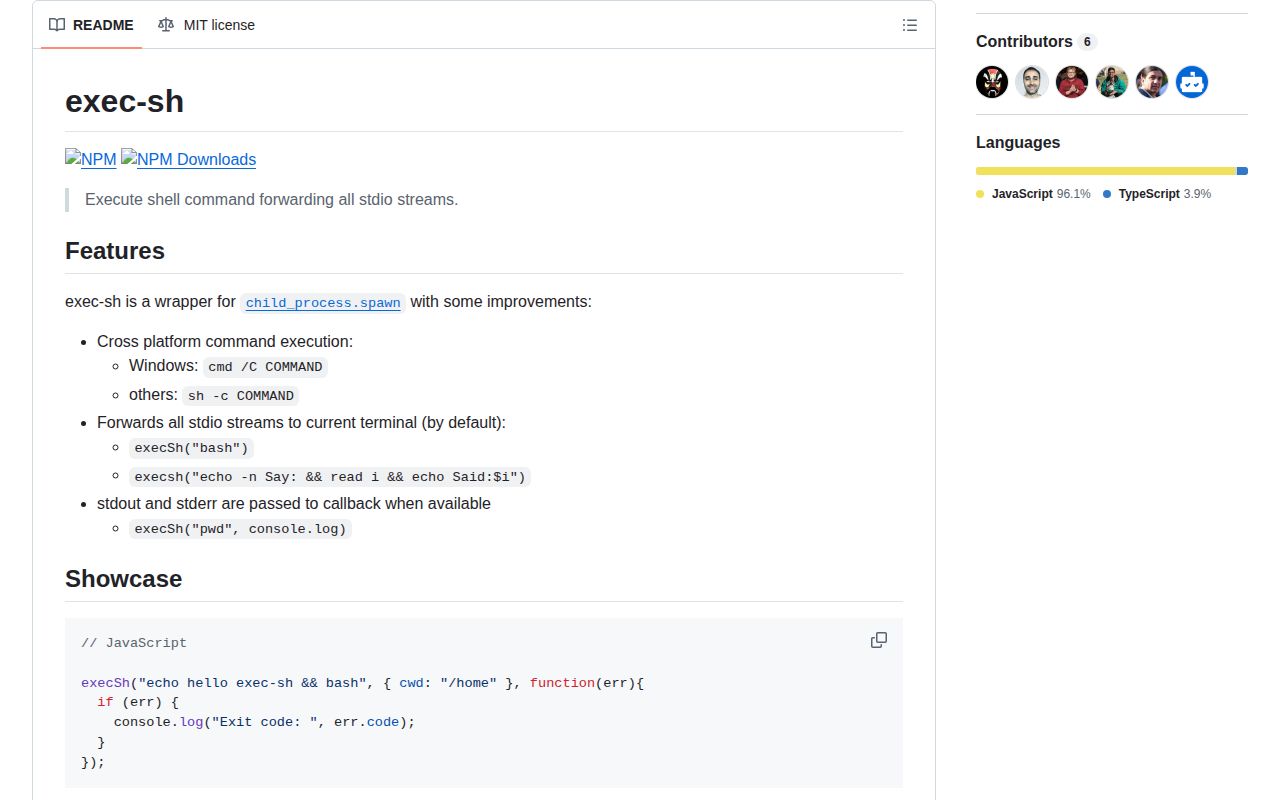
Our Node 22 sandbox found exec-sh 0.4.0 to be a small CommonJS wrapper around `child_process.spawn`: it installed in 0.5 seconds, brought no dependencies, and left 1 MB on disk. The function sends a whole command string to `cmd /C` on Windows or `sh -c` elsewhere. It inherits terminal streams unless you request captured output, and it has callback and Promise forms. Version 0.4.0 added bundled TypeScript declarations and changed the source to syntax that drops Node versions older than 6. This is useful glue for fixed shell commands, but it does not protect interpolated values from shell parsing.
exec-sh 0.4.0 installed in 0.5 seconds with 0 dependencies and 0 audit findings in our sandbox, making it cheap glue for fixed Node shell commands. Do not install it for dynamic arguments or browser code; direct spawn or execa gives you safer argument handling and better cancellation control.
We installed it
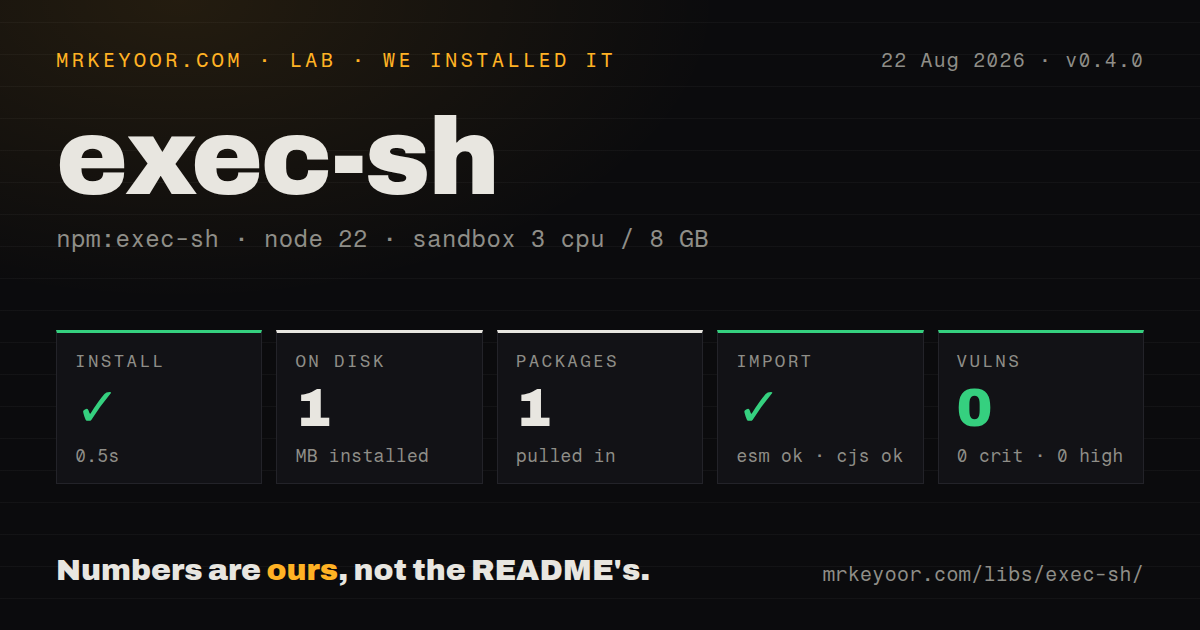
| Install | ✓ · 0.5s | 1 package on disk · 1 MB |
| Import | ✓ | ESM import works · require() works · CommonJS package |
| Browser | n/a | could not be bundled for the browser (Node-only code, most likely) |
| Types | ✓ | TypeScript types bundled |
| Known vulns | 0 | 0 critical · 0 high · 0 moderate · 0 low (npm audit) |
Answers from our run
Does exec-sh install cleanly?
Yes. In a fresh container with an empty cache, npm install exec-sh finished in 0.5s, leaving 1 package and 1 MB on disk. npm audit reported no known vulnerabilities.
Can exec-sh run in a browser?
Not directly: esbuild could not bundle it for the browser in our run, which normally means it depends on Node built-ins. Use it on the server, or find a browser-targeted alternative.
Does exec-sh work with both ESM and CommonJS?
Yes. Both import 'exec-sh' and require('exec-sh') worked in Node 22 in our run. The package is published as CommonJS.
Does exec-sh include TypeScript types?
Yes, type declarations ship inside the package, so no @types install is needed.
exec-sh or execa: which should you use?
execa: Choose it for current typed process execution with arguments, cancellation, timeouts, and detailed failures. exec-sh 0.4.0 installed in 0.5 seconds with 0 dependencies and 0 audit findings in our sandbox, making it cheap glue for fixed Node shell commands.
When should you not use exec-sh?
Any command fragment is dynamic. The source passes one string to a platform shell, so quotes, substitutions, separators, and redirections inside a value are interpreted as code.
Use it if
- A short Node maintenance script needs to run fixed shell text through `cmd` on Windows and `sh` on Unix.
- An interactive command should inherit the current process's stdin, stdout, and stderr without extra stream wiring.
- Existing callback code needs the returned ChildProcess to inspect a PID or send a signal.
- All command text is written by the developer and contains no user-controlled, path-derived, branch-derived, or URL-derived fragments.
- Any command fragment is dynamic. The source passes one string to a platform shell, so quotes, substitutions, separators, and redirections inside a value are interpreted as code.
- You expect an array to mean executable plus arguments. Version 0.4.0 joins array entries with semicolons and gives the resulting string to the shell.
- The same command must behave identically on Windows and Unix. The README confirms that Windows uses `cmd /C` while other systems use `sh -c`, whose variables and quoting rules differ.
- You need Promise cancellation, an AbortSignal, a timeout option, or a child handle from the Promise call. Its Promise resolves only with stdout and stderr.
- You need recent release activity or ESM-first packaging. npm 0.4.0 dates to March 2021, the last repository push was in February 2024, and the package has no exports map.
Setup reality
We installed exec-sh 0.4.0 in a fresh unprivileged Node 22 Bookworm container. npm finished in 0.5 seconds, placed one package on disk, and used 1 MB. The tarball is 68 KB unpacked, with 0 direct dependencies, 0 peer dependencies, and 0 audit findings. Both require() and ESM import worked, although the package itself is CommonJS and has no exports map. Version 0.4.0 bundles its TypeScript declaration file.
There are no credentials, native builds, config files, or postinstall steps. The important setup choice is stdio. With no options, the child inherits the terminal, so an interactive program can read input and print directly. Pass literal true or { stdio: null } to create pipes and collect stdout and stderr. Captured data is appended to strings until the process closes, with no output limit.
Every call starts a shell. On Windows that is cmd /C; on the other platforms covered by the source it is sh -c, which does not promise Bash syntax. An array of 2 commands becomes one semicolon-separated line, so the second command still runs after the first fails and the callback sees the shell's final exit code. Use && only when its platform-specific behavior is acceptable.
The callback API returns ChildProcess immediately. The Promise API returns { stdout, stderr } after exit and exposes no process handle, so it cannot cancel the child through exec-sh. Our browser build failed because the package imports Node's child process module. Keep it in Node scripts, and use direct spawn(command, args, { shell: false }) when any argument comes from data.
Patterns
Run a fixed command in the terminal run-interactive-command
const execSh = require('exec-sh');

const child = execSh('npm run dev', (error) => {
  if (error) process.exitCode = error.code || 1;
});

console.log(child.pid);
With no options, version 0.4.0 inherits stdin, stdout, and stderr. The callback therefore receives empty captured strings.
Capture output with a callback capture-output-callback
execSh('git status --short', true, (error, stdout, stderr) => {
  if (error) {
    console.error(error.code, stderr);
    return;
  }
  console.log(stdout.trim());
});
Literal `true` sets stdio to pipes. exec-sh keeps the complete stdout and stderr in memory until close.
Await a fixed command capture-output-promise
const execSh = require('exec-sh');

try {
  const { stdout, stderr } = await execSh.promise('pwd', true);
  console.log(stdout.trim(), stderr);
} catch (error) {
  console.error(error.code, error.stderr);
}
The Promise resolves with 2 strings and no ChildProcess. A rejection also carries `code`, `stdout`, and `stderr`.
Choose the child's directory set-working-directory
execSh('npm test', {
  cwd: '/srv/project',
  stdio: 'inherit',
}, (error) => {
  if (error) process.exitCode = error.code || 1;
});
The options object is forwarded to `child_process.spawn`. The directory must already exist or process creation fails.
Extend the child environment pass-environment
execSh('node build.js', {
  env: { ...process.env, NODE_ENV: 'production' },
  stdio: 'inherit',
}, done);
Supplying `env` replaces the child's environment. Spreading `process.env` preserves PATH so the shell can locate `node`.
Run a list of trusted commands run-command-list
execSh([
  'npm run lint',
  'npm test',
], { stdio: 'inherit' }, (error) => {
  if (error) console.error(error.code);
});
Version 0.4.0 joins the 2 strings with `;`. The second command runs even when the first exits nonzero.
Chain Unix commands on success stop-on-first-failure
execSh('npm run lint && npm test', {
  stdio: 'inherit',
}, (error) => {
  if (error) process.exitCode = error.code || 1;
});
`&&` is parsed by the selected shell. This exact string assumes Unix `sh` behavior and should not be presented as Windows-portable.
Handle a nonzero exit inspect-exit-code
execSh('node -e "process.exit(7)"', true, (error, stdout, stderr) => {
  if (error) {
    console.error({ code: error.code, stdout, stderr });
  }
});
A nonzero close creates an Error whose `code` is the shell exit code. For a list, that can be only the final command's status.
Signal a callback-style child terminate-child
const child = execSh('node server.js', { stdio: 'inherit' }, done);

setTimeout(() => {
  child.kill('SIGTERM');
}, 10_000);
Only the callback form returns ChildProcess. Killing the shell may leave descendants running, particularly on Windows.
Use shell redirection for a fixed path append-output-to-file
execSh('npm ls > dependency-tree.txt', {
  cwd: '/srv/project',
  stdio: 'inherit',
}, done);
Redirection is handled by `cmd` or `sh`, so its syntax and path quoting follow that platform's shell rules.
Pipe between fixed Unix commands pipe-fixed-commands
execSh('git ls-files | wc -l', true, (error, stdout) => {
  if (error) throw error;
  console.log(Number(stdout.trim()));
});
This pipeline depends on Unix `sh` plus `wc`. exec-sh selects `cmd` on Windows, where this command is unavailable by default.
Use spawn for dynamic input pass-dynamic-argument-safely
const { spawn } = require('node:child_process');

const child = spawn('git', ['show', '--stat', '--', branchName], {
  shell: false,
  stdio: 'inherit',
});
This pattern intentionally bypasses exec-sh. `shell: false` keeps the dynamic branch name in an argument instead of parsing it as shell code.
Alternatives
| Package | Registry | Pick it when |
|---|---|---|
| execa | npm | Choose it for current typed process execution with arguments, cancellation, timeouts, and detailed failures. |
| zx | npm | Choose it when a script benefits from shell-like template syntax and escaped substitutions. |
| shelljs | npm | Choose it for JavaScript functions that replace common shell commands across operating systems. |
| cross-spawn | npm | Choose it when direct spawning needs Windows compatibility while preserving an executable and argument array. |
More cli & tooling guides
commander · chalk · typescript · esbuild · yargs · click · the whole shelf →
How this guide is made: grounded in the library's documentation, release notes, changelog, and issue history, on a fixed rubric — not a hands-on install of every release. The 50 most-downloaded entries are additionally install-verified in clean containers. Corrections: contact the desk.