css-color-names review
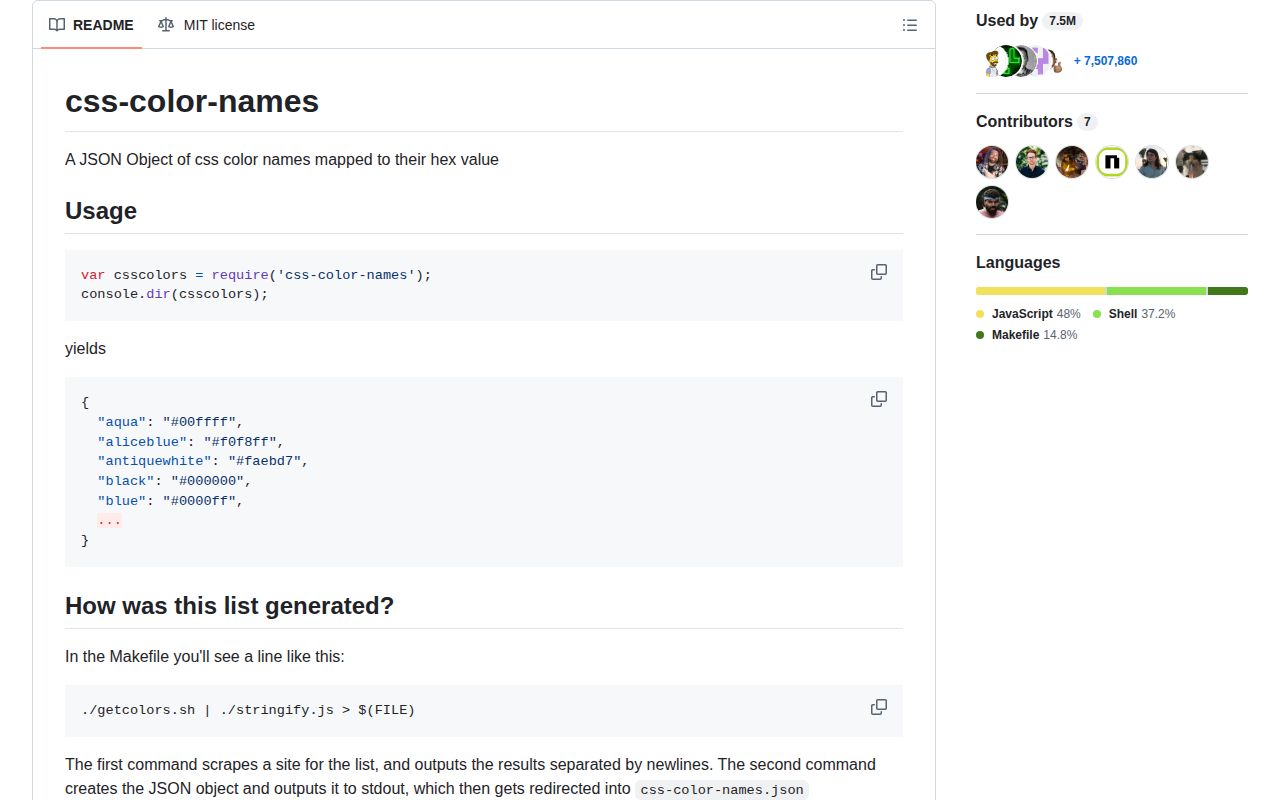
css-color-names 1.0.1 is one JSON object: 148 lowercase CSS color names mapped to opaque six-digit hex strings. It has no parser, functions, validation rules, alpha values, conversion methods, or TypeScript declarations. The README says its generator scraped a website and then serialized the result, and the published package has remained at 1.0.1 since 2019. Our Node 22 sandbox could require the CommonJS JSON entry, but direct ESM import failed. This is useful as frozen lookup data and a bad choice for deciding whether arbitrary user input is a valid CSS color.
Our css-color-names 1.0.1 install took 0.6 seconds and its browser bundle measured 2.4 KB gzipped, but ESM import failed and no TypeScript declarations were present. Keep it for an existing CommonJS name-to-hex lookup; choose a parser for any user-facing CSS color field.
We installed it
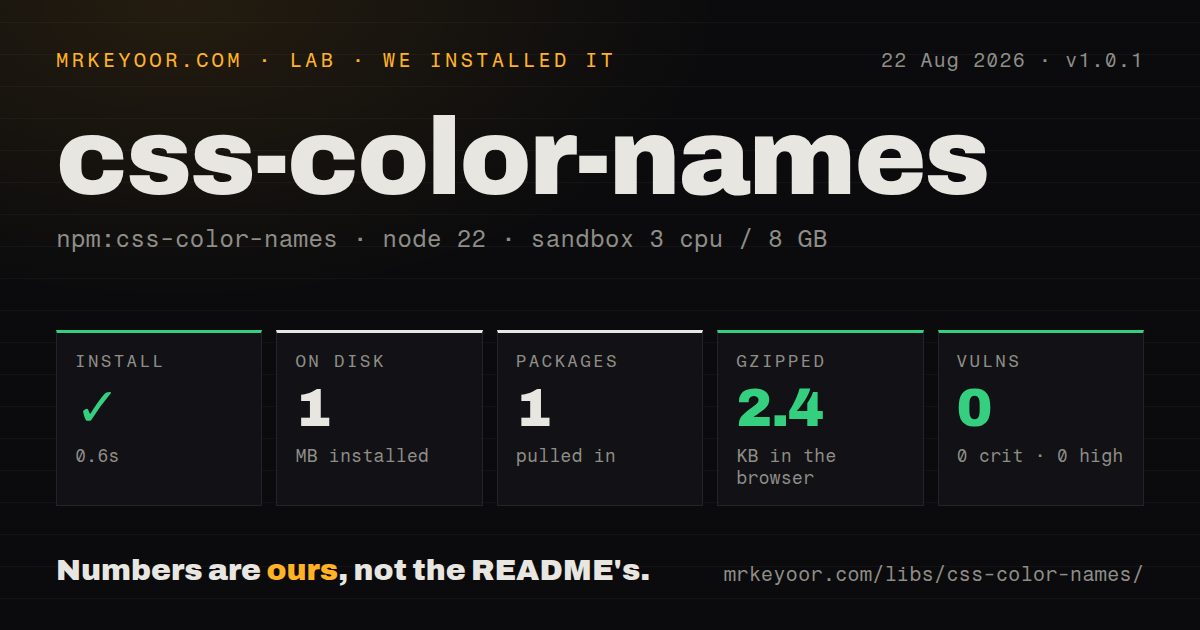
| Install | ✓ · 0.6s | 1 package on disk · 1 MB |
| Import | ½ | ESM import fails · require() works · CommonJS package |
| Browser | 2.4 KB | gzipped (6.2 KB minified), bundled with esbuild |
| Types | — | no TypeScript types found |
| Known vulns | 0 | 0 critical · 0 high · 0 moderate · 0 low (npm audit) |
Answers from our run
Does css-color-names install cleanly?
Yes. In a fresh container with an empty cache, npm install css-color-names finished in 0.6s, leaving 1 package and 1 MB on disk. npm audit reported no known vulnerabilities.
How much does css-color-names add to a browser bundle?
2.4 KB gzipped (6.2 KB minified) when the whole package is bundled for the browser with esbuild. Importing only part of it is usually smaller.
Does css-color-names work with both ESM and CommonJS?
CommonJS only in our run: require('css-color-names') worked but the ESM import failed.
Does css-color-names include TypeScript types?
No type declarations were found in our install, so TypeScript users need their own declarations.
css-color-names or color-name: which should you use?
color-name: Use it when RGB channel arrays fit better than hex strings and you want a more recently maintained table. Our css-color-names 1.0.1 install took 0.6 seconds and its browser bundle measured 2.4 KB gzipped, but ESM import failed and no TypeScript declarations were present.
When should you not use css-color-names?
You accept general CSS color syntax; this table cannot parse hex strings, rgb(), hsl(), lab(), color(), currentColor, custom properties, or transparent
Use it if
- A CommonJS tool needs a plain name-to-hex object with no runtime API
- You are building autocomplete, fixtures, a picker, or generated documentation from the 148 stored names
- Exact compatibility with code already importing this package matters more than standards provenance or active releases
- You accept general CSS color syntax; this table cannot parse hex strings, rgb(), hsl(), lab(), color(), currentColor, custom properties, or transparent
- The project is native ESM without a compatibility workaround; direct ESM import failed under Node.js 22.23.2 in our sandbox
- Strict TypeScript needs package-provided declarations; version 1.0.1 includes none
- You need current standards provenance; the README describes scraping a third-party page, and the repository has not been pushed since 2019
- The lookup will validate hostile input through truthiness; the exported object inherits Object.prototype, so an own-property check is required for names such as constructor
Setup reality
Our install of css-color-names 1.0.1 completed in 0.6 seconds and left 1 package using 1 MB on disk. The package was 20 KB unpacked, with 0 direct dependencies and 0 peer dependencies. npm audit found 0 known vulnerabilities. It is CommonJS without an exports map; require() worked, while direct ESM import failed on Node.js 22.23.2. No TypeScript declarations were present. Our esbuild browser check produced 6.2 KB minified and 2.4 KB gzipped.
There are no credentials, native builds, config files, or initialization calls. Requiring the package returns the JSON object. All keys are lowercase, while CSS names are case-insensitive, so trim and lowercase user input before lookup. Use Object.hasOwn(colors, key) instead of testing colors[key]; inherited properties are not color names.
Every value is an opaque #rrggbb string. transparent is absent, and aliases can share a value, including aqua with cyan and the gray/grey spellings. Reverse lookup therefore returns zero, one, or several names. The package does not choose a canonical alias.
The data arrives as one JSON file and has no per-color exports. Node ESM import failed in our measured environment, and toolchains differ in how they handle a JSON package entry. Test the exact bundler path or use CommonJS interop. For a browser build, the full table cost 2.4 KB gzipped in our sandbox.
Patterns
Read a known color value lookup-name
const colors = require('css-color-names');

console.log(colors.tomato); // #ff6347
Version 1.0.1 exports the JSON object itself, with lowercase keys and lowercase six-digit hex values.
Normalize case before lookup normalize-name
const colors = require('css-color-names');

const key = '  RebeccaPurple '.trim().toLowerCase();
const hex = Object.hasOwn(colors, key) ? colors[key] : null;
CSS names ignore ASCII case, but the 148 stored keys are lowercase and whitespace is not removed by the package.
Reject inherited object properties validate-membership
const colors = require('css-color-names');

function isNamedColor(value) {
  return typeof value === 'string' &&
    Object.hasOwn(colors, value.trim().toLowerCase());
}

console.log(isNamedColor('constructor')); // false
A truthiness lookup is unsafe because the parsed JSON object inherits properties such as `constructor`.
Return a fixed fallback resolve-fallback
const colors = require('css-color-names');

function resolveName(name, fallback = '#000000') {
  const key = String(name).trim().toLowerCase();
  return Object.hasOwn(colors, key) ? colors[key] : fallback;
}
Inputs such as `#fff`, `rgb()`, `transparent`, and CSS variables fall through because this package only stores names.
Build a sorted name list list-names
const colors = require('css-color-names');

const names = Object.keys(colors).sort();
console.log(names.length); // 148
The 148 keys include aliases, so this count exceeds the number of unique hex values.
Find every name for one hex value find-aliases
const colors = require('css-color-names');

function aliasesFor(hex) {
  const target = hex.toLowerCase();
  return Object.entries(colors)
    .filter(([, value]) => value === target)
    .map(([name]) => name);
}
console.log(aliasesFor('#00ffff'));
The result includes both `aqua` and `cyan`; version 1.0.1 does not mark either spelling as canonical.
Split a stored hex value into channels convert-rgb
const colors = require('css-color-names');

function namedRgb(name) {
  const hex = colors[name.toLowerCase()];
  if (!hex) return null;
  return {
    r: parseInt(hex.slice(1, 3), 16),
    g: parseInt(hex.slice(3, 5), 16),
    b: parseInt(hex.slice(5, 7), 16),
  };
}
This works for package values because all are `#rrggbb`; it is not a general CSS color parser.
Add a local CommonJS declaration declare-types
declare module 'css-color-names' {
  const colors: Record<string, `#${string}`>;
  export = colors;
}
The package ships no TypeScript declarations. This local shape does not enumerate the 148 literal keys, so callers still need runtime membership checks.
Alternatives
| Package | Registry | Pick it when |
|---|---|---|
| color-name | npm | Use it when RGB channel arrays fit better than hex strings and you want a more recently maintained table. |
| colord | npm | Use it for typed parsing, validation, conversions, alpha values, and optional plugins. |
| color | npm | Use it when code needs a color object with conversion, mixing, lightening, and serialization methods. |
| parse-color | npm | Use it in CommonJS code that must accept several color syntaxes rather than names alone. |
More web frontend guides
postcss · react · react-dom · tailwindcss · clsx · htmlparser2 · the whole shelf →
How this guide is made: grounded in the library's documentation, release notes, changelog, and issue history, on a fixed rubric — not a hands-on install of every release. The 50 most-downloaded entries are additionally install-verified in clean containers. Corrections: contact the desk.