@colordx/core review
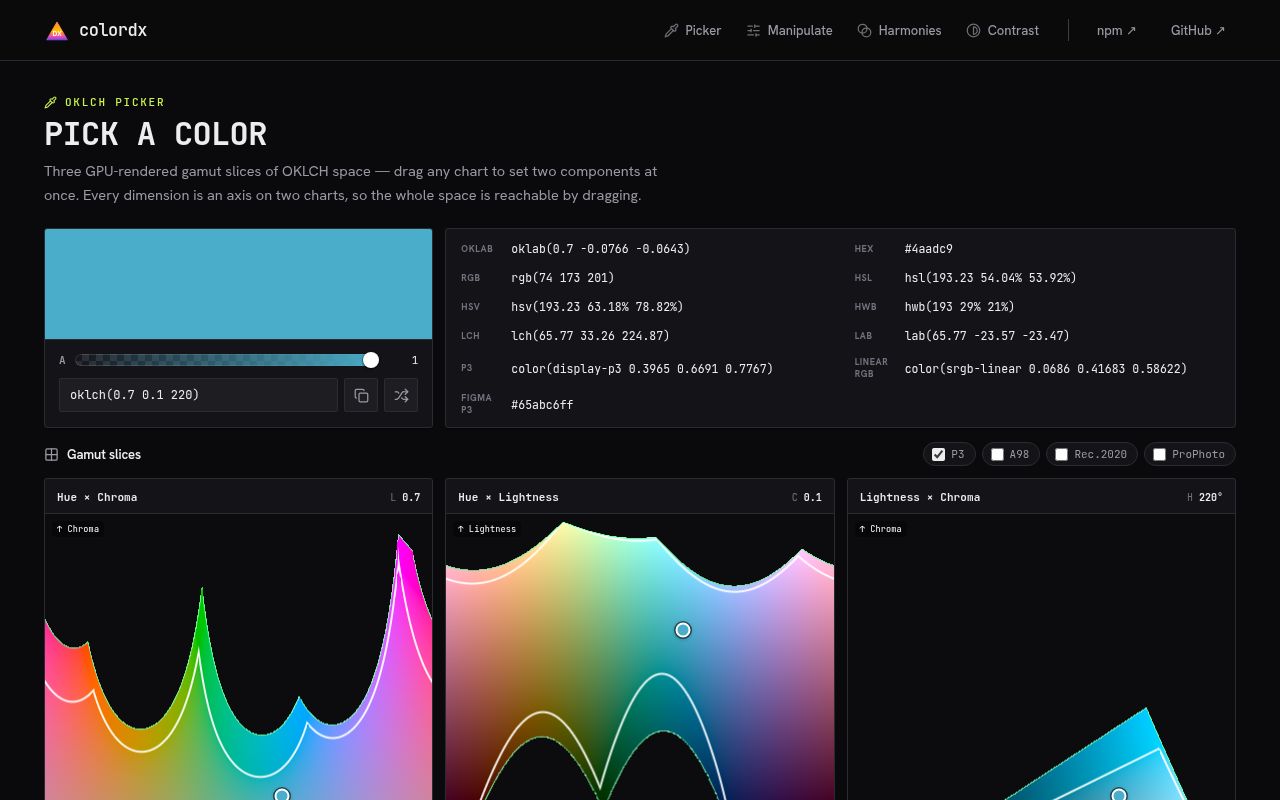
@colordx/core 5.6.0 parses, converts, compares, mixes, and maps web colors, with OKLab and OKLCH available in the base package. Version 5.6 replaces regex-heavy parsing with character-code scanners and changes malformed-input rejection from quadratic to linear work. The base API also covers hex, RGB, HSL, gamut checks, immutable adjustments, and low-allocation channel converters. Less common formats and features, including named colors, Display-P3, Rec.2020, CIE Lab, CMYK, palettes, and contrast checks, live behind explicit plugin imports. Our browser build measured 29.8 KB minified and 8.9 KB gzipped when importing the whole package namespace.
@colordx/core 5.6.0 installed in 1.4 seconds with 0 dependencies and gave our full-namespace browser build an 8.9 KB gzip cost, making it a credible pick for OKLCH authoring and gamut-aware UI tools. Use a narrower library for routine hex and RGB work, and pin the major while this young API keeps changing.
We installed it
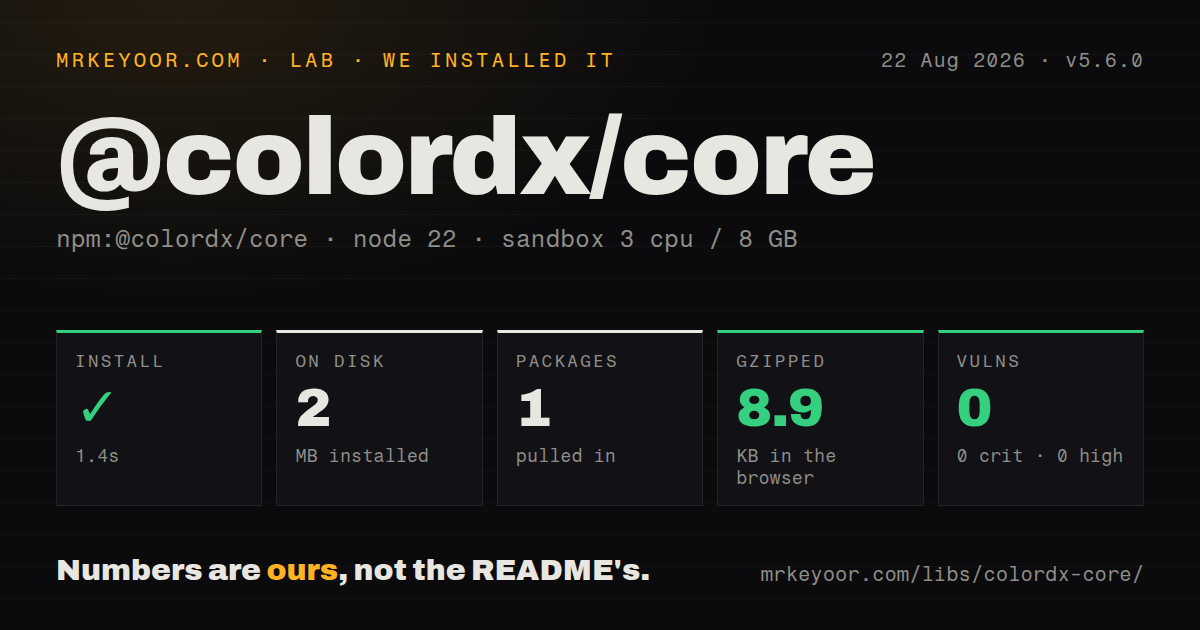
| Install | ✓ · 1.4s | 1 package on disk · 2 MB |
| Import | ✓ | ESM import works · require() works · ESM package with exports map |
| Browser | 8.9 KB | gzipped (29.8 KB minified), bundled with esbuild |
| Types | ✓ | TypeScript types bundled |
| Known vulns | 0 | 0 critical · 0 high · 0 moderate · 0 low (npm audit) |
Answers from our run
Does @colordx/core install cleanly?
Yes. In a fresh container with an empty cache, npm install @colordx/core finished in 1 seconds, leaving 1 package and 2 MB on disk. npm audit reported no known vulnerabilities.
How much does @colordx/core add to a browser bundle?
8.9 KB gzipped (29.8 KB minified) when the whole package is bundled for the browser with esbuild. Importing only part of it is usually smaller.
Does @colordx/core work with both ESM and CommonJS?
Yes. Both import '@colordx/core' and require('@colordx/core') worked in Node 22 in our run. The package is published as ESM with an exports map.
Does @colordx/core include TypeScript types?
Yes, type declarations ship inside the package, so no @types install is needed.
@colordx/core or colord: which should you use?
colord: Choose it for common web-color work with a smaller core and a mature opt-in plugin API. @colordx/core 5.6.0 installed in 1.4 seconds with 0 dependencies and gave our full-namespace browser build an 8.9 KB gzip cost, making it a credible pick for OKLCH authoring and gamut-aware UI tools.
When should you not use @colordx/core?
You only parse hex and RGB or make an occasional lightness change. The plugin registration model, gamut choices, and broad conversion API add concepts that colord or tinycolor2 can avoid.
Use it if
- You author design tokens or color pickers in OKLCH and need a stated choice between sRGB clipping and chroma-reducing gamut mapping.
- A canvas, gradient editor, or chart processes enough pixels to benefit from the documented channel converters and caller-owned *Into buffers.
- Your application needs one typed API for sRGB plus optional Display-P3, Rec.2020, A98 RGB, ProPhoto RGB, Lab, LCH, HSV, HWB, or CMYK support.
- You want immutable color objects, zero direct dependencies, bundled declarations, and entry points that load through both import and require.
- You only parse hex and RGB or make an occasional lightness change. The plugin registration model, gamut choices, and broad conversion API add concepts that colord or tinycolor2 can avoid.
- Your input includes arbitrary CSS Color 4 or 5 expressions. The published roadmap still lists color-mix() evaluation, relative color syntax, and some color() spaces as unfinished.
- Global extension is a poor fit for your module boundaries. Instance methods supplied by plugins appear only after extend() runs, so import order becomes part of application setup.
- You expect mix(), tints(), shades(), and tones() to interpolate perceptually. The README says those paths use sRGB; Oklab mixing requires mixOklab().
- A stable, slow-moving major line is mandatory. The npm history crossed versions 2, 3, 4, and 5 within four days in March 2026, and the current API is still gaining parser and color-space work.
- You need browsers to display every wide-gamut result exactly. A valid Display-P3 or Rec.2020 string still depends on the panel and browser, while sRGB serialization clips or maps the authored color.
Setup reality
We installed @colordx/core 5.6.0 in a fresh Node 22 Bookworm sandbox. npm finished in 1.4 seconds and left one package using 2 MB on disk. The published package is 1228 KB unpacked, declares 0 direct and 0 peer dependencies, and produced 0 npm audit findings. It ships TypeScript declarations and an exports map; both require() and ESM import worked in our checks. A namespace browser build measured 29.8 KB minified and 8.9 KB gzipped.
Core parsing needs no credentials or config file. Hex, RGB, HSL, OKLab, and OKLCH work after importing colordx. Named colors and the other optional spaces require importing their subpath plugin and calling extend([plugin]) before any dependent parsing or instance method. Put that registration in one bootstrap module. If two test files load different plugin sets into the same process, they share the extended class surface.
Channel scales are easy to cross: RGB objects use 0 to 255, alpha uses 0 to 1, HSL percentages use 0 to 100, and OKLCH lightness uses 0 to 1. Lab and OKLab objects also have similar field names. The Lab and LCH plugins require their documented colorSpace discriminator where shapes would otherwise collide. Check isValid() before converting user input because unsupported CSS syntax does not become valid merely because a browser accepts it.
OKLCH values remain available outside sRGB until serialization. toHex() and toRgbString() clip to screen bytes, mapSrgb() reduces chroma to hold lightness and hue more closely, and clampSrgb() returns an object describing the clipped result. In pixel loops, *Into functions reuse a Float64Array(3); functions returning linear and gamma output require 2 different buffers. Version 5.6.0 speeds parser dispatch and makes rejection of long malformed strings linear, which matters most at untrusted-input boundaries.
Patterns
Reject an unsupported color before conversion validate-and-normalize
import { colordx } from '@colordx/core';

const color = colordx(input);
if (!color.isValid()) throw new TypeError('Unsupported color');
const hex = color.toHex();
isValid() catches input outside the registered parsers. Version 5.6.0 makes rejection of long malformed strings linear rather than quadratic.
Read one color in several base formats convert-core-formats
const color = colordx('#3d7a9f');

const rgb = color.toRgb();
const hsl = color.toHslString();
const oklch = color.toOklch();
toRgb() returns 0 to 255 channels, while OKLCH lightness and alpha use 0 to 1. Keep those scales explicit at API boundaries.
Serialize RGB for an older consumer format-legacy-rgb
const color = colordx({ r: 255, g: 0, b: 0, alpha: 0.5 });
const modern = color.toRgbString();
const legacy = color.toRgbString({ legacy: true });
legacy: true emits comma syntax and rgba() when alpha is below 1. The default uses current CSS space and slash syntax.
Keep the source color while deriving a variant chain-immutable-edits
const source = colordx('#3d7a9f');
const variant = source.lighten(0.08).rotate(18).alpha(0.85);

console.log(source.toHex(), variant.toHex());
Adjustment methods return a new instance. Ignoring the returned value leaves source unchanged.
Compare absolute and proportional lightening choose-relative-lightness
const dark = colordx('#1a0000');
const absolute = dark.lighten(0.1);
const proportional = dark.lighten(0.1, { relative: true });
Absolute mode adds 10 percentage points. relative: true adds 10 percent of the current lightness, which is a smaller change on dark colors.
Preserve hue when reducing an OKLCH color map-oklch-to-srgb
import { colordx, inGamutSrgb } from '@colordx/core';

const color = colordx('oklch(0.5 0.4 180)');
const output = inGamutSrgb(color.toOklchString())
  ? color
  : color.mapSrgb();
console.log(output.toHex());
toHex() clips out-of-gamut channels. mapSrgb() reduces chroma to keep lightness and hue closer to the authored OKLCH value.
Register Display-P3 parsing once enable-display-p3
import { colordx, extend } from '@colordx/core';
import p3 from '@colordx/core/plugins/p3';

extend([p3]);
const css = colordx('color(display-p3 0.92 0.2 0.14)').toP3String();
P3 instance methods and P3 string parsing appear only after extend([p3]) runs. Registration affects the shared Colordx surface for that process.
Interpolate a midpoint in Oklab mix-in-oklab
import { colordx, extend } from '@colordx/core';
import mix from '@colordx/core/plugins/mix';

extend([mix]);
const midpoint = colordx('#000').mixOklab('#fff', 0.5).toHex();
mix() uses sRGB interpolation. Call mixOklab() when the midpoint should follow a perceptually uniform space.
Evaluate text contrast with the accessibility plugin check-wcag-contrast
import { colordx, extend } from '@colordx/core';
import a11y from '@colordx/core/plugins/a11y';

extend([a11y]);
const passes = colordx('#333').isReadable('#fff');
The default checks AA normal text. Pass the documented level and size options when your policy uses a different WCAG 2.x threshold.
Add named-color parsing parse-css-color-name
import { colordx, extend } from '@colordx/core';
import names from '@colordx/core/plugins/names';

extend([names]);
const hex = colordx('rebeccapurple').toHex();
CSS names are absent from the base parser. Load the names plugin before parsing them or asking an instance for toName().
Minify a color with optional names pick-shortest-css-color
import { colordx, extend } from '@colordx/core';
import minify from '@colordx/core/plugins/minify';
import names from '@colordx/core/plugins/names';

extend([minify, names]);
const css = colordx('#ff0000').minify({ name: true });
name: true depends on the names plugin. The minifier compares valid representations and uses a name only when it is shorter.
Convert pixels without allocating each tuple reuse-pixel-buffer
import { oklchToRgbChannelsInto } from '@colordx/core';

const rgb = new Float64Array(3);
for (const [l, c, h] of pixels) {
  oklchToRgbChannelsInto(rgb, l, c, h);
  writePixel(rgb);
}
The function may return channels outside 0 to 1 for an out-of-gamut color. Clamp before byte encoding, and reuse a Float64Array(3) only where profiling justifies the lower allocation rate.
Alternatives
| Package | Registry | Pick it when |
|---|---|---|
| colord | npm | Choose it for common web-color work with a smaller core and a mature opt-in plugin API. |
| culori | npm | Choose it when functional composition, many color spaces, interpolation modes, and color-science transforms matter more than a chainable object. |
| chroma-js | npm | Choose it for established data-visualization scales, domains, bezier palettes, and class breaks. |
| tinycolor2 | npm | Choose it for older applications that need familiar RGB, HSL, HSV, and named-color handling without modern gamut tooling. |
More utils guides
lru-cache · type-fest · ajv · zod · p-limit · find-up · the whole shelf →
How this guide is made: grounded in the library's documentation, release notes, changelog, and issue history, on a fixed rubric — not a hands-on install of every release. The 50 most-downloaded entries are additionally install-verified in clean containers. Corrections: contact the desk.