clipanion review
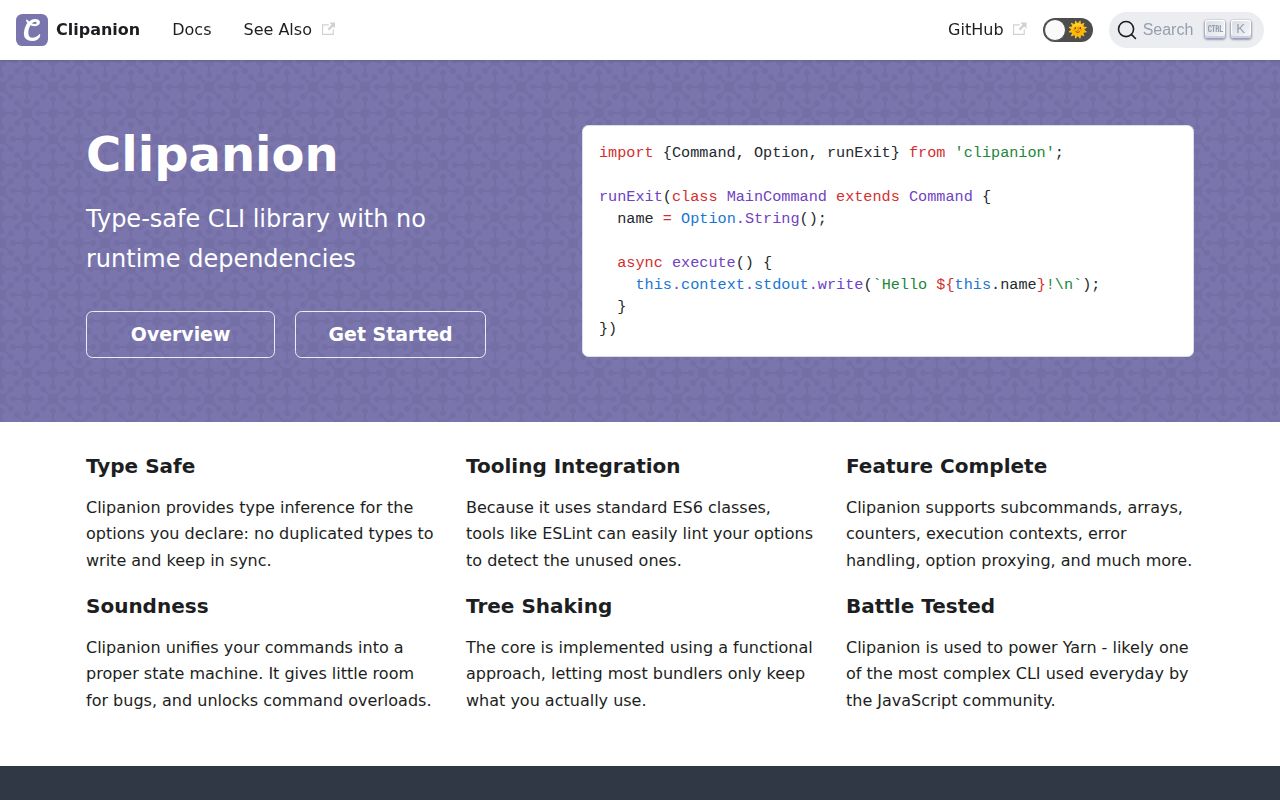
Clipanion 4.0.0-rc.4 is a class-based command framework for Node CLIs, best known as the parser used by Yarn. A command extends `Command`, declares positional values and flags through `Option`, and implements `execute()`. The parser handles nested command paths, aliases, repeated options, argument forwarding, generated help, validation through Typanion, and injected execution context. Our sandbox loaded the CommonJS package through both `require()` and ESM `import`, but found no TypeScript types in the installed package. The current npm tag still points to a release candidate published in September 2024, which matters when choosing it for a new CLI.
Clipanion 4.0.0-rc.4 installed in 0.8 seconds and used 1 MB in our sandbox, but the latest tag is still an RC and our package check found no TypeScript types. Install it for a CLI with nested paths or transparent argument proxying; use a smaller parser for an ordinary single-command tool.
We installed it
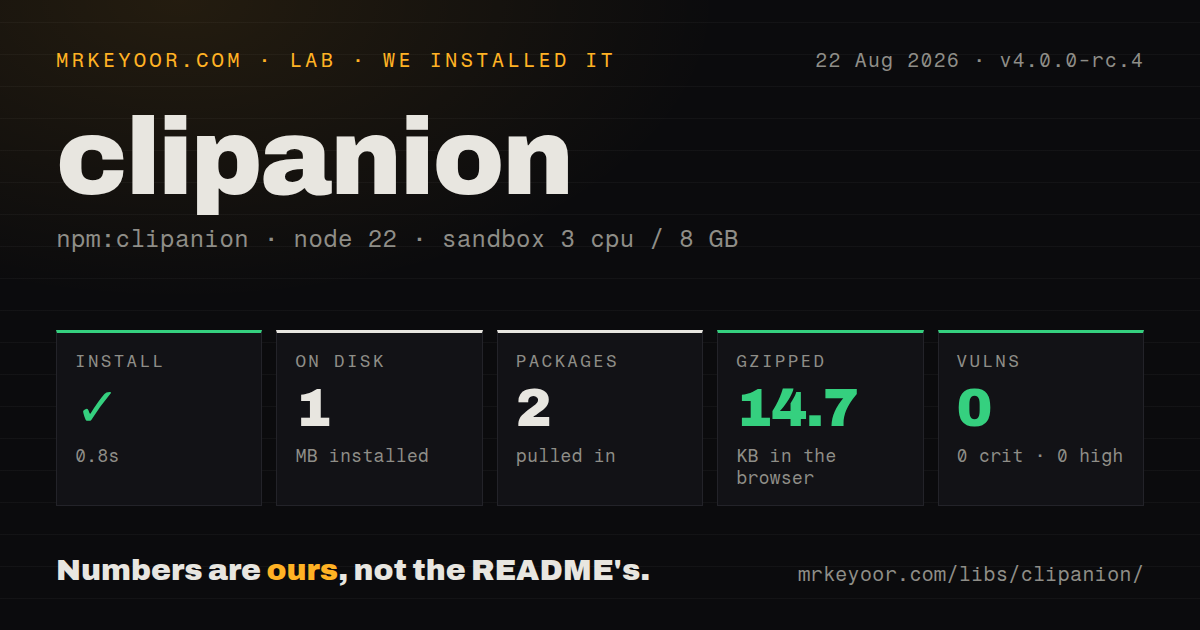
| Install | ✓ · 0.8s | 2 packages on disk · 1 MB |
| Import | ✓ | ESM import works · require() works · CommonJS package with exports map |
| Browser | 14.7 KB | gzipped (48.5 KB minified), bundled with esbuild |
| Types | — | no TypeScript types found |
| Known vulns | 0 | 0 critical · 0 high · 0 moderate · 0 low (npm audit) |
Answers from our run
Does clipanion install cleanly?
Yes. In a fresh container with an empty cache, npm install clipanion finished in 0.8s, leaving 2 packages and 1 MB on disk. npm audit reported no known vulnerabilities.
How much does clipanion add to a browser bundle?
14.7 KB gzipped (48.5 KB minified) when the whole package is bundled for the browser with esbuild. Importing only part of it is usually smaller.
Does clipanion work with both ESM and CommonJS?
Yes. Both import 'clipanion' and require('clipanion') worked in Node 22 in our run. The package is published as CommonJS with an exports map.
Does clipanion include TypeScript types?
No type declarations were found in our install, so TypeScript users need their own declarations.
clipanion or commander: which should you use?
commander: Choose it for conventional subcommands and options with a larger body of examples. Clipanion 4.0.0-rc.4 installed in 0.8 seconds and used 1 MB in our sandbox, but the latest tag is still an RC and our package check found no TypeScript types.
When should you not use clipanion?
The program has one command and a few flags; Node's util.parseArgs or cac avoids command classes and registration
Use it if
- Your CLI has nested paths such as `workspace list` and each action deserves its own command class
- You need to forward arbitrary trailing flags to another executable without requiring a `--` separator
- Repeated flags, counters, rest arguments, aliases, and runtime value coercion are part of the command grammar
- Tests or parent commands need to replace stdout, stderr, stdin, environment variables, or other command context
- The program has one command and a few flags; Node's `util.parseArgs` or `cac` avoids command classes and registration
- You only adopt final releases; npm's latest tag is `4.0.0-rc.4`, not a finished 4.0.0 release
- You expect bundled TypeScript declarations to be discoverable automatically; our installed package check found none
- You need visible recent maintenance before adopting a parser; the repository's latest push and this RC publication both date to September 2024
- You want numbers coerced automatically; `Option.String` stays string-valued unless a Typanion validator performs the conversion
Setup reality
Our install of Clipanion 4.0.0-rc.4 succeeded in 0.8 seconds in a clean Node 22 container. It left 2 packages and 1 MB on disk, while npm audit reported 0 known vulnerabilities. The package itself was 452 KB unpacked and declared 1 direct dependency plus 1 peer dependency. It is CommonJS with an exports map; require() and ESM import both worked. Our check found no TypeScript types. A full esbuild import measured 48.5 KB minified and 14.7 KB gzipped.
There are no credentials, native build steps, or config files. Every action is a Command subclass, fields hold Option declarations, and a multi-command program registers each class on Cli. Add Builtins.HelpCommand and Builtins.VersionCommand yourself when assembling a Cli. Global help only lists a command when that class supplies static usage metadata.
Typanion is both the single direct dependency and the peer dependency in the measured package. Use it when text must become a checked number or another runtime type. Without a validator, Option.String('--port') returns text. Pin 4.0.0-rc.4 in applications that cannot absorb release-candidate changes, since an ordinary unpinned install currently selects that version.
Option.Rest and Option.Proxy depend on declaration order and cannot be combined on one command. Proxy forwarding stops Clipanion from interpreting the remaining flags, so validate the executable before spawning user-controlled input. Write through this.context.stdout and stderr for testable composition. runExit() sets process.exitCode; it does not force the process to close, and an open timer or socket can keep the CLI alive.
Patterns
Run a single command run-one-command
import {Command, Option, runExit} from 'clipanion';

class Hello extends Command {
  name = Option.String({required: true});
  async execute() { this.context.stdout.write(`Hello ${this.name}\n`); }
}

await runExit(Hello);
`runExit()` sets `process.exitCode`; 1 open handle can still keep Node running.
Register a nested command register-nested-path
import {Cli, Command} from 'clipanion';
class List extends Command {
  static paths = [['workspace', 'list']];
  async execute() { this.context.stdout.write('web\n'); }
}
const cli = new Cli({binaryName: 'acme'});
cli.register(List);
await cli.runExit(process.argv.slice(2));
The path array contains 2 exact tokens; a space-separated string is not the same declaration.
Expose a short alias add-command-alias
class List extends Command {
  static paths = [['workspace', 'list'], ['ws', 'ls']];
  async execute() {}
}
Both 2-token paths select the same command class.
Require a named option parse-required-flag
class Deploy extends Command {
  target = Option.String('--target', {required: true});
  dryRun = Option.Boolean('-n,--dry-run', false);
  async execute() {}
}
The parser rejects a call missing `--target`; the boolean has 2 accepted spellings.
Collect repeated values collect-repeated-flag
class Notify extends Command {
  emails = Option.Array('--email', []);
  async execute() { for (const email of this.emails) this.context.stdout.write(`${email}\n`); }
}
Two `--email` occurrences produce a 2-item array.
Count repeated short flags count-verbosity
class Build extends Command {
  verbose = Option.Counter('-v,--verbose', 0);
  async execute() { this.context.stdout.write(`${this.verbose}\n`); }
}
`-vvv` increments the counter 3 times; `--no-verbose` resets it.
Require trailing files accept-rest-arguments
class Hash extends Command {
  files = Option.Rest({required: 1});
  async execute() {}
}
`Option.Rest` requires at least 1 value here and cannot share a command with `Option.Proxy`.
Pass flags to a child program forward-child-arguments
class RunTool extends Command {
  tool = Option.String({required: true});
  args = Option.Proxy();
  async execute() { return this.cli.run(this.args, this.context); }
}
Proxy leaves every following token untouched, including flags Clipanion would normally parse.
Convert a checked port coerce-number
import * as t from 'typanion';
const isPort = t.applyCascade(t.isNumber(), [t.isInteger(), t.isInInclusiveRange(1, 65535)]);
class Serve extends Command {
  port = Option.String('--port', '3000', {validator: isPort});
  async execute() {}
}
The validator converts text and rejects values outside 1 through 65535.
Register built-in help install-help-command
const cli = new Cli({binaryName: 'acme', binaryVersion: '2.0.0'});
cli.register(Builtins.HelpCommand);
cli.register(Builtins.VersionCommand);
A manually built `Cli` gains these 2 commands only after registration.
List a command in help describe-command-usage
class Clean extends Command {
  static paths = [['clean']];
  static usage = Command.Usage({description: 'Remove generated files'});
  async execute() {}
}
Global help omits registered commands that have no static usage declaration.
Report invalid input report-input-error
class Remove extends Command {
  force = Option.Boolean('--force', false);
  async execute() { if (!this.force) throw new UsageError('Pass --force'); }
}
`UsageError` prints command usage rather than treating the mistake as an internal exception.
Alternatives
More cli & tooling guides
chalk · commander · typescript · esbuild · yargs · click · the whole shelf →
How this guide is made: grounded in the library's documentation, release notes, changelog, and issue history, on a fixed rubric — not a hands-on install of every release. The 50 most-downloaded entries are additionally install-verified in clean containers. Corrections: contact the desk.