clean-css review
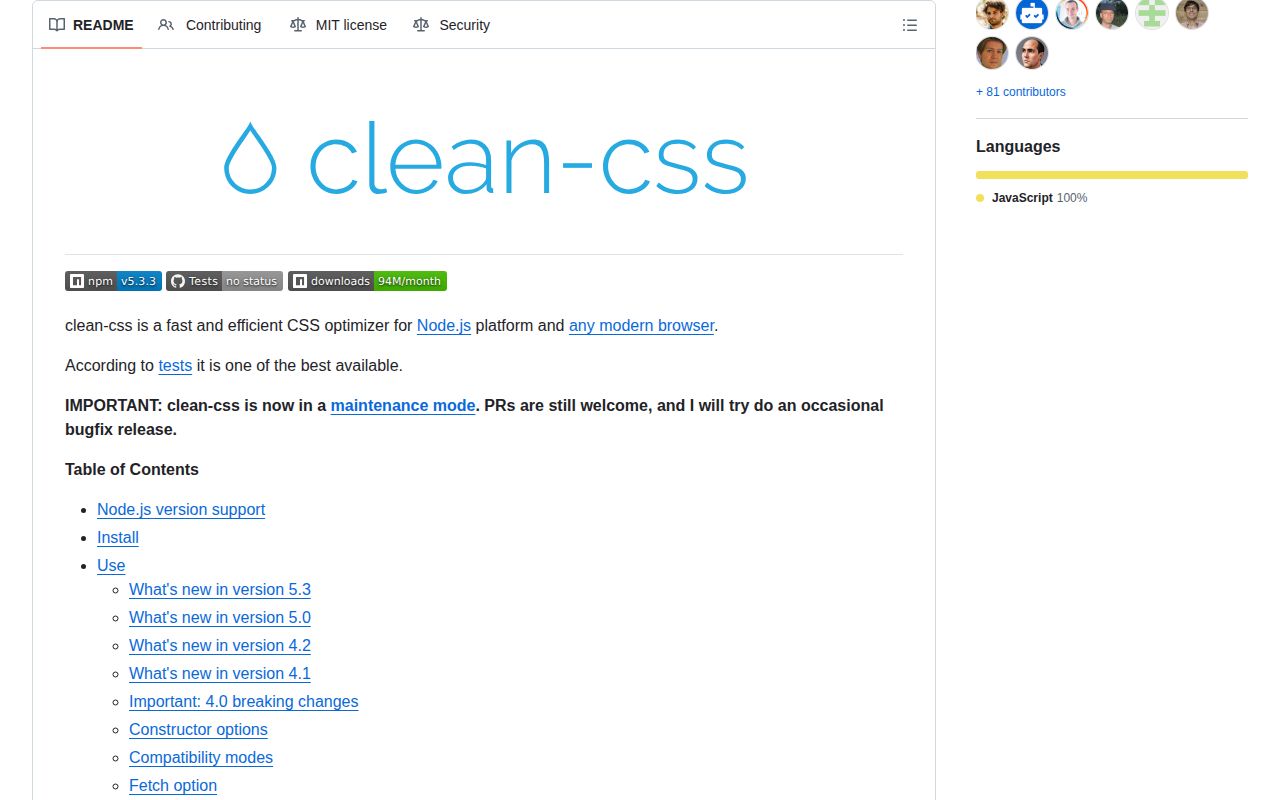
clean-css 5.3.3 is a Node CSS optimizer whose main API accepts source text or file paths and returns compressed CSS, warnings, errors, source-map output, and before-and-after byte statistics. Its default level 1 pass shortens values and declarations. Level 2 can restructure a stylesheet by merging selectors and moving declarations, which makes cascade testing part of adoption. Version 5.3 added `variableValueOptimizers`, a way to run named value optimizers such as `color` and `fraction` inside custom properties. We found a small CommonJS install, but the README now puts the project in maintenance mode.
clean-css 5.3.3 installed in 0.4 seconds and occupied 2 MB in our sandbox, but its README says maintenance mode and our browser bundle failed. Keep it where established Node builds depend on its output; start new CSS pipelines with an actively released alternative.
We installed it
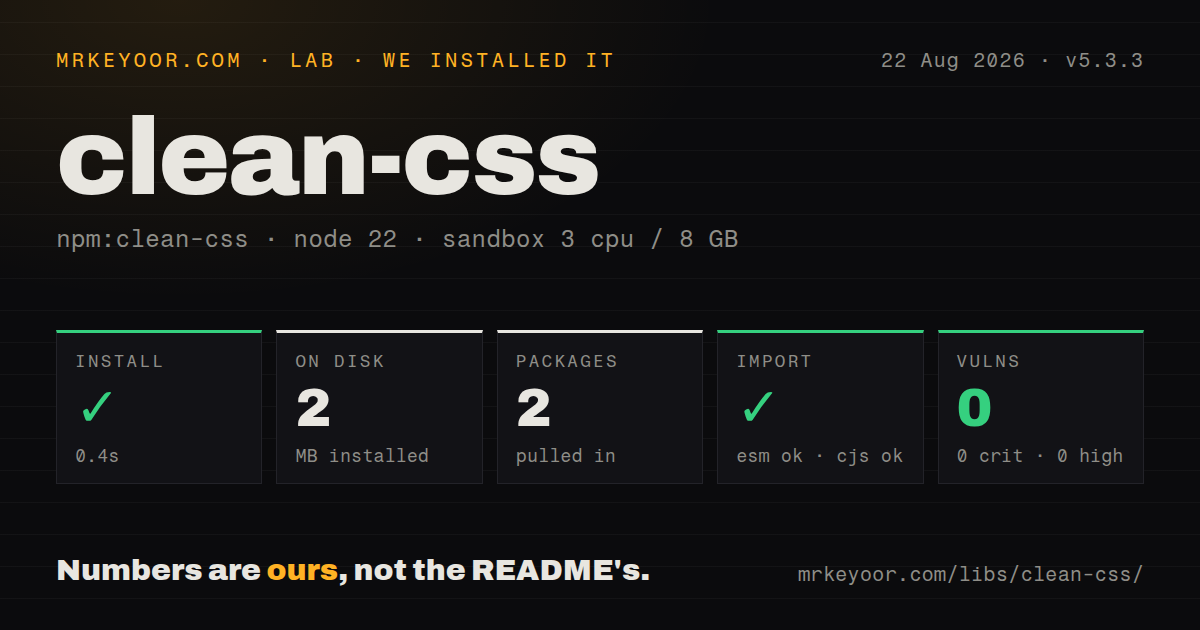
| Install | ✓ · 0.4s | 2 packages on disk · 2 MB |
| Import | ✓ | ESM import works · require() works · CommonJS package |
| Browser | n/a | could not be bundled for the browser (Node-only code, most likely) |
| Types | — | no TypeScript types found |
| Known vulns | 0 | 0 critical · 0 high · 0 moderate · 0 low (npm audit) |
Answers from our run
Does clean-css install cleanly?
Yes. In a fresh container with an empty cache, npm install clean-css finished in 0.4s, leaving 2 packages and 2 MB on disk. npm audit reported no known vulnerabilities.
Can clean-css run in a browser?
Not directly: esbuild could not bundle it for the browser in our run, which normally means it depends on Node built-ins. Use it on the server, or find a browser-targeted alternative.
Does clean-css work with both ESM and CommonJS?
Yes. Both import 'clean-css' and require('clean-css') worked in Node 22 in our run. The package is published as CommonJS.
Does clean-css include TypeScript types?
No type declarations were found in our install, so TypeScript users need their own declarations.
clean-css or lightningcss: which should you use?
Pick lightningcss when current CSS syntax, prefixing, and fast native transforms matter more than matching clean-css output. clean-css 5.3.3 installed in 0.4 seconds and occupied 2 MB in our sandbox, but its README says maintenance mode and our browser bundle failed.
When should you not use clean-css?
New CSS syntax support needs an active release cadence. The README calls clean-css maintenance-only, and 5.3.3 has remained the current npm release since November 2023.
Use it if
- A mature Node asset build already expects clean-css output and changing compressors would require a full visual regression pass
- Your stylesheet benefits from opt-in level 2 passes such as duplicate-rule removal, non-adjacent selector merging, and shorthand compaction
- One build step must inline local `@import` files, rebase relative `url()` references, and produce a source map
- You need a synchronous minifier API and will fail the build when its result contains warnings or errors
- New CSS syntax support needs an active release cadence. The README calls clean-css maintenance-only, and 5.3.3 has remained the current npm release since November 2023.
- The minifier must run in a browser. Our esbuild browser build failed, while the package exposes CommonJS code with Node file and remote-resource readers.
- Vite, webpack, or another bundler already owns CSS compression. A second optimizer can change the cascade and leaves two configurations to investigate.
- You expect `npm install clean-css` to provide a shell command. Since version 4, the CLI has lived in the separate `clean-css-cli` package.
- A typed plugin surface is required. Version 5.3.3 contains no TypeScript declarations, and realistic plugin work requires understanding internal value objects.
Setup reality
We installed clean-css 5.3.3 in an uncached Node 22 container in 0.4 seconds. The result was 2 packages and 2 MB on disk; npm audit returned 0 known vulnerabilities. The package itself has one direct dependency, no peers, and 912 KB unpacked. require() and ESM import both loaded its CommonJS entry. It has no exports map and no bundled TypeScript types.
No account, environment variable, or config file is required. Input shape does matter: one string means CSS text, but an array of strings means file names. Version 5 leaves URL rebasing disabled unless you turn it on or provide rebaseTo. Local @import files are eligible for inlining by default; remote imports stay untouched unless their hosts are allowed.
The usual minify() path blocks until it finishes. Promise mode requires returnPromise: true, while callback mode is also available. Remote import loading needs one of those asynchronous forms. Allowing a network stylesheet into a build makes the output depend on that host, so restrict inline to named domains and set inlineTimeout rather than accepting arbitrary URLs.
Our browser bundle attempt with esbuild failed. Keep 5.3.3 in the Node build process. Also inspect result.errors and result.warnings: malformed input can be removed while the rest of the CSS is still returned. Level 2 is off by default because it can merge separated rules and relocate declarations. Enable individual passes first, then compare rendered pages that rely on ordering or old browser hacks.
Patterns
Compress an in-memory stylesheet minify-css-string
const CleanCSS = require('clean-css');

const result = new CleanCSS().minify('a { color: blue; margin: 0px; }');
if (result.errors.length || result.warnings.length) {
  throw new Error([...result.errors, ...result.warnings].join('\n'));
}
console.log(result.styles);
One string is parsed as CSS, not as a path. Version 5 may return partial output for bad input, so make both diagnostic arrays fatal in a build.
Turn on level 2 restructuring enable-level-two
const result = new CleanCSS({ level: 2 }).minify(css);`level: 2` includes level 1 work. Its cross-rule moves can affect order-sensitive CSS, so compare rendered output before adopting it.
Limit the enabled optimizer passes select-optimizations
const result = new CleanCSS({
  level: {
    1: { all: true, normalizeUrls: false },
    2: { all: false, removeDuplicateRules: true }
  }
}).minify(css);
The `all` switch is applied before named overrides. This example retains URL spelling while enabling only duplicate-rule removal at level 2.
Shorten selected custom-property values optimize-css-variables
const result = new CleanCSS({
  level: {
    1: { variableValueOptimizers: ['color', 'fraction'] }
  }
}).minify(':root { --brand: rgb(255, 0, 0); --ratio: 0.50; }');
Version 5.3 introduced `variableValueOptimizers`. List only value categories that match how each custom property is consumed.
Combine stylesheet files and rebase URLs minify-css-files
const result = new CleanCSS({ rebaseTo: 'dist' })
  .minify(['src/base.css', 'src/theme.css']);
A string array is interpreted as file paths. `rebaseTo` should name the output directory so relative assets still resolve after concatenation.
Return separate results for each file process-files-separately
const results = new CleanCSS({ batch: true })
  .minify(['src/a.css', 'src/b.css']);

console.log(results['src/a.css'].styles);
Batch mode changes the result shape to an object keyed by input name; it does not concatenate the two files.
Use the promise execution path use-promise-api
const result = await new CleanCSS({ returnPromise: true }).minify(css);
if (result.errors.length) throw new Error(result.errors.join('\n'));
Version 5 runs synchronously unless `returnPromise` is set or a callback is supplied.
Fetch an import from one approved host inline-remote-import
new CleanCSS({
  inline: ['local', 'styles.example.com'],
  inlineTimeout: 3000
}).minify(css, (error, result) => {
  if (error) throw error;
  console.log(result.styles);
});
Remote `@import` loading works only asynchronously. A hostname allowlist keeps arbitrary CSS URLs out of the build.
Persist minified CSS and its map emit-source-map
const result = new CleanCSS({
  sourceMap: true,
  rebaseTo: 'dist'
}).minify(['src/app.css']);

await fs.promises.writeFile('dist/app.min.css', result.styles);
await fs.promises.writeFile('dist/app.min.css.map', result.sourceMap.toString());
`result.sourceMap` is a generator, not ready-to-write text. Call `toString()` before saving the map file.
Protect one block from rewriting preserve-css-block
/* clean-css ignore:start */
.legacy-widget { color: transparent; }
/* clean-css ignore:end */
The paired clean-css comments preserve the enclosed bytes while optimization continues around them.
Register an application-specific unit allow-custom-unit
const result = new CleanCSS({
  compatibility: { customUnits: { rpx: true } }
}).minify('.tile { width: 20rpx; }');
The compatibility map tells 5.3.3 that `rpx` is valid; otherwise an unknown unit may cause the declaration to be removed.
Format compressed output for review format-readable-css
const result = new CleanCSS({
  format: { breaks: { afterRuleEnds: 1 }, indentBy: 2, indentWith: 'space' }
}).minify(css);
Formatting adds whitespace after optimization. Use it when generated CSS is committed and humans need readable diffs.
Alternatives
| Package | Registry | Pick it when |
|---|---|---|
| lightningcss | npm | Pick it when current CSS syntax, prefixing, and fast native transforms matter more than matching clean-css output. |
| cssnano | npm | Pick it when PostCSS is already the parser and plugin host for the project. |
| esbuild | npm | Pick it when esbuild already bundles the application and basic CSS minification is enough. |
| csso | npm | Pick it for structural compression based on css-tree and compare its restructuring against your visual tests. |
More web frontend guides
postcss · react · react-dom · tailwindcss · clsx · htmlparser2 · the whole shelf →
How this guide is made: grounded in the library's documentation, release notes, changelog, and issue history, on a fixed rubric — not a hands-on install of every release. The 50 most-downloaded entries are additionally install-verified in clean containers. Corrections: contact the desk.