babylon review
Babylon 6.18.0 turns JavaScript source into Babel 6's `File` and `Program` AST nodes. It parses ES2017 by default and can opt into JSX, Flow, ESTree-shaped output, and the proposal syntax listed in its plugin array. The current version dates to August 2017; its two concrete changes were Flow opaque type alias support and corrected `sourceType` error information. Babel moved this code into `@babel/parser`, archived the old repository, and directs new bug reports there. Our browser bundle measured 125.4 KB minified and 31.8 KB gzipped, a large price for shipping a frozen parser to a browser.
Babylon 6.18.0 installed in 0.7 seconds with zero audit findings, yet its 31.8 KB gzipped browser bundle buys an ES2017 parser whose repository is archived. Keep it only for Babel 6 compatibility work; new parsers should start with `@babel/parser`, Acorn, or Espree.
We installed it
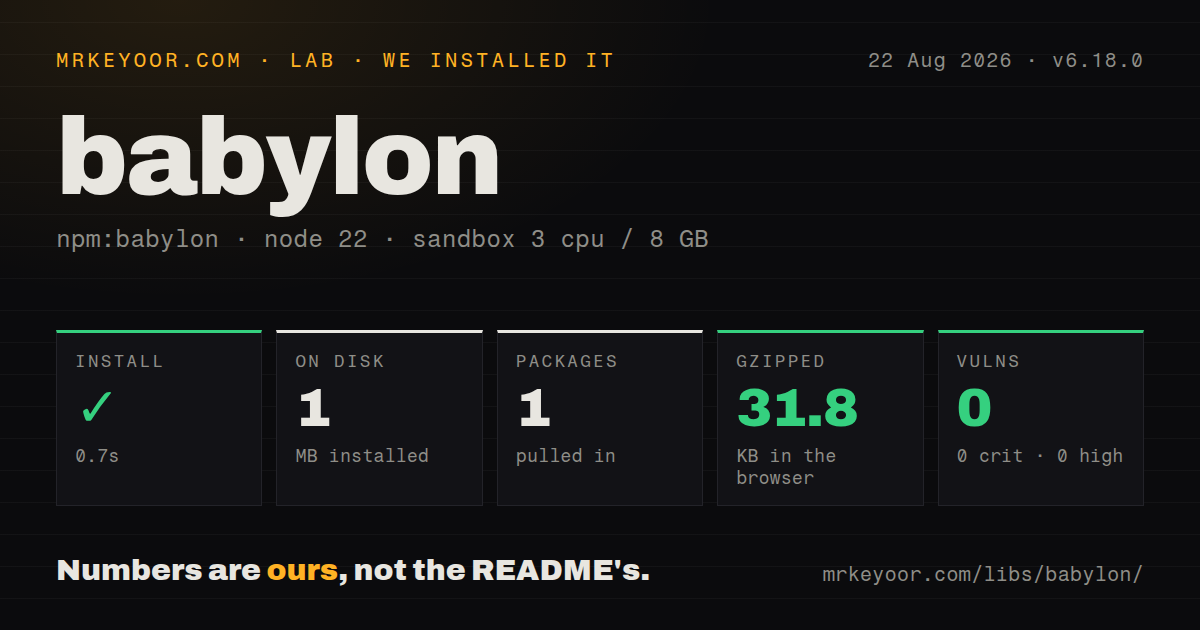
| Install | ✓ · 0.7s | 1 package on disk · 1 MB |
| Import | ✓ | ESM import works · require() works · CommonJS package |
| Browser | 31.8 KB | gzipped (125.4 KB minified), bundled with esbuild |
| Types | — | no TypeScript types found |
| Known vulns | 0 | 0 critical · 0 high · 0 moderate · 0 low (npm audit) |
Answers from our run
Does babylon install cleanly?
Yes. In a fresh container with an empty cache, npm install babylon finished in 0.7s, leaving 1 package and 1 MB on disk. npm audit reported no known vulnerabilities.
How much does babylon add to a browser bundle?
31.8 KB gzipped (125.4 KB minified) when the whole package is bundled for the browser with esbuild. Importing only part of it is usually smaller.
Does babylon work with both ESM and CommonJS?
Yes. Both import 'babylon' and require('babylon') worked in Node 22 in our run. The package is published as CommonJS.
Does babylon include TypeScript types?
No type declarations were found in our install, so TypeScript users need their own declarations.
babylon or @babel/parser: which should you use?
@babel/parser: Choose it for Babel AST output, current JavaScript syntax, TypeScript parsing, and the maintained continuation of Babylon. Babylon 6.18.0 installed in 0.7 seconds with zero audit findings, yet its 31.8 KB gzipped browser bundle buys an ES2017 parser whose repository is archived.
When should you not use babylon?
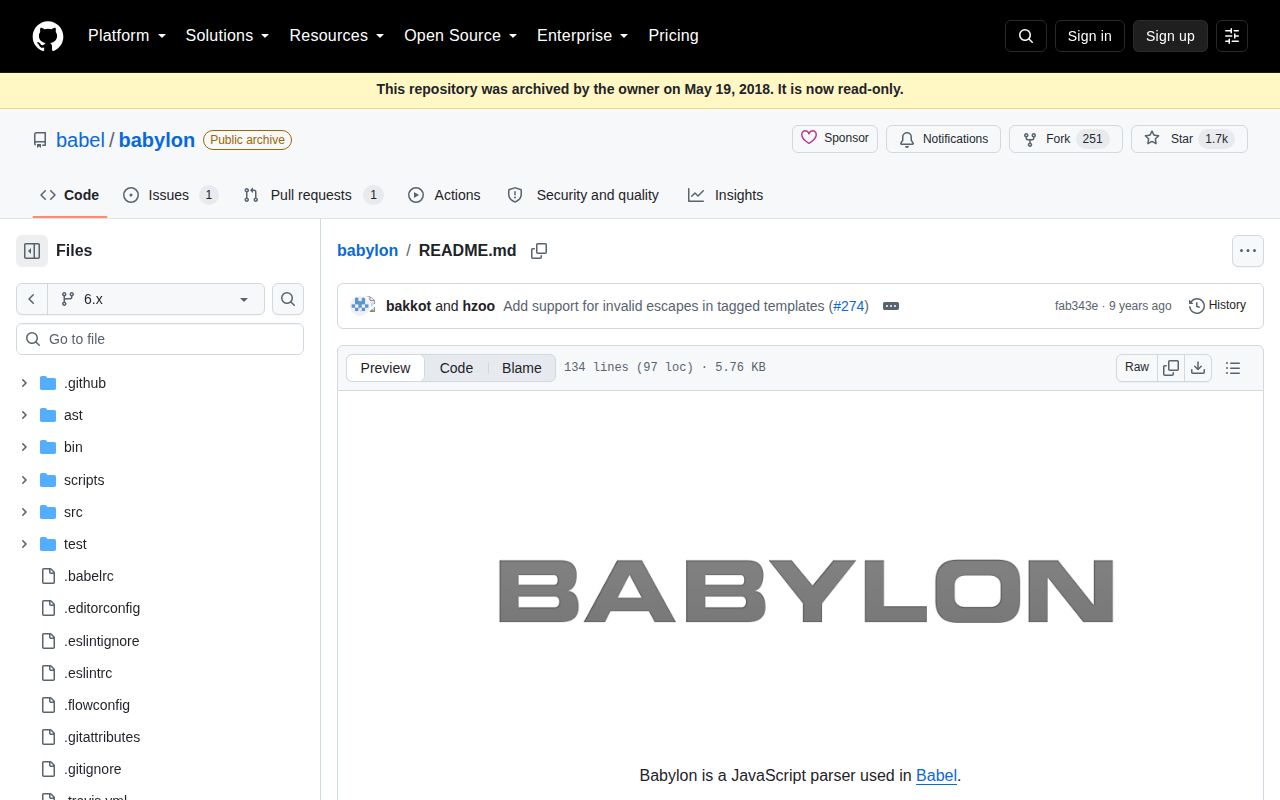
You are choosing a parser for new code. The archived README says Babylon moved to @babel/parser, where fixes and current syntax support now land.
Use it if
- You maintain a Babel 6 plugin or codemod whose visitors expect Babylon's `File`, `StringLiteral`, `ObjectMethod`, and `ClassMethod` node shapes.
- A locked ES2017 build needs identical parsing across reinstalls, and changing its parser would create more regression work than the frozen syntax is worth.
- You need to reproduce a parse error from an old Babel 6 pipeline before moving that pipeline to `@babel/parser`.
- Your input uses Babylon 6's documented JSX, Flow, or proposal plugins and cannot yet be migrated with the rest of the toolchain.
- You are choosing a parser for new code. The archived README says Babylon moved to `@babel/parser`, where fixes and current syntax support now land.
- Your source uses syntax introduced after ES2017. Babylon's 6.x README promises ES2017 by default and its plugin list stops at proposals from that period.
- You need TypeScript declarations. Our 6.18.0 package inspection found none, so typed consumers must add their own declaration or use a maintained parser.
- A 31.8 KB gzipped parser is too much browser code for the feature. Our full-package esbuild check produced 125.4 KB minified, while Acorn is the better fit for a smaller ESTree-oriented parser.
- Your downstream tools require ESTree nodes without parser-specific setup. Babylon emits Babel node variants unless you enable its `estree` plugin.
- You expect parser bugs to be fixed in this package. The repository is read-only, its last push was in May 2018, and the project asks for reports in the Babel monorepo.
Setup reality
Our install of babylon 6.18.0 finished in 0.7 seconds and left one package using 1 MB on disk. The package itself is 304 KB unpacked, has zero direct and peer dependencies, and npm audit reported zero known vulnerabilities. It is CommonJS without an exports map; both require() and ESM import worked in our Node 22 container. No TypeScript declarations were present.
There are no credentials, native builds, configuration files, or services to start. Call parse for a program and parseExpression for one expression. Set sourceType to module when imports or exports are legal. The parser returns a File, so top-level statements sit in ast.program.body. Source locations can carry sourceFilename and a custom startLine, which matters when a fragment came out of a larger file.
Syntax switches live in the plugins array. JSX, Flow, object rest/spread, class properties, dynamic import, and ESTree output each use named plugins in this release. The README labels its decorators implementation as an outdated proposal. A successful Babel 6 parse therefore says little about whether a current runtime or current Babel parser accepts the same construct.
Our esbuild browser check completed at 125.4 KB minified and 31.8 KB gzipped. That is the whole parser, because the package has no runtime dependencies. For server-side migration scripts the cost is usually tolerable. Browser editors should compare Acorn or a worker-hosted parser before adding 31.8 KB gzip for an ES2017-era grammar that will never receive another fix.
Patterns
Parse a complete ES module parse-module
const babylon = require('babylon')

const ast = babylon.parse("import value from './value.js'; export { value }", {
  sourceType: 'module',
})

console.log(ast.type)
console.log(ast.program.body.length)
Version 6.18.0 returns a `File`; the module statements are in `ast.program.body`.
Parse one expression parse-expression
const babylon = require('babylon')

const expression = babylon.parseExpression('price * (1 + tax)')
console.log(expression.type)
`parseExpression` returns the expression node directly. Use `parse` when declarations or multiple statements are possible.
Accept JSX source enable-jsx
const babylon = require('babylon')

const ast = babylon.parse('const view = <button>Save</button>', {
  sourceType: 'module',
  plugins: ['jsx'],
})
JSX is opt-in in Babylon 6.18.0; omitting `jsx` makes the angle-bracket syntax fail.
Parse Flow annotations and opaque types enable-flow
const babylon = require('babylon')

const ast = babylon.parse('opaque type UserId = string; const id: UserId = "u1"', {
  sourceType: 'module',
  plugins: ['flow'],
})
Flow opaque type aliases were added in 6.18.0. The `flow` plugin is required for both the alias and annotation.
Emit ESTree-style literal nodes request-estree
const babylon = require('babylon')

const ast = babylon.parse('const answer = 42', {
  plugins: ['estree'],
})

console.log(ast.program.body[0].declarations[0].init.type)
The `estree` plugin changes Babel nodes such as `NumericLiteral` into ESTree's `Literal`, which can break Babel-specific visitors.
Opt into the proposal syntax this release knows enable-proposals
const babylon = require('babylon')

const ast = babylon.parse(source, {
  sourceType: 'module',
  plugins: ['classProperties', 'objectRestSpread', 'dynamicImport'],
})
Babylon 6.18.0 needs explicit plugins for these constructs. Its proposal set is frozen at the 2017-era grammar.
Print a syntax error location report-parse-error
const babylon = require('babylon')

try {
  babylon.parse(source, { sourceType: 'module' })
} catch (error) {
  console.error(error.message)
  console.error({ offset: error.pos, line: error.loc.line, column: error.loc.column })
}
Parser errors expose `pos` and `loc` in 6.18.0, so a caller can map the failure back to an editor or generated file.
Offset locations for an extracted fragment map-source-location
const babylon = require('babylon')

const ast = babylon.parse(fragment, {
  sourceFilename: 'template.html',
  startLine: 37,
  allowReturnOutsideFunction: true,
})
`startLine: 37` makes the fragment's first line report as line 37, while `sourceFilename` is carried onto node locations.
Relax import and export placement allow-nested-module-declarations
const babylon = require('babylon')

const ast = babylon.parse(source, {
  sourceType: 'module',
  allowImportExportEverywhere: true,
})
This option accepts module declarations outside their normal top-level position. The resulting source can still be invalid for runtimes and bundlers.
Read attached comments inspect-comments
const babylon = require('babylon')

const ast = babylon.parse('// generated file\nconst ready = true')
for (const comment of ast.comments) {
  console.log(comment.type, comment.value)
}
Comment attachment is part of Babylon's documented output, which is useful for codemods that must preserve directives and annotations.
Load the CommonJS package from ESM use-esm-import
import babylon from 'babylon'

const ast = babylon.parse('export default 1', {
  sourceType: 'module',
})
Our Node 22 check could import the CommonJS package from ESM even though 6.18.0 has no exports map.
Move the parser import to Babel's maintained package migrate-parser-package
const parser = require('@babel/parser')

const ast = parser.parse(source, {
  sourceType: 'module',
  plugins: ['jsx'],
})
The archived repository names `@babel/parser` as Babylon's successor. Recheck plugin names because syntax that needed a plugin in 6.18.0 may be standard now.
Alternatives
| Package | Registry | Pick it when |
|---|---|---|
| @babel/parser | npm | Choose it for Babel AST output, current JavaScript syntax, TypeScript parsing, and the maintained continuation of Babylon. |
| acorn | npm | Choose it when standard ESTree output and a smaller parser surface matter more than Babel-specific node types. |
| espree | npm | Choose it when the parsed tree will feed ESLint rules and should follow ESLint's supported syntax contract. |
| meriyah | npm | Choose it for a current ESTree parser with JSX support when Babel compatibility is unnecessary. |
More cli & tooling guides
commander · chalk · typescript · esbuild · yargs · click · the whole shelf →
How this guide is made: grounded in the library's documentation, release notes, changelog, and issue history, on a fixed rubric — not a hands-on install of every release. The 50 most-downloaded entries are additionally install-verified in clean containers. Corrections: contact the desk.