awswrangler review
awswrangler is the PyPI name for AWS SDK for pandas, a Python layer over boto3, pandas, and PyArrow for moving tabular data through AWS services. Its clearest use is an S3 data lake: write a partitioned Parquet DataFrame, register it in Glue, then query it through Athena without hand-building API polling and result-download code. Release 3.17.1 is a focused bug-fix update. It corrects Athena varbinary conversion, SQL parameters next to PostgreSQL-style double-colon casts, DynamoDB reads with a zero item limit, and identifier escaping in generated Iceberg SQL. Our install was typed and imported successfully, but its 288 MB footprint makes it a deliberate dependency rather than a casual boto3 helper.
Install awswrangler when S3, Glue, and Athena form one repeated workflow and its permission-aware helpers replace code you would otherwise maintain. For a single service call or a small Lambda, 288 MB and 31 declared dependencies are hard to defend.
We installed it
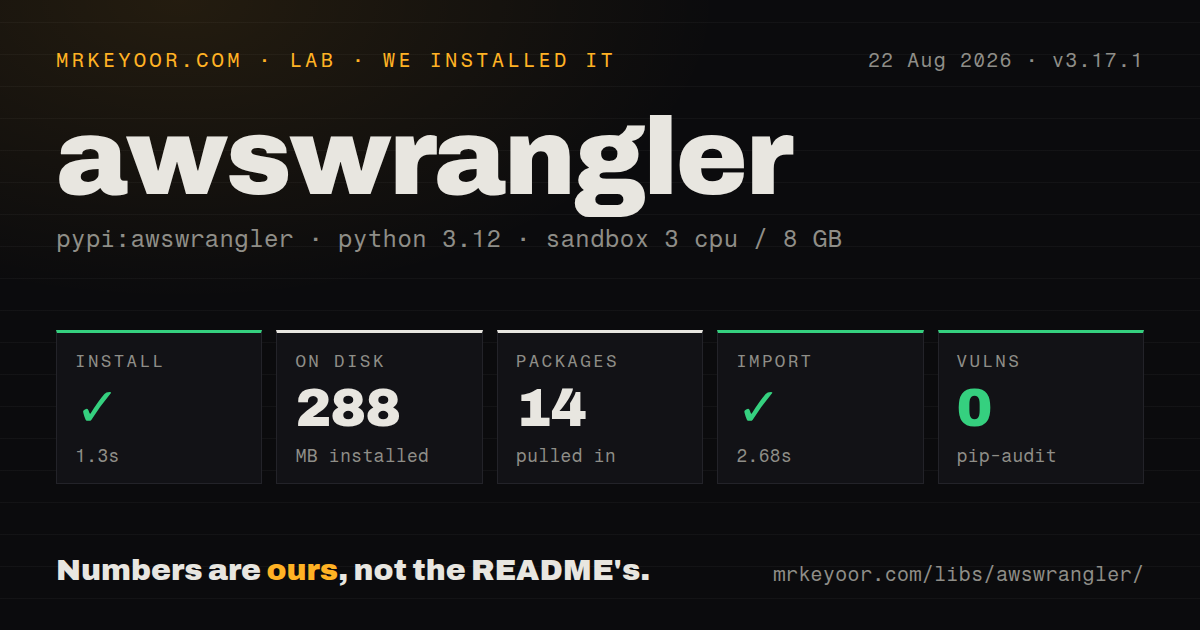
| Install | ✓ · 1.3s | 14 packages on disk · 288 MB |
| Import | ✓ | import awswrangler in 2.68s · pure Python · py.typed · requires Python <4.0,>=3.10 |
| Known vulns | 0 | (pip-audit) |
Answers from our run
Does awswrangler install cleanly?
Yes. In a fresh container with an empty cache, pip install awswrangler finished in 1 seconds, leaving 14 packages and 288 MB on disk. pip-audit reported no known vulnerabilities.
What does awswrangler need to run?
Python <4.0,>=3.10, and nothing compiled: it is pure Python. In our run import awswrangler succeeded in 2.68s, and the package ships py.typed for type checkers.
awswrangler or boto3: which should you use?
boto3: Use it for direct AWS API work or small Lambda handlers that do not need DataFrames. Install awswrangler when S3, Glue, and Athena form one repeated workflow and its permission-aware helpers replace code you would otherwise maintain.
When should you not use awswrangler?
You only need ordinary AWS object or API calls; boto3 avoids pandas and PyArrow, while our awswrangler install occupied 288 MB
Use it if
- Your pipeline moves pandas DataFrames between S3, Glue, and Athena and you want one API for storage, catalog registration, and queries
- You maintain partitioned Parquet datasets and need overwrite_partitions, schema evolution, projection, or Glue table updates tied to each write
- You bulk-load Redshift through staged S3 files or use supported database connectors enough to justify their optional extras
- Your AWS analytics jobs need tested helpers for Athena CTAS, UNLOAD, chunked reads, Iceberg writes, or DynamoDB scans
- You only need ordinary AWS object or API calls; boto3 avoids pandas and PyArrow, while our awswrangler install occupied 288 MB
- One service is the whole job; PyAthena is a narrower DB-API option for Athena, and a database driver is clearer for direct SQL
- The result cannot fit in one process and the relevant call lacks distributed support; the README says the Ray and Modin engine covers only a subset of APIs
- You expect connectors to be present after the base install; Redshift, PostgreSQL, OpenSearch, and other modules require named extras and otherwise fail when called
- Your workload must move between AWS, Google Cloud, and Azure; the sessions, permissions, catalogs, and write modes here encode AWS service behavior
Setup reality
Our fresh Python 3.12 install of awswrangler 3.17.1 succeeded in 1.3 seconds. Fourteen packages occupied 288 MB, and pip-audit reported no known vulnerabilities. The distribution declares 31 direct dependencies, supports Python 3.10 through 3.x, is pure Python, and includes py.typed. Importing awswrangler took 2.68 seconds. PyPI does not declare a license value, although the repository identifies Apache-2.0.
The base package covers its core AWS paths, while database and search connectors use extras such as awswrangler[redshift] or awswrangler[opensearch]. Missing an extra may stay hidden until that module is called. Credentials follow boto3's normal chain: environment variables, shared profiles, container credentials, or an instance role. Pass a boto3_session explicitly in multi-account code so a process-wide default cannot send work to the wrong account or region.
Athena's default read path uses CTAS to produce typed Parquet output. That role needs permission to create and delete Glue tables plus access to the query-result S3 location. CTAS also has query and type restrictions. UNLOAD avoids the temporary catalog table but requires an empty output prefix. Direct CSV mode needs fewer catalog permissions and usually gives less faithful types. Cached Athena results can return older output when the cache settings match, so choose the cache window according to the table's update cadence.
Reads still materialize pandas data unless you request chunks, and writes can use threads for S3 work. An integer chunk size returns an iterator instead of one DataFrame, which changes the calling contract. Global wr.config values and the optional distributed engine affect the whole process; shared workers should prefer arguments on each call. Lambda packaging deserves a test in the actual runtime because the measured environment already reached 288 MB before application code or connector extras.
Patterns
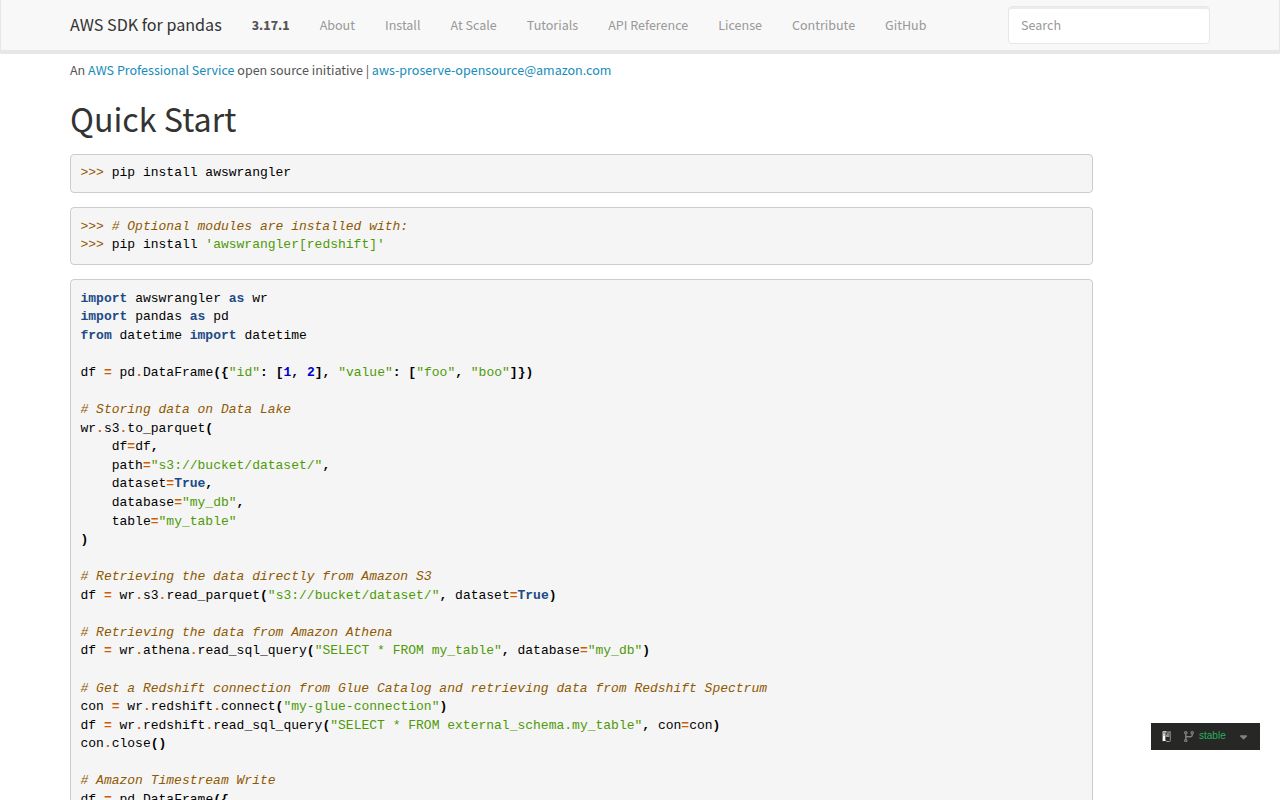
Write Parquet partitions and update Glue write-partitioned-parquet
import awswrangler as wr

wr.s3.to_parquet(
    df=df.copy(),
    path="s3://analytics-lake/events/",
    dataset=True,
    partition_cols=["event_date"],
    mode="overwrite_partitions",
    database="analytics",
    table="events",
)
dataset=True enables partition and catalog behavior. overwrite_partitions replaces only partitions represented in the frame; mode="overwrite" targets the entire dataset. A copy avoids documented in-place DataFrame changes.
Prune partitions while reading Parquet read-selected-partitions
recent = wr.s3.read_parquet(
    "s3://analytics-lake/events/",
    dataset=True,
    columns=["user_id", "amount"],
    partition_filter=lambda part: part["event_date"] >= "2026-08-01",
)
Partition values passed to the filter are strings. Selecting columns also reduces the Parquet data read from S3.
Run a parameterized Athena query query-athena-parameters
totals = wr.athena.read_sql_query(
    "SELECT user_id, sum(amount) total FROM events WHERE event_date = :day GROUP BY user_id",
    database="analytics",
    params={"day": "2026-08-22"},
    paramstyle="named",
    workgroup="primary",
)
The default CTAS approach creates and removes a temporary Glue table. The execution role therefore needs catalog permissions as well as Athena and S3 access.
Use Athena UNLOAD without a temporary table query-athena-without-ctas
rows = wr.athena.read_sql_query(
    "SELECT * FROM events WHERE event_date = '2026-08-22'",
    database="analytics",
    ctas_approach=False,
    unload_approach=True,
    s3_output="s3://analytics-lake/query-output/run-42/",
)
UNLOAD writes Parquet without creating a Glue table, but Athena requires the destination prefix to be empty. Give each run its own location or clean it first.
Process Athena output in bounded chunks stream-athena-results
chunks = wr.athena.read_sql_query(
    "SELECT * FROM events",
    database="analytics",
    chunksize=50_000,
)
for frame in chunks:
    consume(frame)
Setting chunksize changes the return value to an iterator of DataFrames. Callers that expect DataFrame attributes must be updated.
Pin account and region with a session use-explicit-session
import boto3
import awswrangler as wr

session = boto3.Session(profile_name="analytics-prod", region_name="eu-west-1")
frame = wr.s3.read_parquet(
    "s3://prod-lake/events/",
    dataset=True,
    boto3_session=session,
)
An explicit session is safer than changing process-wide defaults in workers that touch several accounts. Production roles usually replace profile_name.
Stage and copy a DataFrame into Redshift copy-dataframe-to-redshift
connection = wr.redshift.connect("warehouse-connection")
try:
    wr.redshift.copy(
        df=df,
        path="s3://analytics-lake/redshift-stage/orders/",
        con=connection,
        schema="public",
        table="orders",
        iam_role="arn:aws:iam::111122223333:role/RedshiftLoad",
        mode="append",
    )
finally:
    connection.close()
Install awswrangler[redshift] first. The copy path stages files in S3, and the database connection should always be closed.
Merge rows into an Athena Iceberg table merge-athena-iceberg
wr.athena.to_iceberg(
    df=updates,
    database="analytics",
    table="customers",
    temp_path="s3://analytics-lake/tmp/customers/",
    merge_cols=["customer_id"],
    merge_condition="update",
    schema_evolution=True,
)
This stages data and runs Athena SQL, so it suits batch writes. Without merge_cols the operation appends rows instead of matching existing records.
Read selected DynamoDB attributes scan-dynamodb-safely
orders = wr.dynamodb.read_items(
    table_name="orders",
    partition_values=["customer#42"],
    columns=["order_id", "total"],
    consistent=True,
)
A full scan requires allow_full_scan=True. DynamoDB numbers arrive as Decimal values, so normalize them before pandas arithmetic when needed.
Remove a Glue table definition delete-catalog-entry
removed = wr.catalog.delete_table_if_exists(
    database="analytics",
    table="scratch_events",
)
print(removed)
Deleting the catalog entry does not delete its S3 objects. Remove data separately only when that destructive action is intended.
Check whether the distributed engine is active inspect-runtime-engine
import awswrangler as wr

print(wr.engine.get())
print(wr.memory_format.get())
Installing Ray and Modin can change execution and return types for supported calls. The distributed support table is smaller than the full single-process API.
Turn on SDK logs without credential chatter enable-library-logging
import logging

logging.basicConfig(level=logging.INFO)
logging.getLogger("awswrangler").setLevel(logging.DEBUG)
logging.getLogger("botocore.credentials").setLevel(logging.CRITICAL)
Debug output helps trace service calls and staging paths. Keep credential-provider logs quiet in shared log systems.
Alternatives
| Package | Registry | Pick it when |
|---|---|---|
| boto3 | PyPI | Use it for direct AWS API work or small Lambda handlers that do not need DataFrames |
| pandas | PyPI | Use it when files are local or storage access is already handled elsewhere |
| polars | PyPI | Use it when local DataFrame execution and memory use matter more than AWS catalog helpers |
More data guides
numpy · pandas · fsspec · pyarrow · lxml · sqlalchemy · the whole shelf →
How this guide is made: grounded in the library's documentation, release notes, changelog, and issue history, on a fixed rubric — not a hands-on install of every release. The 50 most-downloaded entries are additionally install-verified in clean containers. Corrections: contact the desk.