Markdown publishing and source development take different paths
Docsify turns Markdown files into a documentation website without generating static HTML pages first. Its README describes publishing through a static web server or GitHub Pages. The quick start supplies an HTML entry file that loads the Docsify browser script.
That publishing route differs from installing Docsify's own source checkout. Our source installation failed during a CSS build. The run did not test a documentation site, so it cannot establish whether the documented publishing route works.
Consider Docsify if you maintain Markdown manuals and want to serve those files without a separate HTML-generation step. Choose a generator that produces HTML if your deployment requires generated pages. The README also lists multiple themes, a plugin API and a full-text search plugin. Search is an optional plugin in the quick-start template; include it explicitly in your evaluation if readers need it.
What happened when we ran it
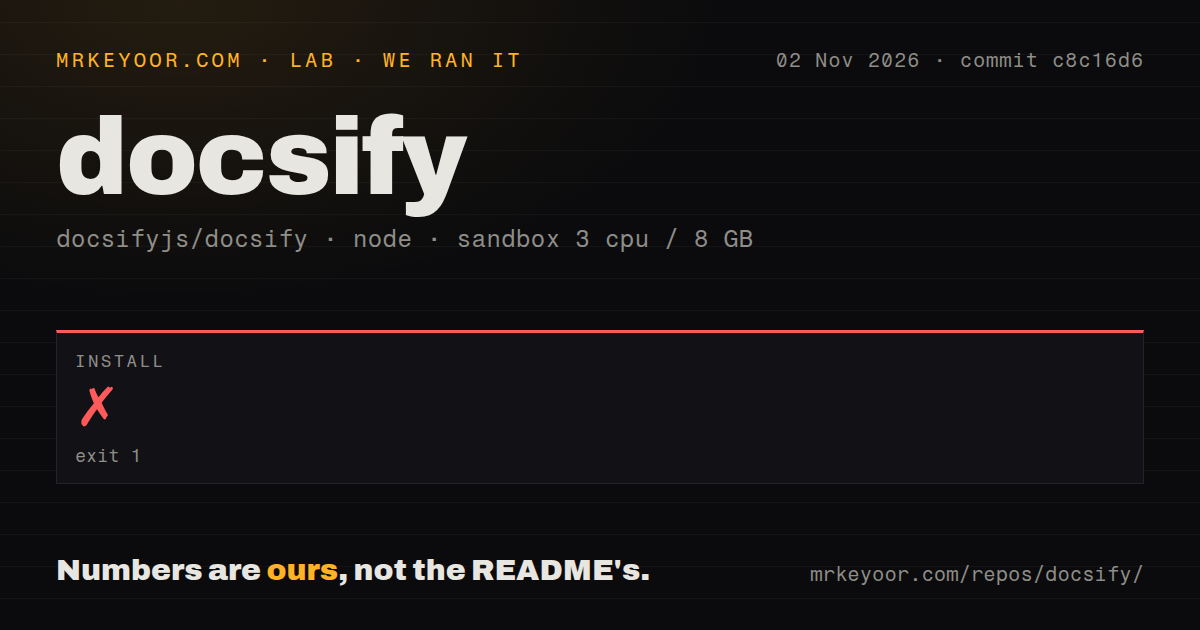
Our sandbox installation of Docsify commit c8c16d6 failed with exit 1 after 102 seconds on November 2, 2026. The captured npm output names the command npm run build && node .husky/install.mjs. Its tail reports that build:css:min exited with 1, following stack frames in postcss-load-config and postcss-cli.
The failure occurred in the CSS build invoked during installation. The supplied tail does not contain the underlying exception, so it cannot identify a particular plugin, package or environment setting as the cause. It also does not establish that the Husky installer ran: the command connects the operations with &&.
The checkout contained 208 files, approximately 17,258 source lines and 2 MB. The scan found three CI workflow files, a Dockerfile and a tests directory. No separate build or test result, dependency footprint or vulnerability audit is supplied. Those repository files do not establish passing checks.
The recorded sandbox configuration had 3 CPUs, 8 GB of RAM and image label lab-node:22. That label does not verify the actual runtime version. No page-load speed, search quality or browser compatibility result was measured in the supplied run.
The documented publishing route
The quick start describes an initialized documentation directory containing index.html, README.md and .nojekyll. The HTML file is the entry point, the Markdown file is the home page, and .nojekyll prevents GitHub Pages from ignoring files whose names begin with an underscore.
It also documents manual initialization and previewing through a static server. The manual template loads its theme and JavaScript from jsDelivr. No account credential appears in that example. Check your host's access requirements and whether your deployment permits those external resources before adopting it.
The quick start recommends major-version URLs such as @5 to receive minor and patch updates automatically. It also warns that non-major updates can unintentionally introduce breaking changes and describes full-version pinning. Decide whether resources should update automatically or only when you change their version references. Neither approach was tested in this run.
Release notes suggest acceptance checks
Release v5.1.0 was published on October 30, 2026. Its notes list a configurable right sidebar, collapsible root sidebar groups and an option to show where search results come from. These are documented additions, not features exercised by the sandbox installation.
The release lists a fix for loading completion when a nested sidebar is missing. It also lists fixes to preserve sidebar focus after navigation and prevent long links from causing horizontal overflow. These entries describe fixes; they do not establish that the release still has those defects. They suggest useful checks for a representative site: check loading behavior with a missing nested sidebar, keyboard focus after navigation and long links on a narrow screen.
For existing custom plugins, the release notes identify instructions for upgrading to v5. Review those instructions before changing a working site's major version.
The supplied GitHub metadata records the last push as November 3, 2026. That timestamp and the October release establish recent repository activity. They do not establish support response quality, maintainer capacity or operational reliability.
Choose alternatives by deployment requirement
MkDocs builds static HTML files from Markdown files. Its README describes a single YAML configuration file and extensions through themes and plugins. Choose it when generated HTML is required and you can maintain a publishing build. The supplied run did not compare its setup time or output quality with Docsify.
VitePress is a Vue-powered static site generator built on Vite. Consider it when that technical basis fits the team maintaining the documentation. The supplied evidence does not establish that it is faster or easier than Docsify.
The documentation rating is an editorial assessment of the supplied README and quick start: 3/5 reflects their explanation of initialization, local preview, optional search and resource-version choices, with the publishing instructions still unverified by this run. It does not rate documentation accuracy in practice or guarantee successful setup. Setup ease, community support quality and operational maturity remain unassessed.
For adoption, serve a representative Markdown page using the documented route, then check navigation and any search plugin your readers need. For source contribution, obtain the full installation log before diagnosing the CSS failure.