ScanRuler measures the scan you give it
ScanRuler by CNC Kitchen fits geometric features to scans and compares scanned surfaces with a reference part in your browser. That makes it interesting for a workshop trying to answer a specific question: how far apart are these holes, or where does this print depart from its CAD model? A plausible result can still reflect a bad scan or wrong alignment.
The README describes fitted spheres, cylinders and planes, dimensions between elements, and a signed deviation map against a mesh or STEP reference. A flatbed-image workspace adds another route for flat parts. You don't need to adopt agent-driven reverse engineering to use these tools. Start with one dimension you can check independently, because the useful output is a measurement you can explain, not simply a coloured picture.
What happened when we ran it
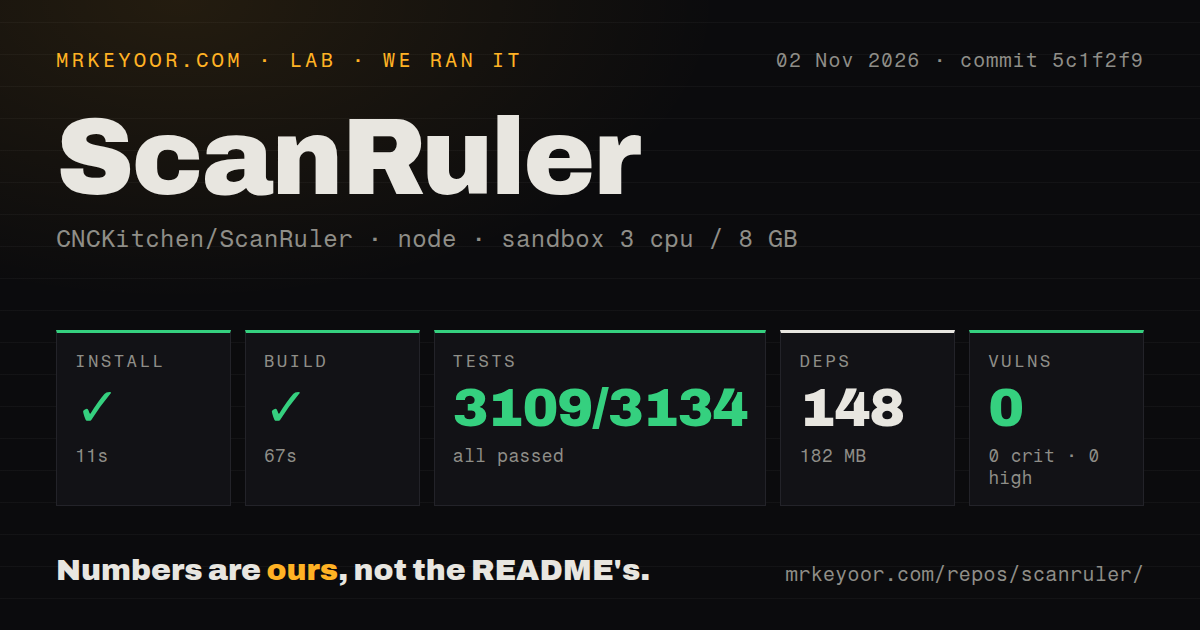
Our ScanRuler run completed installation in 11 seconds, the build in 67 seconds and the test command in 497 seconds. We ran commit 5c1f2f9 on November 2, 2026. The npm record lists 148 dependencies and 182 MB on disk. These developer-checkout results do not measure large-scan processing.
The supplied Vitest summary records 3,109 passed, 0 failed and 24 skipped, with a stated total of 3,134. Those figures don't fully reconcile. We preserve them as recorded rather than supplying a corrected total or calling every case a pass. The command itself succeeded. No measured dimensional error, scanner calibration result or completed agent reconstruction accompanies that result.
Npm audit reported 0 known vulnerabilities, including zero in each recorded severity category. That is a dated dependency-audit result, not a security guarantee. The sandbox configuration had 3 CPUs, 8 GB RAM and image label lab-node:22, which doesn't establish the runtime or operating-system version. The scan also found a tests directory and four CI workflow files, without establishing their current execution status.
Calibrate the flatbed image and choose the alignment
The README says a flatbed image stays flagged UNCALIBRATED until you calibrate it against a known size on the glass. Its embedded dpi supplies only a working scale. If you are measuring a scanned gasket, that is a useful distinction: first establish scale using a known reference, then inspect the detected edges before trusting hole positions or exporting a full-size drawing.
For 3D comparisons, the README offers automatic alignment, point-picked alignment and a local fine fit. It explicitly notes that fixtures, spray or supports can pull the fit away from the intended surface. Choose the surfaces that define your inspection before interpreting deviation colours. A best fit answers a different practical question from alignment to the faces that locate the real part in an assembly.
STL files carry no units, so the documented loading workflow asks you to choose them. That small prompt deserves attention. ScanRuler can display millimetres or inches, while files, projects and agent answers remain in millimetres. Confirm the imported size before spending time fitting geometry. Our successful repository checks do not verify that your chosen unit or datum matches the physical part.
Connecting an agent changes the data boundary
The README says ordinary file processing stays in the browser, but measurements and pictures read by a connected agent go to that agent's model provider unless the model runs locally. We did not inspect network traffic. For confidential parts, decide whether the agent may receive images, measurements and file names before pairing it with the tab.
The optional MCP helper requires Node.js 22 or newer and a supported browser, documented as Chrome, Edge or Firefox. The app asks for connection consent, followed by browser permission to reach local services. These requirements belong to agent use. Ordinary measuring needs no agent.
Automatic reverse engineering is a more demanding proposition. The README describes an agent building a solid STEP model and checking it against the scan. It also says hidden geometry must be inferred, design intent can be wrong, and freeform parts are its weakest case. Require the output report to distinguish measured features from assumptions. Agreement with the scan cannot establish the right nominal dimension or whether a replacement part will fit.
Large-file limits and save behavior need a trial
Release v0.9.4 warns that large 3MF and STEP inputs still cannot be read, despite improvements to reading large text-format meshes. If these formats dominate your work, try an actual representative file before choosing the tool. We have no browser memory measurement or file-size stress result, so a successful production build cannot settle that decision.
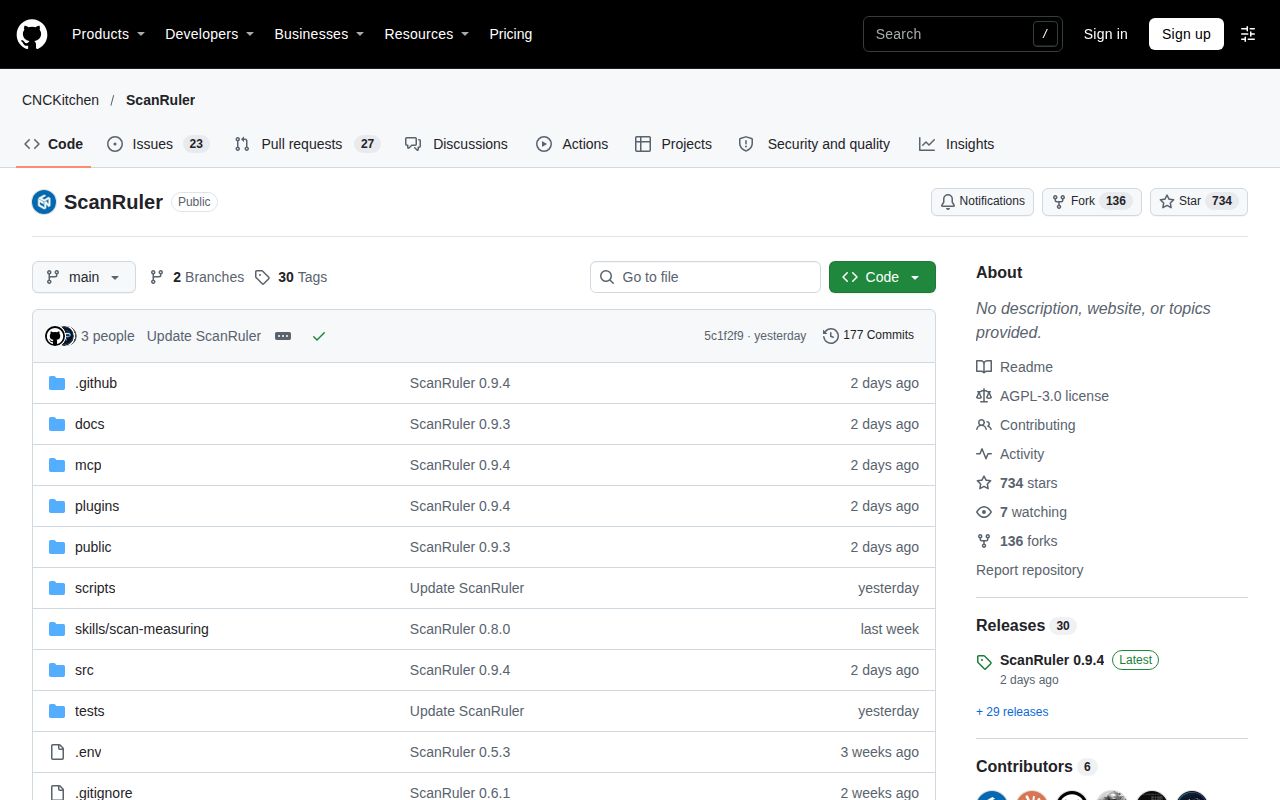
The repository's last push was November 1, 2026. Recent issues include a duplicate-name project-save report and a fit-tolerance input report, alongside feature requests. This shows current use and ongoing work, with reports to investigate. Save and reopen a disposable project on your browser. Don't confuse its recovery checkpoints with the portable project copy the README tells you to save.
Choose the alternative by the job you need
CloudCompare describes point-cloud and triangular-mesh processing, including comparisons between clouds or between a cloud and a mesh. Evaluate it when point-cloud comparison is your central task. FreeCAD describes parametric modelling with editable model history. Choose it when constructing and revising the intended design matters more than measuring the supplied scan. We haven't benchmarked either alternative against ScanRuler.
Documentation receives 4/5 for the explicit calibration, units and agent-data explanations. Maturity receives 3/5 for successful repository commands with unresolved application checks. Our editorial scale is 1 for major evidenced obstacles, 3 for a usable evaluation path and 5 for broad independent validation, with 2 and 4 between. Setup and community support remain unscored beyond the observed checkout results.
ScanRuler is AGPL-3.0-only, and the README offers commercial exceptions. It also says the hosted site carries a beta workspace outside this repository and license. Check that your intended workflow exists in the code you would self-host. Then measure a known feature, save the project, reopen it and repeat the reading before using an unknown part to make a manufacturing decision.