Use it to investigate a mismatch, not to install GTA VI
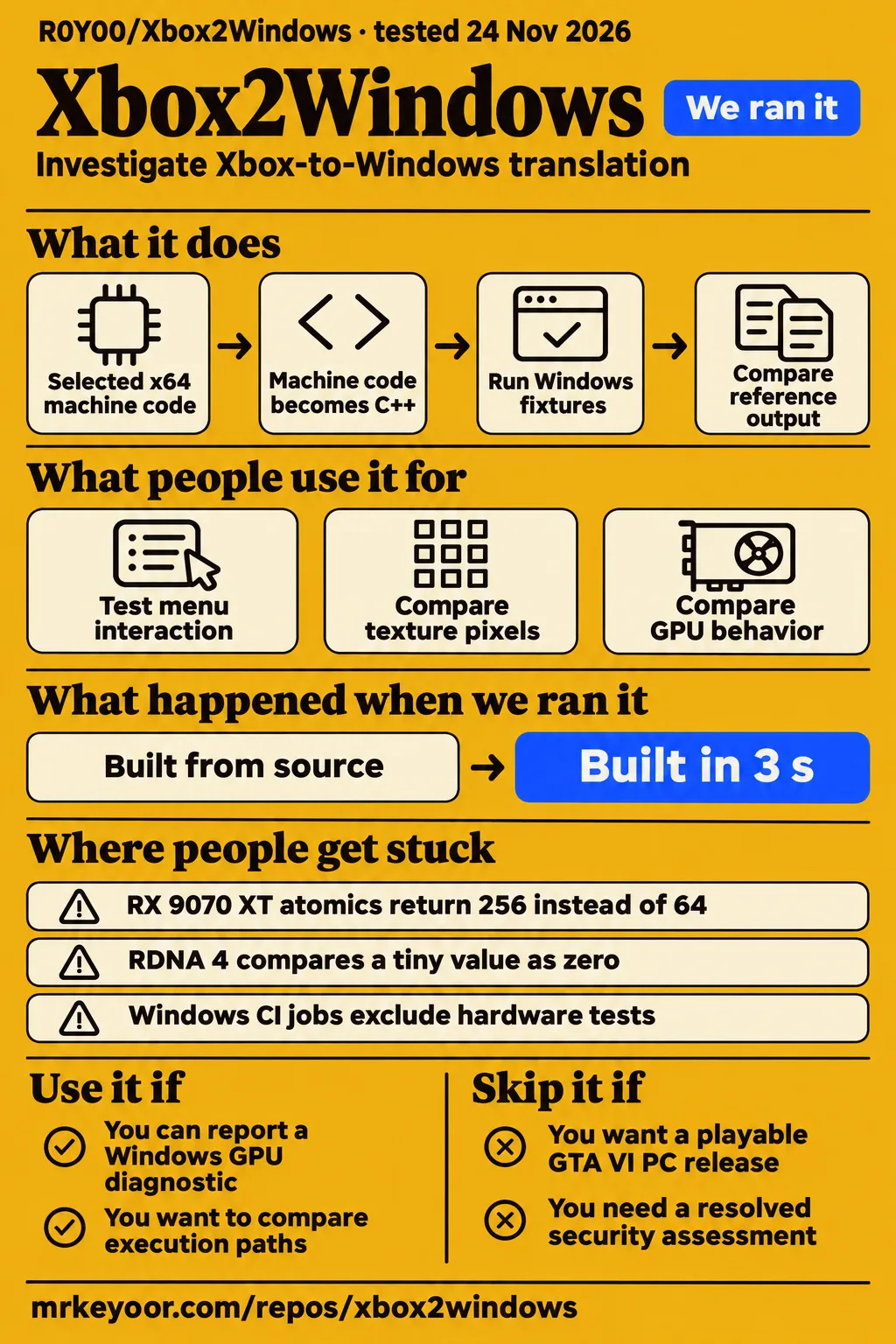
Our sandbox build succeeded in 3 seconds, then pytest exited 5 after collecting no tests. Use Xbox2Windows if you want to investigate Xbox-to-Windows translation and can contribute a reproducible graphics or CPU result. Skip it if you want a playable GTA VI PC download: issue #870 sets loading the 3D world and demonstrating character control as the next milestone.
Xbox2Windows studies static recompilation, converting selected machine instructions into C++ before execution. It also translates selected console shaders, programs executed by the graphics chip, into desktop DXIL, the shader format used by Direct3D. The README describes both translation paths. That gives you several concrete engineering tasks to try without treating an entire game as the unit of success.
The useful distinction is between a program compiling, producing the expected pixels, reaching a menu and accepting movement in a rendered world. Each result answers a different question. A shader count cannot collapse those steps into a percentage of a finished PC port.
What people use Xbox2Windows for
An independent contributor navigated menus on a GTX 1660 SUPER, while other contributors used smaller fixtures to compare Windows execution paths and GPU behavior. These are research workloads you can inspect, rather than anonymous claims that the game works.
| Who did it | What they ran | What happened |
|---|---|---|
| Independent contributor in issue #870 | Release build b9c9f624 on GTX 1660 SUPER | Moved menu focus, opened a submenu and returned with B; subsequent loading stopped. |
| Project maintainer | Original on-disk executable through a diagnostic launcher on RTX 4060 Laptop | Reached prologue credits and successive movie frames, with a solid background behind the credits. |
| Independent RX 590 contributor | Revision 4aefce63 with a complete shader cache | Recorded 898 translated draws over 45 seconds; all three presentation readbacks were black. |
| Project authors | Compressed BC7 texture pages through native Windows, mapped PE and ahead-of-time builds | The three paths produced identical pixels on RTX 4060 Laptop and WARP. |
| Contributor roansystemlabs | Guarded buffer read, integer arithmetic and write fixture | Reported 23 full readbacks each on RTX 3070 and WARP without mismatches; the fixture merged in #835. |
WARP is Microsoft's software graphics adapter. Comparing it with a physical GPU helps isolate behavior, but a difference needs investigation before anyone assigns blame to the translator or driver. Likewise, a mapped PE run loads a Windows-format executable through the project's loader; it is a separate execution path from launching that executable normally.
If you have a graphics background, the BC7 comparison is a better starting point than a video of a title screen. It connects an input to pixels and compares multiple paths. The guarded compute fixture offers a similarly bounded job: read known data, perform specified arithmetic and compare the entire output buffer, including locations that should stay untouched.
What happened when we ran it
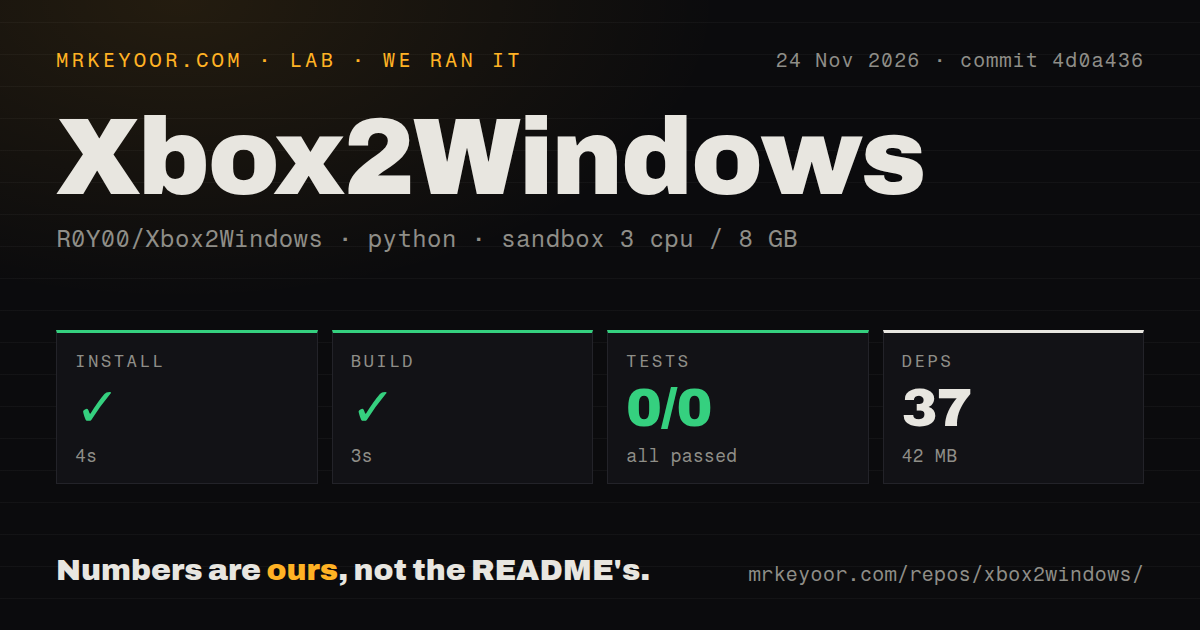
Our install succeeded in 4 seconds and build succeeded in 3 seconds at commit 4d0a436 on November 24, 2026; the test command failed with exit 5 after 2 seconds. Pytest's result was 0 passed and 0 failed out of 0, with the final line no tests ran in 0.25s. Those are our sandbox measurements, rather than the Windows contributors' fixture results above.
| Our recorded step | Result | What you can conclude |
|---|---|---|
| Install | Succeeded in 4 seconds; 37 dependencies recorded, 42 MB on disk | The recorded dependency step completed. |
| Build | Succeeded in 3 seconds | The harness build step completed. |
| Tests | Failed, exit 5, in 2 seconds; pytest collected no tests | This run provides no passing-test coverage. |
| Repository scan | 1 CI workflow file, a tests directory, no Dockerfile | Files exist for testing, but file presence is separate from executing them. |
The sequence matters. Installation completed, the build completed, and then the test command returned a failure without executing a test. Nothing in that final log identifies a missing package, a broken GPU driver or a failing assertion. Calling this a game failure would invent a diagnosis. Calling it a passing suite would erase the failed command.
The sandbox configuration recorded 3 CPUs, 8 GB RAM and image label ghcr.io/astral-sh/uv:python3.12-bookworm. The checkout contained 1,343 files, approximately 252,703 source lines and 16.7 MB. The image name alone gives neither the actual interpreter version nor an independently checked operating-system version. The documented Windows path uses CMake and CTest, a different execution route from this pytest invocation.
A separate hands-on attempt stopped at its safety precheck because no supported Compose filename existed: none of compose.yaml, compose.yml, docker-compose.yaml, docker-compose.yml exists. Its run-summary label says it deployed through the project's own Docker Compose, but the failed precheck contradicts that label. We count this as a blocked deployment attempt. The teardown result was ok. There is no completed application task to score from that attempt.
Where people get stuck: GPU passes cover specific operations
Issue #369 reports an RX 9070 XT array-atomics probe returning 256 per buffer when 64 was expected. A successful GPU Check result answers a narrower question than whether every translated graphics operation behaves correctly.
| Problem and reporter | What changed or helped | Status you should carry forward |
|---|---|---|
| RX 9070 XT report in #369: divergent buffer atomics returned the wrong values | A local manual-waterfall experiment produced the expected values | The direct probe remains failing; the cause is unresolved. |
| RDNA 4 reports in #958: a tiny floating-point value compared as zero under a preserve request | Maintainer retained the strict failing diagnostic and requested controlled comparisons | The hardware mismatch remains open; WARP passed the comparison. |
| Native executable intermittently stayed alive after its entry thread returned, #281 | Termination wrapper #394 handles native process exit while preserving return to the mapped host | RonLogic repeated 300 launches on the original reproducing machine with zero timeouts. |
| lantiumBot's MinLod fixtures skipped with a Vulkan SDK SPIRV-Cross executable, #809 | Built the pinned SPIR-V tools | The contributor then reported all six related checks passing without capability skips. |
The atomics case concerns several GPU execution lanes updating buffers while selecting different resources. Reports in #369 include RDNA 2, RDNA 3 and RDNA 4 configurations. The maintainer explicitly keeps the probe failing. A local workaround is useful evidence, but it is not a shipped fix for all those machines.
The subnormal comparison concerns a floating-point number extremely close to zero. In #958, both Windows CI jobs exclude names ending in _hardware. That means the reported failing hardware comparison sits outside those jobs. A green CI result and a red GPU result can coexist without contradiction. If you are adding a graphics change, preserve the adapter result alongside the CI result.
Issue #281 shows what a stronger resolution looks like. Contributors captured a process whose initial thread had already exited while another thread kept it alive. The wrapper addressed process lifetime, and a contributor returned to the machine that originally reproduced the hang. That is more persuasive than a new test passing only on the author's computer.
Batching improved fixture runtime, not game frame rate
The maintainer reports in #448 that warm RX 9070 XT fixture runs fell from 42.63-44.55 seconds before batching change #697 to 23.42-23.62 seconds at its merge. Those timings measure the pixel-check runner, not GTA VI rendering speed.
The runner had been launching a renderer that created a Direct3D device for each case. Batching reduced repeated setup while retaining comparisons for individual cases. For a contributor iterating on a shader instruction, that improvement means less waiting for the same diagnostic. It says nothing about how quickly a game scene draws.
The same thread also records a later compute_store_aot_hardware timeout: CTest stopped at its 45-second limit while a direct run completed in about 57 seconds with zero mismatches and debug errors. The maintainer asked for warm repetitions and a split between compiler work and renderer work. Case-local debug messages and device-removal behavior also remain open in that thread. Keep timeout, mismatch and capability skip as separate outcomes when you report a run.
GPU Check's antivirus report needs an answer
X user Ronjyfishy reported that antivirus engines flagged the unsigned offscreen_check.exe from GPU Check v0.1.0. The post asks readers to wait for investigation. That is a community warning, not a security audit or proof of malware.
The project's GPU Check instructions point to its GitHub release and ask you to review the generated report before posting it. Treat executable provenance and graphics correctness as separate decisions. A successful buffer comparison cannot answer whether a downloaded executable is trustworthy, and an unsigned executable's detection cannot be dismissed merely because the project publishes source.
For contributions, the README asks you to keep game files, dumps, distribution links and private logs local. You can work on public source-built fixtures without attaching a retail executable to an issue. The public fixture route is also the appropriate starting point if your goal is to contribute a diagnostic rather than investigate a title package.
Xbox2Windows vs Leonida, XCL and VIctory
Xbox2Windows studies ahead-of-time CPU translation and desktop DXIL, Leonida documents a Vulkan route, and XCL supplies replacement system interfaces around native x64 code, according to the independent tracker comparison.
| Project | What the comparison describes | When it is the more relevant project to inspect |
|---|---|---|
| Xbox2Windows | Selected machine code to C++, selected shaders to desktop DXIL, controlled output comparisons | You want a named Windows fixture and a reference output to investigate. |
| Leonida | Vulkan/SPIR-V graphics route | Your research concerns that backend and its shader-validation results. |
| XCL | Native x64 execution with replacement platform libraries | You want to examine loader and runtime-service compatibility rather than CPU translation alone. |
| VIctory | Secondary reporting describes menus, intro audio and a dark world | You want to follow that distinct startup result; LeonidaPC.wiki says its authors ran none of these projects. |
There is no defensible overall winner from these counts. Structural shader validation checks the target representation's rules. A readback comparison checks output under particular inputs and bindings. Even when two projects start with similar shader data, those success criteria differ. Rank a reproducible workload, not an entire project by a number in a headline.
For Xbox2Windows, the useful GitHub destination is R0Y00/Xbox2Windows, followed by the issue for the exact workload you can run. English build instructions and issue discussions already exist in the README and tracker; you don't need to infer platform support from the repository's Python language label.
What the other reviews get wrong
LeonidaPC.wiki's “GTA 6 PC Port Projects” introduction says no fan project can start the game, while its own table describes VIctory reaching menus and an intro. The page contradicts itself. Its older FAQ repeats the broader claim. Xbox2Windows issue #870 adds its own configuration-specific menu and prologue milestones.
The tracker article “Do Xbox2Windows, Leonida and XCL Do the Same Thing?” also relies on the earlier missing-executable boundary. Its explanation of different backends is useful, but that startup description is behind #870. The tracker's status board likewise lists 849 verified pixel-shader records, whereas the README records 851 of 12,101 at c849f7a under controlled output comparisons. Keep the revision and success criterion attached to either figure.
There are stale claims in the README too: its snapshot says main-menu navigation is unverified, while #870 records the independent b9c9f624 result. Digital Qazaqstan's Windows 10 discussion also needs the distinction made in the README: source-built BVH buffer operations run on in-box WARP at SM 6.0; checks requiring SM 6.5 or DXR use app-local packages. A blanket requirement loses that distinction.
YouTube coverage needs the same care. The creator of “Modders Got GTA 6 Booting on PC Overnight…” describes XCL menus and VIctory's dark scene, then says nobody is actually playing. That is a narrated roundup, not our test of Xbox2Windows. Its “loaded world” language cannot substitute for this project's presentation readbacks and input results. Likewise, the X post quoted from Mamozziee claims a PC launch, while #870 names scene rendering and visible character response as the next checkpoint.
Questions people ask
Xbox2Windows has reported independent menu navigation and a diagnostic prologue result; issue #870 still sets a rendered 3D world with character control as the next milestone.
What has Xbox2Windows reached beyond the intro and setup screens?
A GTX 1660 SUPER contributor moved menu focus, opened a submenu and returned with B at b9c9f624. The maintainer reached prologue credits with a solid background on RTX 4060 Laptop. The startup table in #870 identifies each configuration separately. Don't merge those outcomes into a single successful play session.
What do I need to build and run Xbox2Windows?
The README calls for Windows x64, Visual Studio's C++ workload, CMake, Ninja and the Windows SDK with DXC. It recommends SDK 10.0.26100 for new installations and Python 3.11 or newer for the broader suite. Run tools/dev.ps1 in each new PowerShell session to load the toolchain. The non-Windows route covers selected Python and LLVM checks, while D3D12 execution belongs on Windows.
Do the public tests require game files, a console or a compiler?
Standalone GPU Check requires none of those, according to issue #1's release instructions. Building the source fixtures requires the documented compiler toolchain. Those fixtures create their own workloads, so the source-build guide also says a retail game is unnecessary. Choose the diagnostic package or the source contribution route before following installation steps.
Can my Windows GPU run the native wave64 BVH test?
A GPU must expose the required 64-lane capability for forced wave64. Reported NVIDIA adapters with a 32-lane maximum skip that part, while other checks can still pass. Issue #1 records the capability range and each outcome separately. BVH means bounding volume hierarchy, a structure used to organize geometry queries; passing its fixture covers that workload.
What should I report when a test fails on my GPU?
Include the commit, Windows version, adapter, driver, reported lane range, debug-layer status and outcome for each named check. For a failure, include the first mismatch or diagnostic. Issue #1 asks for those details, while the build guide asks for the exact command and observed output. Review the generated report before sharing it, and keep private inputs local.
Is Xbox2Windows GPU Check safe to run when antivirus engines flag its unsigned executable?
The warning is an attributed report about GPU Check v0.1.0's unsigned executable. Ronjyfishy's post calls for investigation. Neither a false-positive diagnosis nor a security clearance follows from the graphics results discussed here. If that unresolved executable warning is unacceptable on your machine, postpone running the release package.
Is Xbox2Windows an emulator, a compatibility layer or a static recompilation project?
The project describes itself as static recompilation research: selected x64 machine code becomes C++, and selected gfx1013 shaders become desktop DXIL. The README also describes mapped execution and runtime shims. That combination explains why reducing it to a single “emulator” label obscures what each experiment actually exercises.
How do Xbox2Windows, Leonida and XCL differ?
The tracker comparison distinguishes Xbox2Windows' ahead-of-time translation, Leonida's Vulkan route and XCL's native-x64 runtime approach. Their graphics and system-library work overlap, but their execution paths differ. Choose a project by the specific backend or system call you want to investigate, rather than assuming their shader totals measure equivalent progress.
Which GTA VI PC project is furthest along, and can their progress counts be compared?
The comparison pages describe different startup milestones and different shader success criteria. LeonidaPC.wiki attributes menus and intro progress to VIctory, and the tracker explains why structural validation and matching output are different results. Neither provides a common workload and common success criterion that would support an overall ranking.
What evidence proves a repeatable title boot rather than a misleading video?
A useful boot report identifies the revision, operating environment and exact scene reached, with enough instructions for someone else to repeat it. The tracker comparison separates that from sustained interactive play. For Xbox2Windows, #870's independent menu report is more informative than a clip detached from its launcher settings and hardware.
Is a GTA VI PC installer advertised on YouTube or Telegram genuine?
An installer advertisement is no proof of a playable Xbox2Windows release. LeonidaPC.wiki distinguishes the GPU diagnostic from a game build, and the YouTube roundup explicitly says its progress report contains nothing viewers can install. Use the project's own release description to identify what a download does. A menu clip cannot authenticate a separate installer.
What changed once the missing main executable became available?
Issue #870 moved the discussion to actual loader, menu and prologue observations involving the executable. Its current startup table describes the original on-disk executable under a diagnostic launcher. The earlier missing-file explanation belongs to the earlier investigation; the next useful evidence is now correct scene output followed by visible response to movement input.
What we have not tested yet
Our run covers the recorded dependency, build and empty pytest steps at 4d0a436. We have not reproduced Windows GPU Check, the CTest suite, menu navigation, the prologue or gameplay. We have not audited the release executable or resolved the antivirus warning. Actual sandbox runtime versions require the raw toolchain logs. The blocked Compose attempt supplies no deployed application measurements or screenshots.
Shader coverage also needs restraint. Issue #938 documents decoder spellings and stopping at the first s_endpgm distorting scanner classifications. Several decoder fixes merged, but later comments still discuss further SDWA fixes and decoding after that instruction. A closed issue label alone cannot confirm that the entire scanner problem is resolved. Issue #721 explicitly separates source-built extraction and arithmetic improvements from a new archive count.
The MinLod thread keeps the connection between controlled sampling experiments and twelve earlier archive differences open. We have not rescanned those archives, compared the alternative projects on matched inputs or measured game performance. The next result that would change the player recommendation is a repeatable, correctly rendered scene with visible character response to input, the checkpoint named in issue #870.