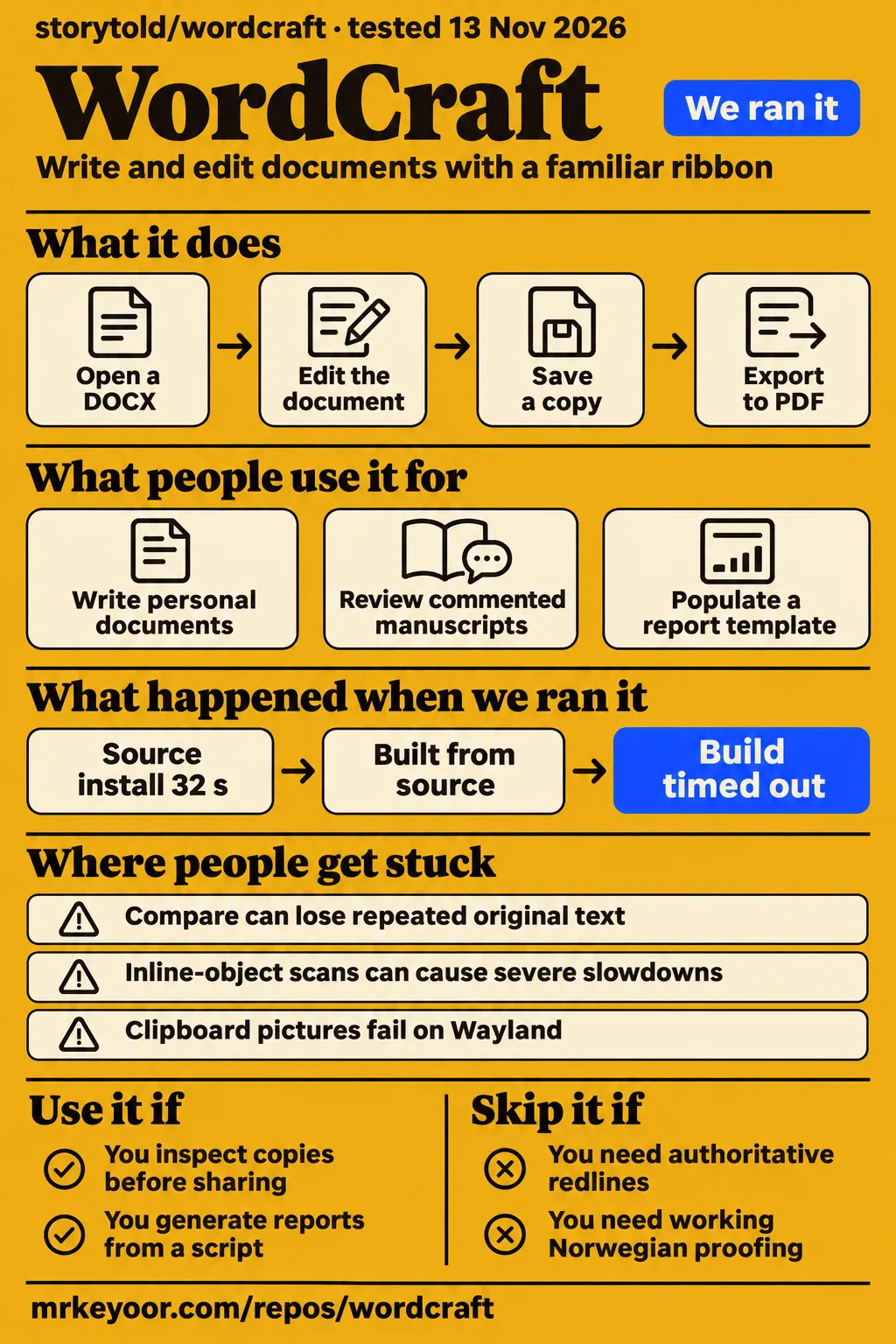
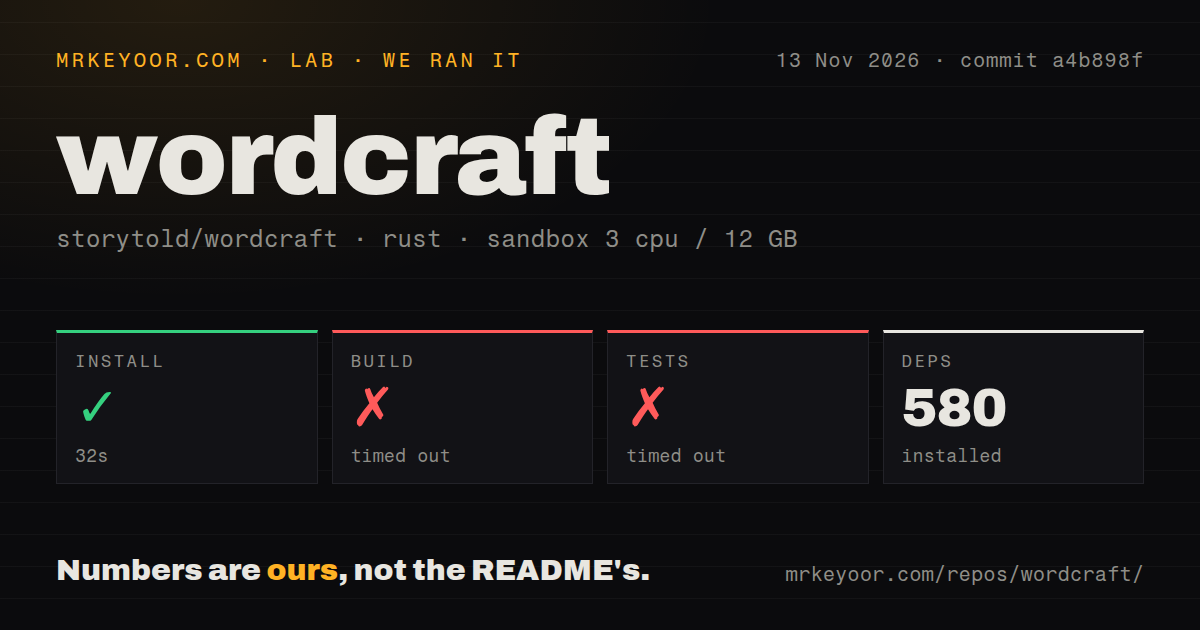
WordCraft is a free, open-source Rust word processor with a familiar ribbon and CLI/MCP automation. Try it for personal documents you can inspect before sharing. Keep important comparison work in your existing editor: issue #5924 documents original text disappearing from redlines. Our source installation succeeded in 32 seconds, but both build and test steps hit their 900-second limits.
That split governs our recommendation. A writer can like the comments interface and produce useful PDFs while a document-comparison defect makes the same app unsuitable for reviewing a contract. WordCraft deserves a decision based on the work you hand it, rather than on how closely its toolbar resembles Word.
Local editing and automation share the document model
WordCraft reads and writes DOCX and offers styles, tables, comments, tracked changes and PDF export, according to its official product page. It also exposes document commands through an MCP server, so an agent can edit a document without operating the ribbon. Those two interfaces serve different readers: someone writing a letter and someone generating reports from a script.
For ordinary writing, the attraction is familiar document structure. Headings, footnotes and bibliography tools belong inside the editor rather than in a separate conversion pipeline. For automation, the attraction is access to the same document model through commands. Neither the ribbon nor the command list tells you whether a particular imported file will survive an edit and save.
Treat compatibility as several questions. Does the file open? Does its text survive? Do fields retain their definitions? Does the page look right? Does Compare retain every original passage as either unchanged or deleted text? The contributor corpus and comparison investigation examine different parts of that chain. A successful answer to the first question cannot answer all the others.
What people use wordcraft for
Named users report useful writing, PDF and document-inspection workflows, with different outcomes for different kinds of files. These reports describe what those people did, rather than tasks completed in our sandbox.
| Who used it | What they did | Reported outcome |
|---|---|---|
| Jack Wallen, ZDNET writer and novelist | Wrote his review in WordCraft and opened manuscripts with many comments | Made it his default on Linux and macOS, while reporting typing lag and mistakes around saving |
| Hacker News user spwa4 | Created simple documents and printed them to PDF | Said this light personal workflow worked well as an alternative to what they used Google Docs for |
| GitHub contributor KNUFFIXX | Repeatedly inspected, extracted text, saved and exported office files | Tracked improvements and continuing text and field-preservation differences across releases |
| Richard Young, visual-guide author | Used Claude Code and MCP to populate a report template and insert a chart | Published rendered output showing replaced placeholders and a native editable chart |
Wallen's manuscript experience is particularly relevant if comments are what keep you tied to another editor. He describes documents that troubled LibreOffice working in WordCraft. His account also includes lag on Linux and macOS, and work lost while learning the saving workflow. Read the whole experience before adopting the enthusiastic conclusion.
Young's guide demonstrates a different advantage: an agent can replace report placeholders, insert an object and return a rendered page for inspection. The study figures inside his example are supplied document content. They are not evidence that MCP improved anyone's productivity by the percentages printed in that sample report.
What happened when we ran it
Our November 14 hands-on attempt stopped at its safety step because the repository had no Compose file. The failed-step record lists compose.yaml, compose.yml, docker-compose.yaml and docker-compose.yml as absent. That was our harness's requirement, not a requirement for using a desktop word processor.
The run-summary record nevertheless says it was deployed with its own Docker Compose and ports bound to 127.0.0.1. Those records conflict. We credit the explicit failed safety step and make no claim to have opened the app or edited a document in that attempt. The teardown record says teardown completed successfully.
Our separate November 13 source run used commit a4b898f, with a configured sandbox of 3 CPUs, 12 GB RAM and image label lab-rust:1. Here is what that run recorded:
| Source-run step | Recorded result | What it means for a contributor |
|---|---|---|
| Install | Succeeded in 32 seconds; 580 dependencies recorded | Dependency setup completed within the allotted run |
| Build | Timed out at 900 seconds | The run produced no completed-build result |
| Tests | Timed out at 900 seconds | The run produced no completed-suite result |
| Repository scan | 1,081 files, about 403,964 source lines, 31.4 MB checked out | This is a substantial source tree to work with |
| Scan signals | 9 CI workflow files; no Dockerfile or tests directory detected | File-layout observations, rather than evidence of passing CI or absent inline tests |
The test log was still printing compilation lines at the cutoff. Its tail includes hayro image and PDF-related crates, craft-print, eframe and wordcraft-cli v0.18.1. It ends with compilation of wordcraft-cli, not an assertion failure or a test summary. A timeout is the result we can report. The tail gives no basis for blaming a missing system package, a compiler version or a particular operating system.
For a contributor, the practical cost is uncertainty after a long compile window: the quick install did not lead to a completed build within our cap. For a person downloading the desktop app, this is a source-build observation. The official launcher and standalone installers are separate routes. The image label also says nothing conclusive about the actual Rust or operating-system version.
Where people get stuck: fixes and workarounds differ
Legacy-form rendering and Linux keyboard input have confirmed fixes in the supplied threads, while clipboard and window-decoration reports include workarounds. Match the symptom, package and version before applying advice from an old discussion.
| Report | Evidence and resolution | Practical response |
|---|---|---|
| #1174: lost legacy fields, invisible checkboxes and shifted table rows | Closed after #1184, #2076 and #1760; follow-ups confirmed field preservation, checkbox rendering and corrected skipped columns | Reopen a copy of your form, save it and inspect the fields and layout in the receiving editor |
| #2066: typing stops after the first word | Closed after #1179 was merged and retested on main with XWayland and fcitx5 | Distinguish that fixed input failure from ordinary typing lag |
| #1368: clipboard pictures fail on Wayland | Open; contributors report a working Flatpak permission override and successful toolbar insertion | Insert the image through the toolbar first, then investigate the package's display access |
| #78: duplicate or mismatched title bars | Open; XWayland is a workaround, and a contributor confirmed PR #282 fixed the reported symptoms on native Wayland | Read the installed build's notes before changing compositor settings |
The form report has a useful progression. A Windows check on 0.8.0 confirmed that legacy field definitions survived saving, but explicitly left checkbox drawing and skipped-column layout for further checks. Later contributors confirmed those parts too, including checkbox rendering on 0.15.0. Calling the entire report fixed at the first successful save would have hidden two visible defects.
For Flatpak users, #1368 records success with flatpak override --user --nosocket=fallback-x11 --socket=x11 ai.storyteller.wordcraft. This changes display access for that application. Its purpose is to make the X11 clipboard fallback available inside the sandbox. Use the toolbar workaround if you prefer to leave those permissions alone. Native Wayland helped the older typing failure, whereas XWayland helped decorations and clipboard access in other reports. There is no single compositor switch that answers every Linux symptom.
Compare can discard repeated original text
Issue #5924's final investigation locates the text loss inside the compare merge across the tested entry routes. That is a reason to avoid WordCraft Compare for consequential redlines, even if opening and editing the source files appears to work.
The thread matters because its diagnosis changed. An early probe appeared to show that all original words survived. The later investigation explained why: it checked whether each distinct word appeared somewhere in the output. Repeated boilerplate can disappear from one paragraph while every word remains elsewhere. A vocabulary-presence check passes even though a passage is gone.
For legal review, repeated wording is exactly the content you need to preserve. Two occurrences of the same clause are two occurrences, and losing one must show up as a deletion. Our recommendation follows the final investigation rather than the earlier reassuring probe: retain both originals and generate the authoritative redline with the workflow you already trust.
A separate structural-validation proposal, #5848, describes duplicate identifiers and broken references arising from content cloned between documents. It records local and fork work toward a validator and clone-safety checks. That is development activity toward detecting corruption, rather than evidence that a released checker already prevents it. Text completeness and package integrity need separate checks.
Small files can still hurt performance
Issue #3614 reports repeated scans of inline-object prefixes causing severe slowdowns, including a small DOCX hanging on open. File size and page count are therefore poor substitutes for exercising the operations your documents contain.
The issue describes loops that repeatedly search earlier object markers instead of walking them once. Contributor follow-ups publish changes for individual commands, including accessibility checks, document inspection and bookmark operations. The umbrella report stays open. Those targeted patches should be read as fixes for their named paths, without treating them as a blanket performance clearance.
This also explains why apparently conflicting reviews can both describe real experiences. The product page emphasizes cached paragraph layout. Wallen praised startup speed but also experienced typing lag. An object-heavy paragraph can stress a different path from a long document made mainly of plain prose. A report generator should exercise insertion, field updates, inspection and saving on its own files, rather than judge the whole workflow by how quickly the window opens.
MCP needs explicit saves and file boundaries
The automation documentation says headless documents live in the server process until explicitly saved, and plain MCP can read and write any path. Those are consequential operating rules for anyone giving an agent access to a working document folder.
The WordCraft integration skill describes an active document, caret and selection. An edit acts where that state points. Several documents can be open, so an agent also needs the right document selected. Ask it to inspect structure, render the affected pages and save to a named destination. A successful text replacement is only one part of delivering a usable report.
For headless use, the documented --automation-read-root DIR and --automation-write-root DIR options confine file access. The same source says a root left out grants no access of that kind when using those restrictions, and that these flags are errors with --connect. Do not assume a restriction on a headless server also governs a bridge to the desktop app.
Young's rendered report example makes visual inspection tangible: the title and summary changed while an unnamed Background placeholder remained. An agent can obey the replacements it was given and still leave an unfinished document. Work on copies, use a dedicated output folder and inspect the final saved artifact before sending it to someone else.
Arabic editing and language menus need separate checks
Arabic document editing is reported implemented, but the RTL thread still lists editor polish and kashida among follow-ups. A translated interface, shaped document text and working proofing are separate capabilities.
In #66, contributors discuss document shaping, caret movement, tables, lists, numbering and interface mirroring at different stages. The later discussion points to Arabic interface work while retaining further editor tasks. Read the thread chronologically. Its early list of missing features is not a reliable description of everything currently absent, and its later progress reports do not answer every academic-writing requirement.
Proofing has its own evidence. In the November Reddit thread, Cruffe reported that US English worked while Norwegian did not, despite Norwegian being selectable. Another user reported a Mac update fixed their spellcheck and copy/paste complaints. That user's update cannot resolve Cruffe's separate Norwegian observation. For a thesis with mixed Arabic-English citations, include tables, numbering and exported pages in the acceptance work, rather than checking only whether Arabic appears on screen.
WordCraft vs Microsoft Word, LibreOffice Writer and OnlyOffice
WordCraft has reported successes in local writing and commented manuscripts, but the supplied comparisons are workflow accounts rather than matched product trials. Choose around the receiving editor and the cost of a damaged file.
| Alternative | What the supplied comparison says | When we would choose it |
|---|---|---|
| Microsoft Word | Wallen wanted a native Linux alternative; #5924 documents a WordCraft Compare text-loss defect | Keep Word as the receiving reference for a Word-based review workflow, especially authoritative redlines |
| LibreOffice Writer | Wallen preferred WordCraft for his heavily commented manuscripts | Keep an existing Writer workflow when it already handles your documents, and compare copies before switching |
| OnlyOffice | Reddit participants recommend it, while other replies complain about heavy files and DOCX compatibility | Evaluate the actual troublesome files in both applications rather than infer a winner from the thread |
| Google Docs | HN user spwa4 preferred WordCraft for simple local document-to-PDF work | Retain Docs when the existing shared-document workflow matters more than local PDF production |
For WordCraft vs MS Word, our deciding factor is confidence in the exchanged file and redline, rather than ribbon familiarity. For WordCraft vs LibreOffice, Wallen supplies a specific reason to try WordCraft: his comment-heavy manuscripts. His preference is useful evidence for that task, not a measured ranking of office suites. The OnlyOffice discussion offers candidates and complaints without a controlled comparison.
What the other reviews get wrong
The supplied coverage overstates review-tool equivalence, repeats an old feature roadmap and gives misleading installation advice. Each error changes a reader's decision about trying WordCraft.
ZDNET's description of collaboration as a one-to-one match for Word goes beyond its author's successful manuscript experience. The later Compare investigation supplies a concrete counterexample to that broad assurance. Comments, tracking edits as you type and comparing two existing files should not be treated as interchangeable evidence.
The app-wordcraft README copy lists charts, SmartArt and equations as future work. Young's guide shows a native editable chart, and the integration skill documents chart, SmartArt and equation insertion. That corrects feature availability. Imported objects still need their own compatibility assessment.
The old claim that DOCX has never faced real office files is also outdated. KNUFFIXX's recurring corpus report supplies that work and records its remaining differences. Finally, the Meta AI installation summary points beginners toward cloning and Rust, whereas the official product page offers a recommended launcher and standalone installers. Compiling source is a contributor choice, not the only route to the WordCraft app download.
Questions people ask
The WordCraft software reviewed here is ArtCraft's word processor at storytold/wordcraft. Use that identity when searching for downloads or support, because the shared name pulls in unrelated products.
Is WordCraft a viable Microsoft Word replacement?
Users report successful personal documents, PDFs and manuscript work. We would try it on copies for those tasks, while keeping consequential document comparison in an existing trusted workflow because of #5924.
How does WordCraft compare with LibreOffice Writer?
Wallen preferred WordCraft's handling of his commented manuscripts. That is a useful task-specific recommendation, with his reported lag and saving difficulties included in the decision.
Should I choose WordCraft or OnlyOffice?
The supplied Reddit discussion recommends OnlyOffice and also reports compatibility complaints. Choose by opening, editing and exchanging your own difficult files, since this evidence supplies no matched winner.
How does WordCraft compare with OpenOffice?
The search intents include OpenOffice, but this pack contains no direct WordCraft-versus-OpenOffice evaluation. It offers no basis for claiming better layout fidelity or performance for either application.
How do I download and install WordCraft?
The official product page offers the ArtCraft Launcher and standalone installers. Start there for the desktop app. Rust instructions concern building the source, which is the route our timed-out build record describes.
Which Wordcraft app or GitHub project do the search results refer to?
For this word processor, look for storytold/wordcraft and the ArtCraft product page. cz4000/wordcraft is a writing skill for AI agents. The Google Play vocabulary app and story-writing research editor describe other offerings.
Is the WordCraft word processor related to Wordcraft Technologies, legal translation, institutes, academies or games?
The supplied records identify the ArtCraft word processor but supply no affiliation evidence for Wordcraft Technologies, Wordcraft legal translation, Wordcraft institute or Wordcraft academy. A Wordcraft game search can also lead to sentence-building research. A matching name alone is insufficient to connect these entities.
Does WordCraft include spellcheck and autocorrect, or do I need an add-on?
The README lists spelling and AutoCorrect as built-in features. The November Mac user reported an update addressed their complaints, while Norwegian proofing had a separate unresolved report. Check the installed language data and the chosen language, rather than infer coverage from a menu entry.
What we have not tested yet
Our own evidence stops at source setup and compilation timeouts, plus the blocked Compose safety step. We have not used a supported desktop installer, completed the suite, edited manuscripts, compared document pairs or reproduced the reported fixes. There are no app screenshots or known-answer document tasks in this pack. The contradictory deployment summary needs correction before it can support a successful hands-on claim.
We have not reconciled raw toolchain logs to identify runtime and operating-system versions, or investigated the cause of the compilation timeouts. The log tail cannot diagnose those causes. The absence of a tests directory is not evidence that Rust modules lack inline tests. No vulnerability result is supplied, and the file-access guidance above is documentation review rather than a security audit.
The corpus and issue findings belong to their named contributors, versions and files. We have not reproduced them at a4b898f, established universal DOCX fidelity, checked arbitrary imported charts or independently assessed Arabic academic documents. We have no matched alternative benchmarks, adoption totals, search-volume measurements or support-response study. Public activity and successful examples cannot supply those missing results.
Before replacing your editor, keep an untouched original of the document you most need to exchange. Save a copy through WordCraft, open it in the recipient's editor and check repeated clauses, fields, objects and pages. Keep the authoritative redline outside WordCraft Compare until the reported text-loss case has a demonstrated fix.